User Application
Debts & Payoff Planning
Lend/borrow tracking, installment/EMI schedules, and a snowball-vs-avalanche debt payoff calculator.
Lend / Borrow
User Panel Track money you've lent to someone or borrowed from someone, with an optional interest rate, against any account. Every record has a type of either lend (money owed to you) or borrow (money you owe) — the two are kept in one ledger but always shown and totaled separately on the dashboard.
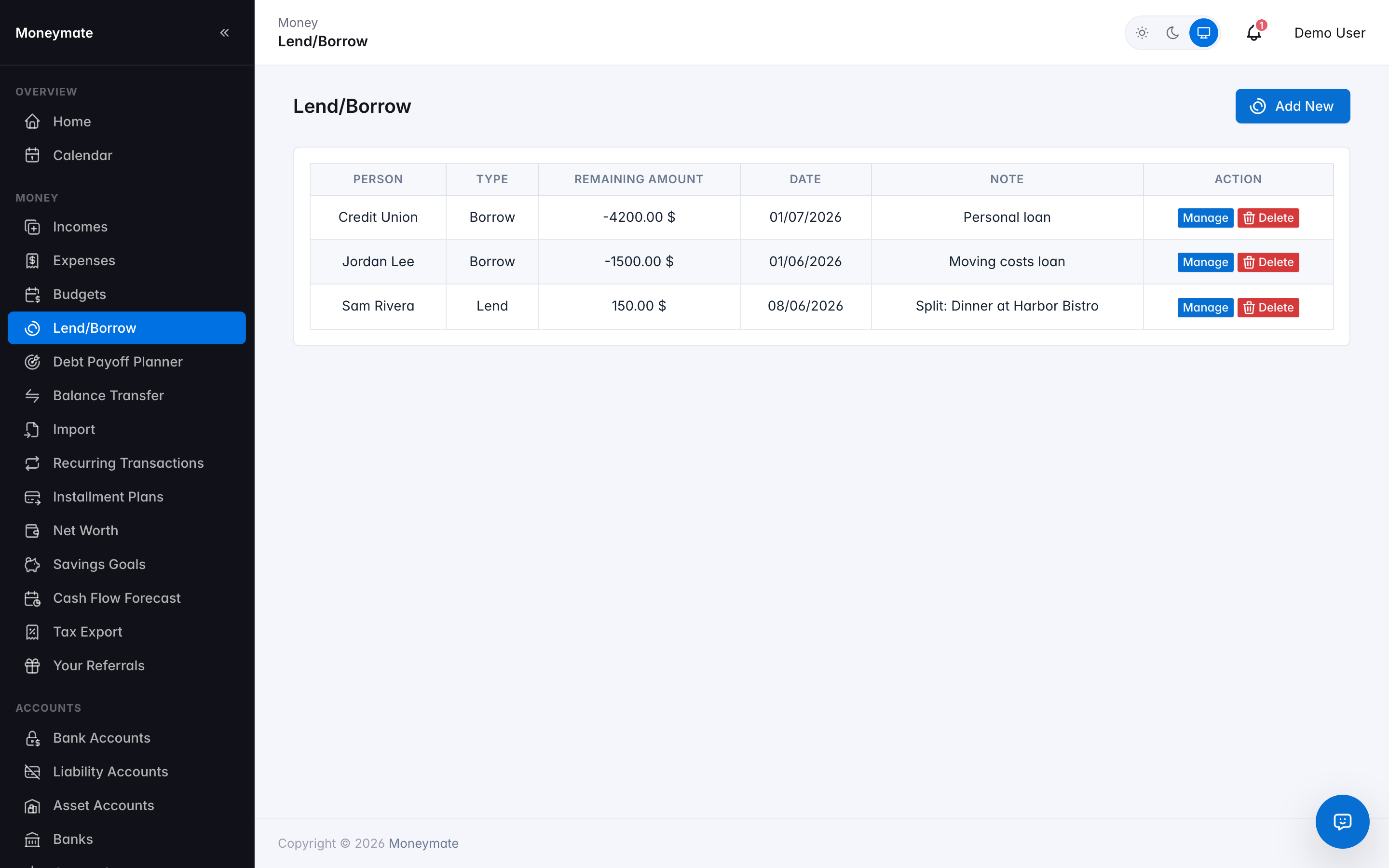
Lend / Borrow ledger
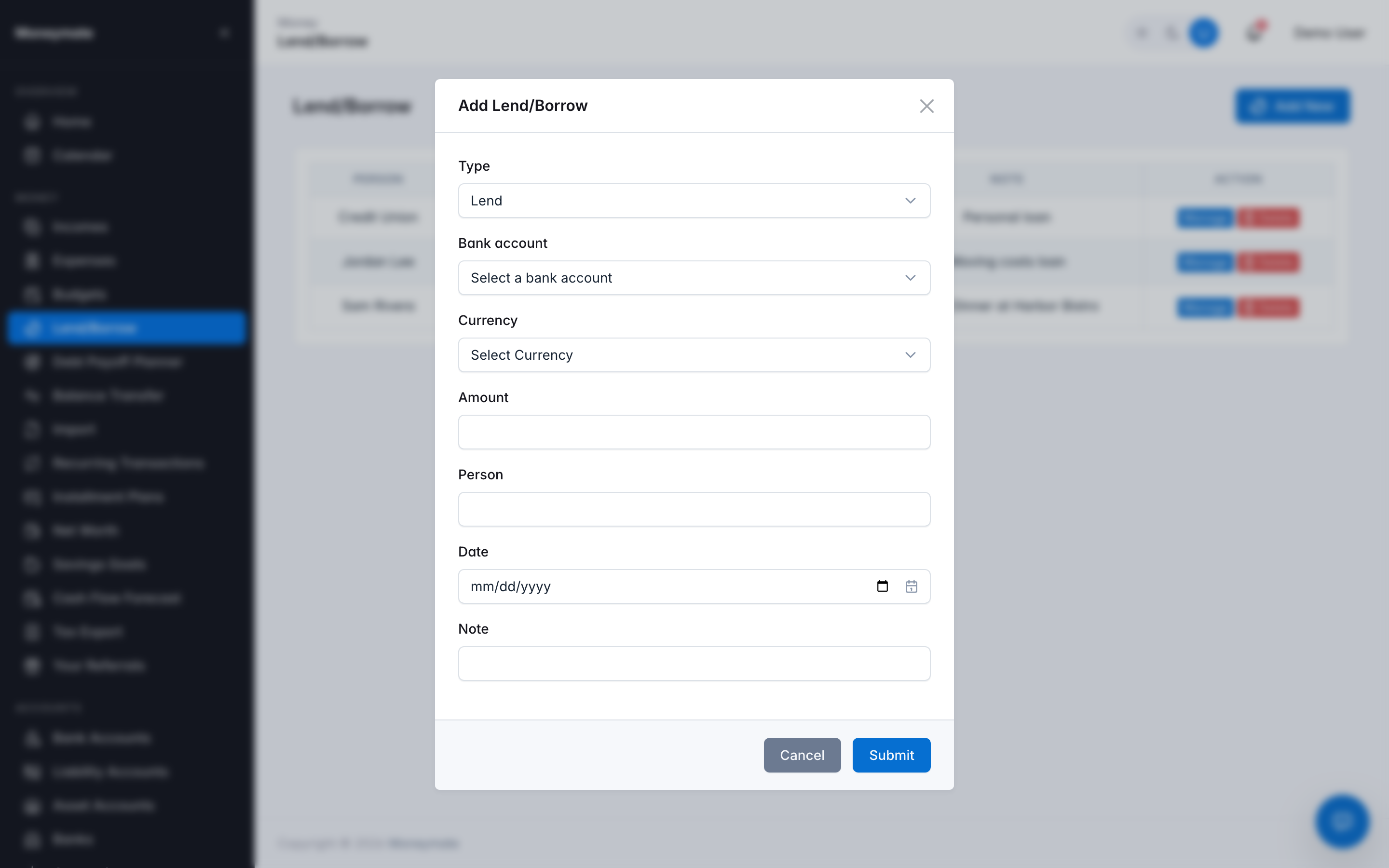
Add a Lend / Borrow record
Record partial repayments over time — each repayment is logged against the record and the outstanding balance recalculates automatically, so a $2,000 loan repaid in three installments always shows the true remaining amount, not just an open/closed flag.
Debt Payoff Planner
Pick a monthly budget and a strategy — snowball (smallest balance first) or avalanche (highest interest rate first) — and MoneyMate simulates month-by-month payments across every active borrow-type debt, showing exactly which month each one is paid off and how many months total until you're completely debt-free.
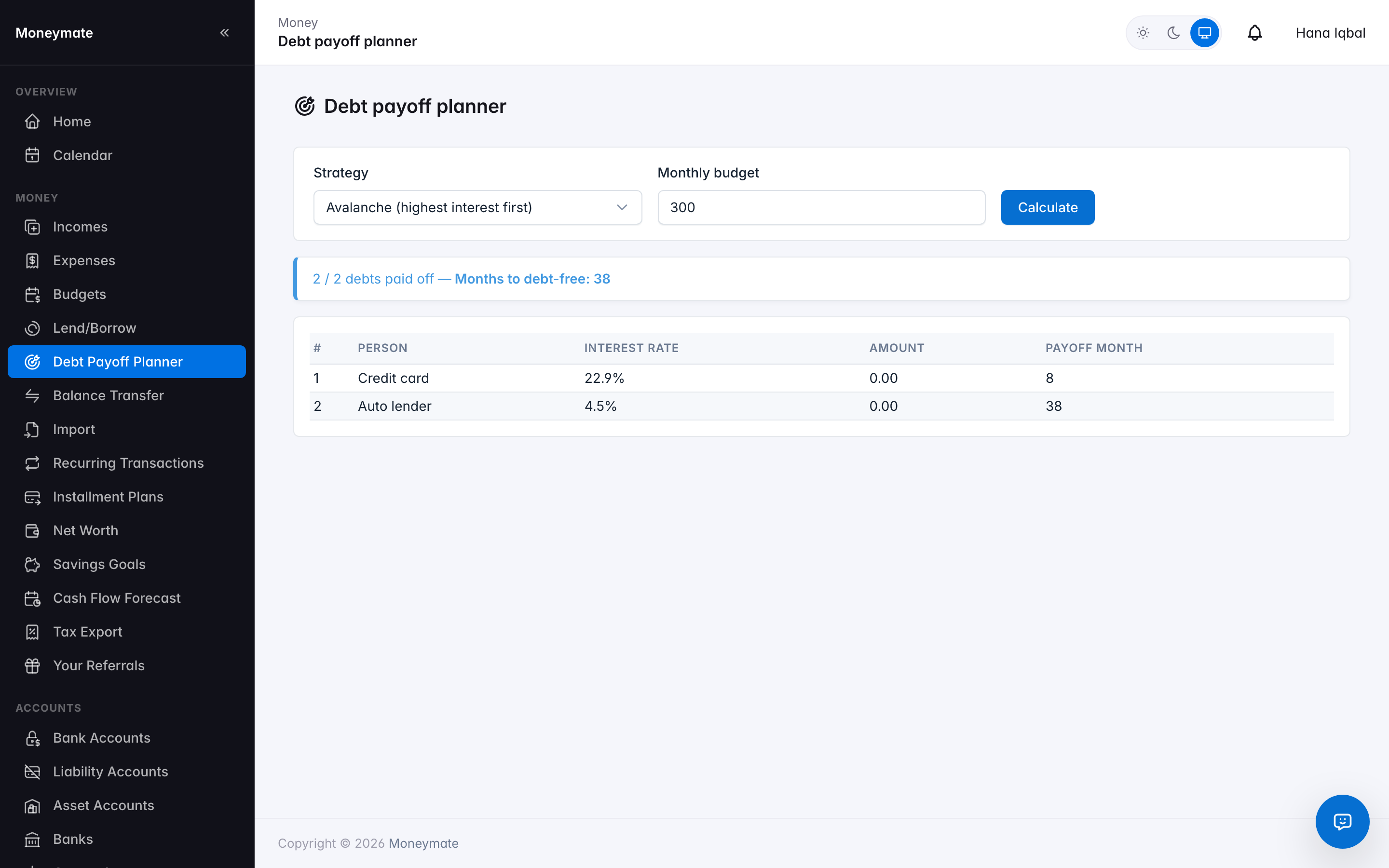
Debt Payoff Planner — avalanche strategy simulation
The simulation applies your full monthly budget to whichever debt is first in the chosen strategy's order, rolling the freed-up payment onto the next debt the moment one is paid off — the same "debt snowball" mechanic popularized by personal-finance methodologies, computed automatically instead of on a spreadsheet.
This is one of several features controlled per pricing tier from Packages — subscribers on a plan without it see a clear upgrade prompt instead of the calculator.
Debt Trend
A card at the top of the Lend/Borrow page, in the same two layers as Spending Insights on the Expenses page:
- The chart itself — a 6-month income-vs-new-borrowing trend and current outstanding balance per person, computed directly from the subscriber's own records. No AI call, no credit cost.
- AI insights, on demand — the "Generate AI insights" button compares borrowing against income, flags each outstanding balance low risk, medium risk, or high risk with a one-line reason, and writes a handful of concrete suggestions. It deliberately never states a specific future payoff date or projected total — the ledger has no due-date or repayment-schedule data to support that kind of precision, so the assistant is instructed to describe the trajectory in plain terms instead of a false-precision forecast. For an actual payoff-date projection with a strategy you choose, see the Debt Payoff Planner above.
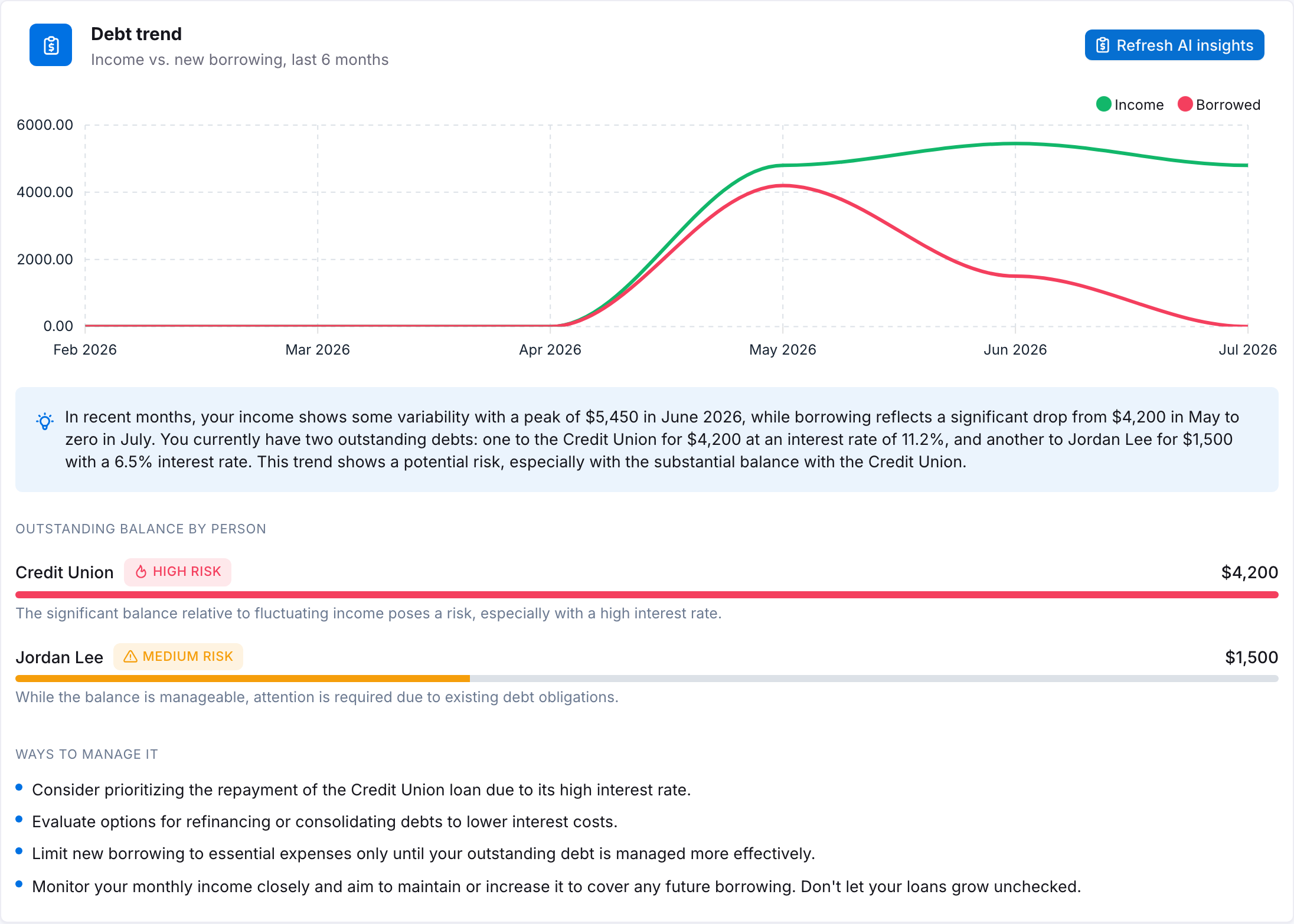
Debt Trend — income vs. borrowing chart, per-person risk flags, and AI suggestions
Shares the same debt_payoff_planner_enabled flag as the planner above, rather than a separate flag — one "debt features" tier requirement instead of two to configure. On a plan without it, the card still occupies its place on the page but shows a plain "not available on your plan" message in place of the chart.
Installment Plans
Track a purchase paid off over a fixed number of months (an EMI) — enter the total amount, the term in months, and MoneyMate generates the full month-by-month due-date schedule immediately.
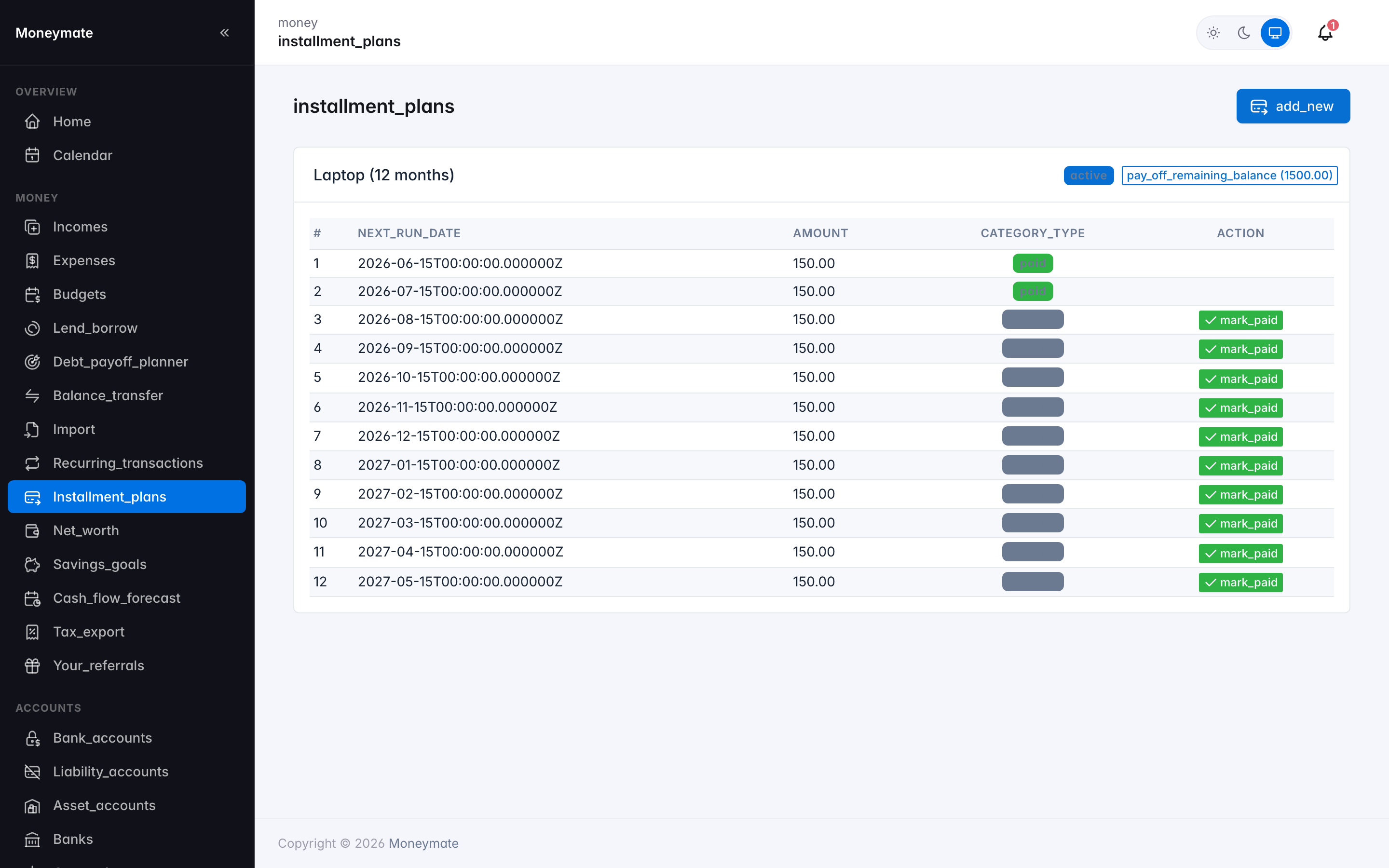
Installment Plans and schedule
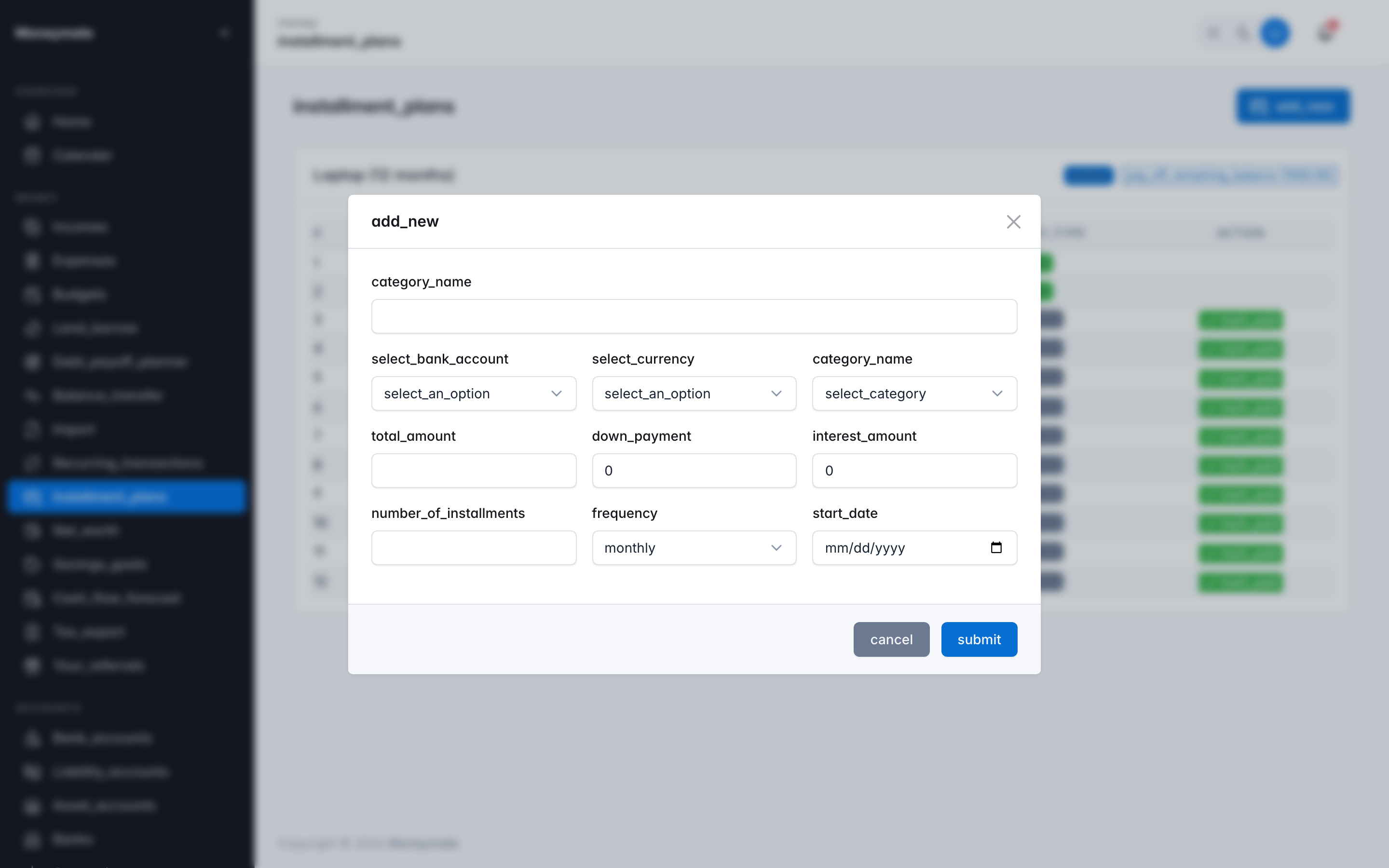
Create Installment Plan form
- Mark any individual due date as paid directly from the schedule.
- Prepay the remaining balance early — the rest of the schedule is closed out automatically.
- Due-date reminders are sent ahead of each installment if the subscriber has that notification enabled.