User Application
Dashboard & Calendar
The subscriber's home screen — a live overview of every account, balance, and upcoming date.
Dashboard
User Panel The first screen a subscriber sees: total balance across every account, this month's income and expenses with trend sparklines, connected bank account count, lend/borrow totals, a year-to-date income-vs-expense chart, and a budget distribution breakdown. Every number is computed live from the subscriber's own real data — there is no cached/stale snapshot to worry about.
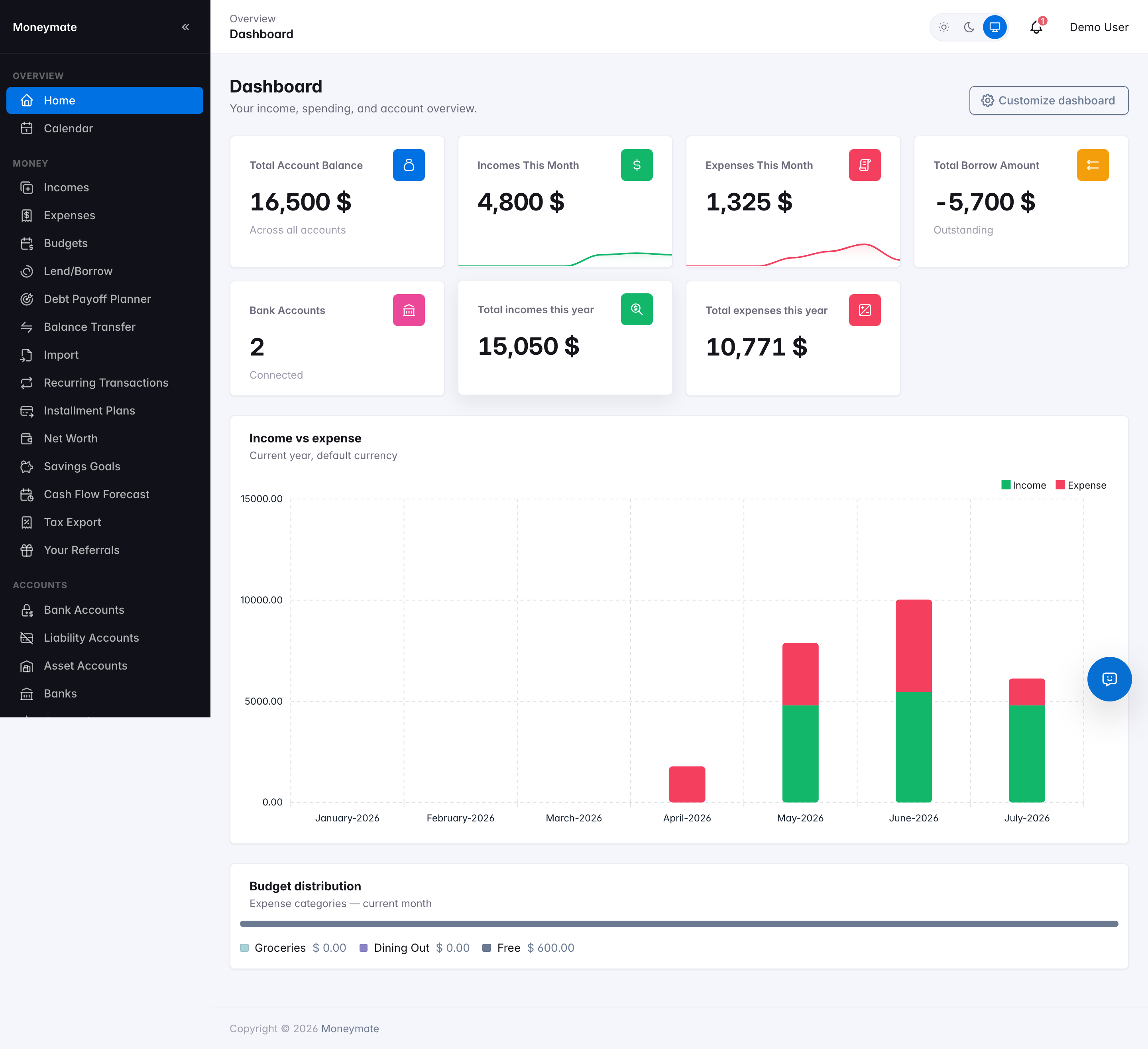
The user dashboard
Customizable widget layout
Subscribers can reorder or hide individual dashboard widgets from the "Customize dashboard" button — drag a widget row by its handle to reorder it, and use the checkbox to show or hide it. The chosen layout is saved per-user and applied on every future visit. Three widgets added since the original release are plan-gated — a subscriber whose plan doesn't include the underlying feature never sees that widget offered here at all, regardless of what an older saved layout says: Net worth trend (90-day trend, gated on the Net Worth feature), Cash flow forecast (30-day running-balance projection, gated on Cash Flow Forecast), and Savings Goals Progress (gated on Savings Goals). A fourth new widget, Lend/Borrow Split — a breakdown of outstanding lend vs. borrow amounts — is available to every plan.
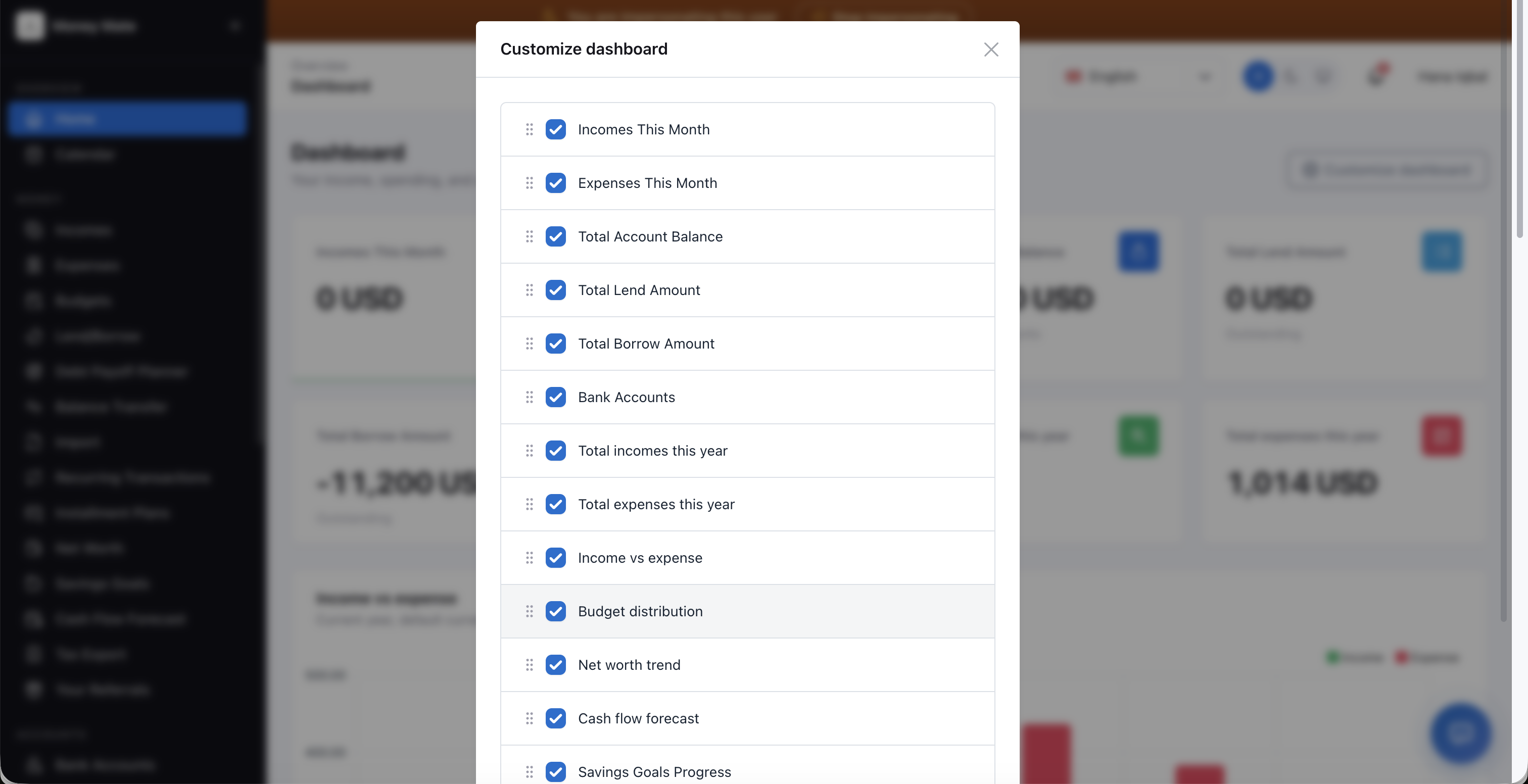
Customize Dashboard drawer
AI Chat Assistant
A floating chat button, available from every page in the user panel, opens a conversational assistant that does two things: it answers plain-English questions about the subscriber's own data — "how much did I spend on dining out last month", "what's my biggest recurring bill" — and it can record things on request, like "add coffee as an expense of $10" or "put $50 towards my emergency fund." Both pull from, or act on, the subscriber's real data, never a canned response.
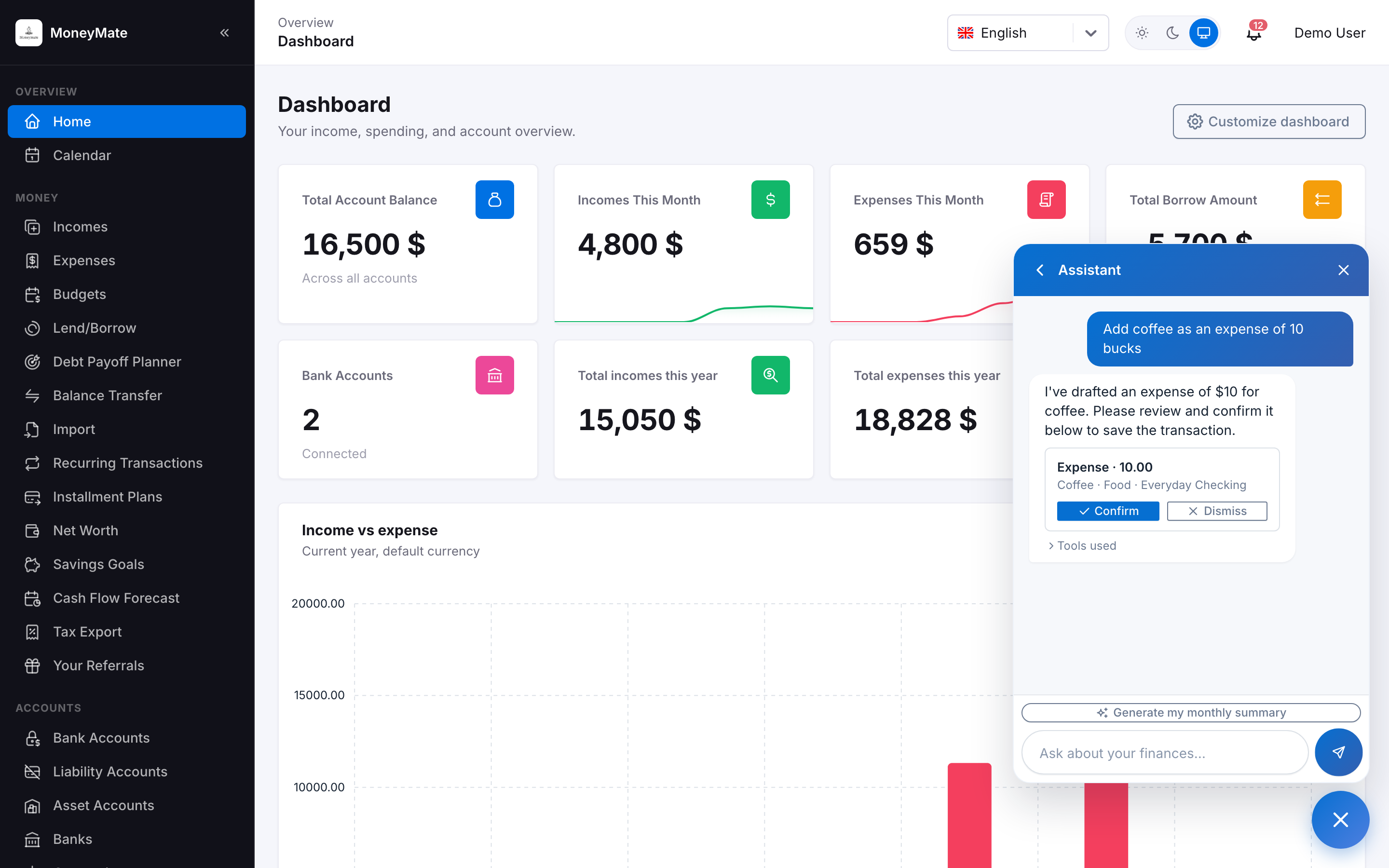
Asking the assistant to record an expense — it drafts, never saves directly
- Conversations are saved — subscribers can start a new chat or return to a previous one.
- Each message consumes one AI credit from the subscriber's plan allowance (see AI Providers & Agents).
- The assistant never writes anything directly. A request to record something turns into an inline draft card — right in the chat thread, showing exactly what it parsed (amount, category, account, and so on) — with Confirm and Dismiss buttons. Nothing is saved until the subscriber taps Confirm, and it's applied through the same validated path a manual entry would use, so it can never bypass a plan limit or leave data in a bad state.
- Which specific things it's allowed to draft (expenses/incomes, savings goal contributions, lend/borrow entries, budgets, recurring transactions, installment plans, new accounts, categories, tags, and more) is controlled by the admin from AI Providers & Agents → Tool Catalog — a subscriber can only ever get an assistant that does what you've allowed it to.
Calendar
A month view of every dated financial event — income, expenses, upcoming bills, and recurring transactions — in one place, so a subscriber can see at a glance what's landing on any given day. Days holding an event show a pointer cursor as a clickability hint. Clicking an event opens a polished transaction-detail card — a color-coded income/expense header with the amount, followed by account, currency, reference, note, description, and (when present) a downloadable attachment.
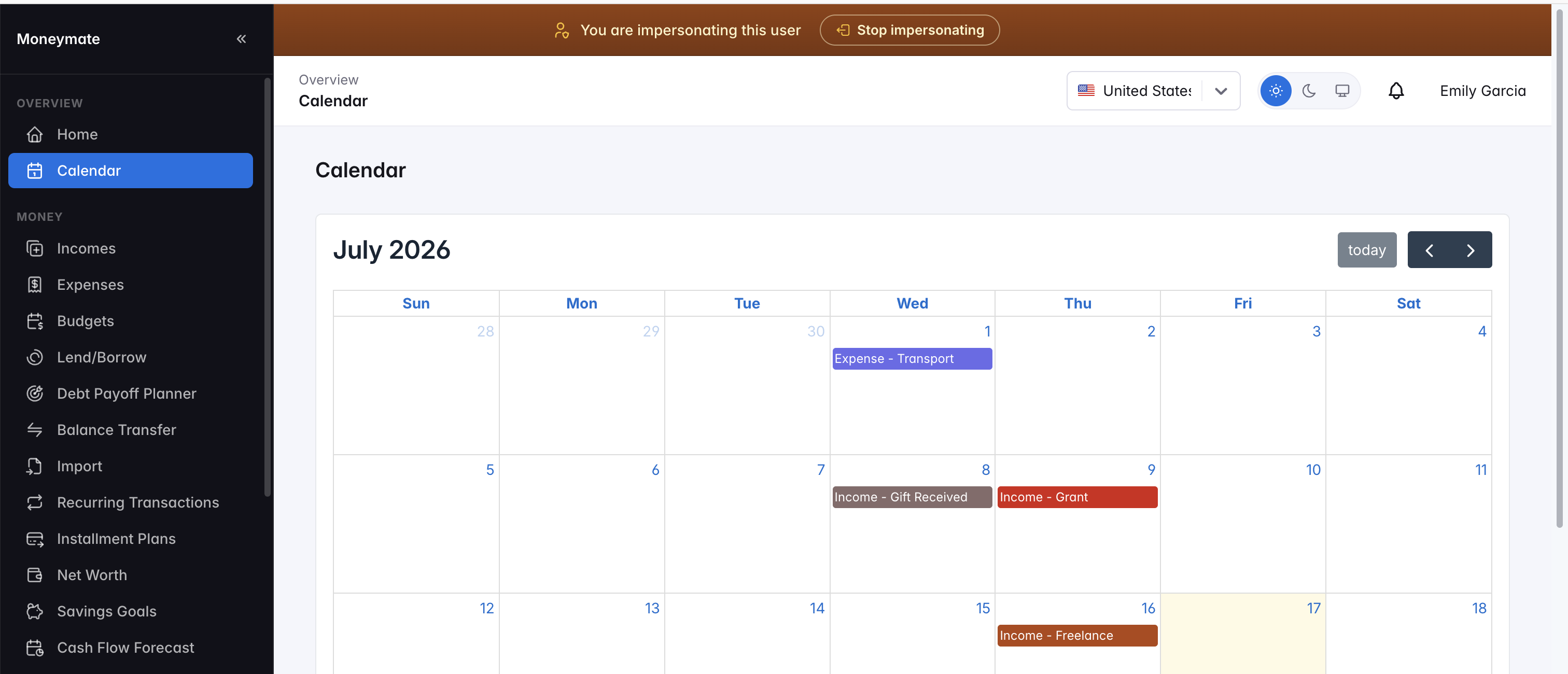
Calendar view
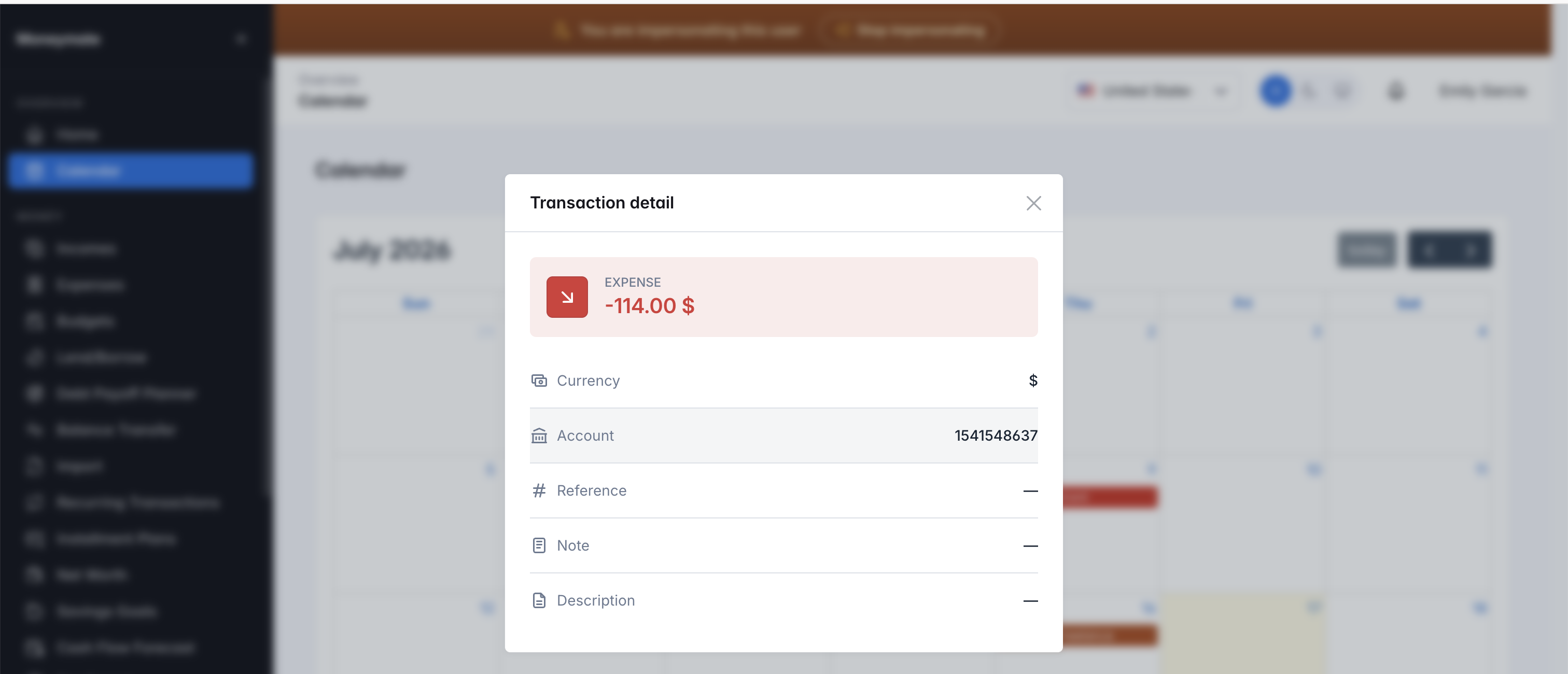
Transaction detail card