Admin Panel
Packages, Subscribers & Billing
Everything that turns MoneyMate into a real subscription business — pricing tiers, subscriber management, coupons, and credit packs.
Packages
Admin Panel Create unlimited pricing tiers, each with its own price, billing interval, and a full feature/limit matrix — grouped into Accounts & Limits, Budgeting, Debt & Installments, Reports & Export, API & Integrations, and AI & Credits.
Free is free forever and every paid package charges from day one — there's no trial-days field to configure. A Stripe trial defers the real charge behind a $0 invoice, which reads as a broken purchase to a subscriber who just entered their card. Subscribers who want to try before they buy simply stay on Free and upgrade whenever they're ready — see self-service plan changes below.
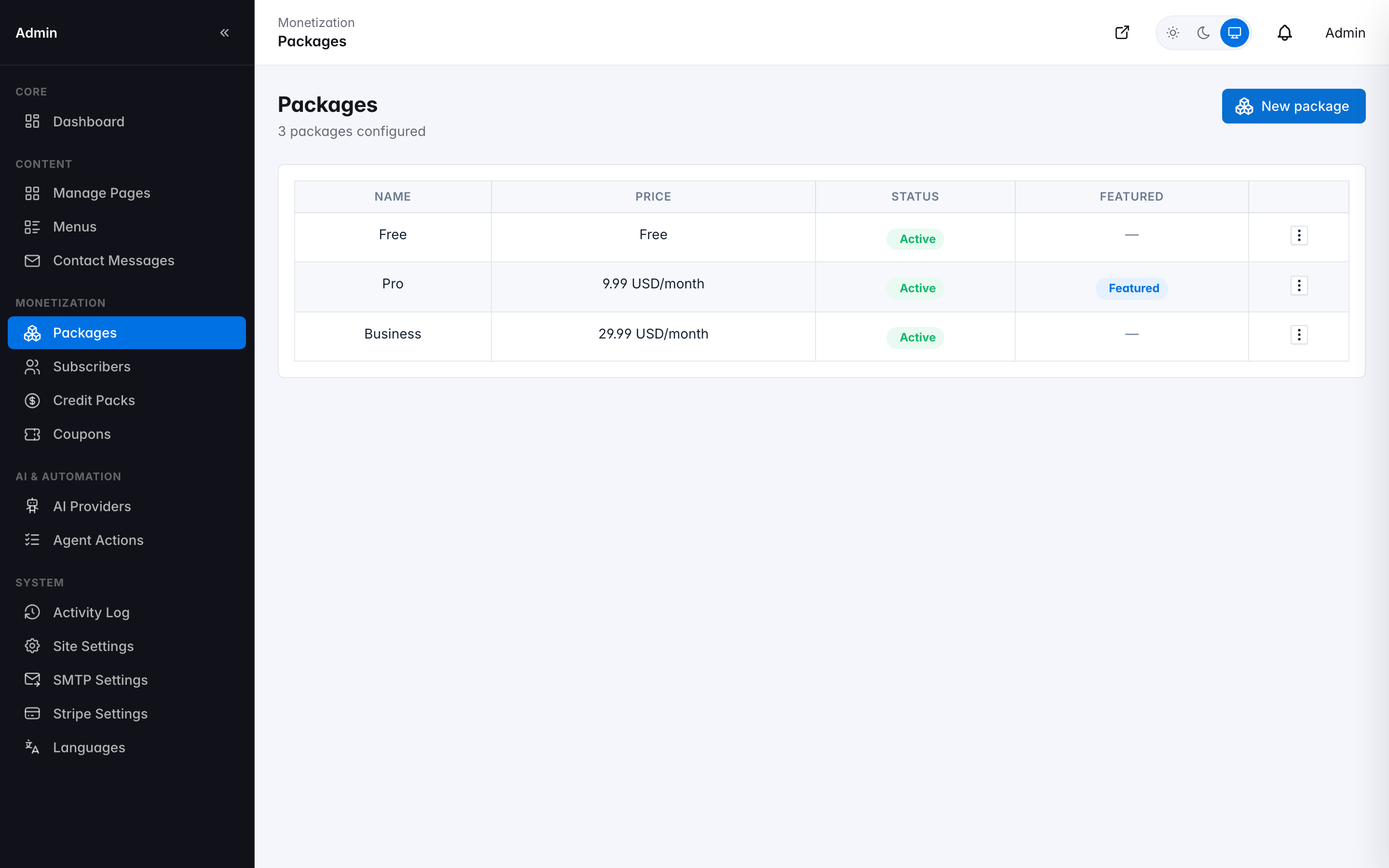
Packages — pricing tiers and feature matrix
Every limit can be a hard number, unlimited, or a simple on/off feature flag. A boolean field with dependencies (like "AI credit rollover" depending on "AI features enabled") automatically disables until its dependency is met, so you can never save an inconsistent configuration.
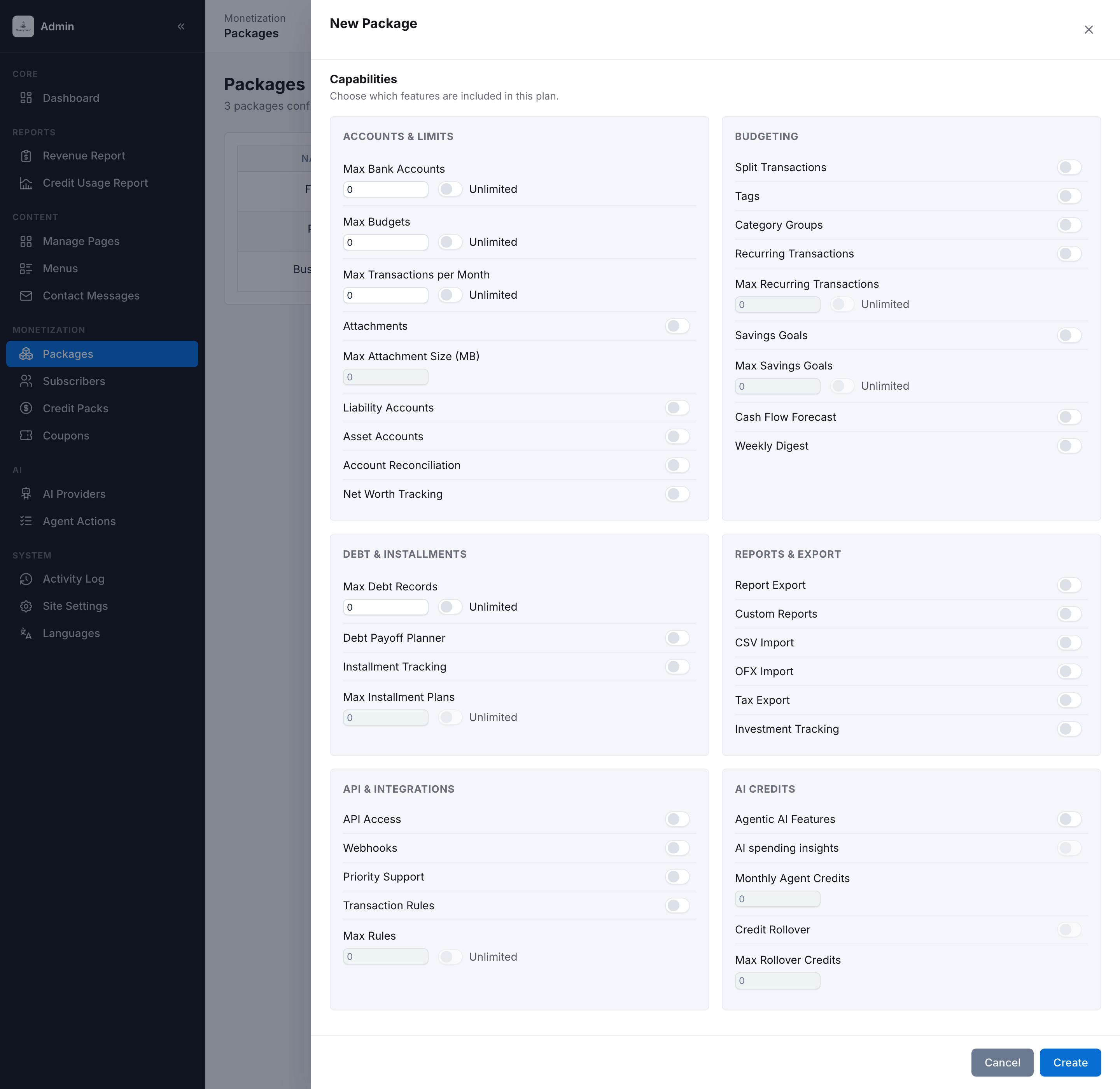
Creating a package — the capability matrix, grouped by category
The capability matrix is organized into six groups so a long list of toggles stays scannable: Accounts & Limits (bank accounts, budgets, transactions/month, attachments, liability/asset accounts, reconciliation, net worth), Budgeting (tags, category groups, recurring transactions, savings goals, cash-flow forecast, weekly digest), Debt & Installments (debt records, the payoff planner, installment tracking), Reports & Export (Excel export, custom reports, CSV/OFX import, tax export, investment tracking), API & Integrations (API access, webhooks, priority support, the auto-categorization rules engine), and AI & Credits (AI features, spending insights, monthly credit allowance, rollover).
The public Pricing page, the in-app upgrade prompts, and every feature gate throughout the application all read from this same configuration — change a limit here and it's enforced and advertised everywhere, automatically. See Extending MoneyMate if you want to add an entirely new plan-gated feature of your own.
Subscribers
A full list of every user on a paid or free plan, searchable and filterable by plan, status, and signup date. A stat row up top gives an instant read on total/active/grace-period/suspended counts, and every row shows an avatar, plan badge, live AI credit balance, and one-click Impersonate / Suspend actions — no need to open the detail page for the common cases.
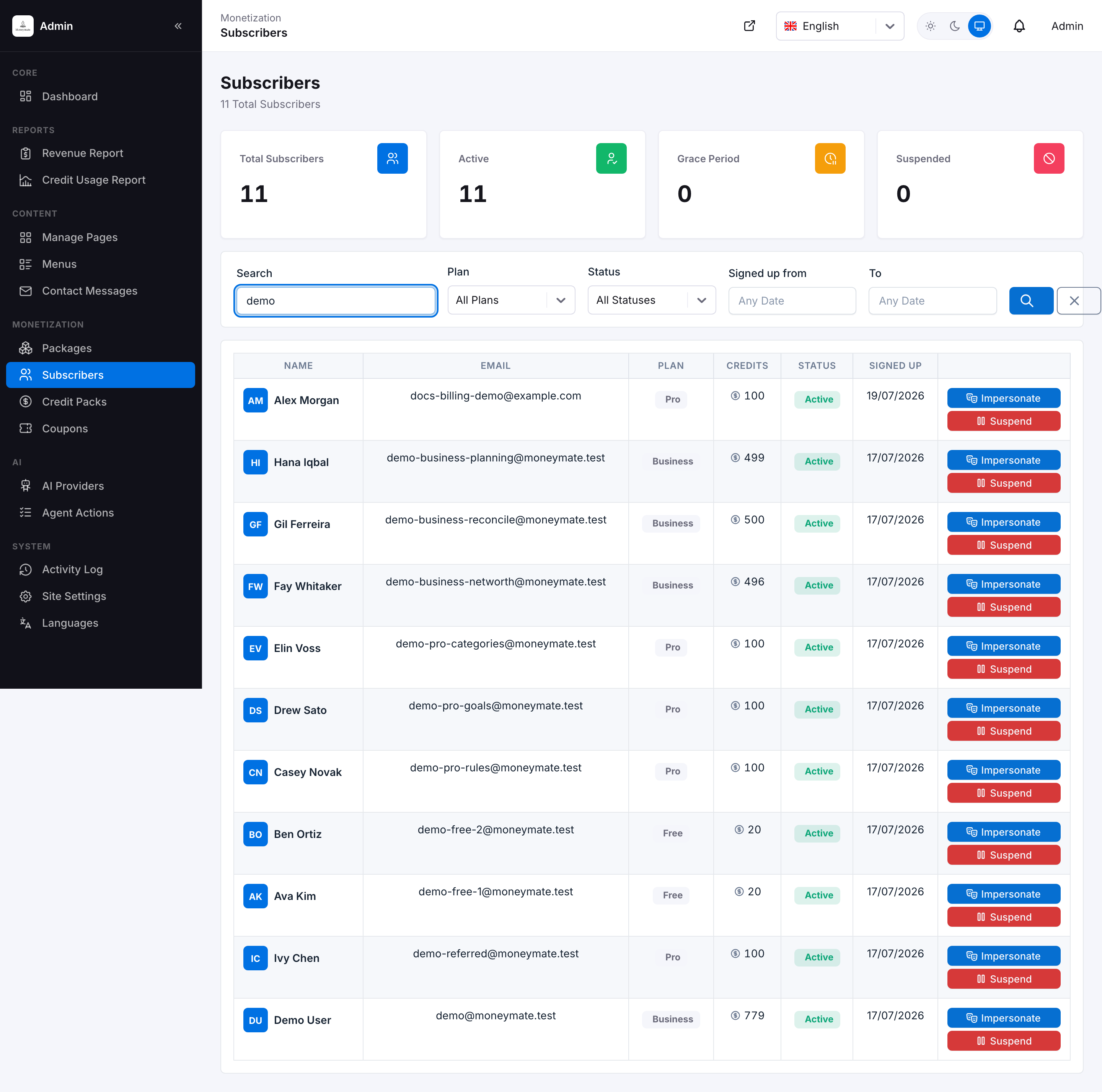
Subscribers list — stat row, plan badges, credit balances, and inline quick actions
Opening a subscriber shows their full detail record — everything support needs on one screen, without cross-referencing Stripe or the database:
- Stat row — total balance, bank accounts, savings goals, and installment plans at a glance.
- Plan & billing — current plan, role, signup date, and the payment method on file (card brand and last four).
- Usage vs limits and a full Plan Features grid — every one of the 20+ capability flags on their plan, shown as included/excluded, so support can answer "why can't I do X" without opening the Packages screen.
- Credit History — a real transaction table of every grant, purchase, consumption, and referral reward, not just a balance number.
- Invoices and Recent Activity — the subscriber's own billing history and account activity feed, surfaced directly to support.
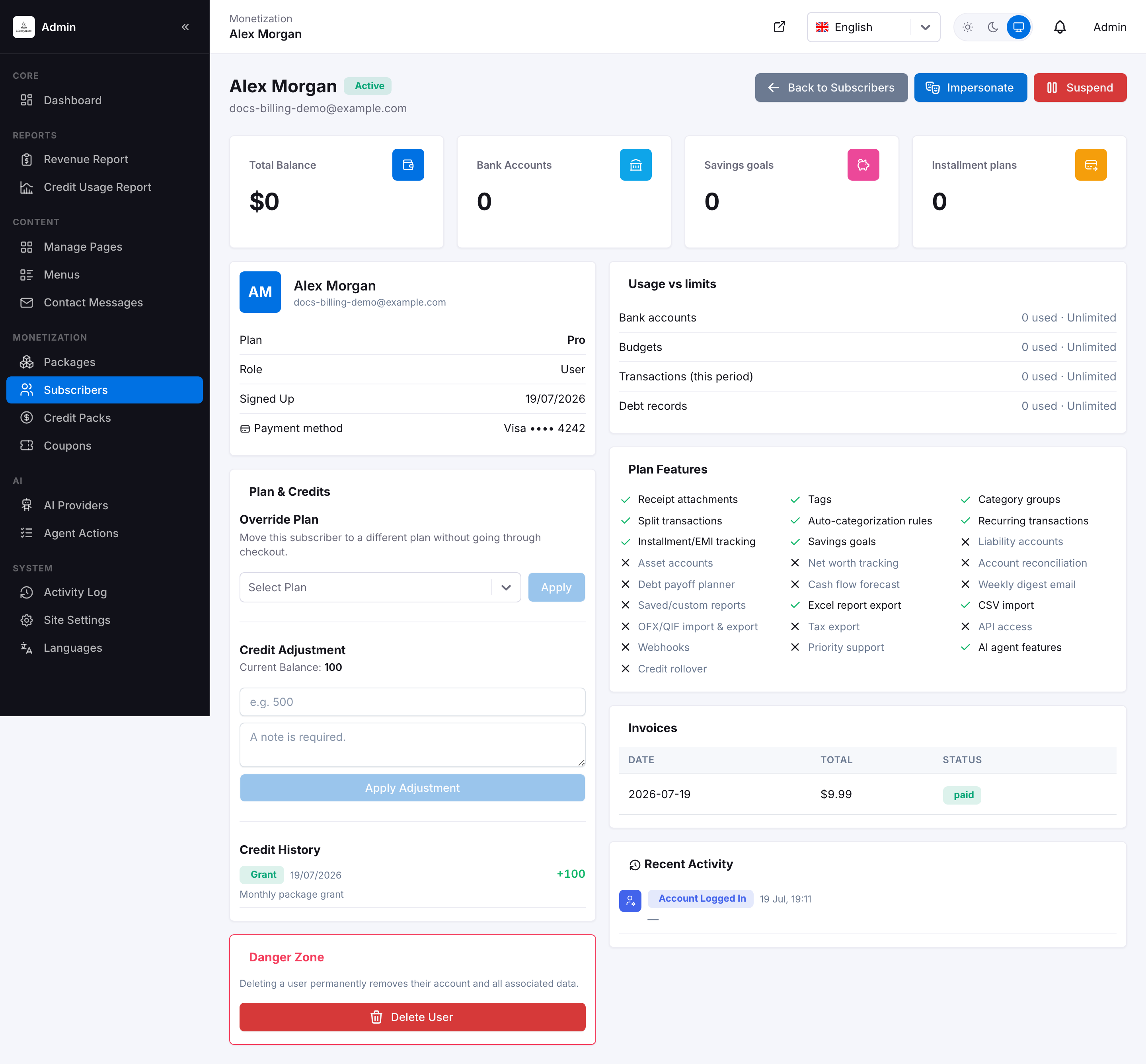
Subscriber detail record — stats, plan features grid, credit history, invoices, and activity feed
Account-level actions available from this screen:
- Suspend / unsuspend — immediately block or restore login access without deleting anything.
- Override plan — manually move a subscriber to a different tier, independent of their actual Stripe subscription (useful for comps, support gestures, or manual/offline billing arrangements).
- Refund — issue a real Stripe refund for a recent charge directly from this screen.
- Adjust AI credits — grant or deduct credits manually, with a required note recorded in Credit History.
- Impersonate — log in as the subscriber to see exactly what they see, from either the list or the detail page.
- Delete account — permanently remove the subscriber and every record they own.
For revenue broken down by plan, status, and date range across every subscriber, see the Revenue Report.
Coupons
Create percentage or fixed-amount discount codes redeemable at checkout.
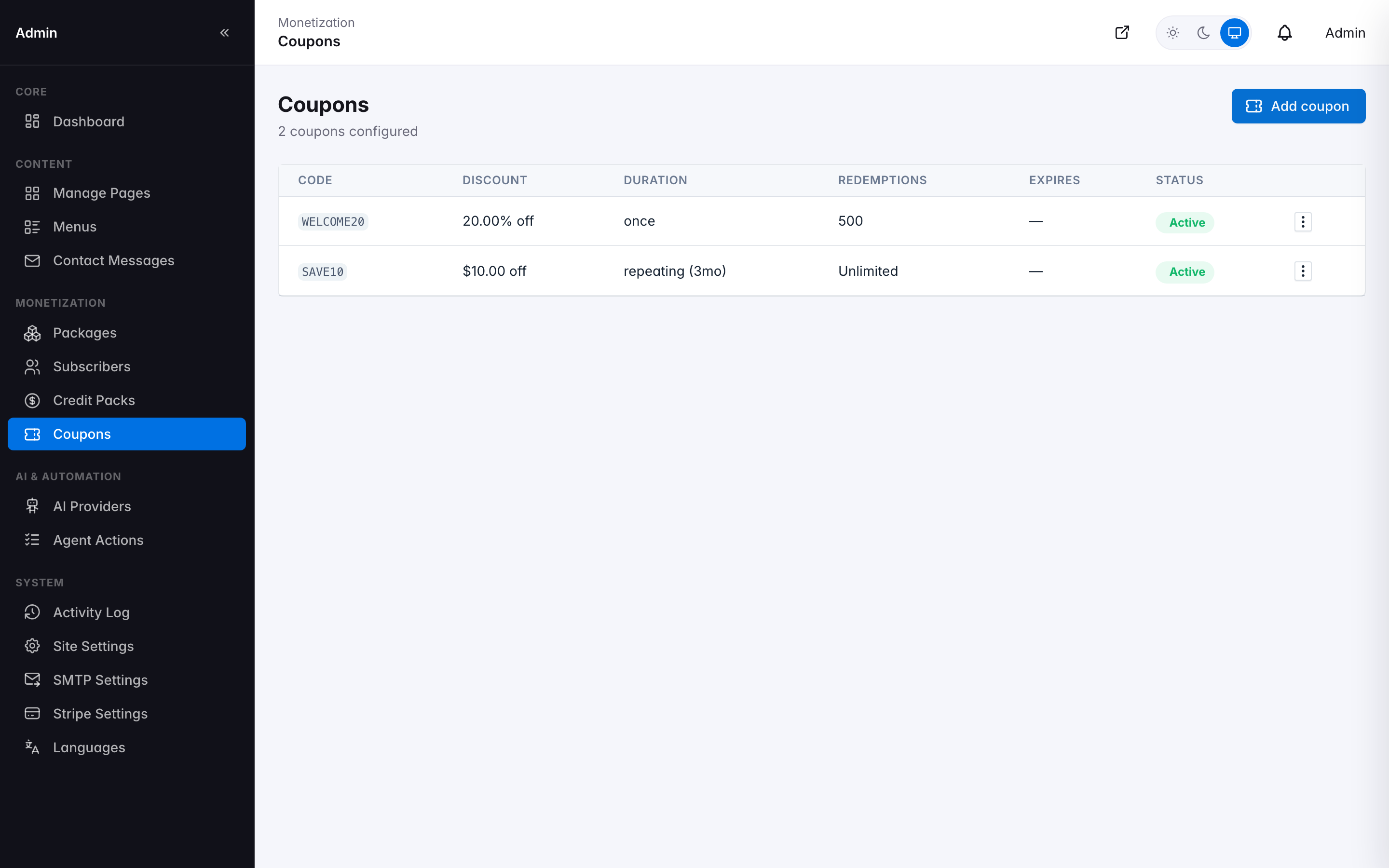
Coupons list
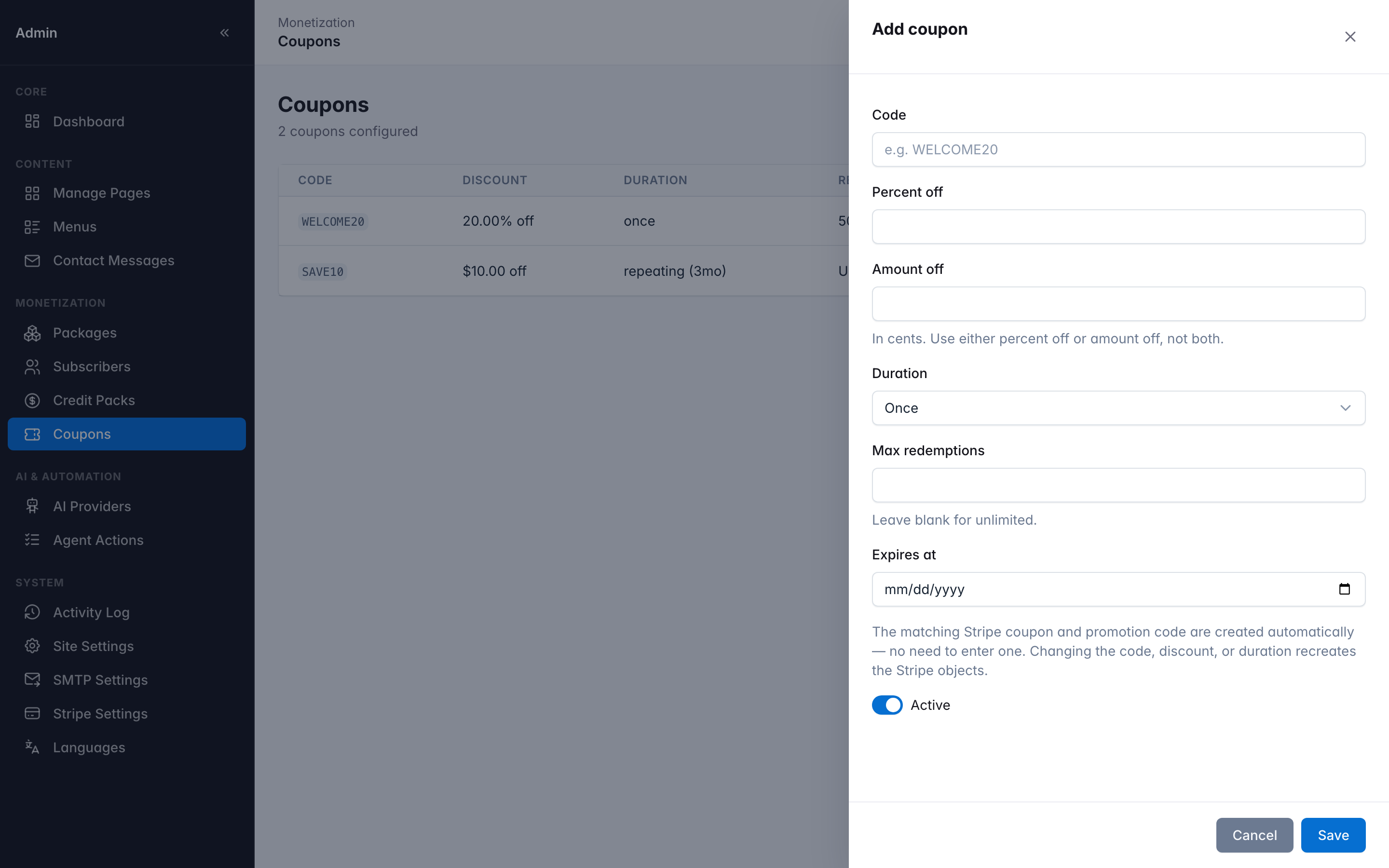
Create Coupon form
Entering a discount here creates the real corresponding Coupon and Promotion Code objects in Stripe automatically via the Stripe API — there's no separate step in the Stripe Dashboard, and the code becomes usable at checkout immediately.
Coupons are wired directly into every in-app checkout surface, not just Stripe's own hidden promo-code box: the plan picker on Registration, the credit-pack purchase flow, and the subscriber's self-service Change Plan screen (see Billing) all have a coupon field with a live, server-validated discount preview before the subscriber ever reaches Stripe. A code in a marketing link also auto-applies via ?coupon=CODE on the registration URL.
Credit Packs
One-off, non-subscription AI credit top-ups your subscribers can purchase any time — for someone who wants more AI usage without moving to a higher subscription tier.
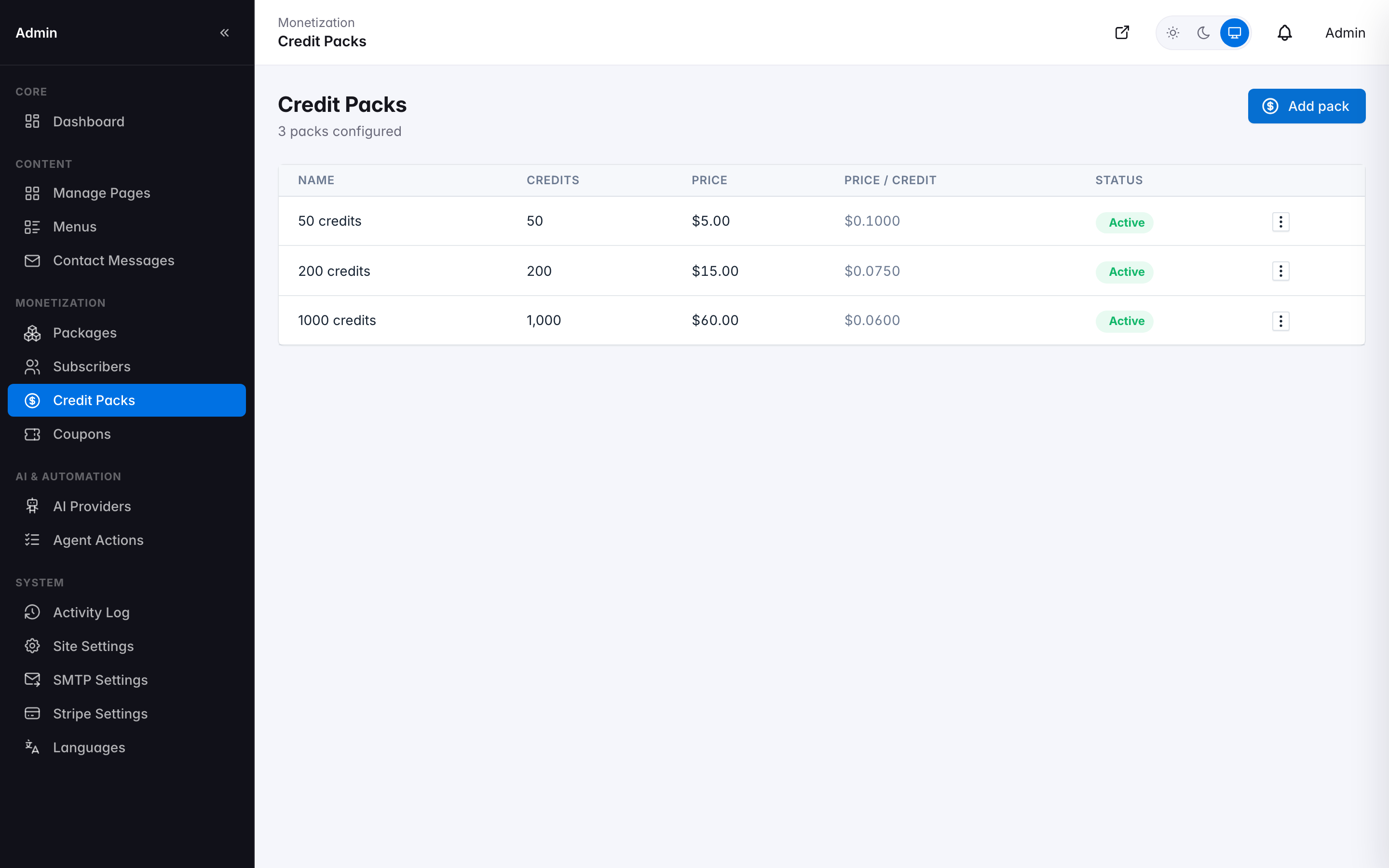
Credit Packs list
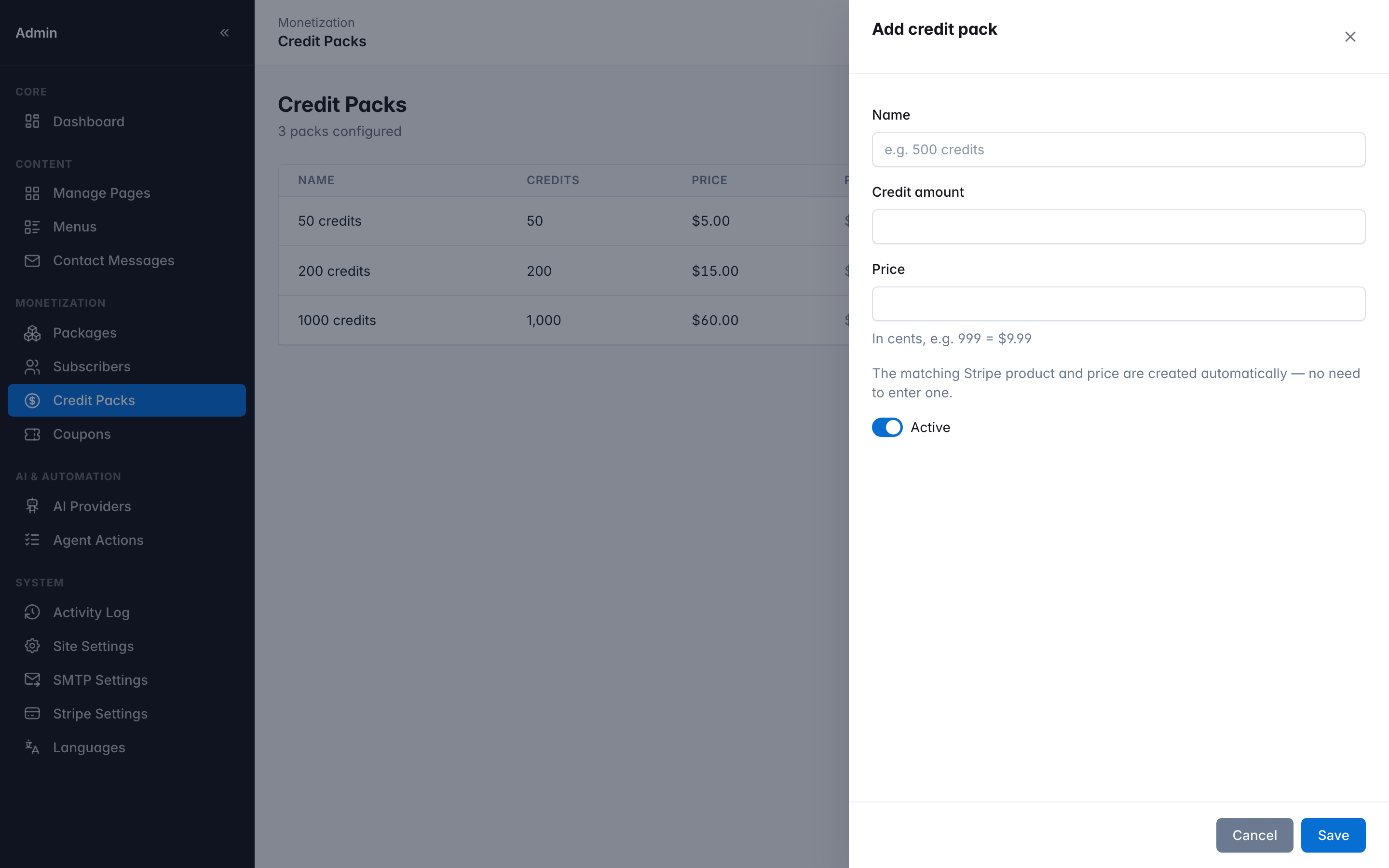
Create Credit Pack form
Each pack is priced and configured here, then purchased by the subscriber via a real Stripe Checkout session — credits are added to their balance the moment the payment succeeds.