Admin Panel
Page Builder & Menus
Full control over every word on your marketing site and every link in its navigation — no code required.
Page Builder
Admin Panel Manage Pages lists every marketing page on your site. Create new pages, publish or unpublish them, and open any page in the visual builder.
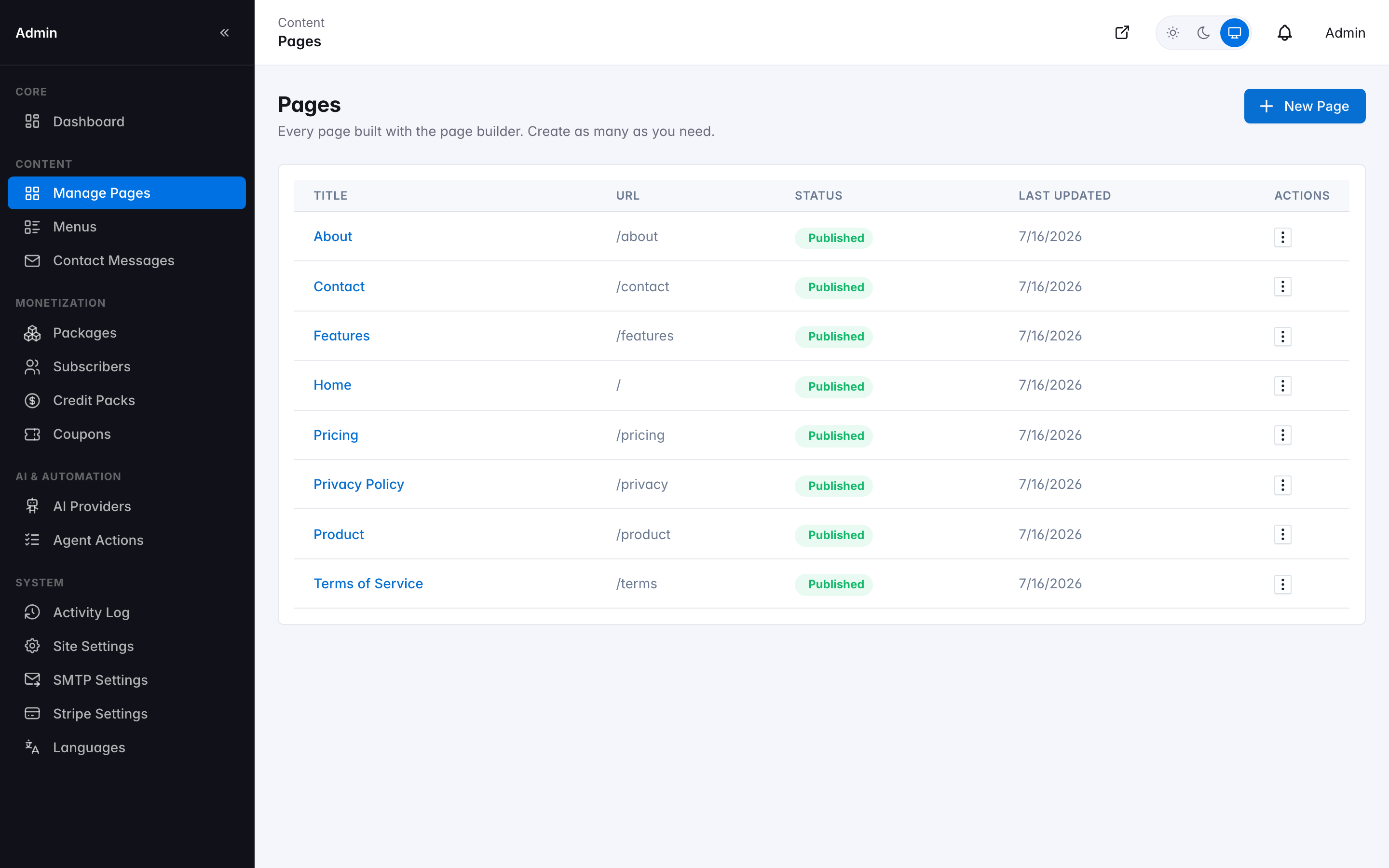
Manage Pages — every marketing page in one list
Inside a page, add, remove, and reorder sections (each with its own background style and padding), and within each section add, remove, and reorder content blocks. Every block type has a dedicated editor panel on the right with exactly the fields that block supports — headings, rich text, images, repeatable item lists, call-to-action buttons, and more.
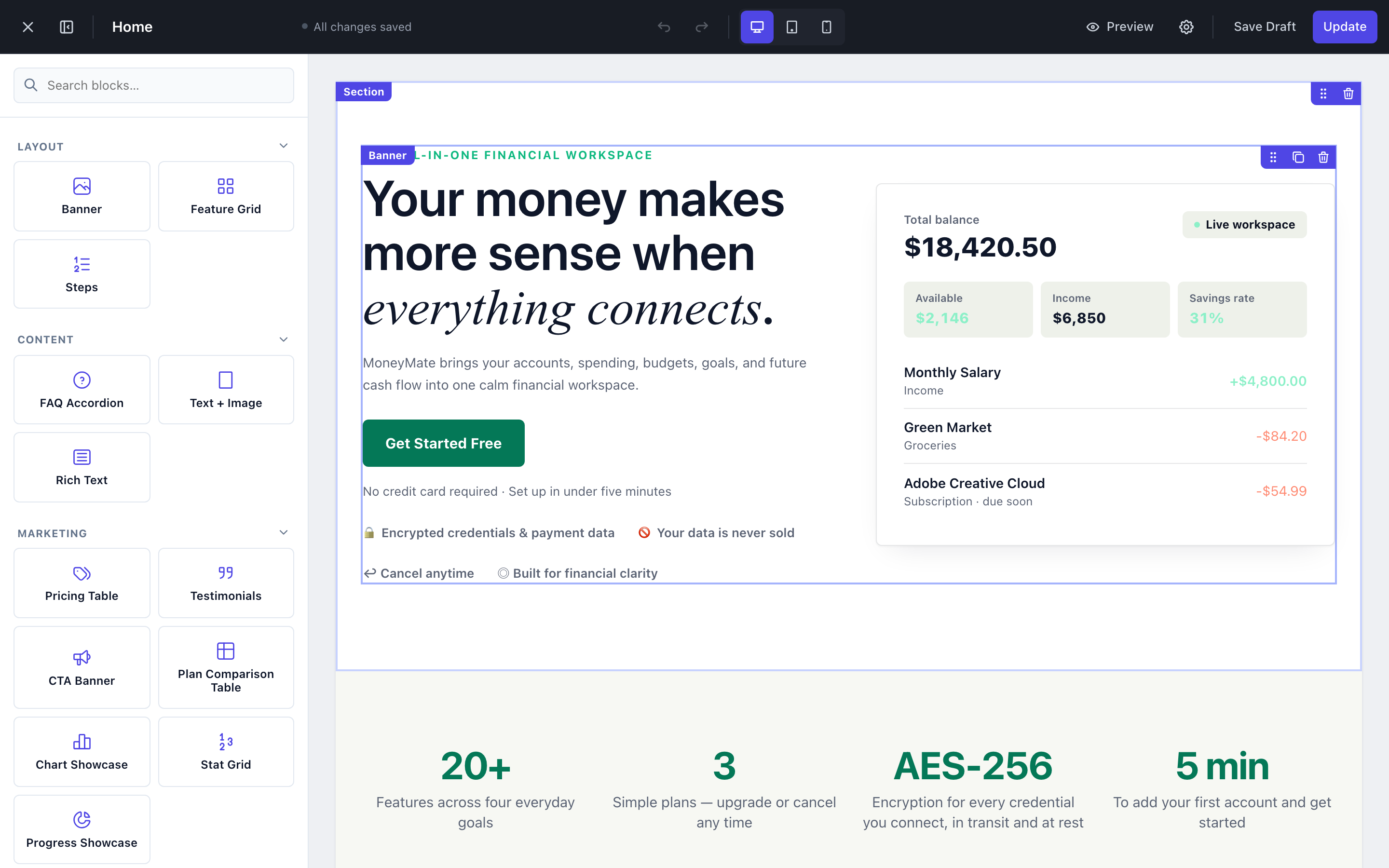
Editing the Home page — sections, blocks, and the live edit panel
Available block types
Banner
Hero heading, subheading, background image, and call-to-action — centered or split layout.
Feature Grid
Icon + title + description cards, any number of items.
Pricing Table
Live pricing cards computed from your real packages.
Comparison Table
Full feature-by-plan comparison, computed live — never drifts out of sync.
Chart Showcase
A cash-flow bar chart alongside a heading and highlight list.
Progress Showcase
Budget-by-category progress bars alongside a heading and highlight list.
Stat Grid
A row of big-number quick facts with labels.
Testimonials
Customer quotes with name, role, and avatar.
FAQ Accordion
Collapsible question-and-answer list.
Steps
A numbered sequence — how it works, onboarding stages, etc.
Text + Image
Heading and rich-text body, optionally next to an image, left or right.
CTA Banner
Full-width call-to-action strip with one button.
Contact Cards
Small cards for email, phone, address, or any link.
Contact Form
Name/email/message fields that email your support address.
Rich Text
Freeform formatted long-form content — used for Terms and Privacy.
Pricing and comparison-table blocks pull real numbers from your Package configuration at render time — there's no marketing copy that can drift out of sync with what a plan actually includes.
Menu Builder
A lightweight, WordPress-style menu manager for the two navigation slots on your site: the header menu and the footer menu. Each menu item is just an existing page picked from a searchable dropdown, with an optional custom label — no code changes needed to add, remove, rename, or reorder a nav link.
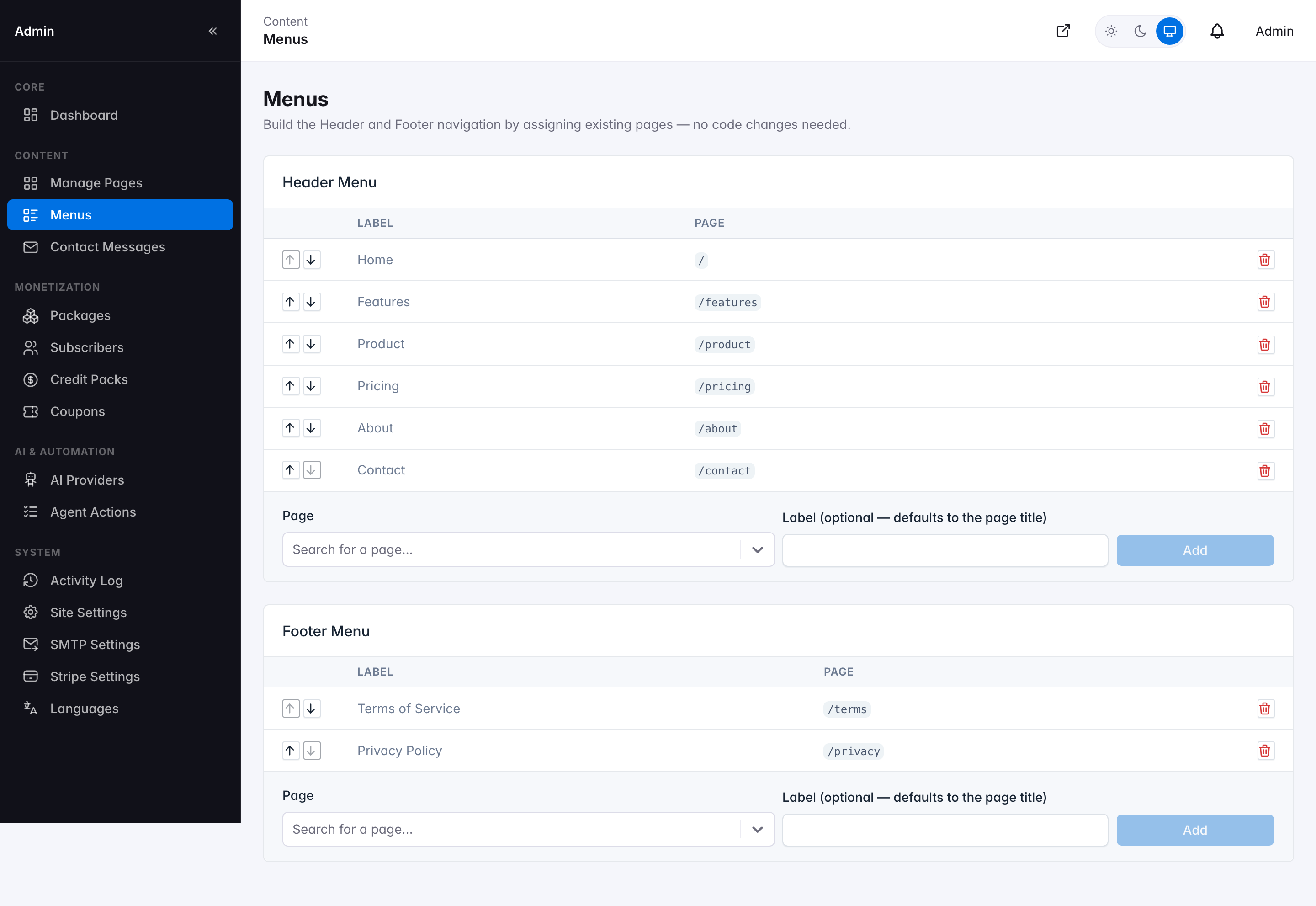
Menu builder — Header Menu and Footer Menu
- Reorder items with the up/down arrows — the change reflects on the live site immediately.
- Give an item a custom label, or leave it blank to use the page's own title.
- Remove an item without deleting the underlying page.