Admin Panel
System Settings
Contact messages, activity log, site/mail/payment configuration, maintenance mode, and full multi-language support.
Contact Messages
Admin Panel Every submission from the public Contact page arrives here. Mark messages read, and reply directly from the admin panel — your reply is emailed to the sender.
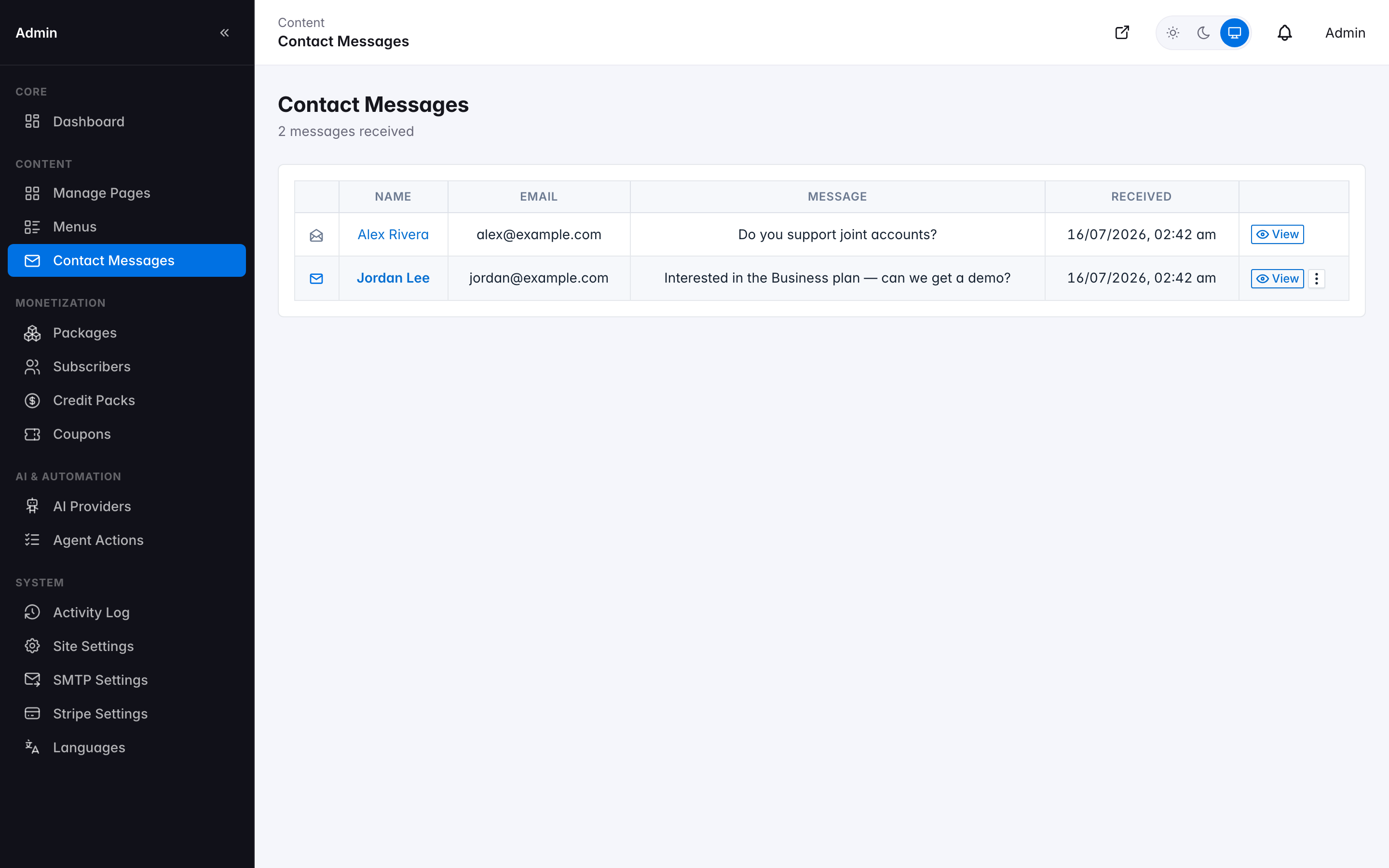
Contact Messages inbox
Activity Log
An audit trail of admin/system actions across the platform — impersonation, AI provider changes, coupon and package edits, contact-form replies, and more — with summary metric cards, a searchable Event Type filter, and a date range. Each row shows a colored category icon, a plain-language description, and a human-readable details column: a create/update shows the field values involved (an update shows the actual before → after change for each field), never raw JSON. This is the admin/system log only — it's kept separate from what subscribers see on their own Activity Log page, so one subscriber's day-to-day transactions never bury a genuine admin action.
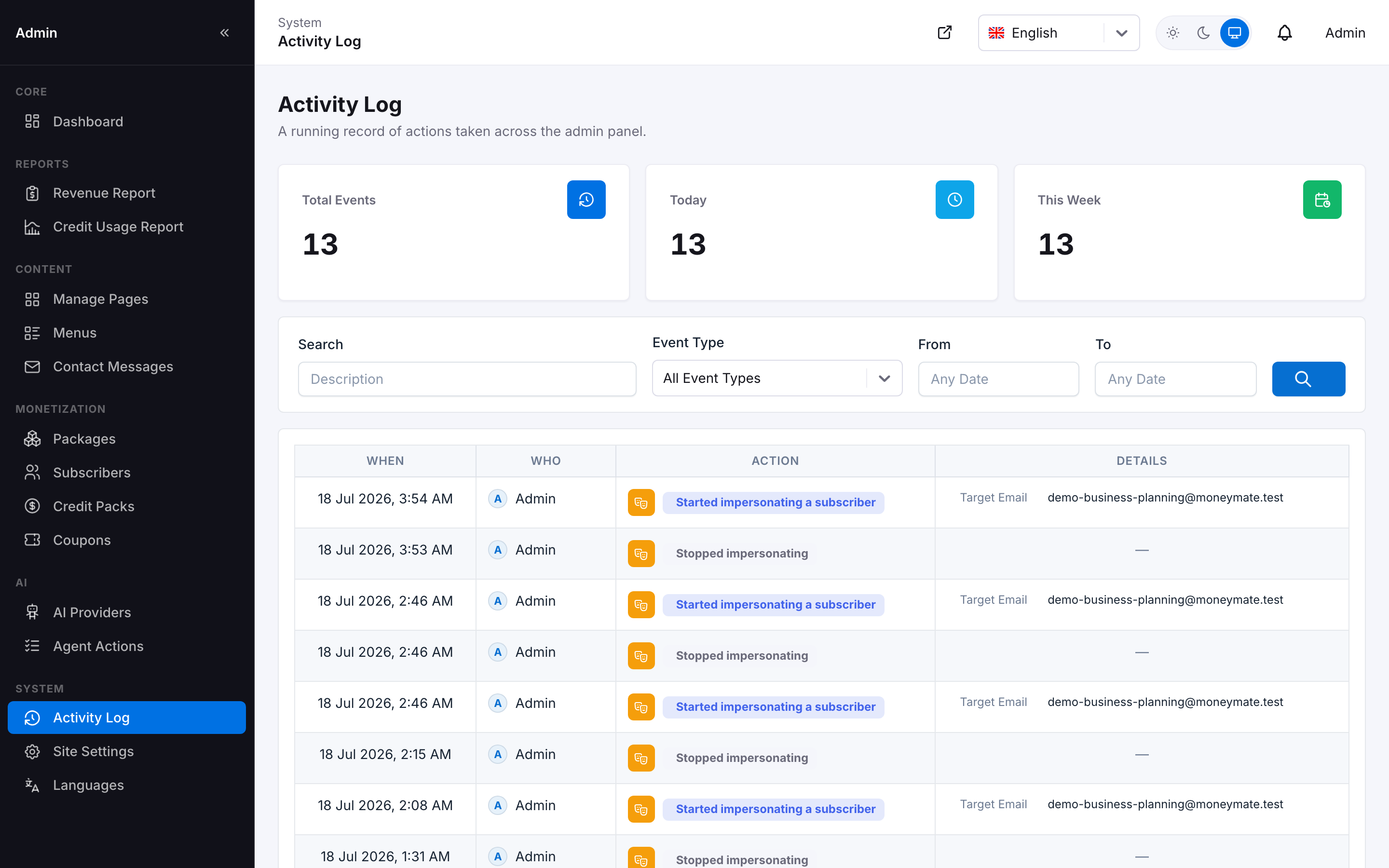
Activity Log — filters, summary cards, and a human-readable details column
Site Settings
One screen for every global configuration option, organized as a section list on the left and the active section's fields on the right: Branding (application name, logo, favicon), Regional (timezone, default currency, default language), Company (name, phone, website, tax ID, address — used on invoices and legal pages), Maintenance, Announcement banner, Tracking (raw script/HTML injected before </head>), SMTP Settings, and Stripe Settings. SMTP and Stripe keep their own save action and connection-test button, but live in the same nav rail as everything else rather than being separate pages.
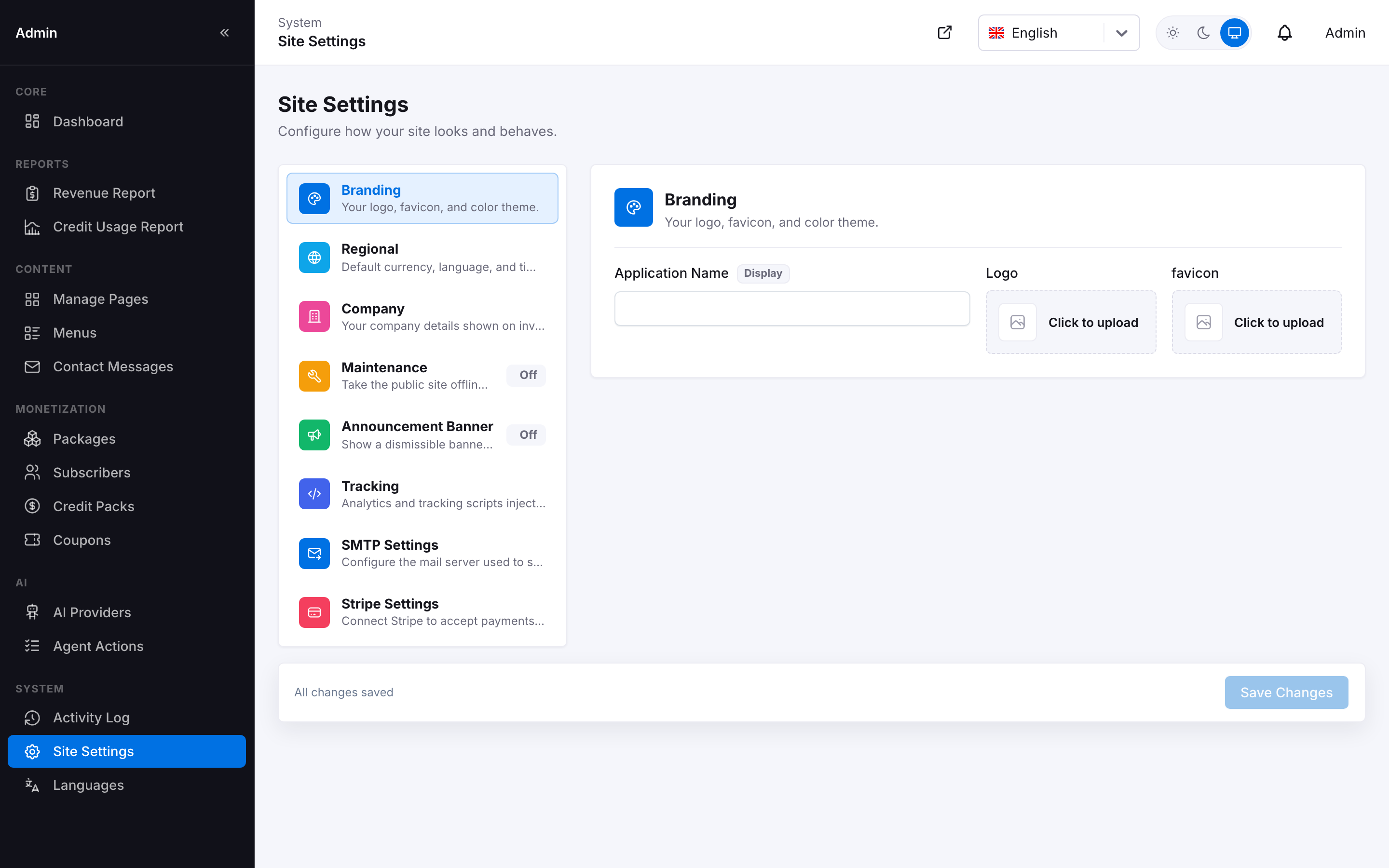
Site Settings — Branding section, with the full section list on the left
Maintenance Mode
Admin Panel Take the public site offline for everyone except admins, with a custom message. Visitors see a branded maintenance page instead of the app; a signed-in admin can still reach the backend and the login page normally — maintenance mode never locks you out of your own site.
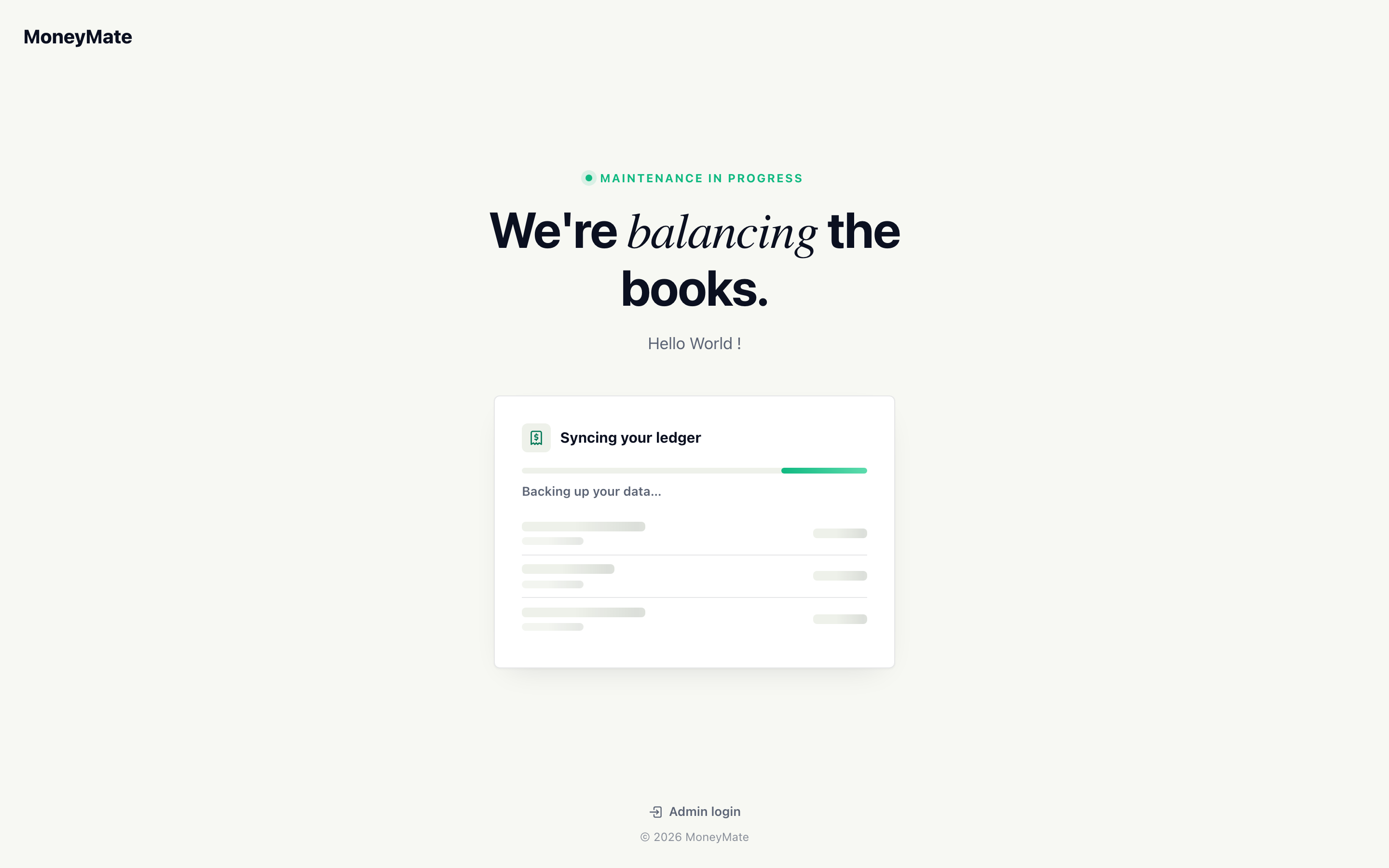
The public maintenance page shown to visitors while maintenance mode is on
SMTP & Stripe Settings
SMTP Settings configures the outbound mail server used for password resets, notifications, weekly digests, and contact-form replies, with a built-in "send test email" action. Stripe Settings holds your publishable key, secret key, and webhook signing secret, with a connection test available directly on the screen. Both are reached from the Site Settings section list (above) rather than a separate page.
Languages & Translations
Add any number of languages from a real ISO 639-1 language picker (search by name, e.g. "Bengali") rather than a country list — each entry shows its own flag, distinct from the language's storage code, so the picker stays accurate even for languages with no single obvious national flag. Every UI string in the application is translatable — the Translations screen lists every key in full (long keys wrap onto multiple lines rather than being cut off) with an inline editor and a prominent per-row Save action, and can call your configured AI provider to auto-translate an entire language in one action, which you then review before publishing.
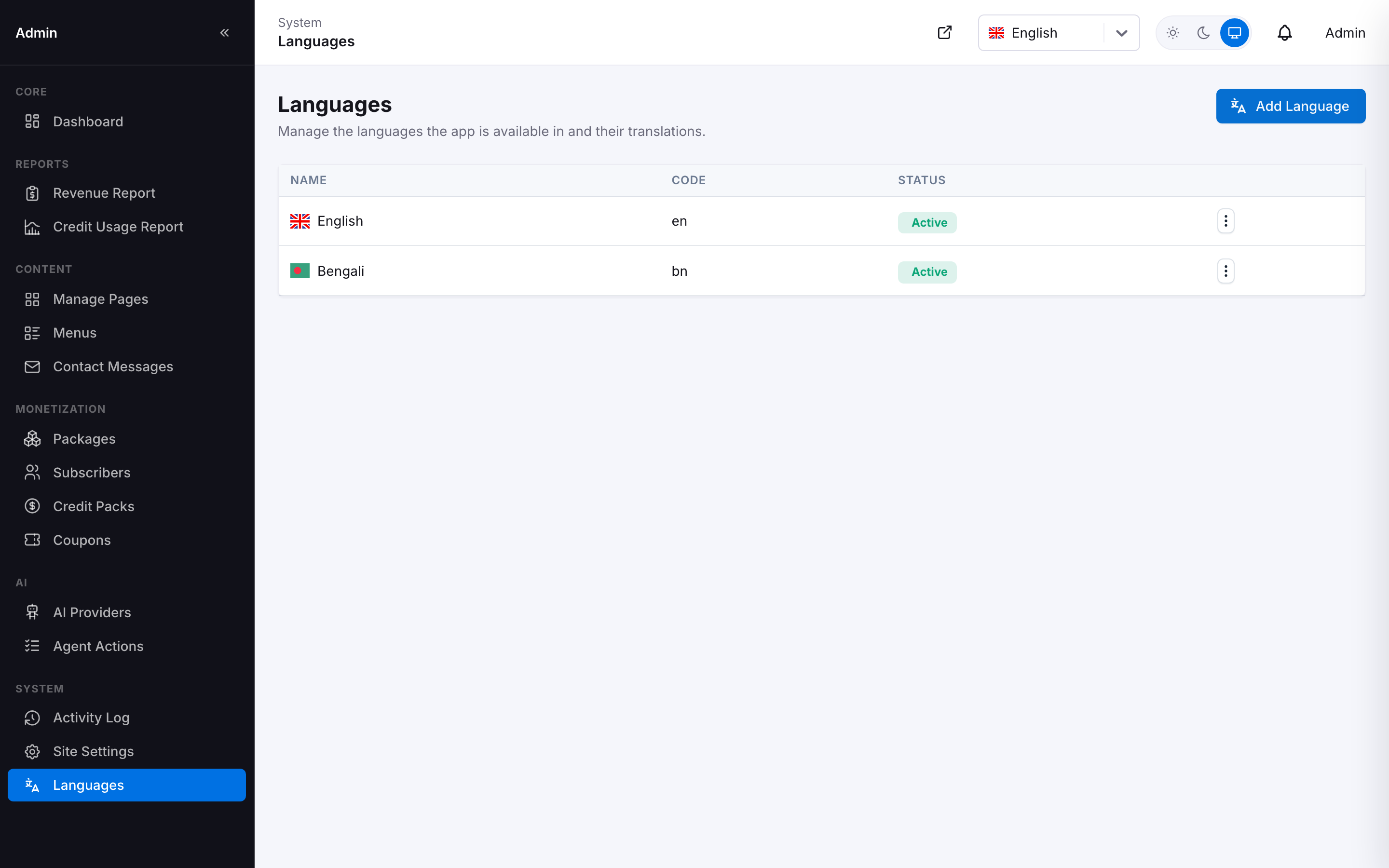
Languages — add any language by name, each with its own flag
The translation editor doubles as a progress tracker: an instant search box (filters by key or value, no page reload) sits next to an All / Untranslated / Translated toggle, each option showing a live count, so on a large language you can jump straight to what's left to translate instead of scrolling the full key list. The row count updates as you filter, and clearing filters is one click.
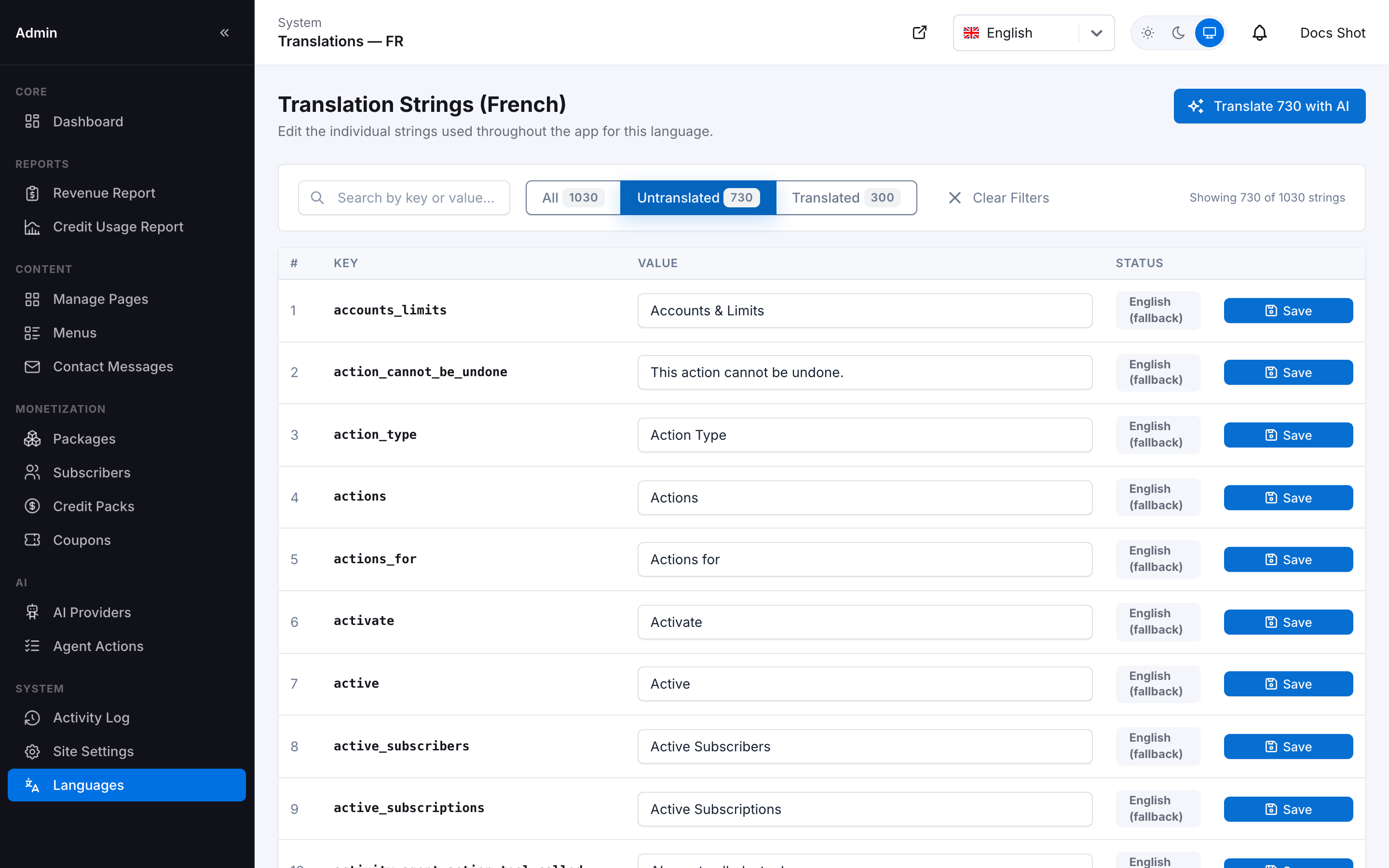
Translation editor — search box plus an All / Untranslated / Translated filter with live counts
Switching Your Own Language
Once a language exists, every signed-in user — admin or subscriber — gets a language switcher in the top header, next to the theme toggle. This is a personal, session-scoped preference, not a site-wide setting: one admin switching to Bengali never changes what any other admin or subscriber sees. The dropdown lists every active language with its flag; a language still being translated is labeled (Partial) right in the list, so nobody is surprised by an incomplete UI.

The header language switcher — every active language, partial ones clearly flagged
Selecting a language that isn't fully translated yet is blocked server-side (the same check runs no matter how the request is made), and instead of an error page the switcher shows a friendly modal explaining exactly what happened and that nothing changed — you keep using your current language until the new one is finished.
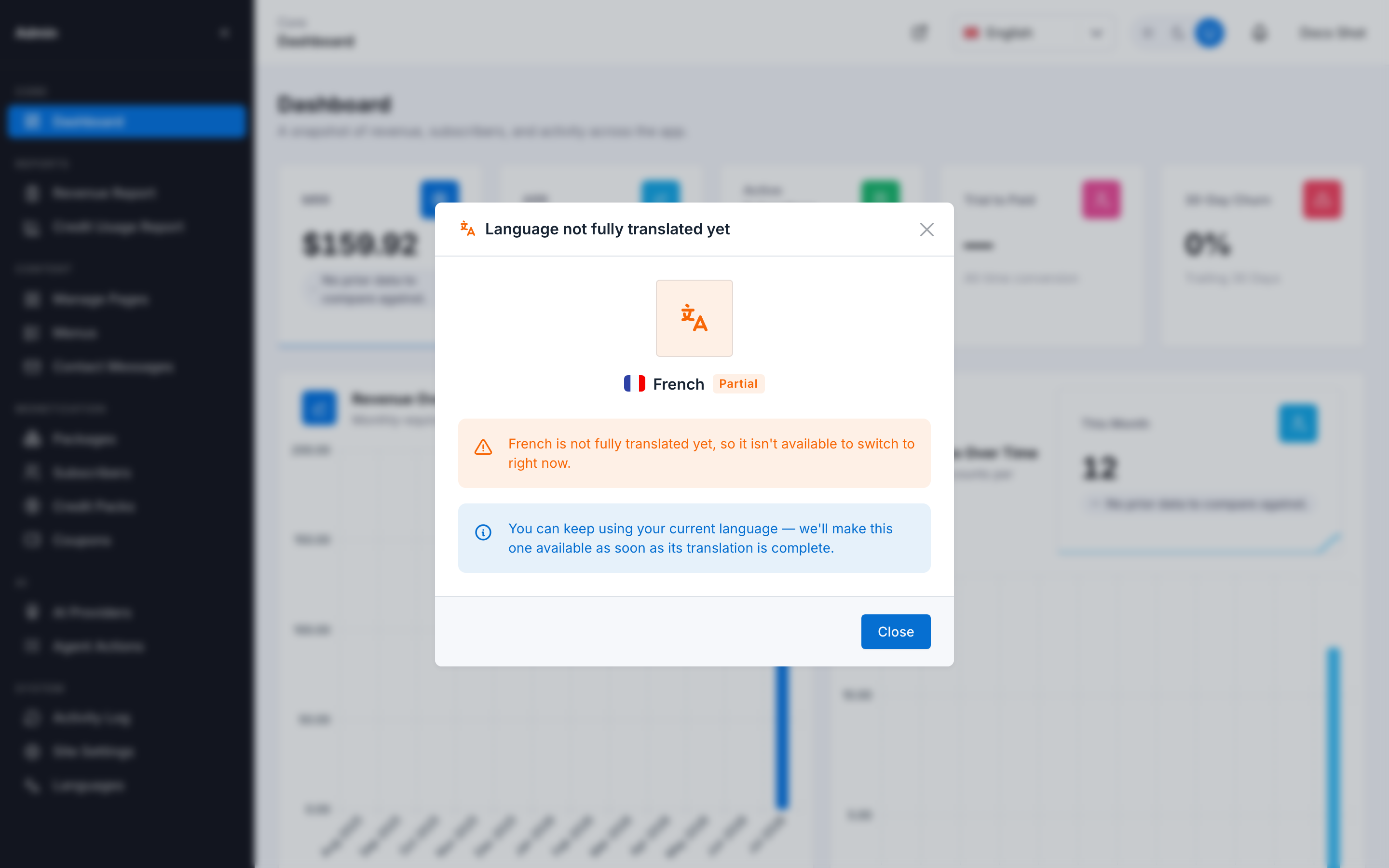
Trying to switch to an incomplete language explains itself instead of erroring out
Subscribers get the identical control in their own app header — see Account & Billing Settings → Language.
Currencies
Admin Panel The currency catalog — every currency's name, exchange rate against USD, and which one is the site-wide default — is shared, instance-wide configuration, admin-only. It backs every subscriber's currency conversion at once: Every subscriber's reports and Dashboard totals are computed from these same rates, so this intentionally isn't something any signed-in subscriber can edit themselves (see Currencies for the subscriber-facing, read-only view of the same list). Add a currency, edit its rate, or mark one as the site default from here; the default also appears as a quick pick on Site Settings' Regional section.
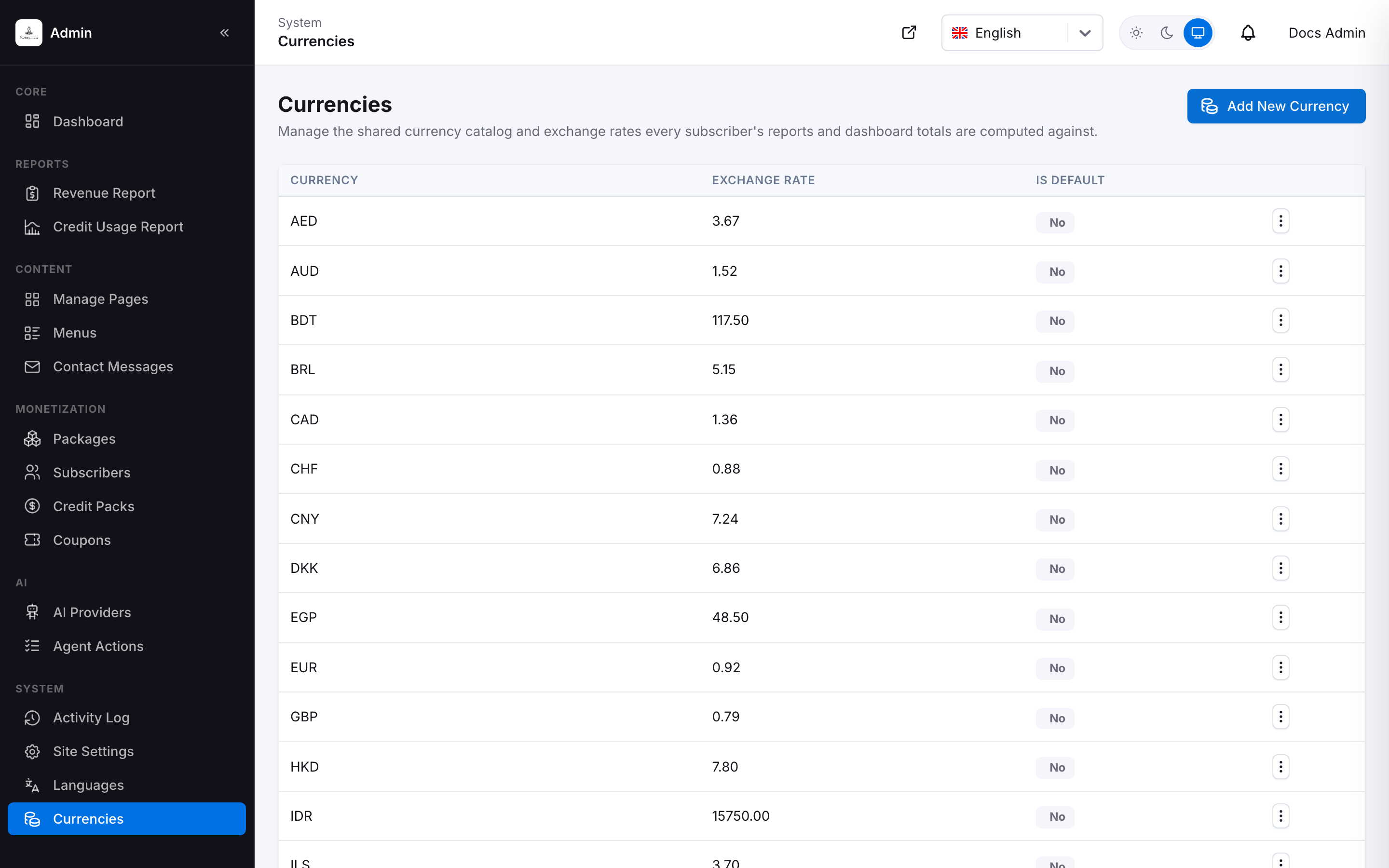
Admin Currencies — the shared catalog every subscriber's conversions read from
USD is permanently the base currency and can't be deleted or reassigned — it's the fixed pivot every usd_amount/usd_balance column is stored against internally (see Architecture principles), independent of whichever currency is marked the site default for display. A currency still referenced by any subscriber's account, transaction, budget, debt, or similar is also blocked from deletion — you'll need to move or remove what's using it first.