 qBilling Docs
qBilling — Multi-Tenant CRM, Billing & Project Delivery SaaS
Documentation version 5.7
Introduction
- Item Name: qBilling — Multi-Tenant CRM, Billing & Project Delivery SaaS
- Author: QuantikLab
- Support: quantiklab@gmail.com
- Built on: Laravel 13, PHP 8.4, Inertia.js v3, React 19, Tabler
Thank you for purchasing qBilling. This documentation gives you a complete tour of every module in the application — with a real screenshot of every screen — so you know exactly what you're buying before (and after) you install it.
qBilling started as a single-tenant CRM/billing script and has grown into a full multi-tenant SaaS platform: a business signs up, gets its own isolated workspace (data, users, roles — never visible to any other tenant), and is billed on a subscription with plan-based feature entitlements. On top of that sits a full CRM (leads → deals → invoices), project delivery, a support desk with SLAs, a Customer Portal for your own customers, an automation engine, a REST API + webhooks, and a super-admin panel for whoever runs the platform itself.
Every screenshot in this document was taken against a live, running instance seeded with realistic demo data — nothing here is a mockup.
What's inside
qBilling isn't one app — it's three separate applications sharing one codebase, each with its own login and its own URL, and no route by which one can reach another:
- The tenant admin app — what a business owner and their staff use day to day: CRM, Sales, Purchasing, Inventory, Accounting, Projects, Support, Reports, and System Settings. This is the bulk of this documentation.
- The Customer Portal — a branded, read-mostly self-service area for a tenant's own customers to view invoices, projects, proposals, contracts, raise support tickets, and browse a public Knowledge Base.
- Platform Admin — the super-admin panel for whoever runs qBilling as a SaaS business: manages every tenant, every pricing package, platform-wide billing, and cross-tenant reporting.
Requirements
qBilling is built on the latest version of the Laravel PHP framework. You can learn more about Laravel here or here.
Your server needs to meet the following:
- PHP 8.3 or newer
- MySQL 5.7+ / MariaDB 10.3+
- PHP extensions: bcmath, ctype, curl, dom, fileinfo, gd, mbstring, openssl, pcre, pdo, pdo_mysql, tokenizer, xml, zip
- A web server (Apache/nginx) with the document root pointed at the
public/folder mod_rewrite(Apache) or an equivalent nginxtry_filesrule — the shippedpublic/.htaccesshandles Apache automatically
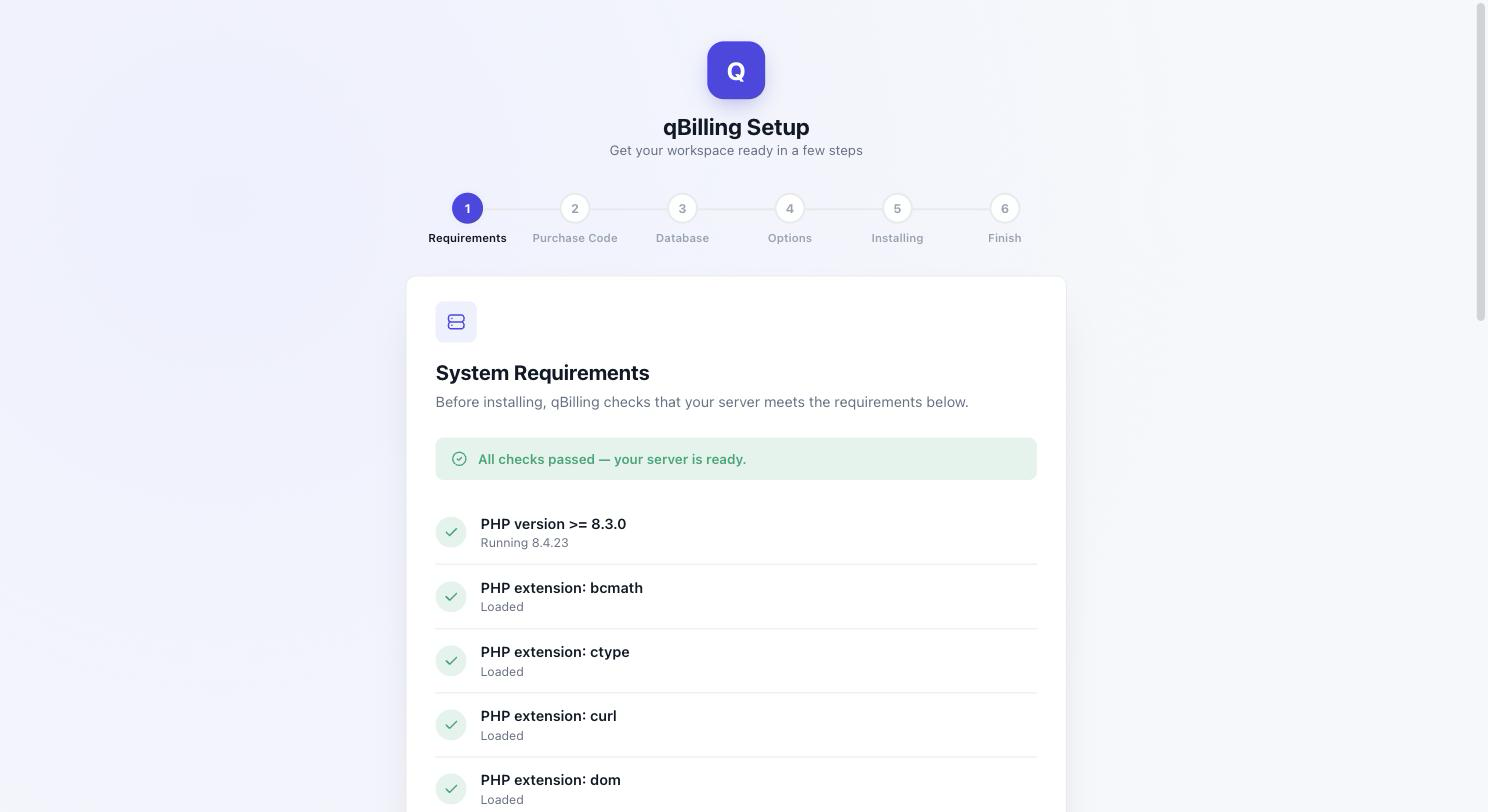
The installer's first step checks all of the above for you and won't let you continue until they pass — no guesswork required.
Be careful while editing
the application. If not edited properly, the logical and design
layout may break completely.
No support is provided for faulty customization.
Getting Started #back to top
INSTALLATION — GUIDED WEB WIZARD
qBilling ships with a web-based installer wizard. There is no manual database
import and no manual .env editing required for a standard
install — this is a major upgrade over older single-tenant scripts that made you
hand-edit config files.
Every step below runs over AJAX with live, real-time progress — nothing reloads the page or leaves you staring at a blank screen while it works.
- Upload the files. Extract the download and upload everything to
your server, with your web server's document root pointed at the
public/directory (not the project root). - Create an empty MySQL database and a database user with full privileges on it. Don't import any SQL by hand — the installer does this for you.
- Visit your domain in a browser. Every request is automatically
redirected to the installer (
/install) until installation is complete, so just opening the homepage is enough to start. - Step 1 — Requirements. Confirms your server meets the checklist
above. Fix anything marked with a red X (usually a missing PHP extension or a
directory permission —
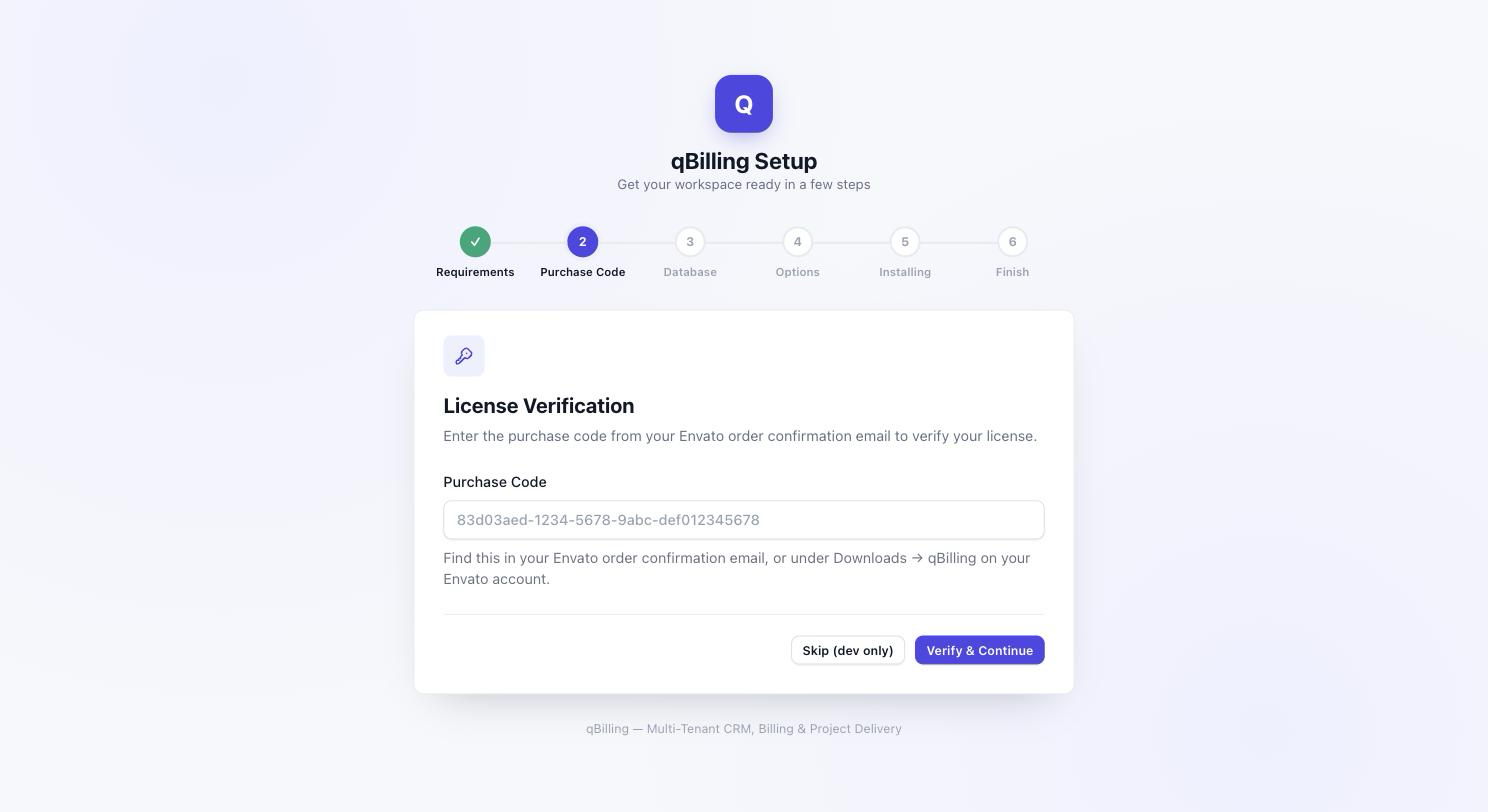
chmod 775the flagged path) and reload. - Step 2 — Purchase Code. Enter the purchase code from your Envato order confirmation email. This is verified against Envato's own Author API, confirming your license is valid and currently covered for updates/support.
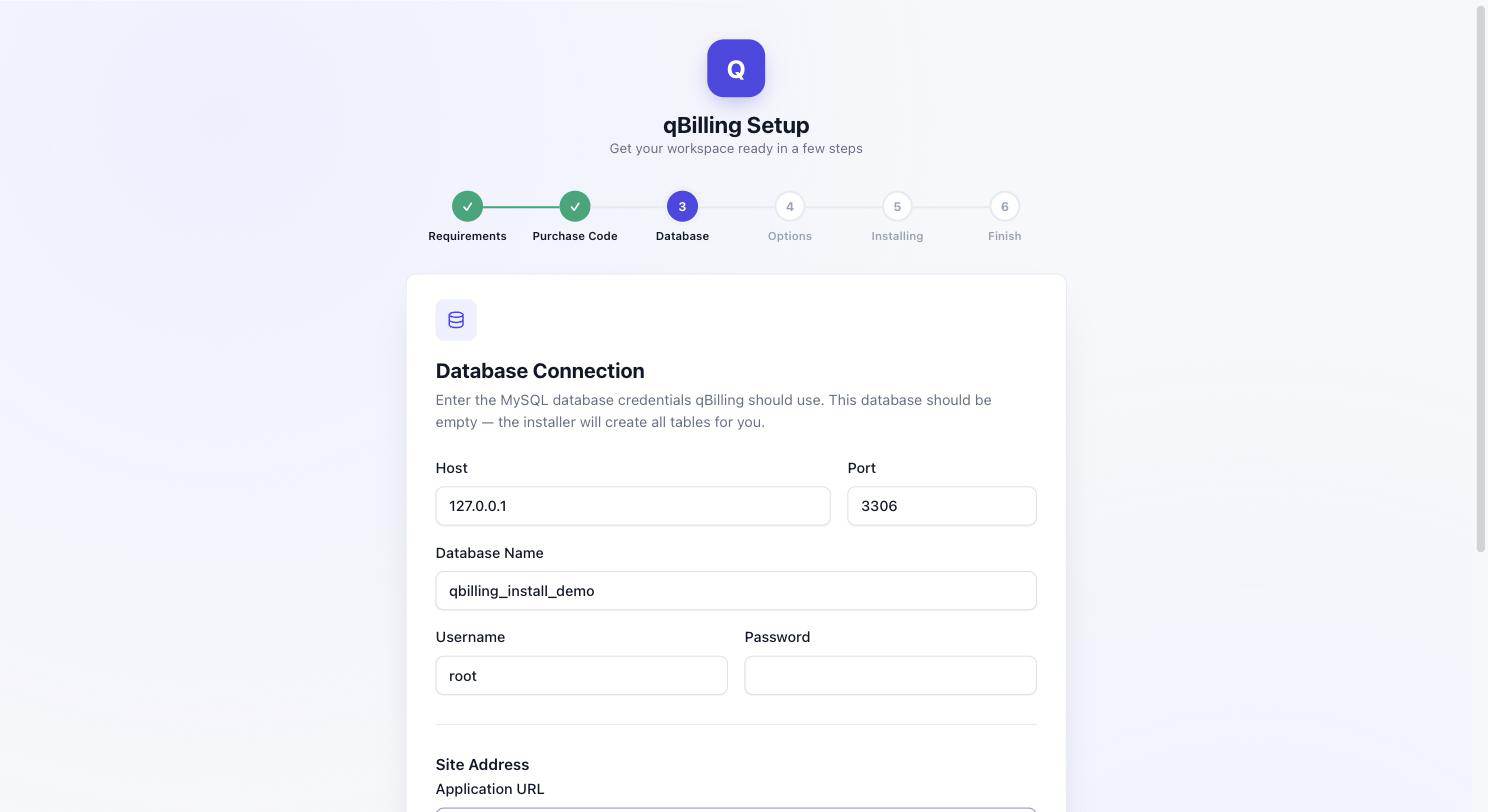
- Step 3 — Database. Enter your database credentials and the public web address of this install (its "Application URL"). The installer tests the connection and writes both into place — every uploaded file (logos, avatars, attachments) is linked using this address from then on, including in emails and PDFs, so it's worth double-checking before you continue.
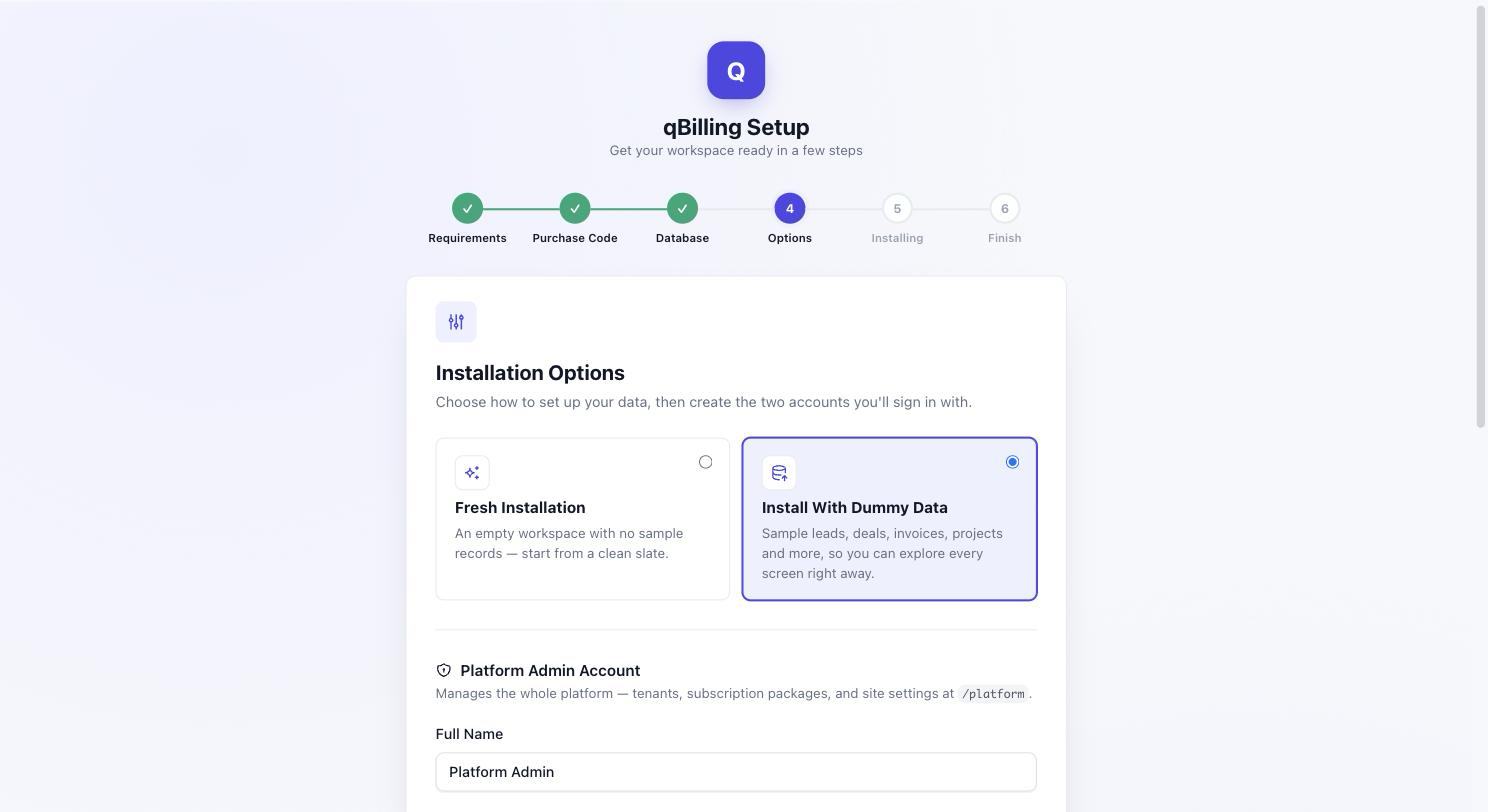
- Step 4 — Options. Choose Fresh Installation (an
empty workspace) or Install With Dummy Data (realistic example
companies, contacts, deals, invoices, a product catalog, tickets, subscriptions,
goals, and more — exactly the kind of data used to produce every screenshot in
this document). Then create the two accounts you'll sign in with: a
Platform Admin account (manages the whole platform at
/platform— tenants, subscription packages, site settings) and a Business Owner account (your own first tenant workspace). - Step 5 — Installing. A live checklist runs through every remaining step — building the schema, seeding required data, creating both accounts, and, if chosen, loading the sample dataset — each one updating in real time as it completes.
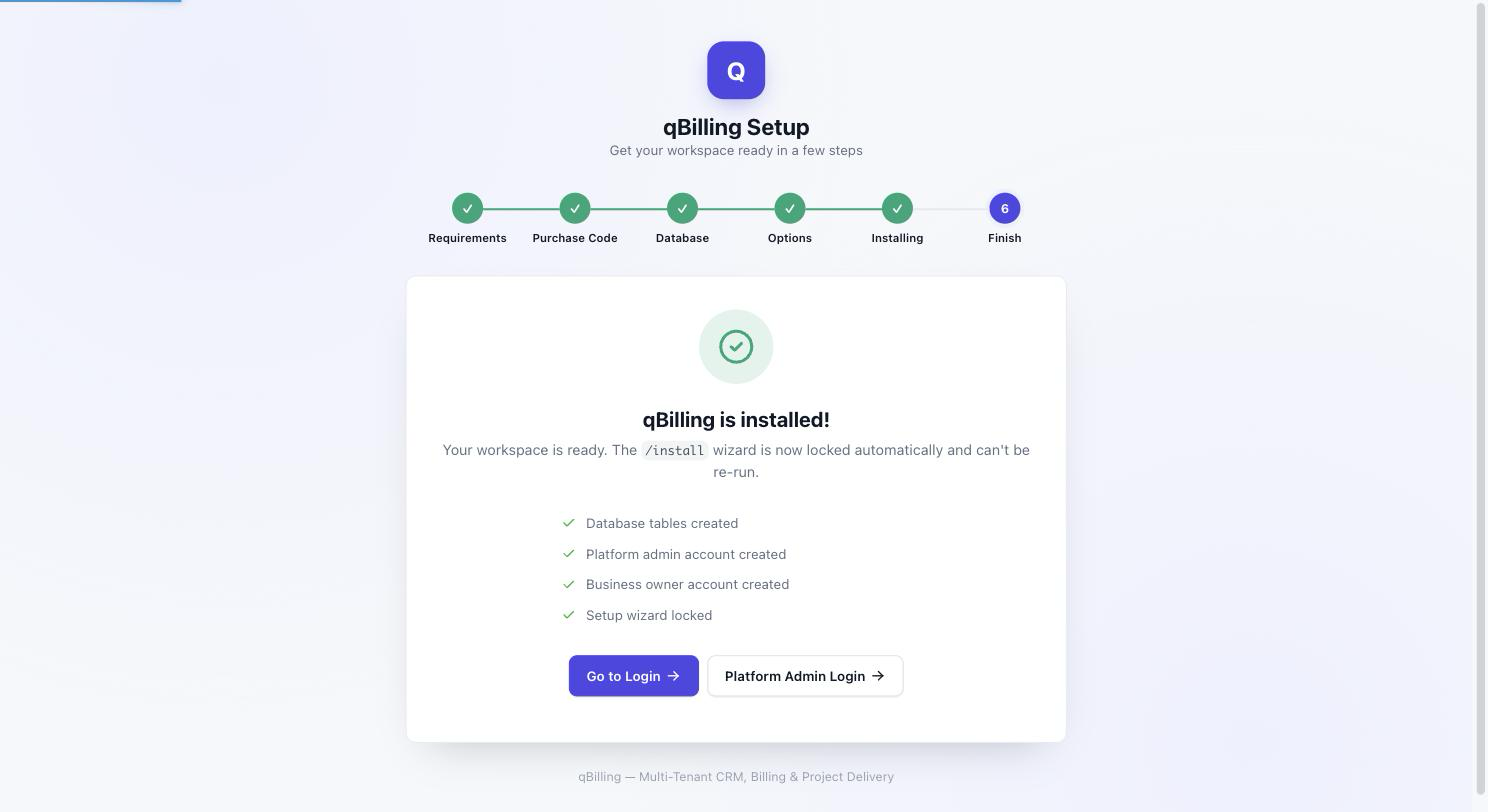
- Step 6 — Finish. Installation is complete. The installer locks itself (it cannot be re-run once installed) and gives you two buttons: one to the Business Owner login, one to the Platform Admin login.
THE WIZARD, STEP BY STEP
1. Requirements — every PHP version/extension and writable-directory check runs automatically; a green banner and a checkmark on every row means you're clear to continue.
2. Purchase Code — paste the code from your Envato order confirmation email. It's verified live against Envato's Author API.
3. Database — host, port, database name, and credentials for the empty database you created earlier, plus the Application URL and name for this install. The installer tests the connection, then creates every table and seeds required reference data for you.
4. Options — pick Fresh or Dummy Data, then fill in the Platform Admin and Business Owner accounts. Both are created for you before the wizard finishes, so there's no separate "create your first admin" step afterward.
5. Installing — every remaining step runs as its own small request, so nothing times out on slower hosting, and you can watch each one turn green as it finishes.
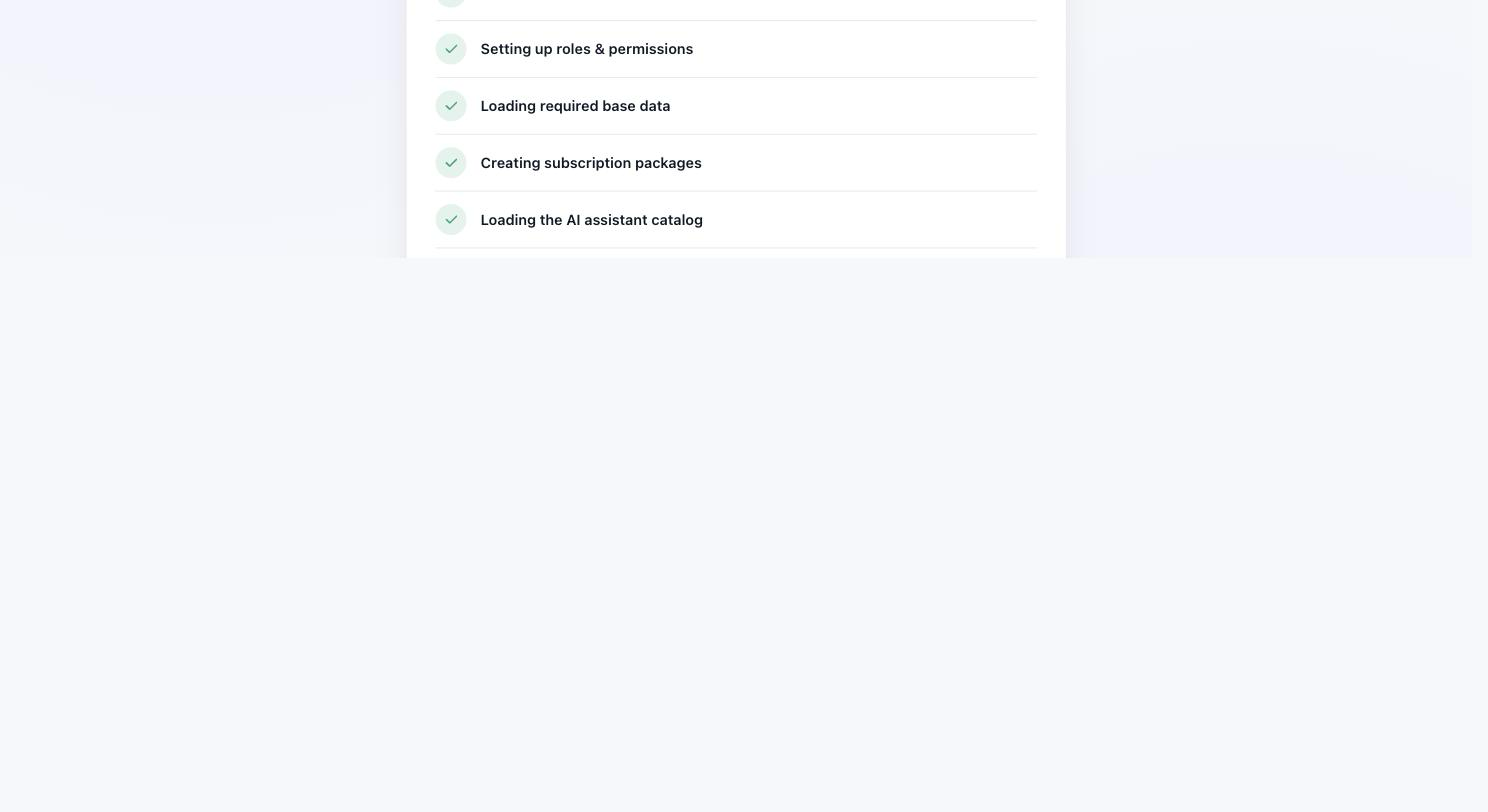
6. Finish — a summary of what just happened (tables created, both
accounts created, wizard locked) and buttons straight to the Business Owner and
Platform Admin login pages. Visiting /install again from this point
simply redirects back to login — the wizard can't run twice.
Once installation finishes, you'll land on the login page:
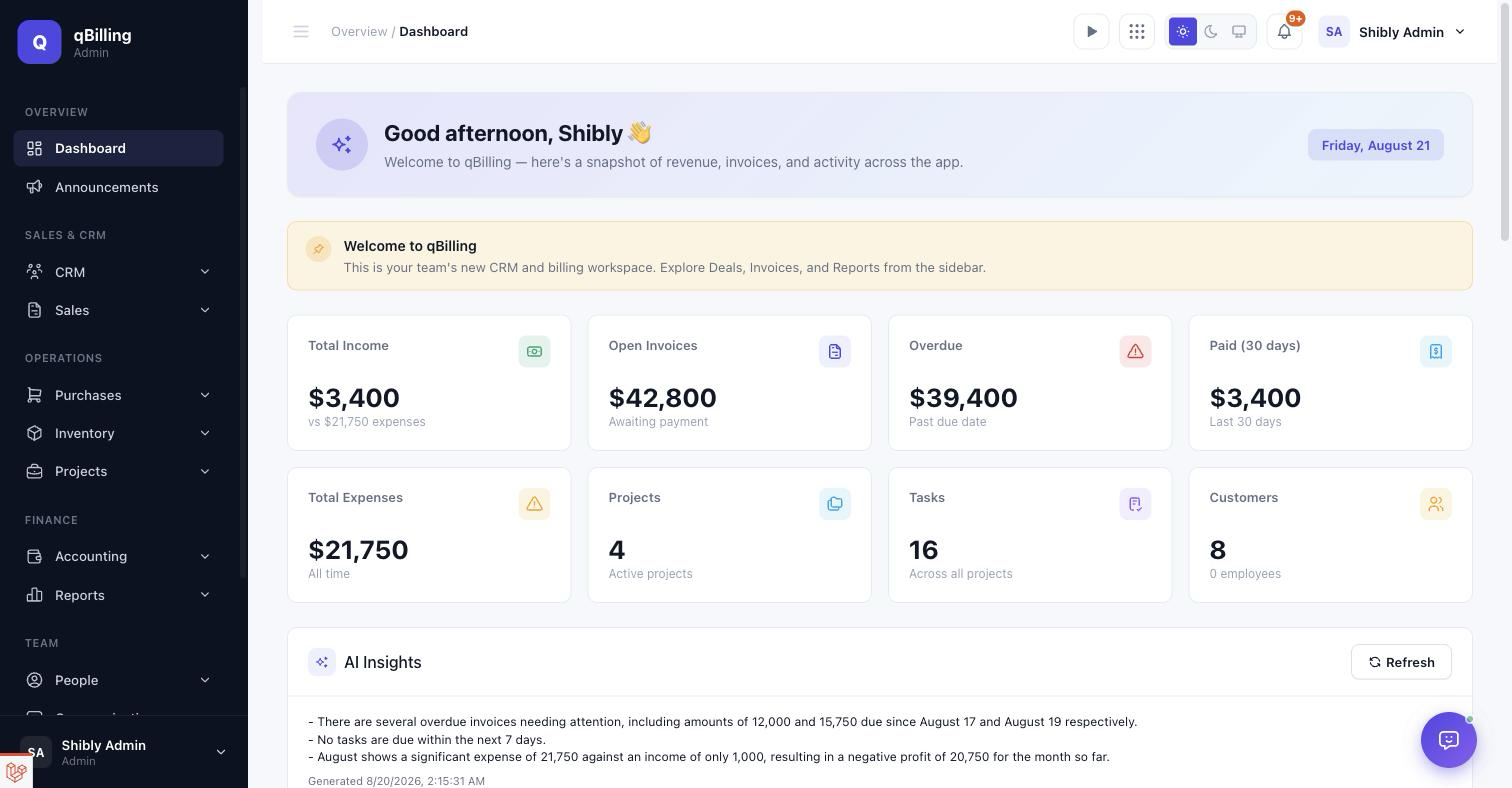
The Dashboard above is what greets an admin after logging in — a live snapshot of revenue, invoices, and activity, computed fresh on every page load (nothing here is a cached or pre-aggregated number). If a pinned Company Newsfeed post exists, it shows as a banner right under the page title.
QUEUE WORKER & SCHEDULER
qBilling uses Laravel's database queue driver for background jobs
(contract-expiry reminders, subscription billing, SLA sweeps, lead scoring, invoice
reminders, and more). No persistent worker process is required — the scheduler
itself drains the queue every minute. A single cron entry is all you need:
* * * * * cd /path/to/your/install && php artisan schedule:run >> /dev/null 2>&1
Most managed hosting panels (cPanel, Plesk) have a "Cron Jobs" section where you can add this line directly.
Tenant Admin Dashboard #back to top
- Stat cards — Total Income, Open Invoices, Overdue, Paid (30 days), Total Expenses, active Projects, Tasks, and Customers.
- AI Insights — a short, auto-refreshed digest of what needs attention today (overdue invoices, upcoming tasks, this month's profit trend), generated by the AI Assistant. See the AI Assistant section for the permission that gates it.
- Pinned Announcements banner — up to 3 pinned Company Newsfeed posts; disappears entirely when there are none.
- Recent Sales Invoices and Recent Projects — the 5 latest of each, with direct links.
QUICK ACCESS New
A shortcut menu in the top header, next to the timer widget, listing the most-used destinations in the app — Sales Invoices, Customers, Purchase Invoices, Expenses, Leads, Deals, Projects, Tasks, Quotes, Employees, Contracts, and the Income Report — each filtered by the current user's actual permissions, so a shortcut never appears for a page the user can't open.
Tenant Admin CRM #back to top
LEADS
A kanban board (New → Contacted → Qualified → Unqualified, plus Lost) for prospects who haven't become a real Contact/Deal yet. Drag a card to change its stage; converting a lead moves it off the board automatically. Every card carries a deterministic lead score (recency + engagement signals), recalculated daily by a scheduled command — never something you set by hand.
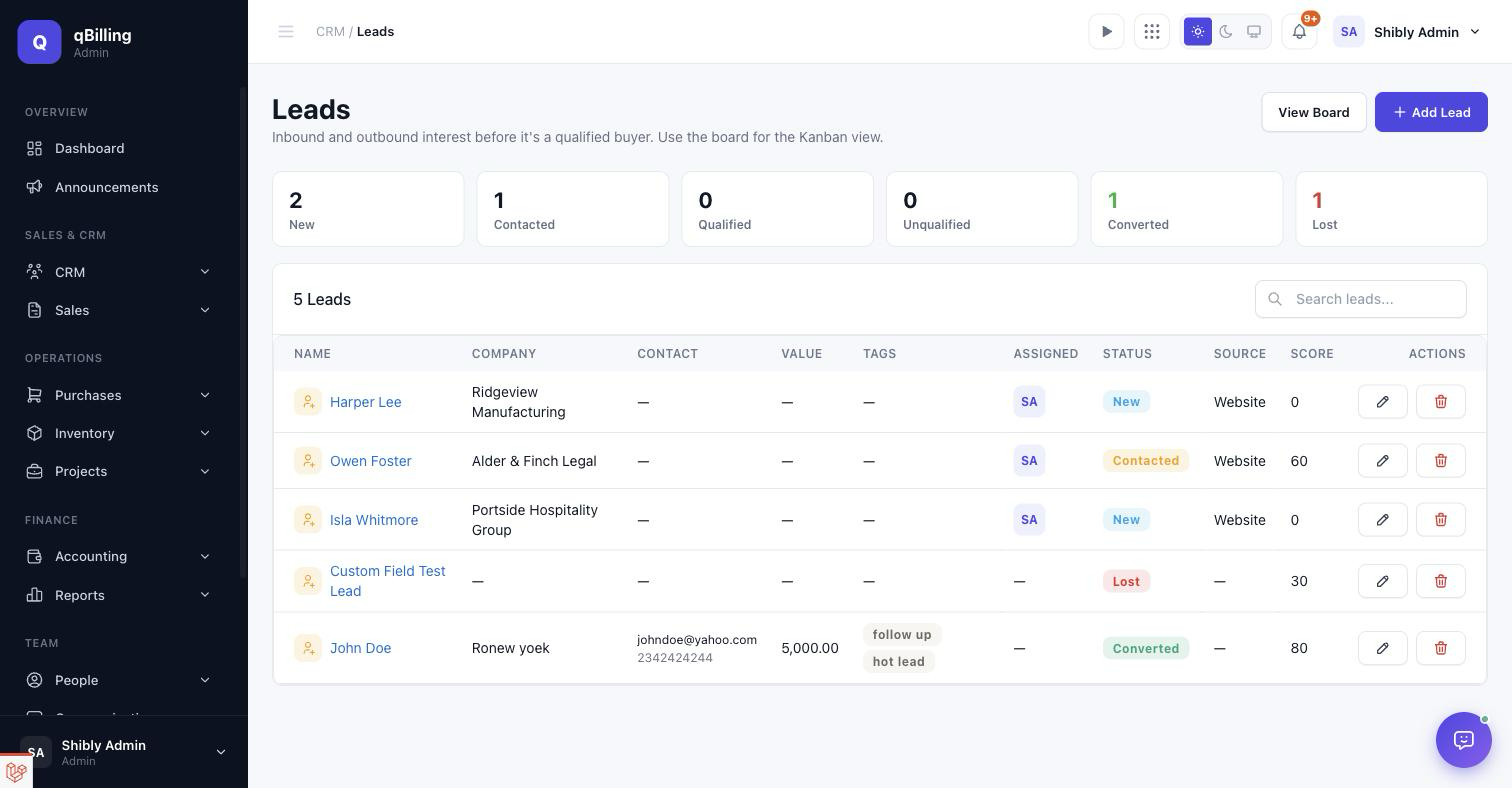
CONTACTS
Every person you do business with, independent of which company they're at. Search by name/email, filter by lifecycle stage, and see deal count per contact at a glance.
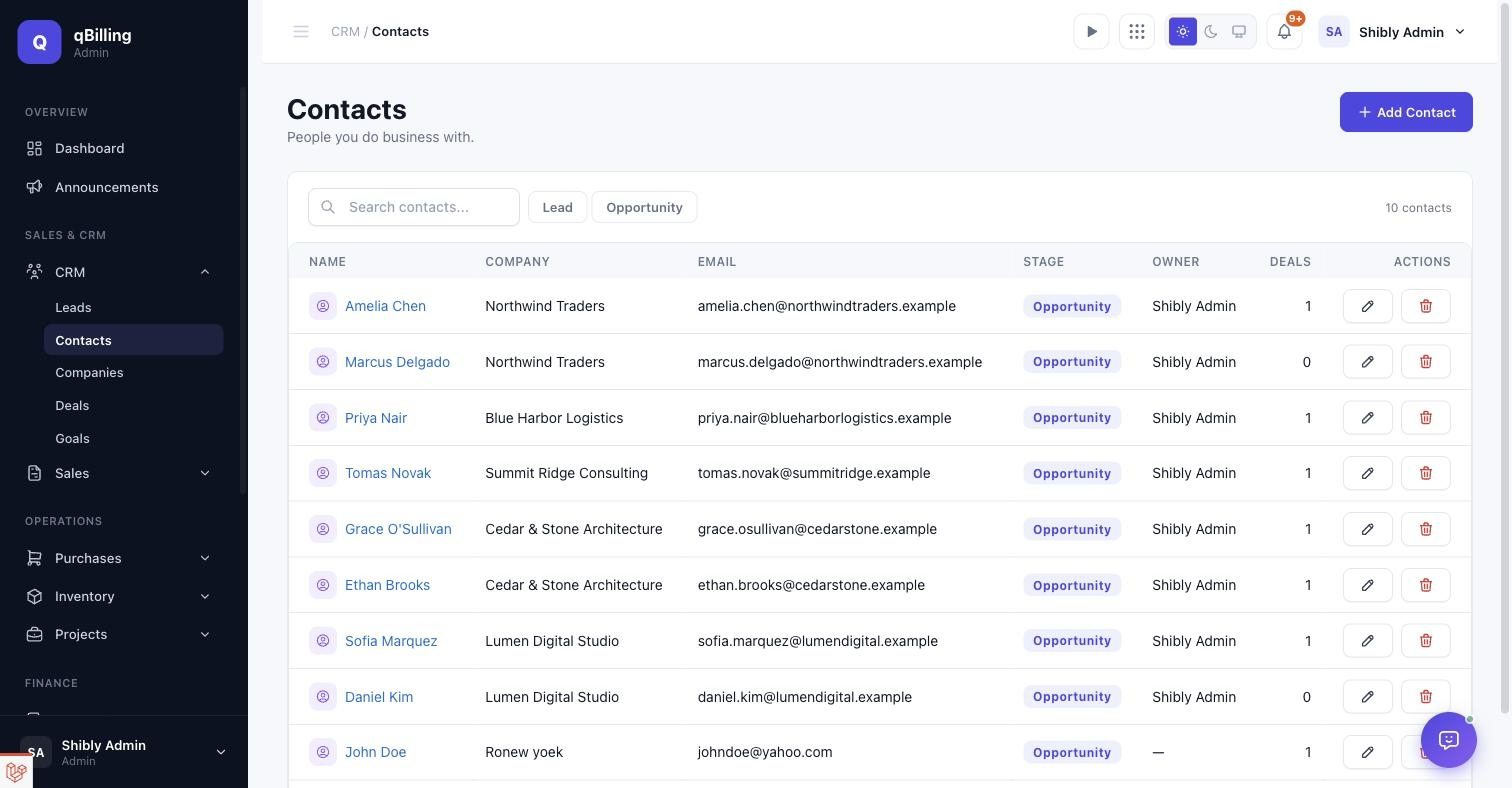
Import New — bulk-load contacts from a CSV or XLSX file. A downloadable template (pre-filled with two example rows so the expected columns are obvious) keeps the format unambiguous; importing skips rows that duplicate an existing email rather than creating a second copy, and stops cleanly with a clear count of created/skipped/failed rows if your plan's contact limit would be exceeded partway through the file.
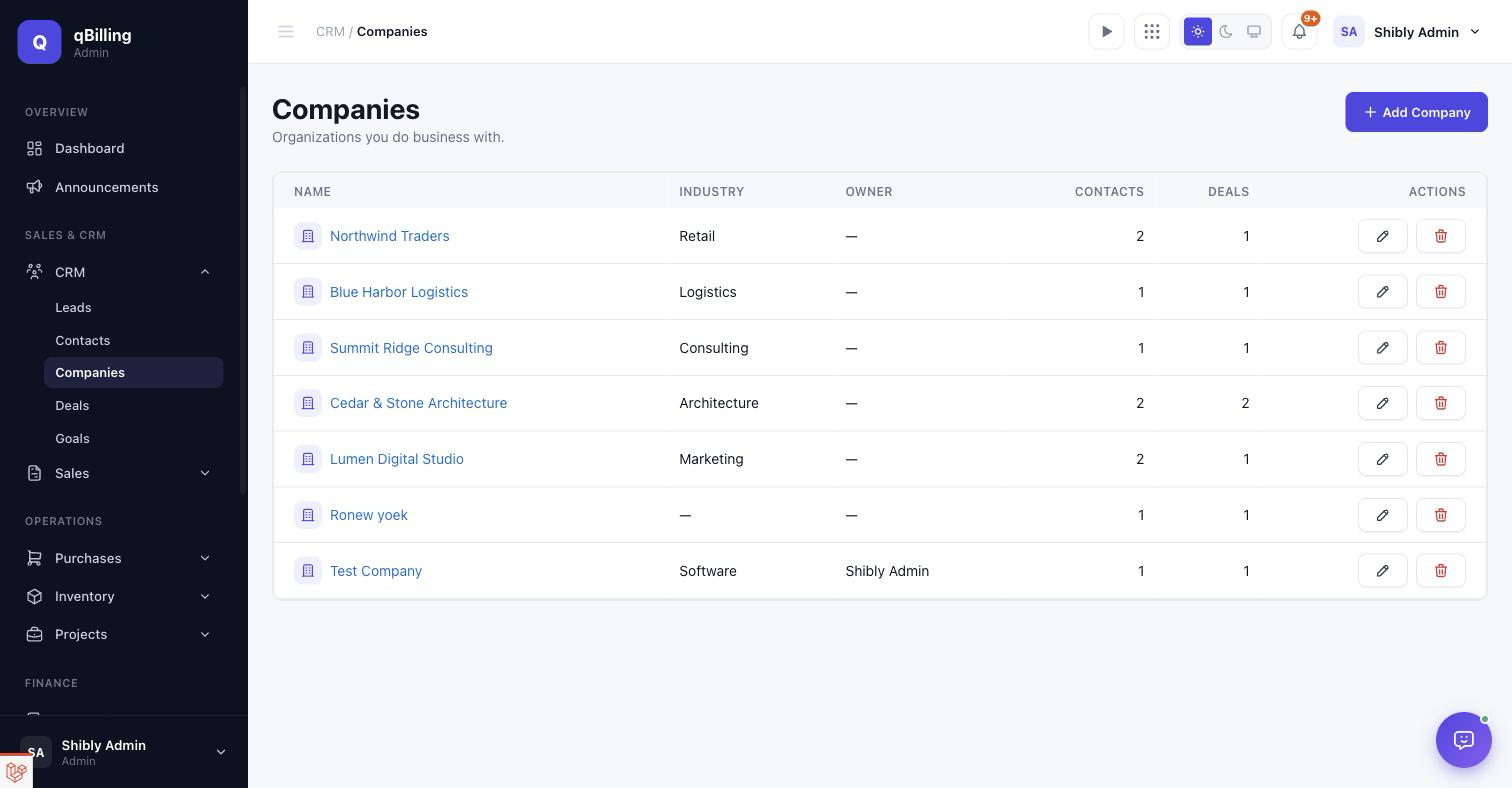
COMPANIES
Organizations, with contact and deal counts rolled up per row.
Clicking into a company opens its 360° view — overview stats
(lifetime value, outstanding balance, next contract renewal, open deals) plus tabs
across every related record type, all queried live at page load rather than synced
into a separate table — so a brand-new module with its own company_id
column shows up here automatically, with no extra wiring.
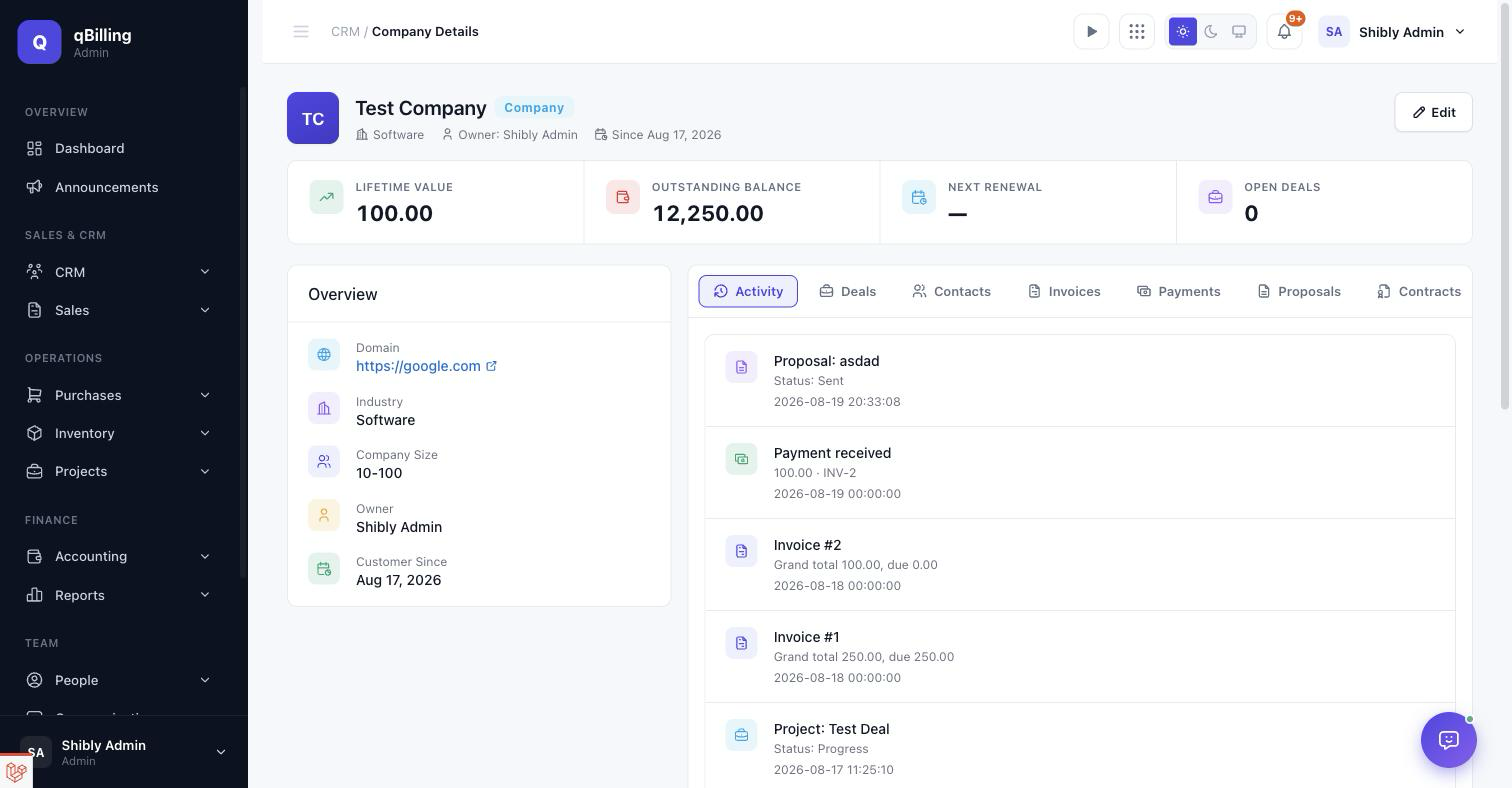
- Activity tab — a unified, chronological feed of notes, calls, emails, meetings, and tasks, with an inline composer to log a new one right there.
- Deals / Contacts / Invoices / Payments / Proposals / Contracts tabs — every record touching this company.
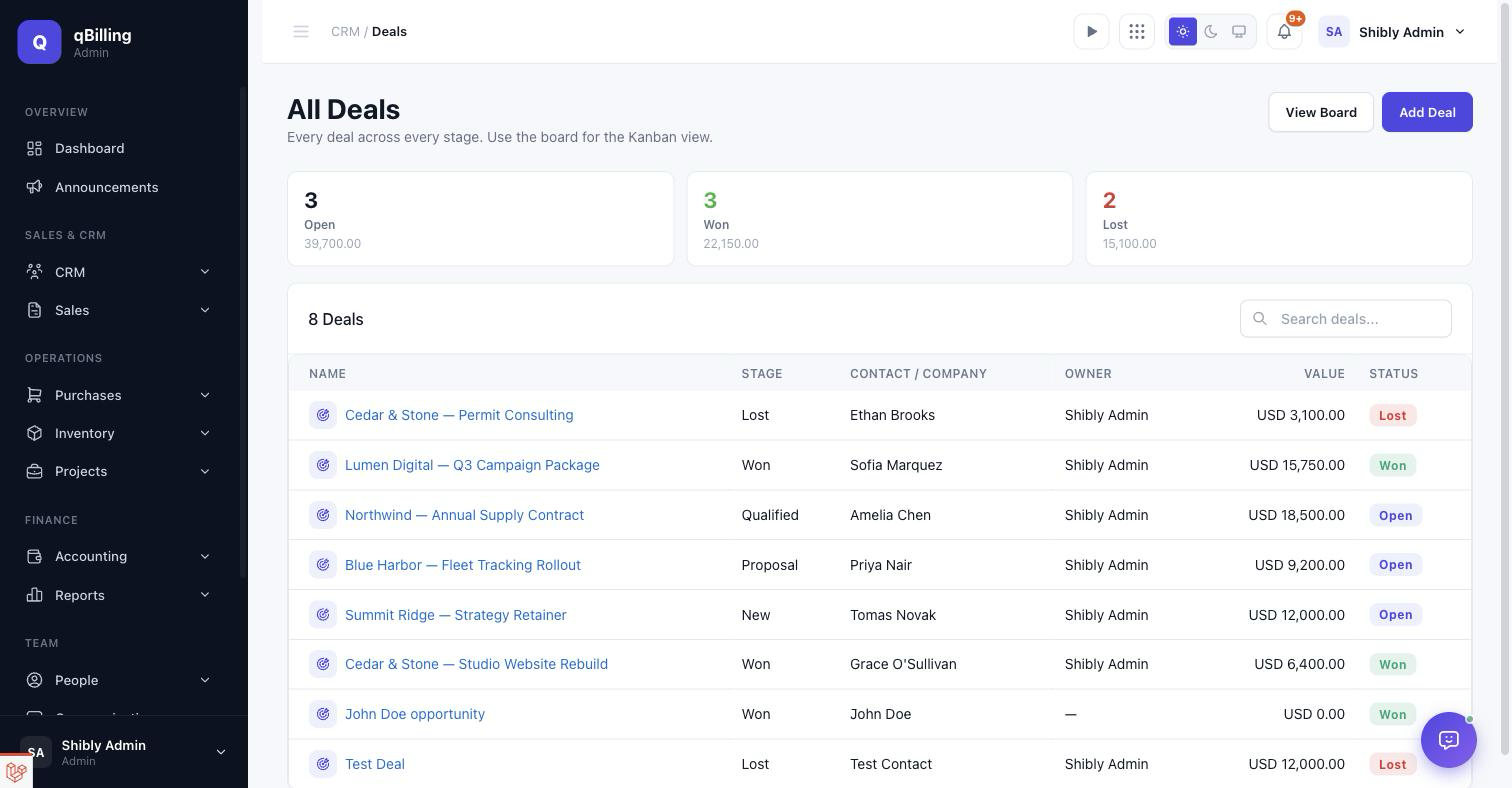
DEALS
The sales pipeline as a kanban board — New → Qualified → Proposal → Won, plus Lost. Each column totals its own dollar value. Moving a deal to a Won stage triggers a real cascade: an auto-created Project and Sales Invoice, no manual follow-up step required.
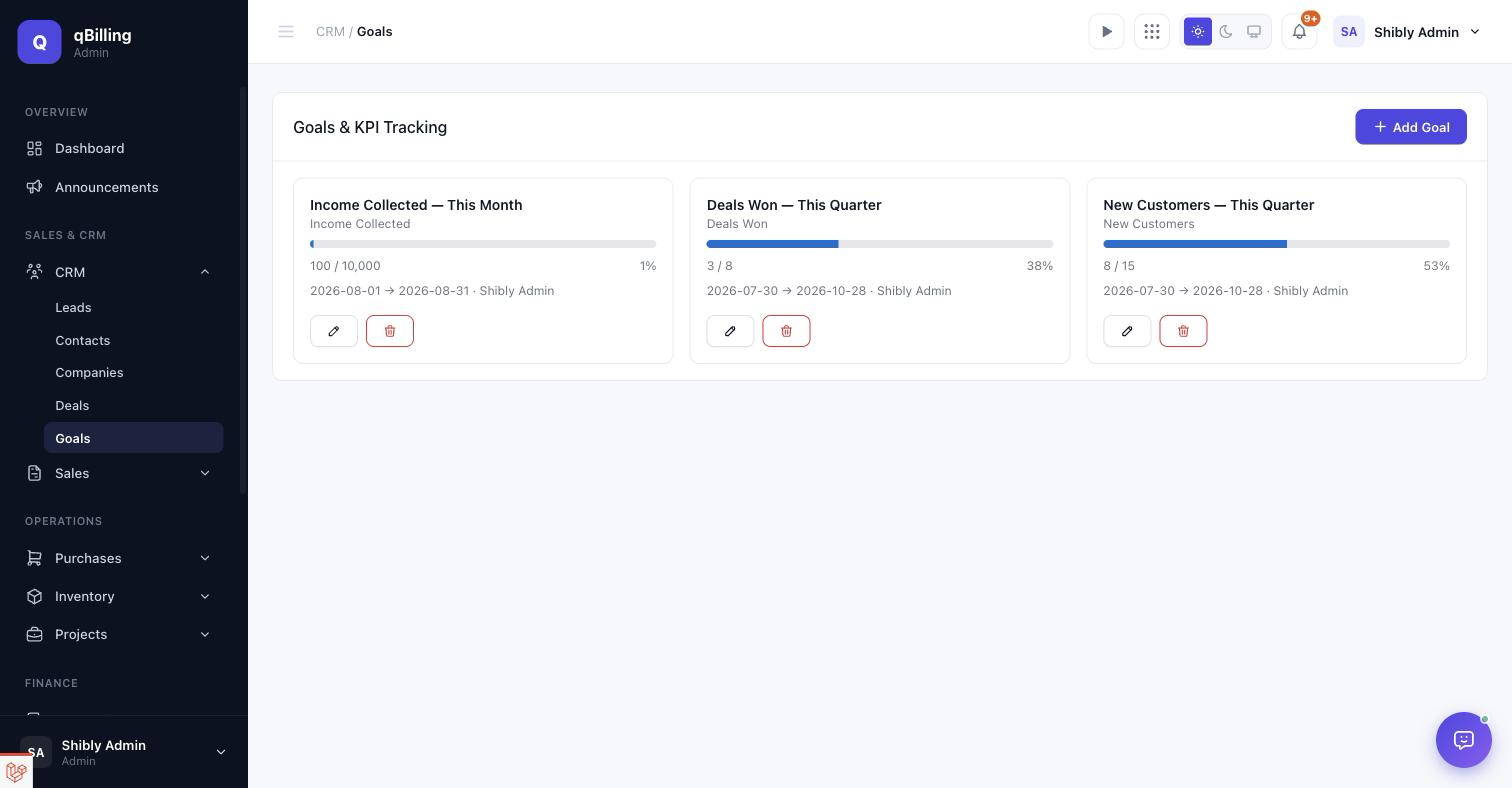
GOALS
Target-vs-current KPI tracking. Pick a metric (new customers, income collected, deals won, invoiced amount, leads converted, or contracts signed), a target number, and a date window — the progress bar recomputes live from the real underlying data every time the page loads, never from a stored/stale number.
Tenant Admin Sales #back to top
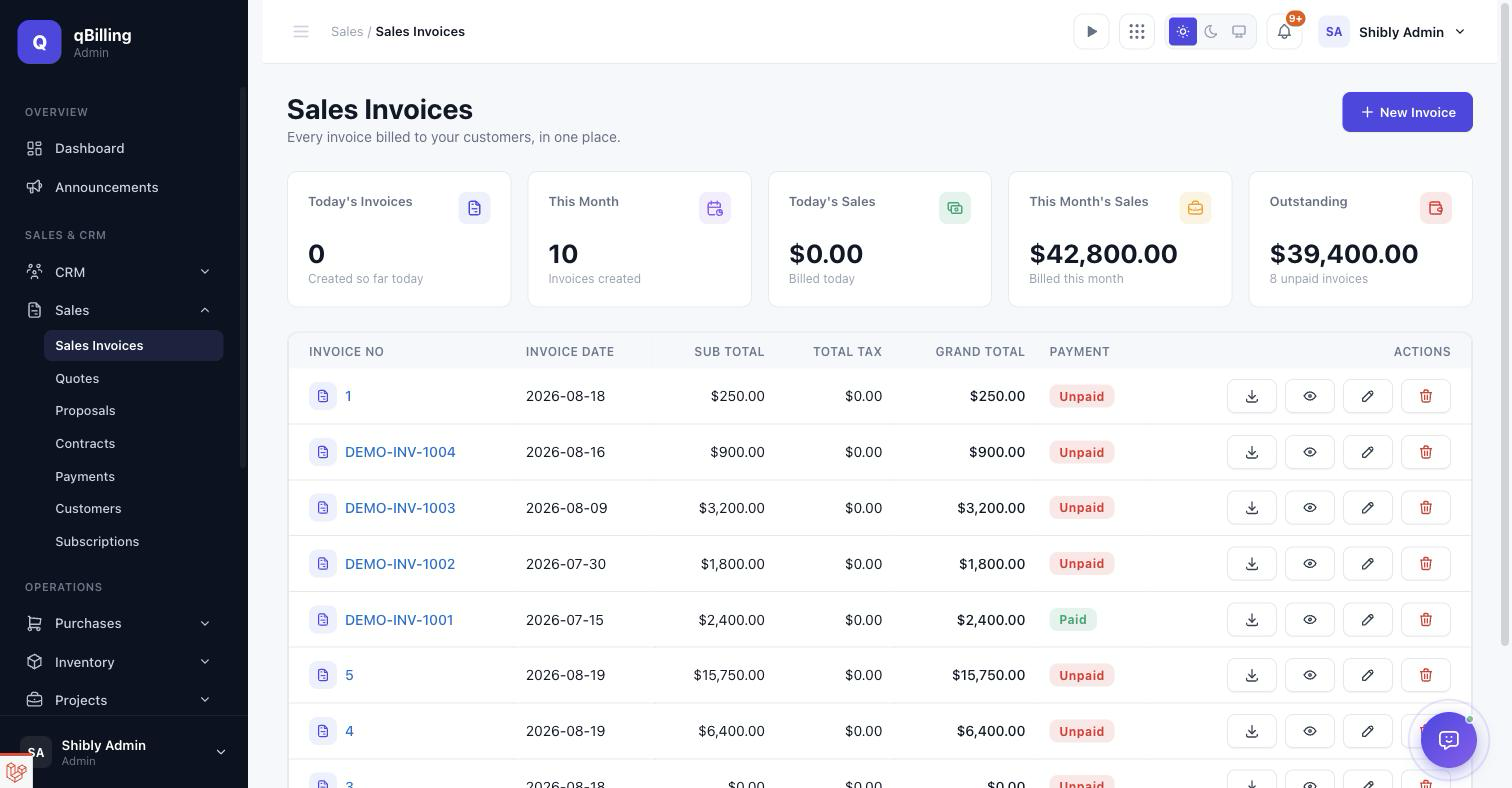
SALES INVOICES
The core billing screen — stat cards for today's/this-month's invoice count and revenue, then the full invoice list with inline Paid/Unpaid status, PDF download, view, edit, and delete per row.
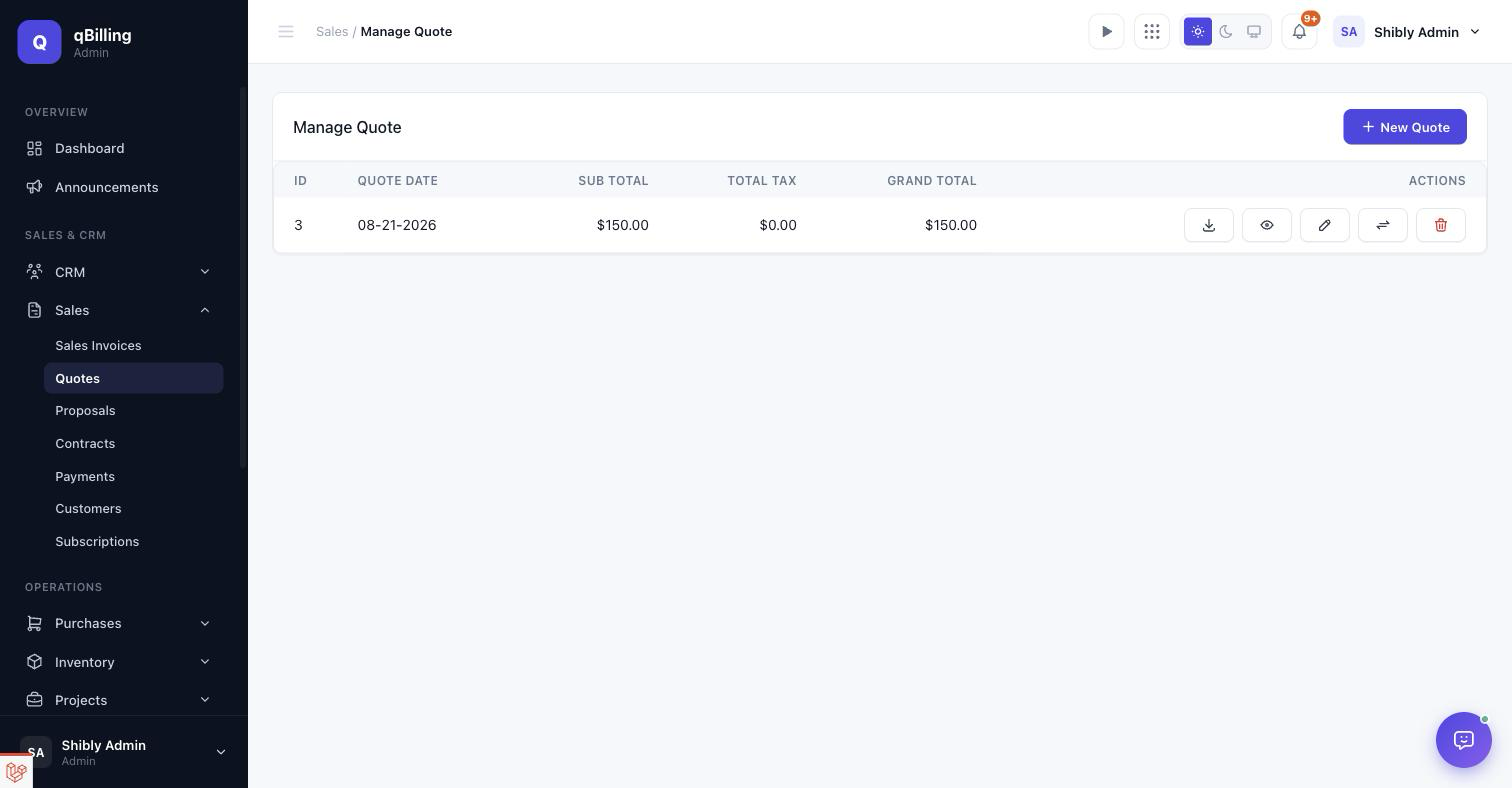
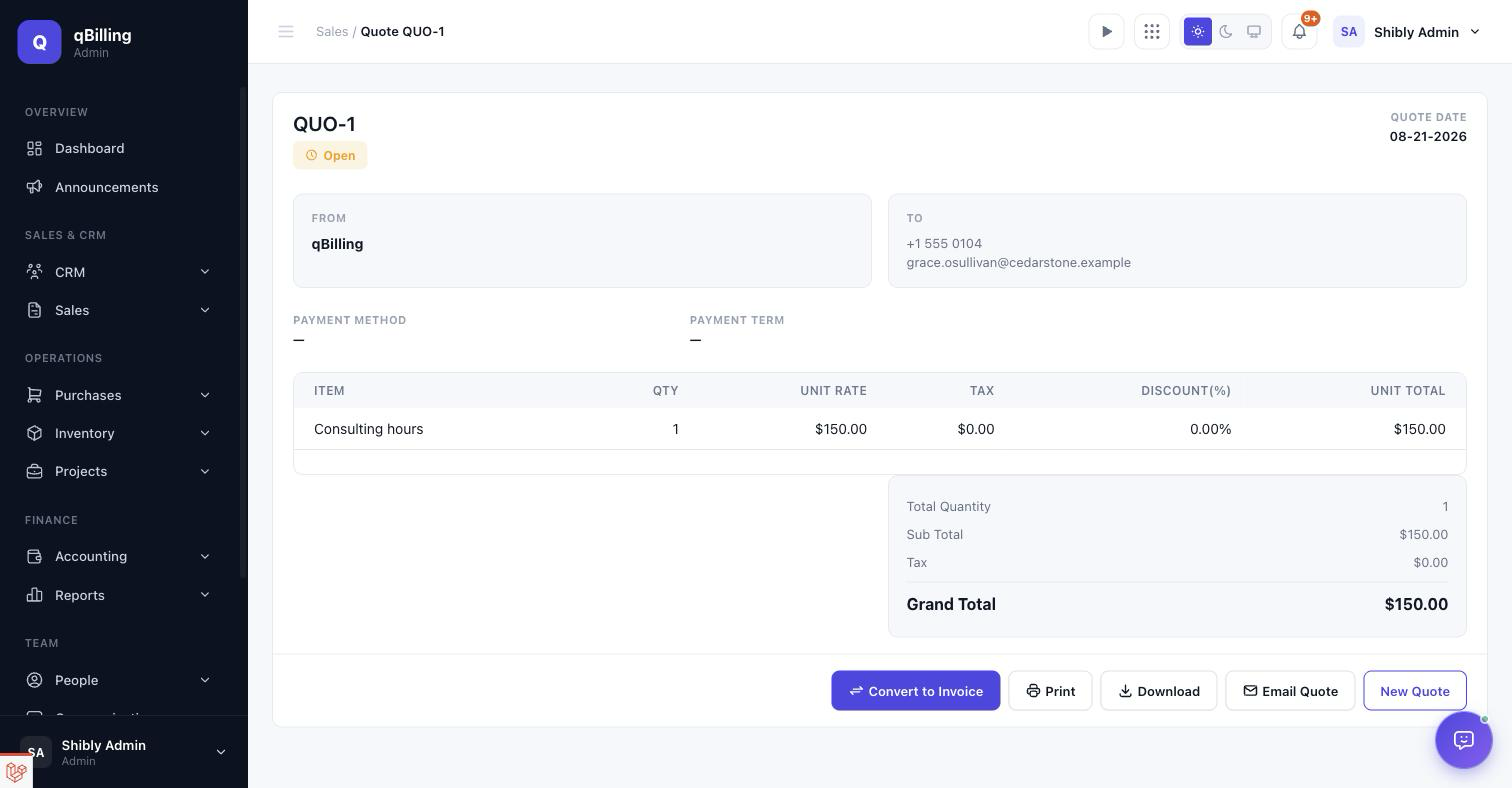
QUOTES
Pre-invoice pricing documents. A quote can be converted straight into an invoice from its row actions once a customer accepts. The quote view itself mirrors the Sales Invoice layout — From/To panel, line-item table, and a status badge that flips from Open to Converted the moment it becomes an invoice, so the Convert action can't be run twice on the same quote.
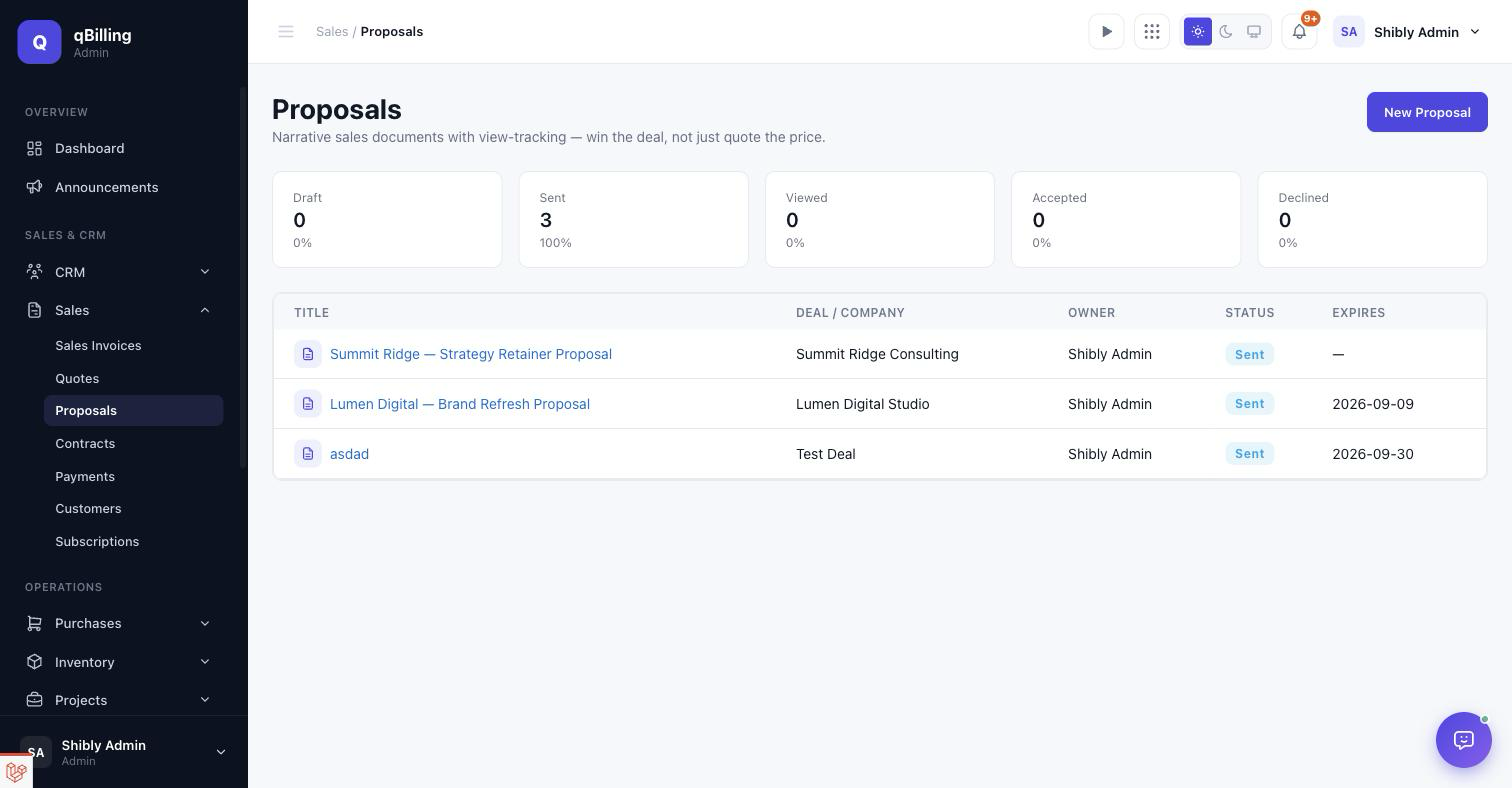
PROPOSALS
Narrative sales documents with view-tracking — built for winning the deal with a story, not just a price list. The stat strip (Draft/Sent/Viewed/Accepted/Declined with percentages) tells you exactly where every proposal in flight stands.
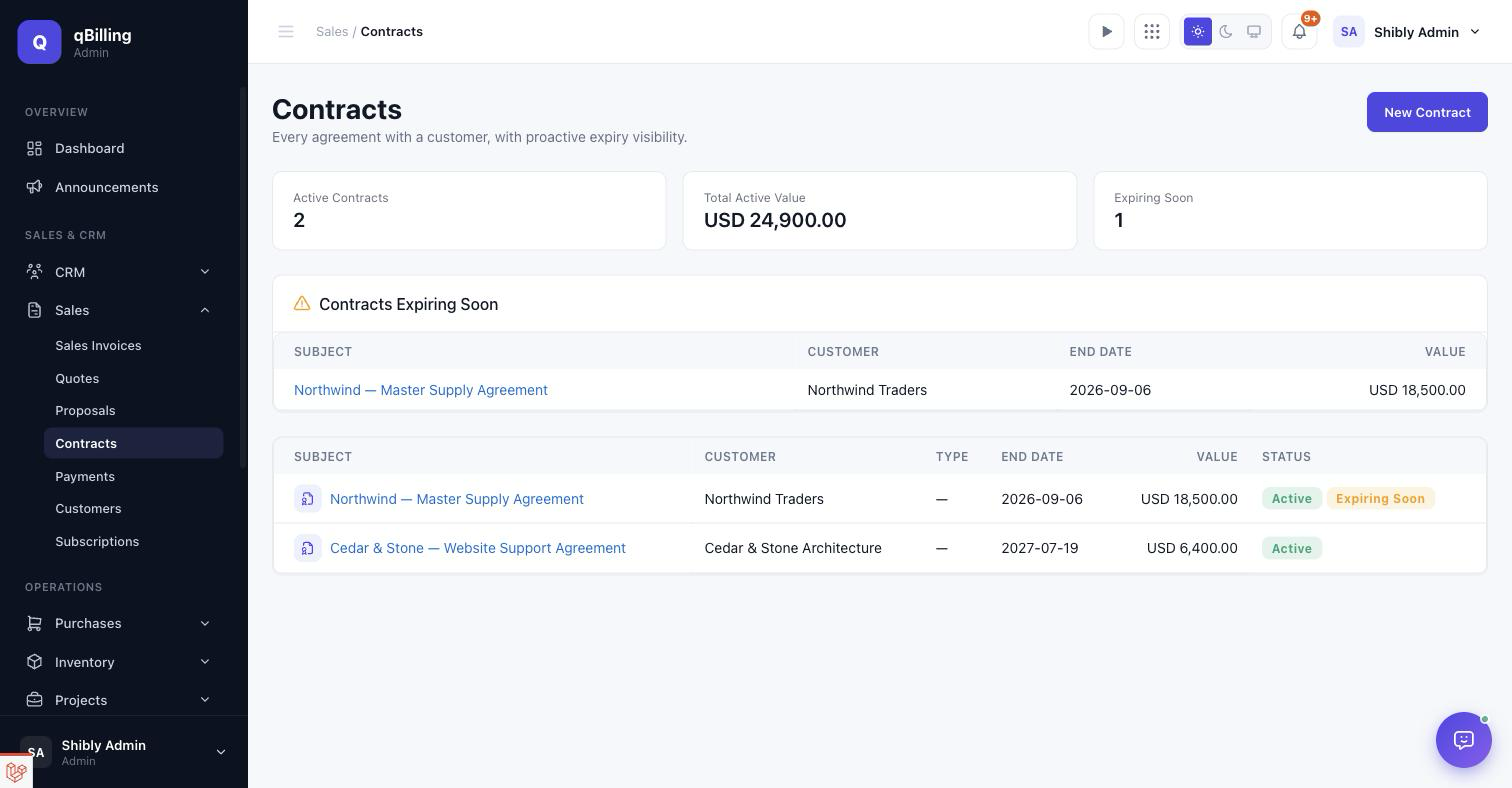
CONTRACTS
Every signed agreement, with proactive expiry visibility — an "Expiring Soon" panel surfaces anything approaching its renewal window before it lapses, backed by a scheduled reminder notification.
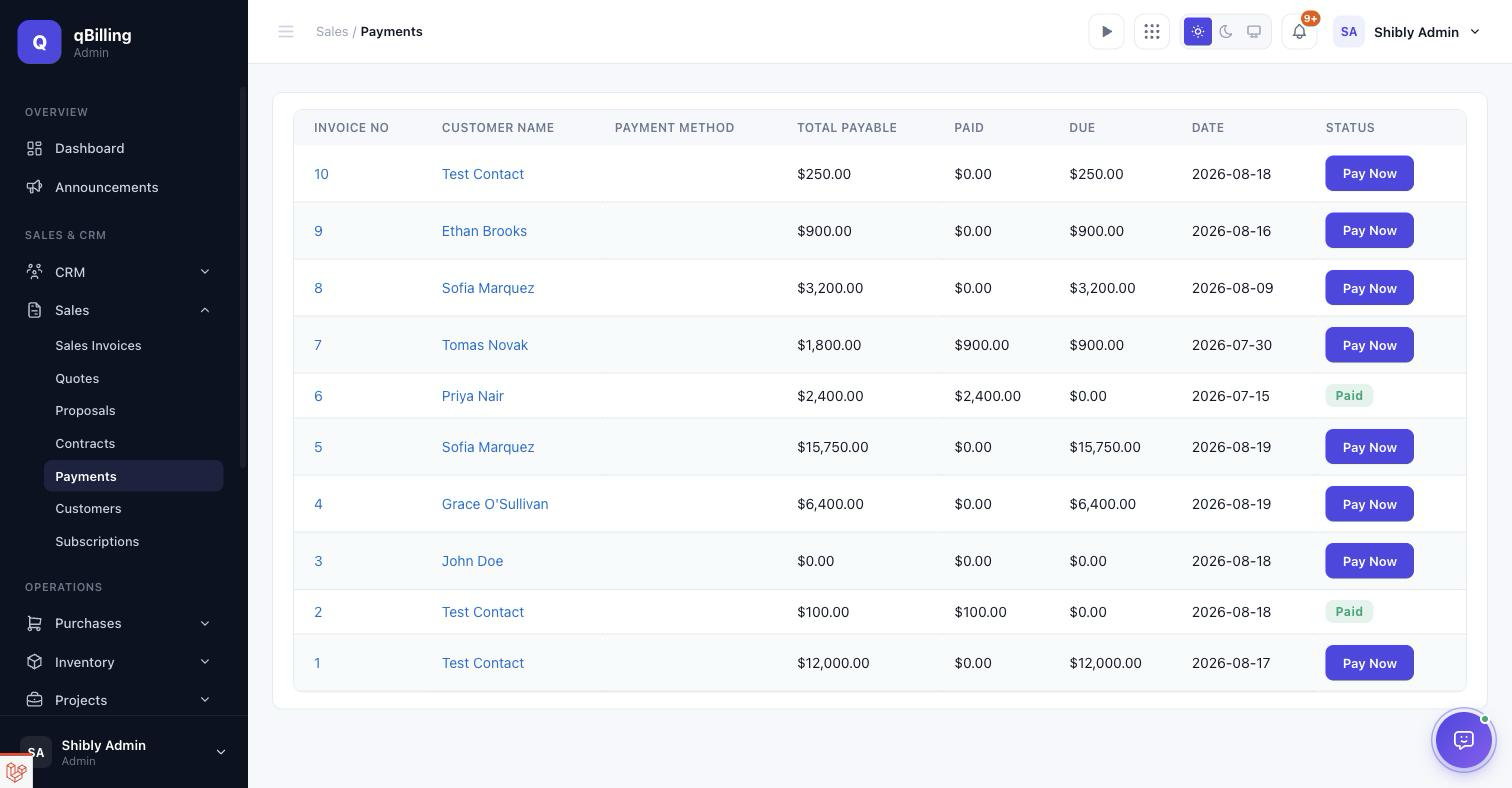
PAYMENTS
Every invoice's payment status in one list, with a one-click Pay Now action per unpaid row.
CUSTOMERS
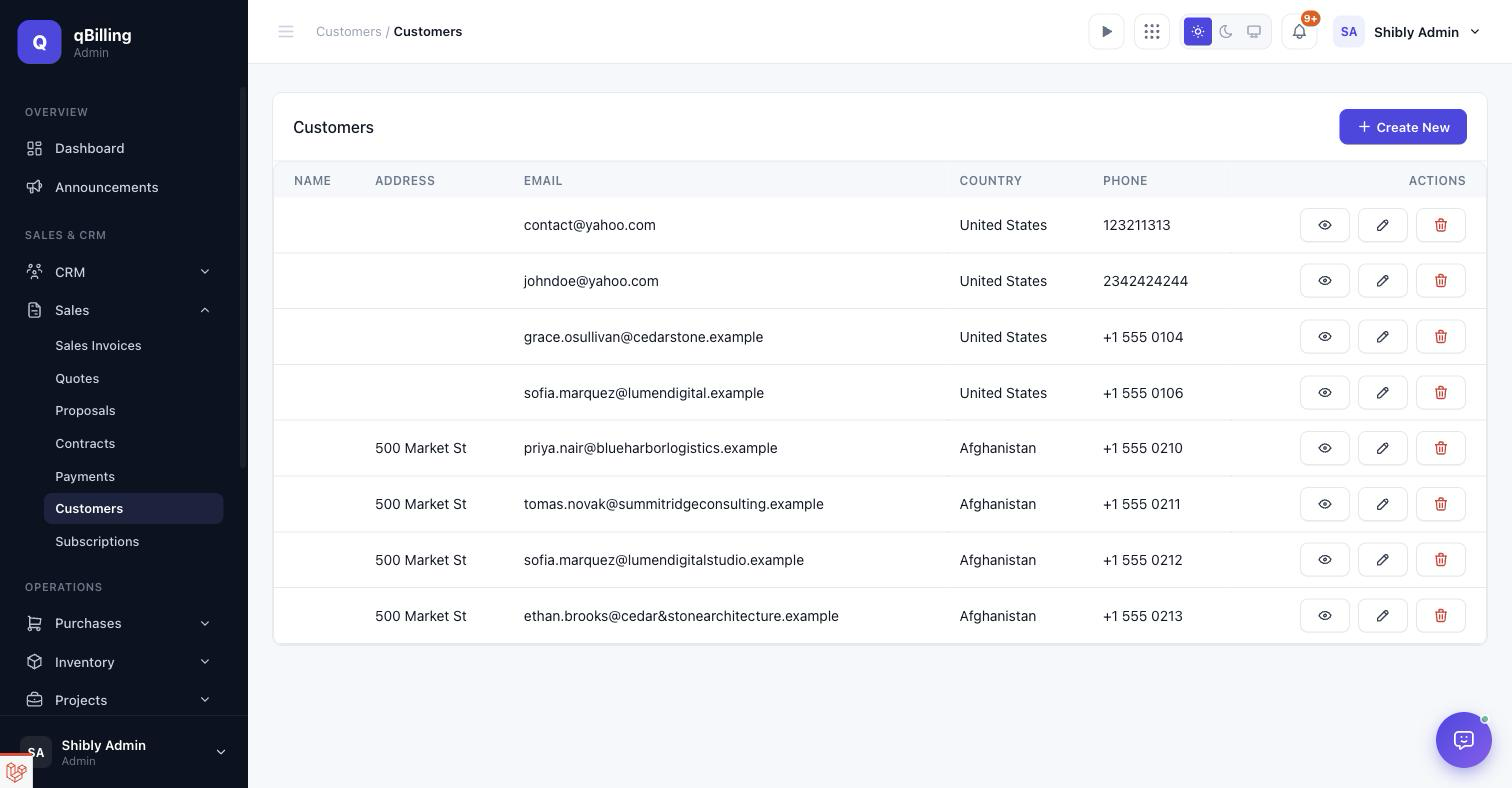
The billing-customer list — the record a Sales Invoice actually bills against. Includes country/phone and quick edit/view/delete actions. A customer's currency can be changed at any time; an already-issued invoice keeps its own historical currency regardless of later changes.
SUBSCRIPTIONS
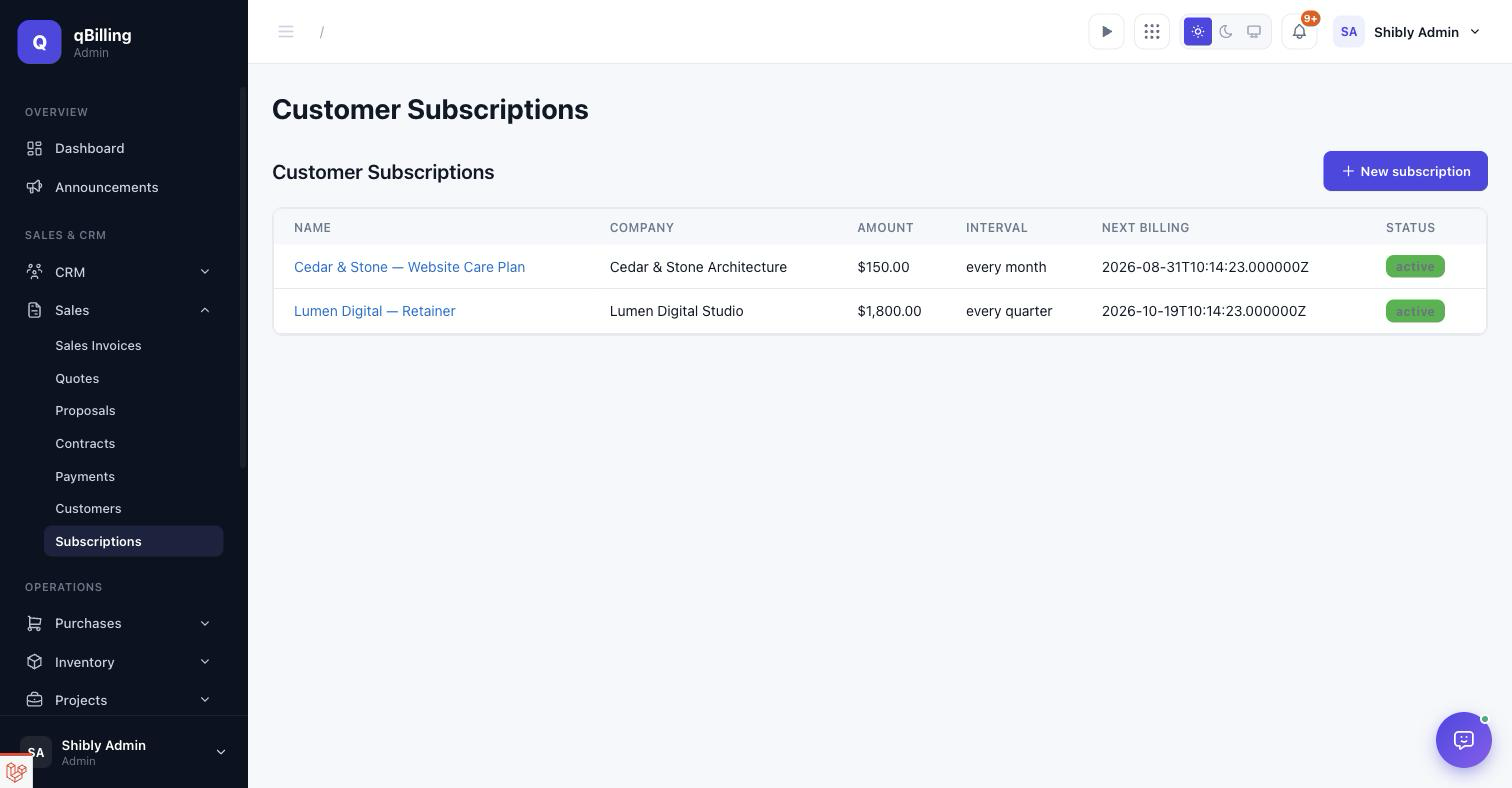
Recurring revenue for your own customers — name, company, amount, billing interval, next billing date, and status. A scheduled command bills every due subscription automatically and reuses the exact same invoicing path a manual Sales Invoice goes through.
Tenant Admin Purchasing #back to top
PURCHASE INVOICES
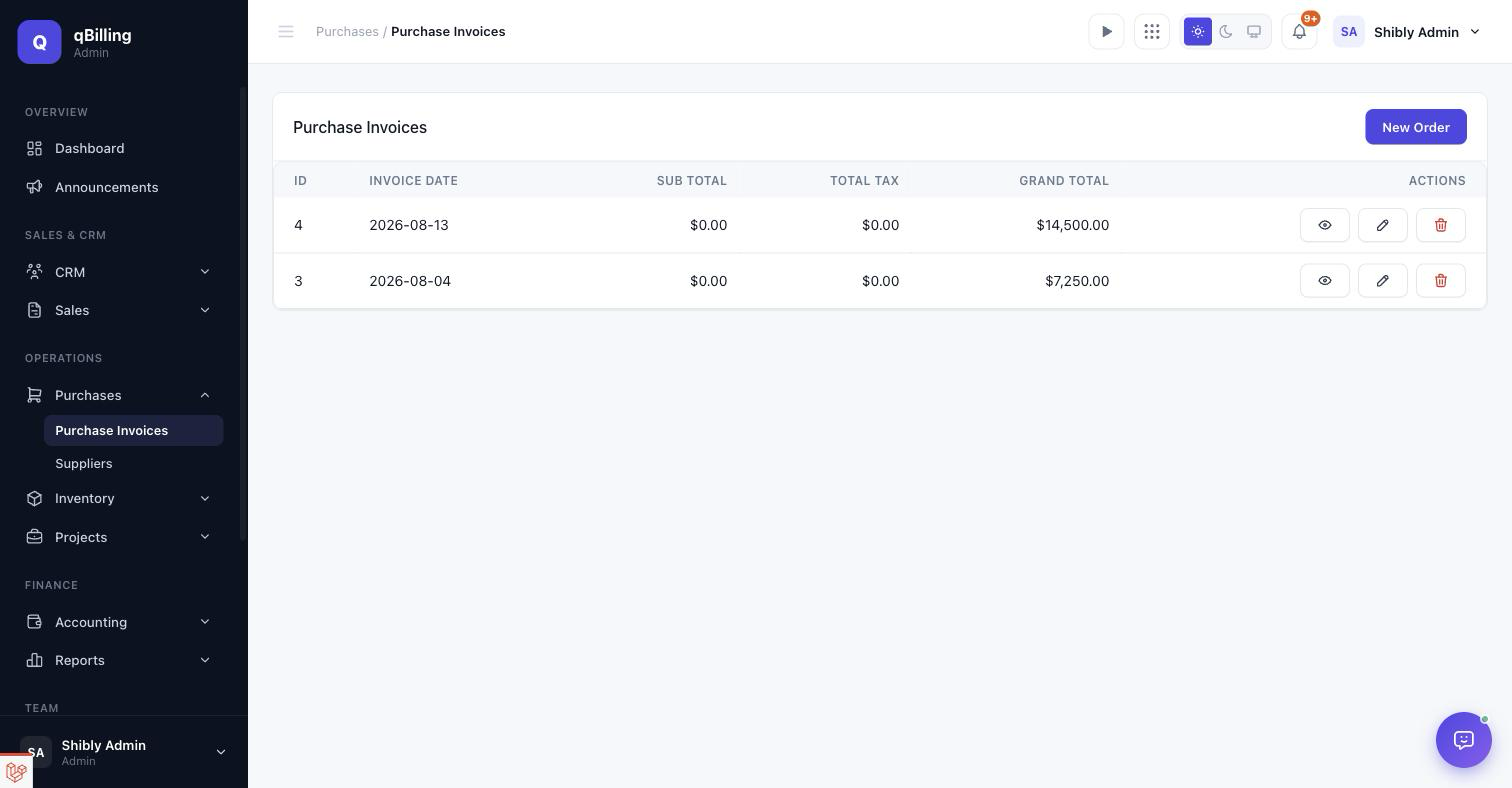
Orders placed with your own suppliers — sub total, tax, and grand total per order, each automatically incrementing the relevant product's stock on save.
SUPPLIERS
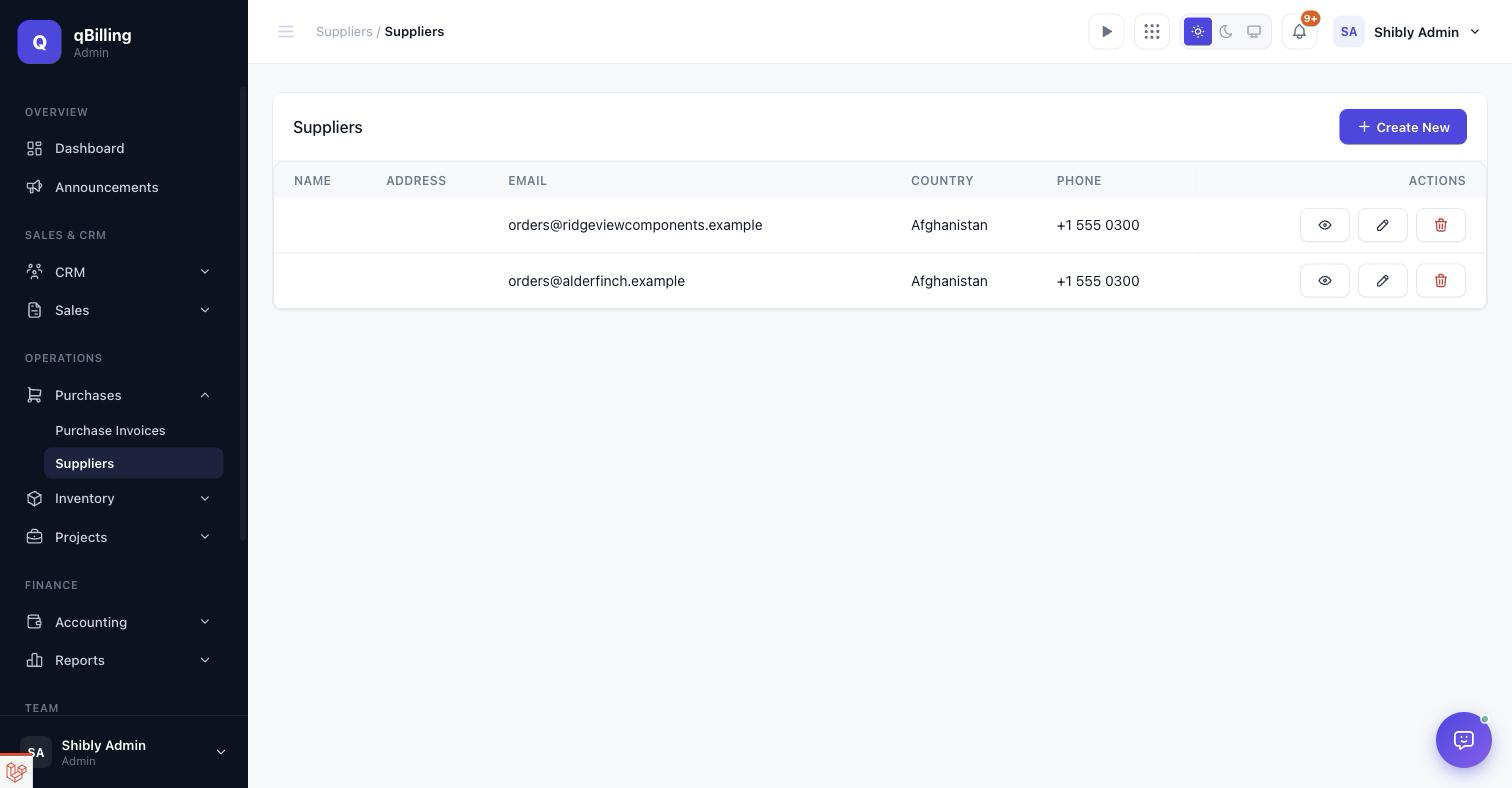
Your vendor list, mirroring the Customers screen's shape.
Tenant Admin Inventory #back to top
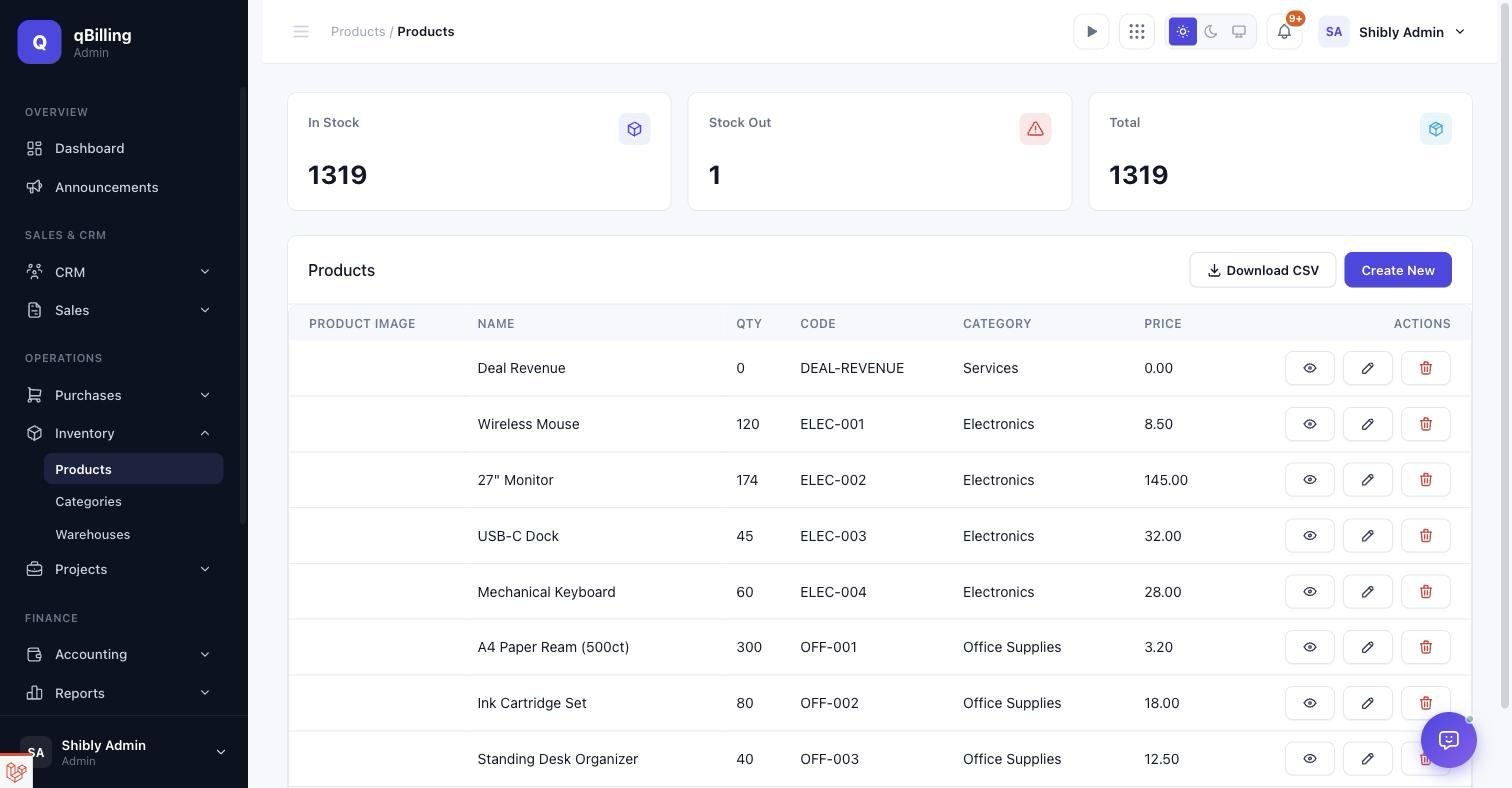
PRODUCTS
Stock levels, cost/retail price, and category per product, with in-stock/stock-out totals up top and a CSV export.
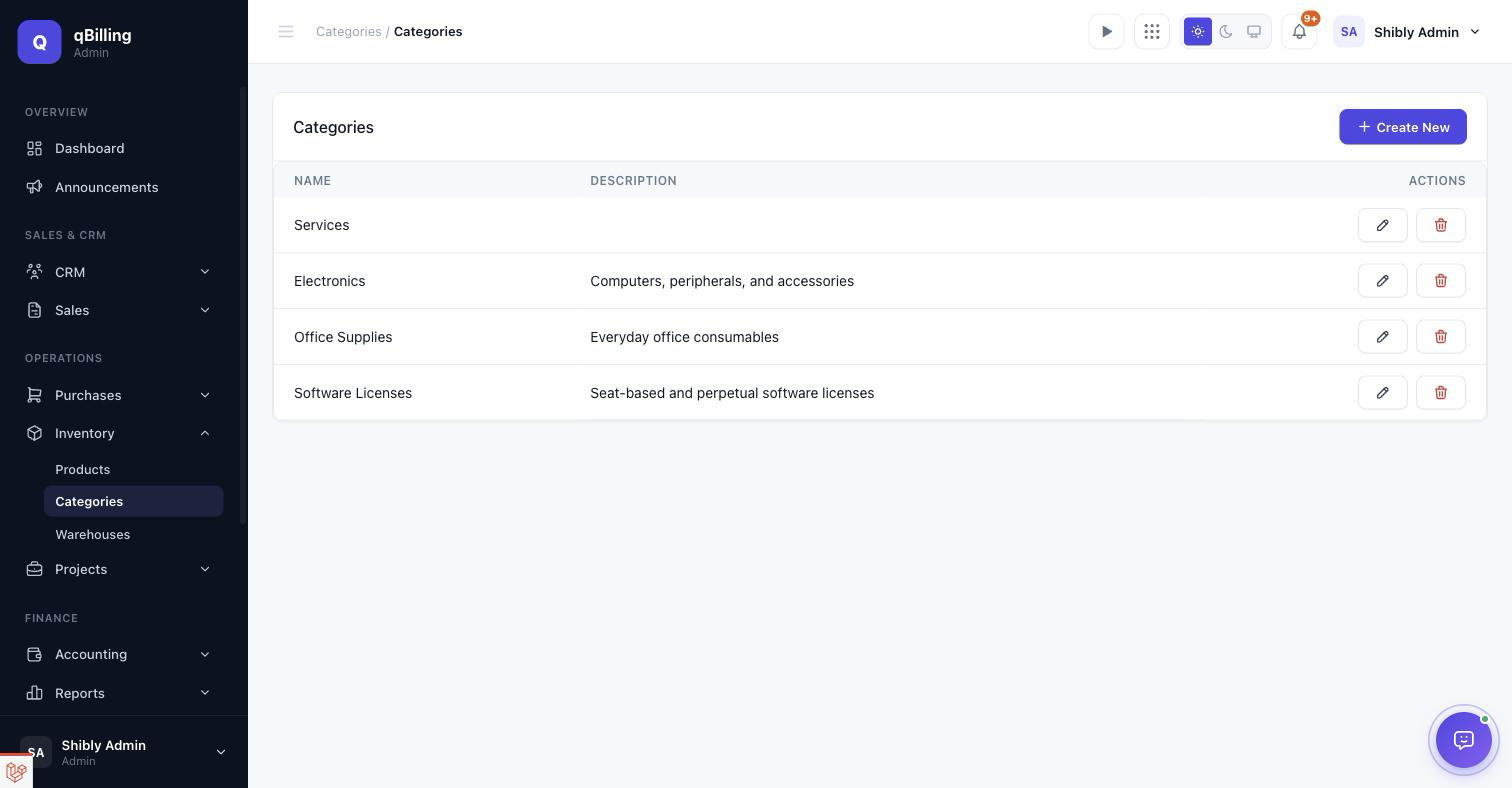
CATEGORIES
Simple name + description groupings used to organize the product catalog.
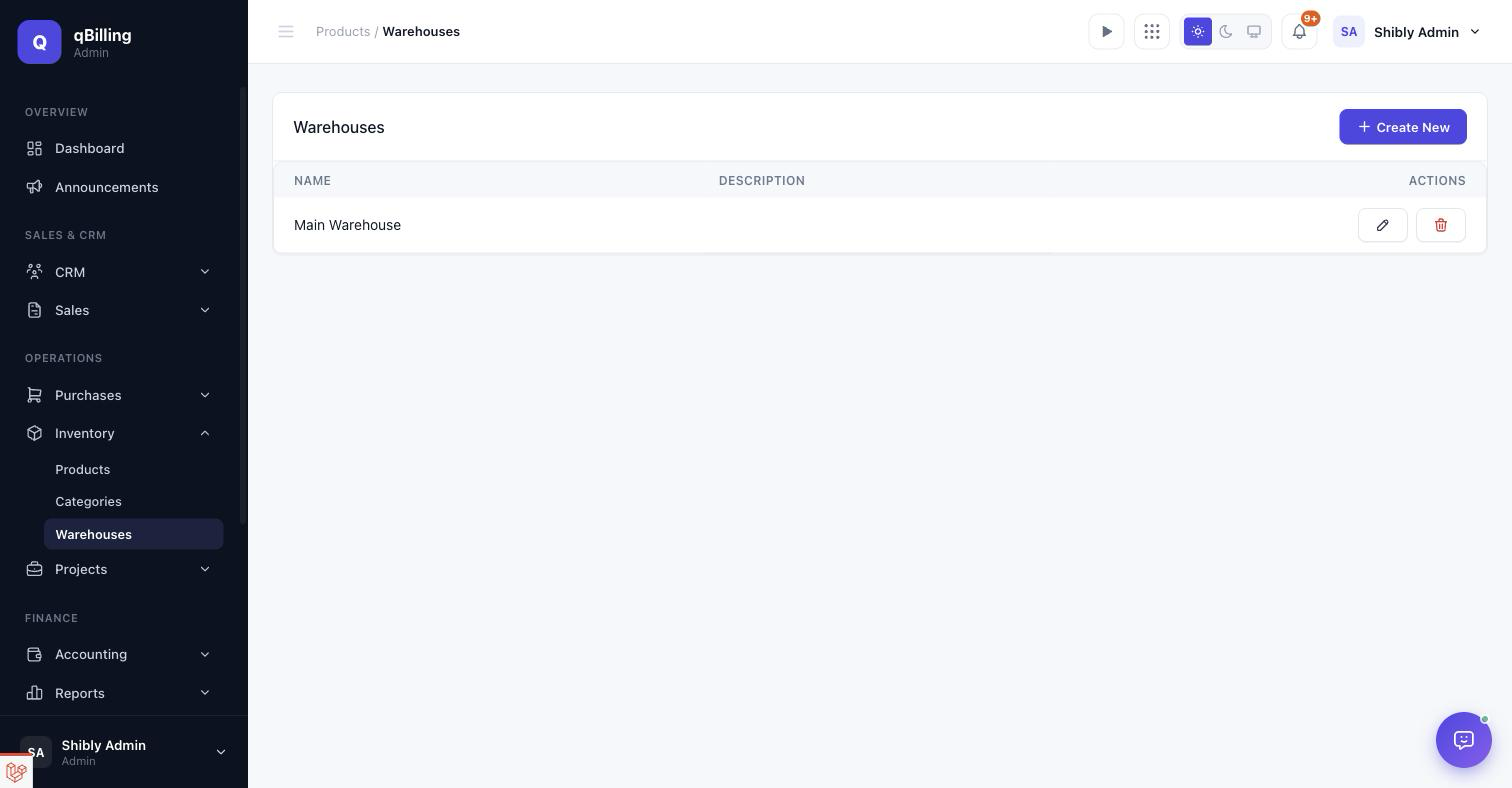
WAREHOUSES
Physical or logical storage locations a product can be assigned to.
Tenant Admin Accounting #back to top
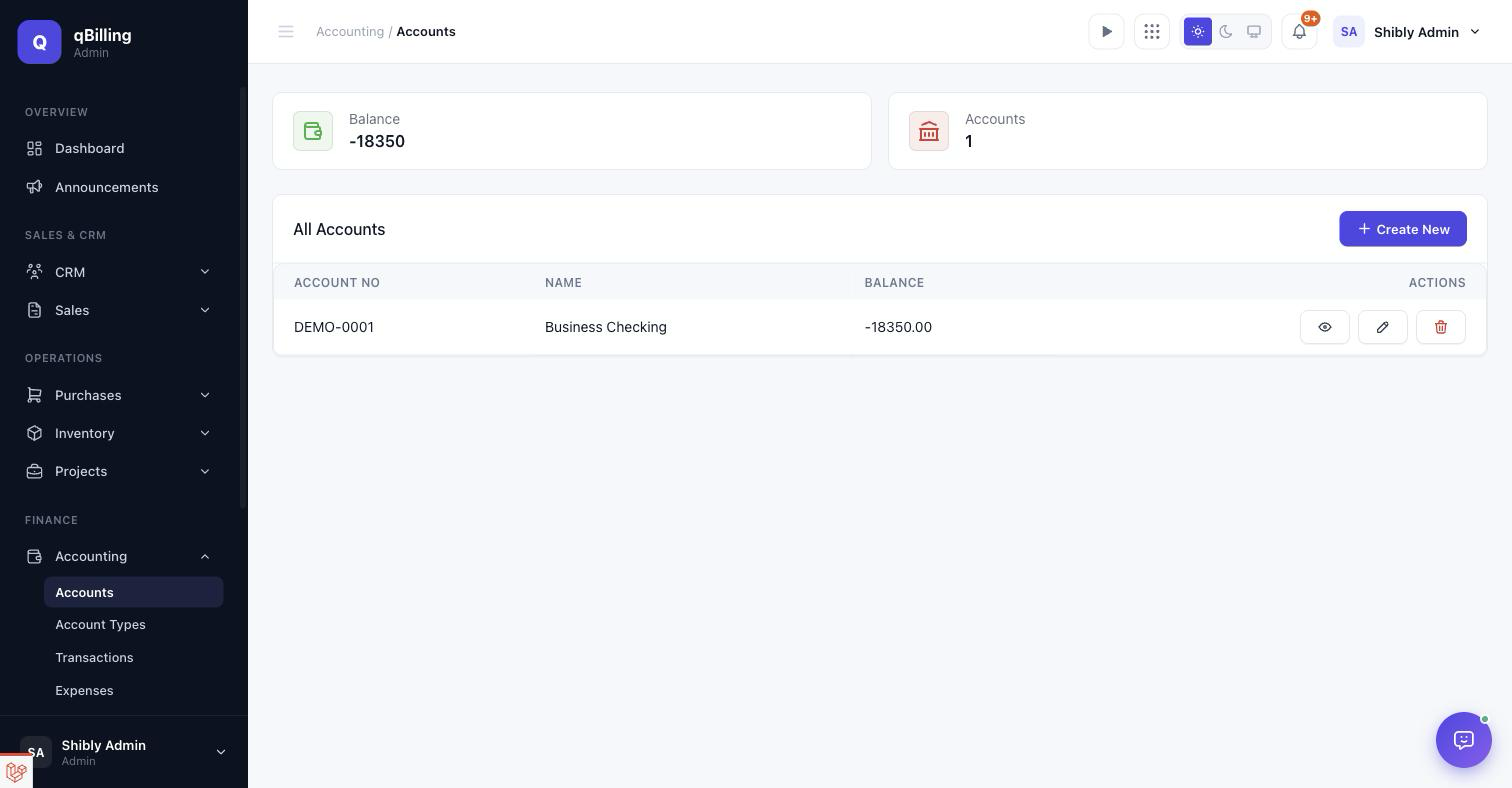
ACCOUNTS
Bank/cash accounts and their running balances.
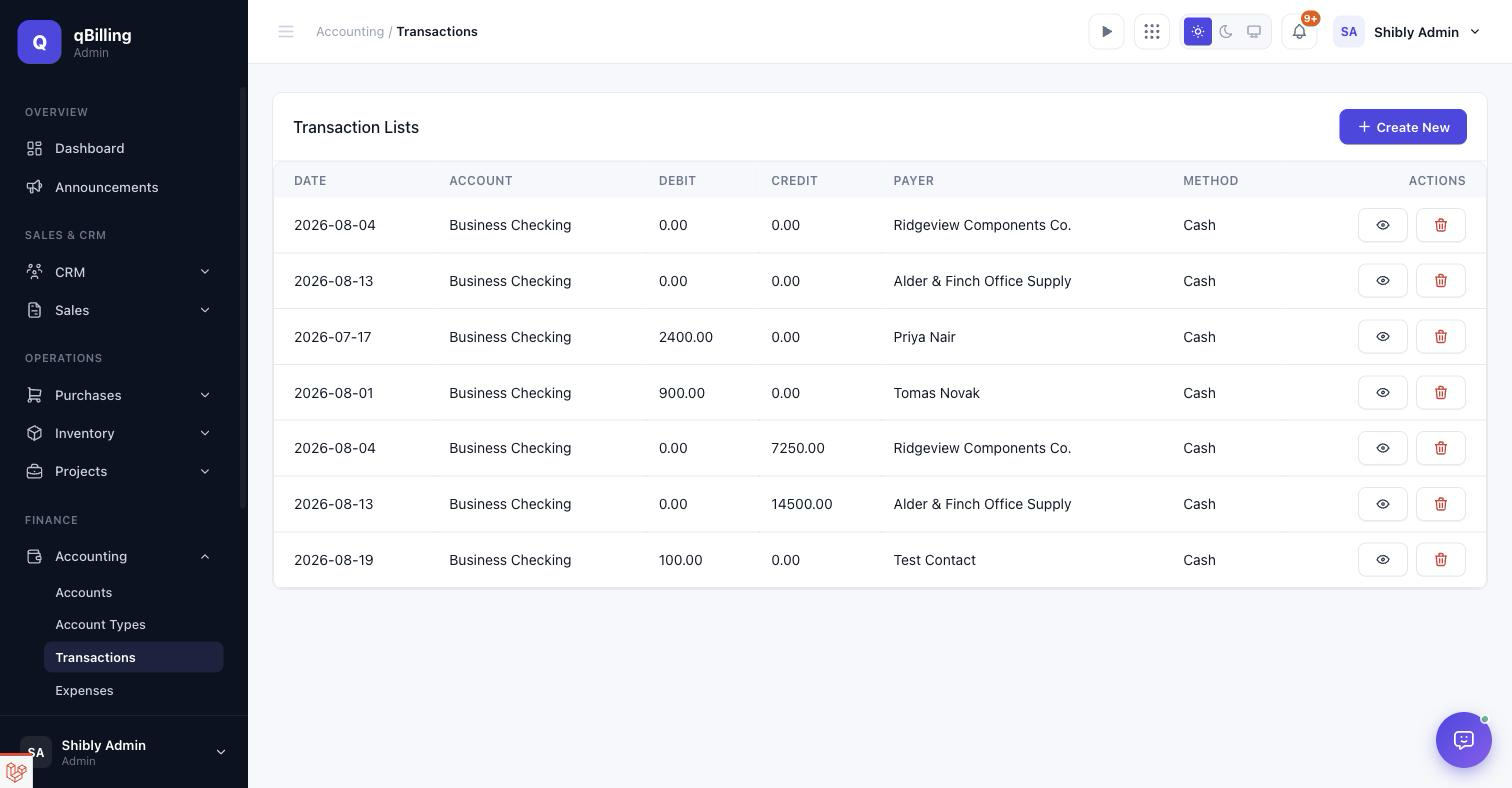
TRANSACTIONS
Every debit/credit posted against an account, with payer and payment method.
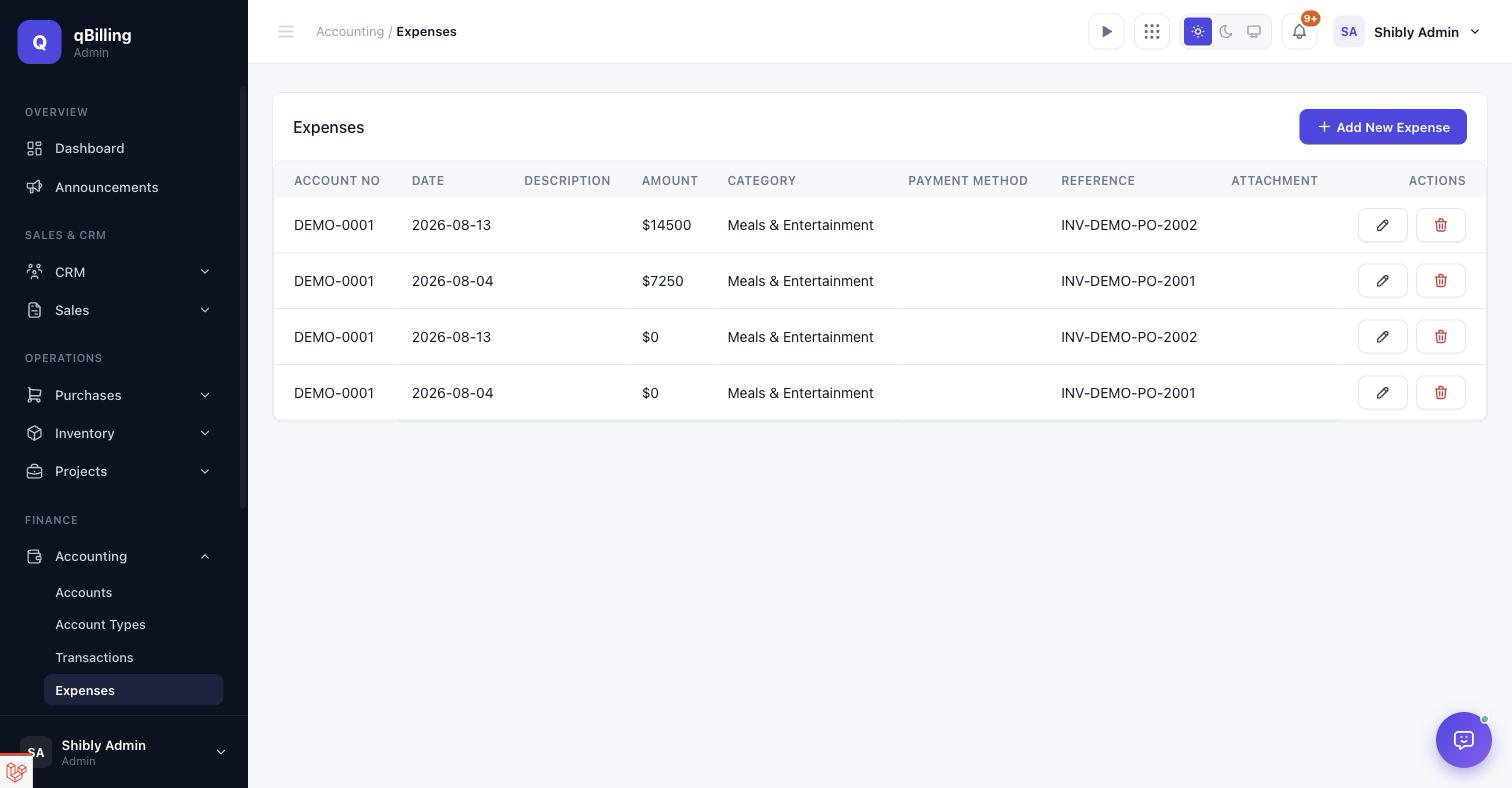
EXPENSES
Manually logged costs, each optionally tied back to a reference (e.g. a purchase invoice number) for traceability.
Tenant Admin Projects & Support #back to top
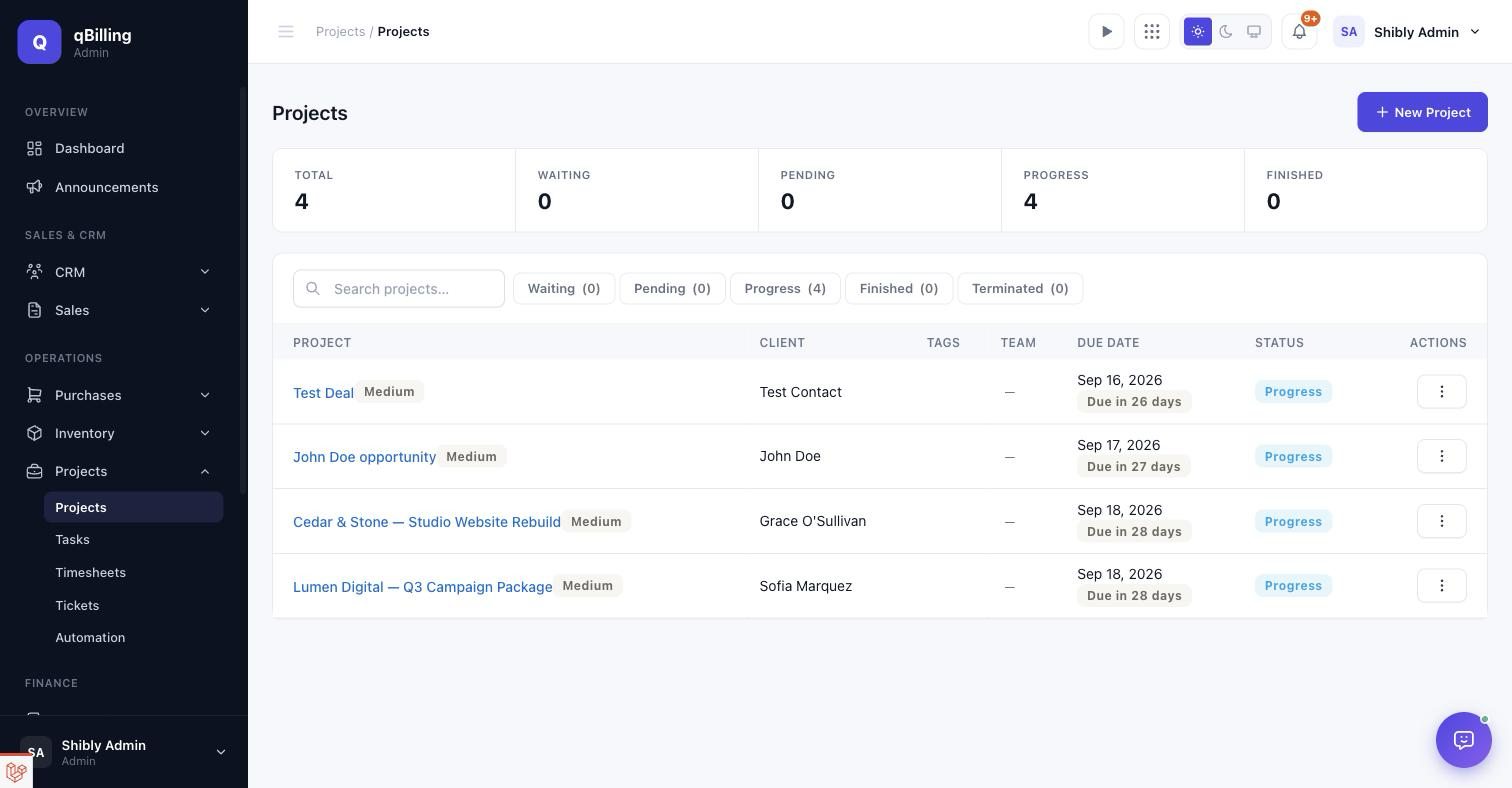
PROJECTS
Every project's status, client, team, and due date, with quick filters for Waiting/Pending/Progress/Finished/Terminated. A Won Deal auto-creates its project here — you never have to remember to start one by hand.
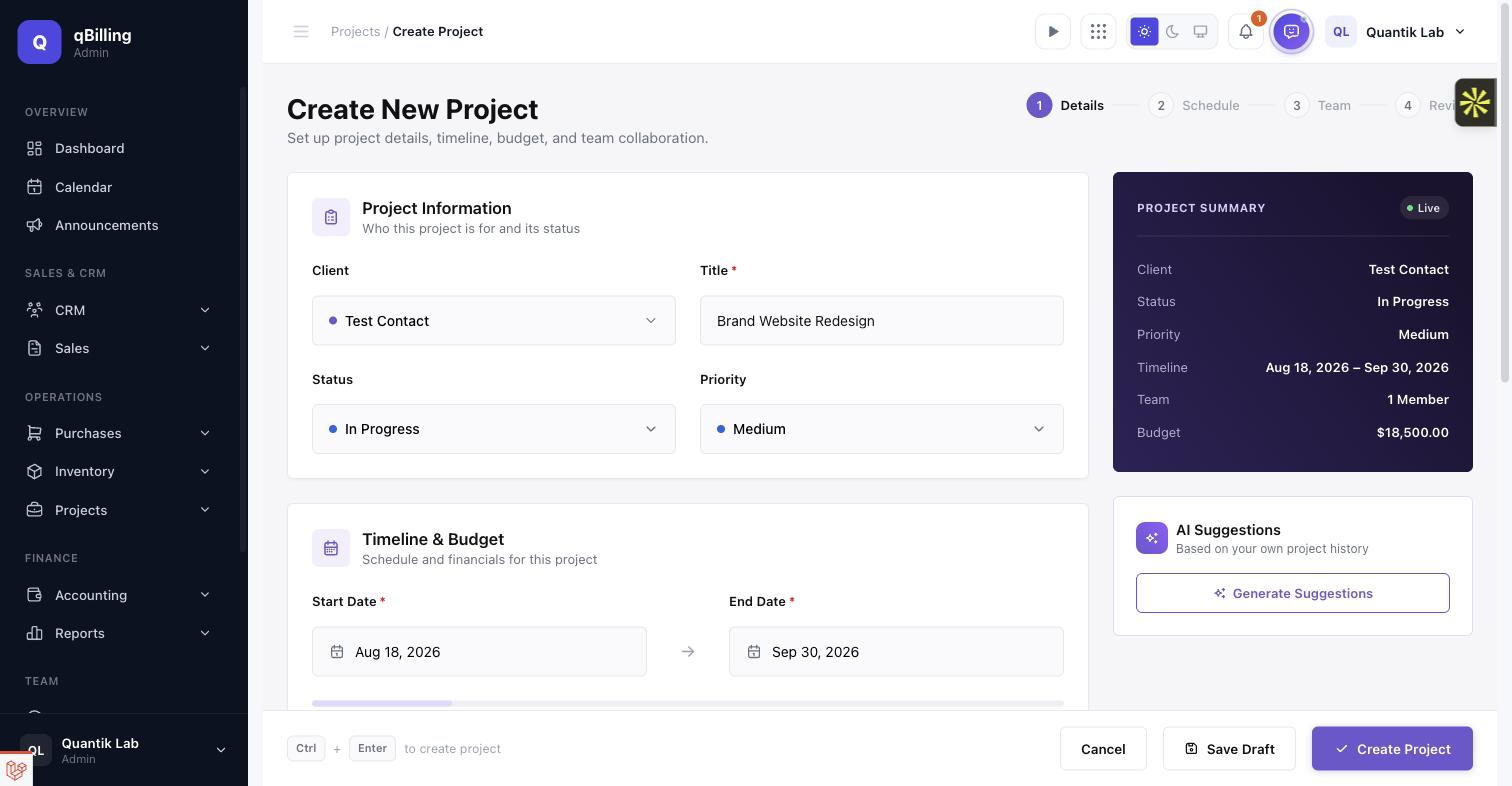
PROJECT CREATE & EDIT New
A redesigned, single-page project form: client/status/priority as colored swatch pickers, a live duration bar between the start and end dates, a circular progress ring, chip-based team assignment, colored tag chips, and a rich-text note — all mirrored in a live "Project Summary" card as you type. A Link-To-Calendar switch puts the project's deadline straight onto the shared team Calendar. The AI Suggestions panel is a real, on-demand call (gated behind the AI Insights entitlement) that looks at the client, budget, and timeline you've entered plus this tenant's own past-project averages, and returns a grounded timeline/budget/ team read-out — never invented numbers. Ctrl+Enter creates the project from anywhere on the page.
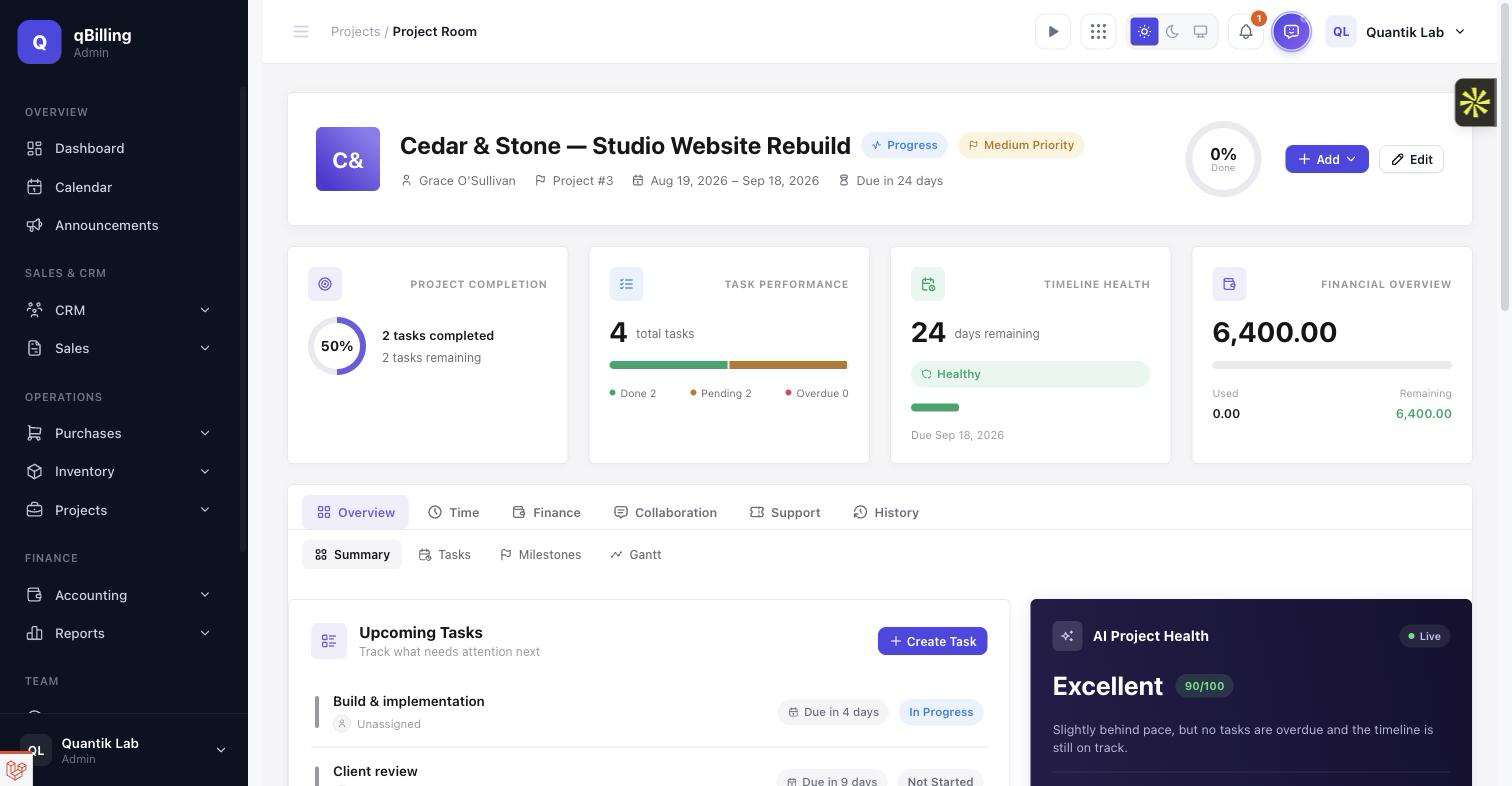
PROJECT ROOM Redesigned
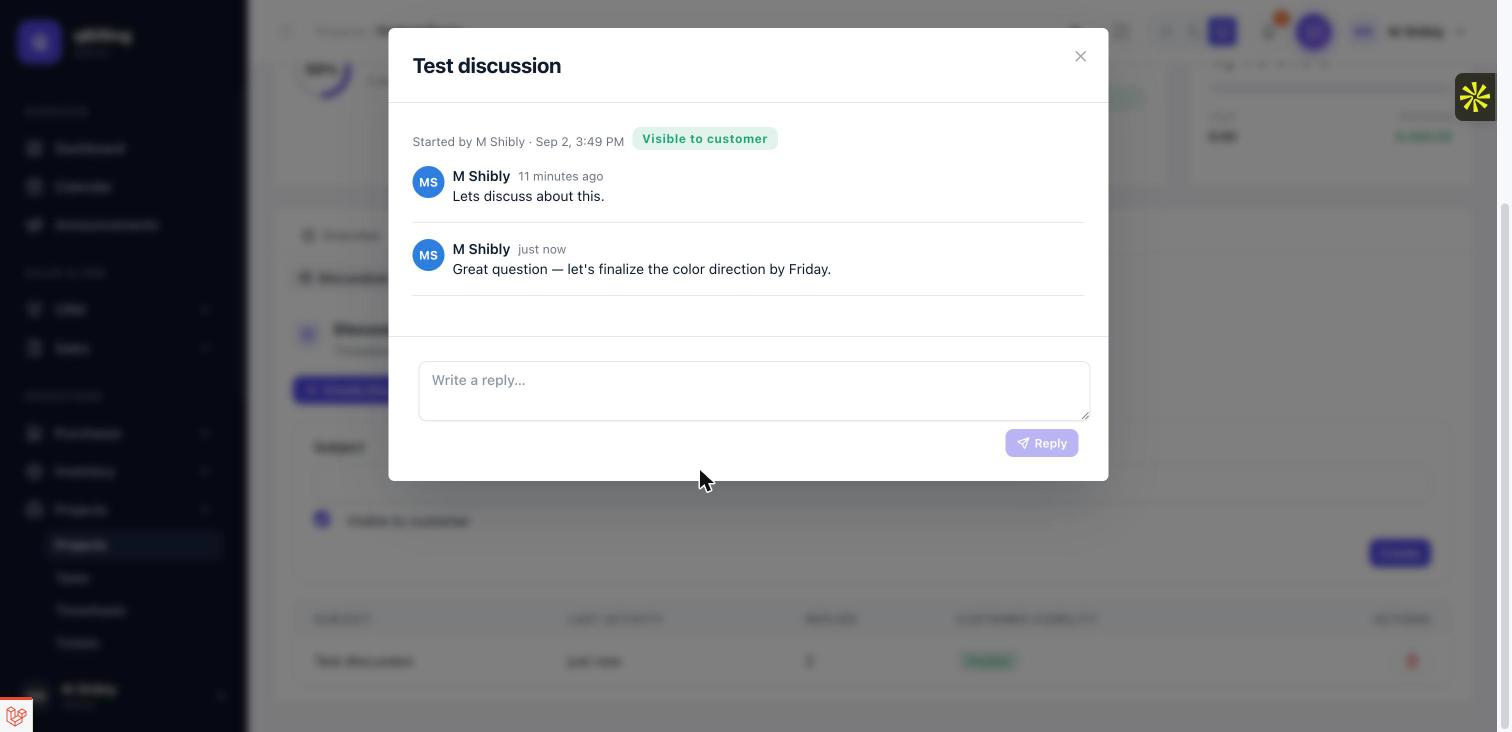
A dashboard-style overview replaces the old plain summary tab: a hero card (avatar, status/priority, progress ring, quick Add/Edit actions), four at-a-glance KPI cards (Project Completion, Task Performance, Timeline Health, Financial Overview), and a two-column layout — Upcoming Tasks / Milestone Timeline / Recent Activity on the left, an AI Project Health score, Project Details, Project Team, and a Financial Snapshot donut on the right. AI Project Health is a deterministic score computed from real signals already on the page (progress vs. time elapsed, overdue tasks, budget burn) — instant, no API call, and consistent with the other KPI cards. A new Command Center panel unifies Project Updates (the activity log), Team Comments, Files, and Client Communication (customer-visible discussions) behind one composer. "Add" on Project Team now opens a searchable, multi-select picker in place, instead of leaving the page. The Discussions tab is a real threaded conversation now — click any subject to open the full thread in place, read every reply, and post your own without leaving the page; each thread can also be marked visible to the customer, which is what surfaces it in Client Communication above. Every other Project Room tab — Tasks, Milestones, Gantt, Timesheets, Finance, Notes, Files, Documents, Tickets, Activity — still opens its related action (editing a task, a new ticket, an estimate, a sales invoice, a project expense) as an in-place modal, exactly as before.
CALENDAR New
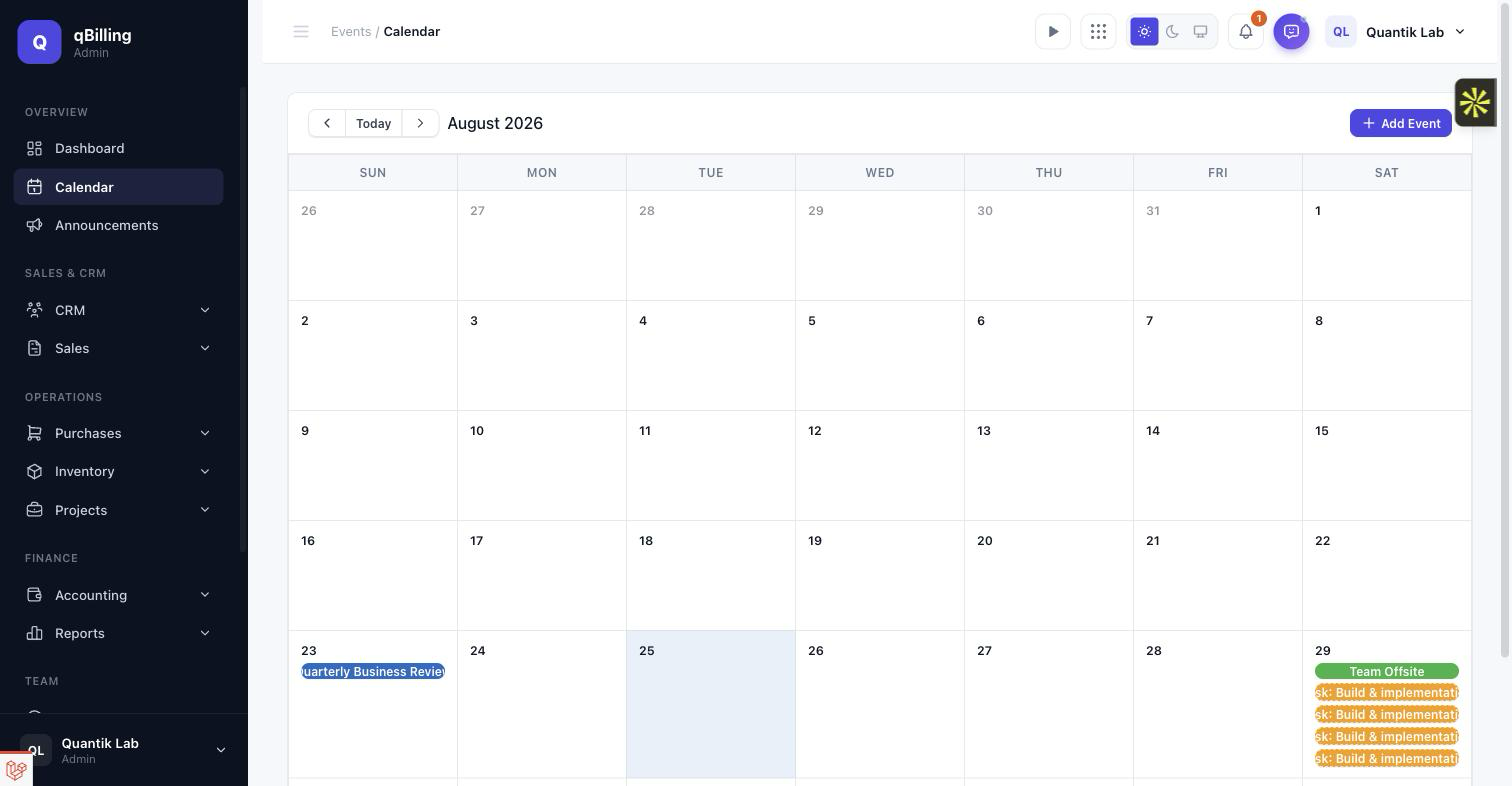
A real month-grid calendar, now linked in the sidebar under Overview — add, edit, delete, and drag-to-reschedule your own events. Task due dates, open-deal expected close dates, active-contract end dates, and any project with its Link-To-Calendar switch on all surface here automatically as read-only deadline chips (query-time aggregation, not a synced copy) — clicking one jumps straight to the source record. Turning a project's Link-To-Calendar switch off removes its deadline from the Calendar instantly, with nothing left behind.
TASKS
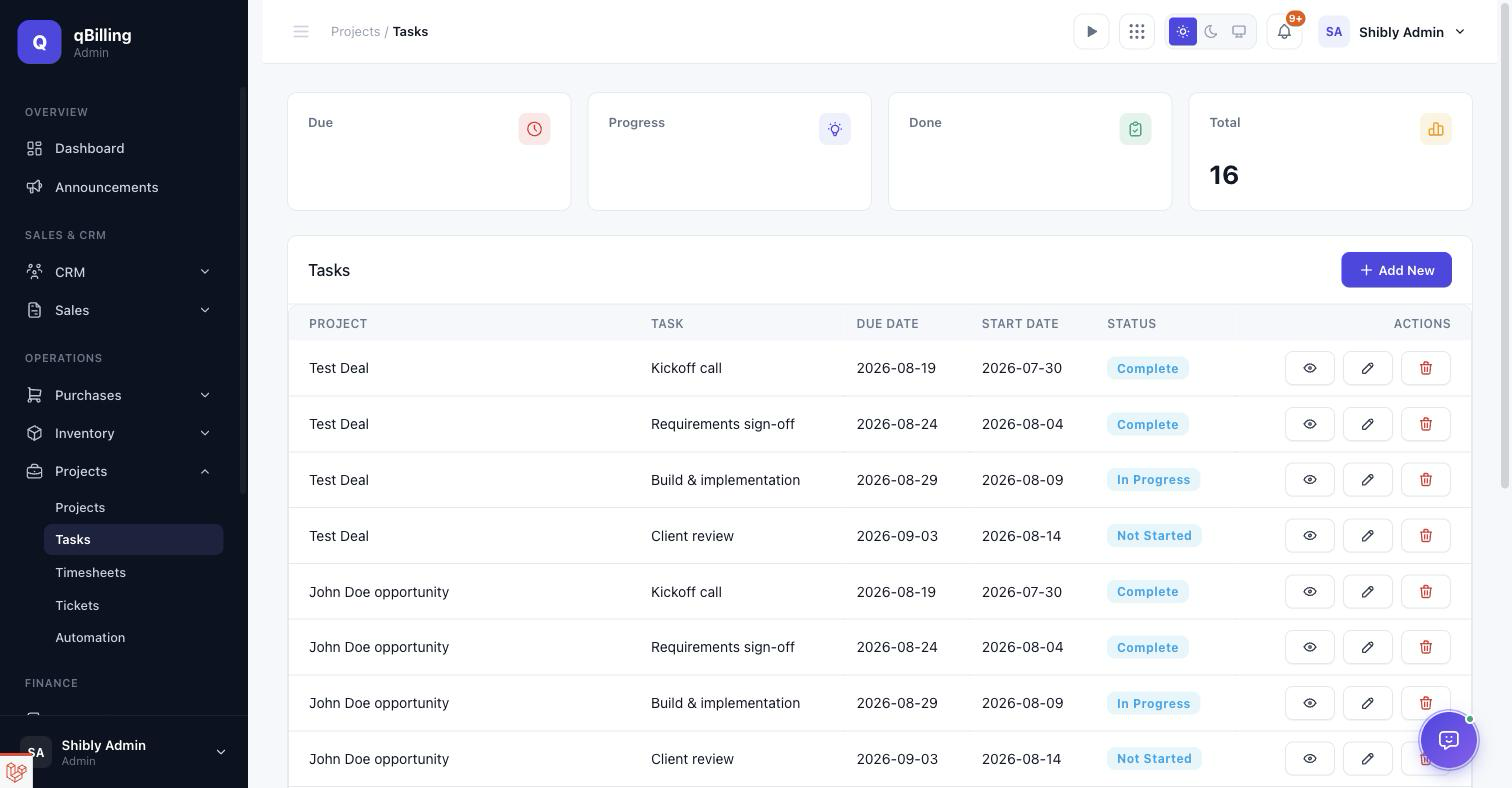
Every task across every project in one list, with Due/Progress/Done counts up top.
TICKETS (SUPPORT DESK)
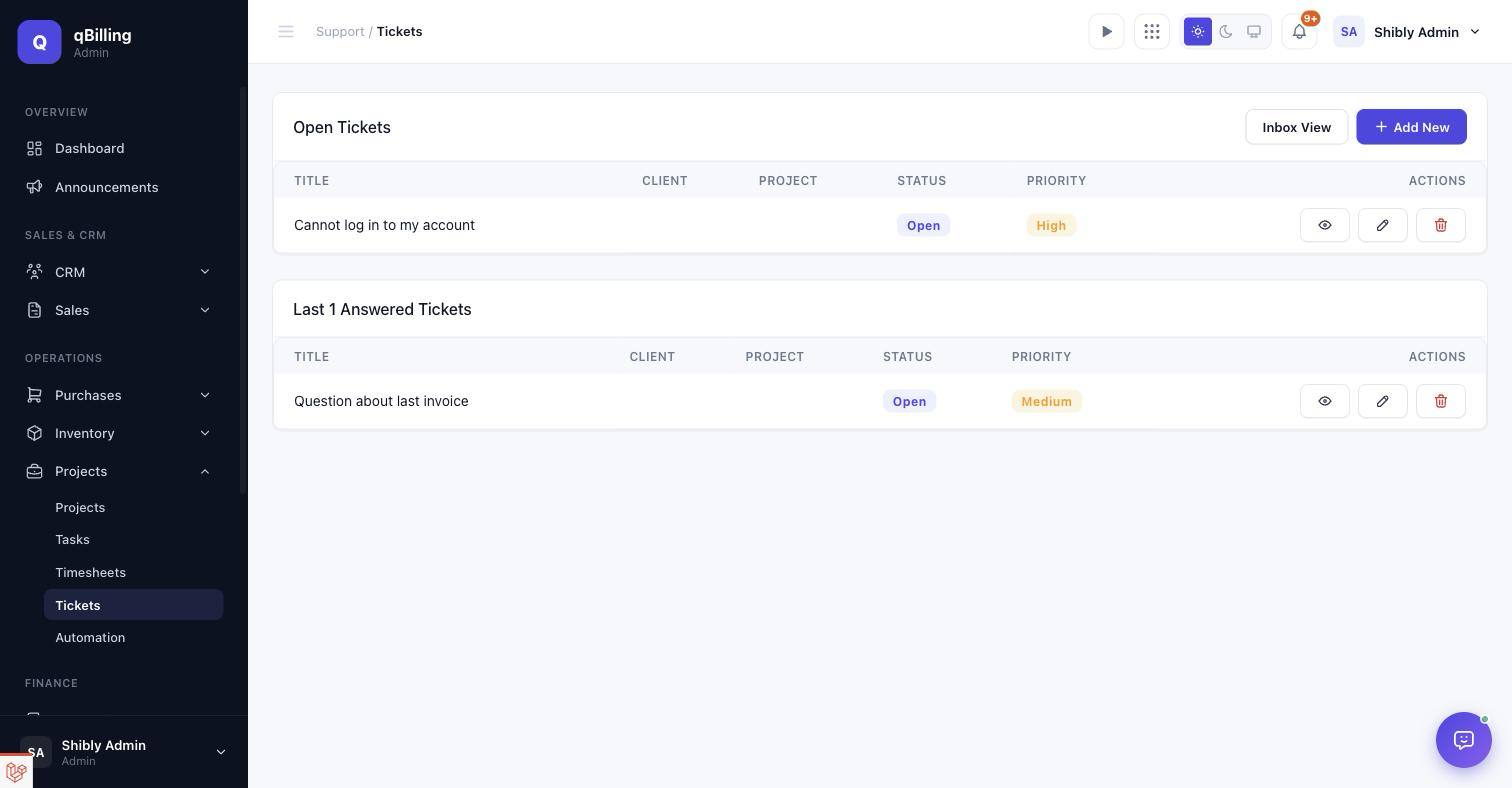
Customer support tickets, split into "Open" and "Recently Answered" panels. Every ticket can be routed to a department with its own SLA policy (first-response and resolution time targets, auto-close after N days of customer silence) — configured under Help Desk Settings, further down this page.
AUTOMATION
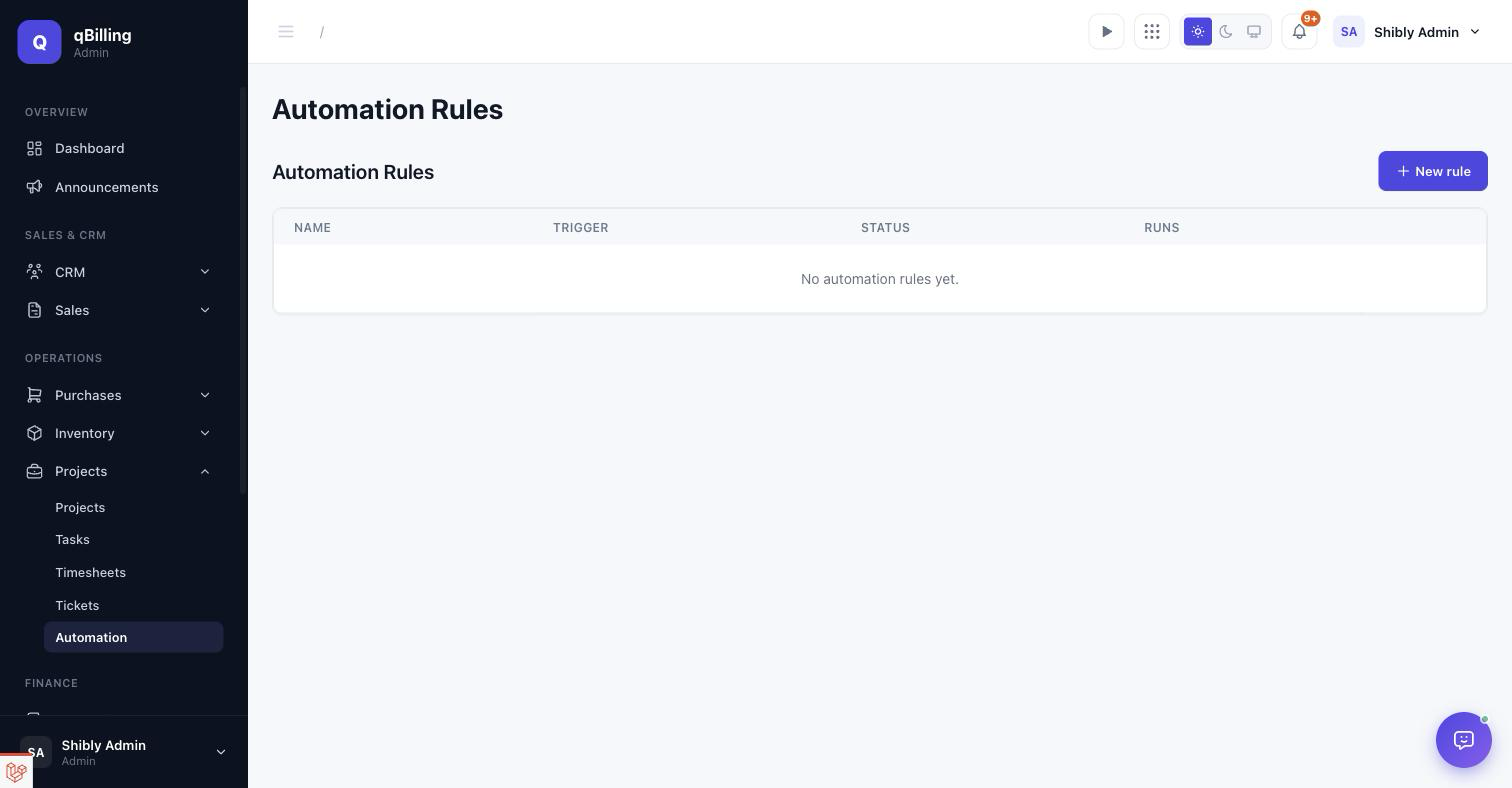
Trigger → condition → action rules — e.g. "when a deal is won, notify the owner", "on ticket SLA breach, reassign the department". The list shows every rule's trigger, active/inactive status, and run count.
Tenant Admin Reports #back to top
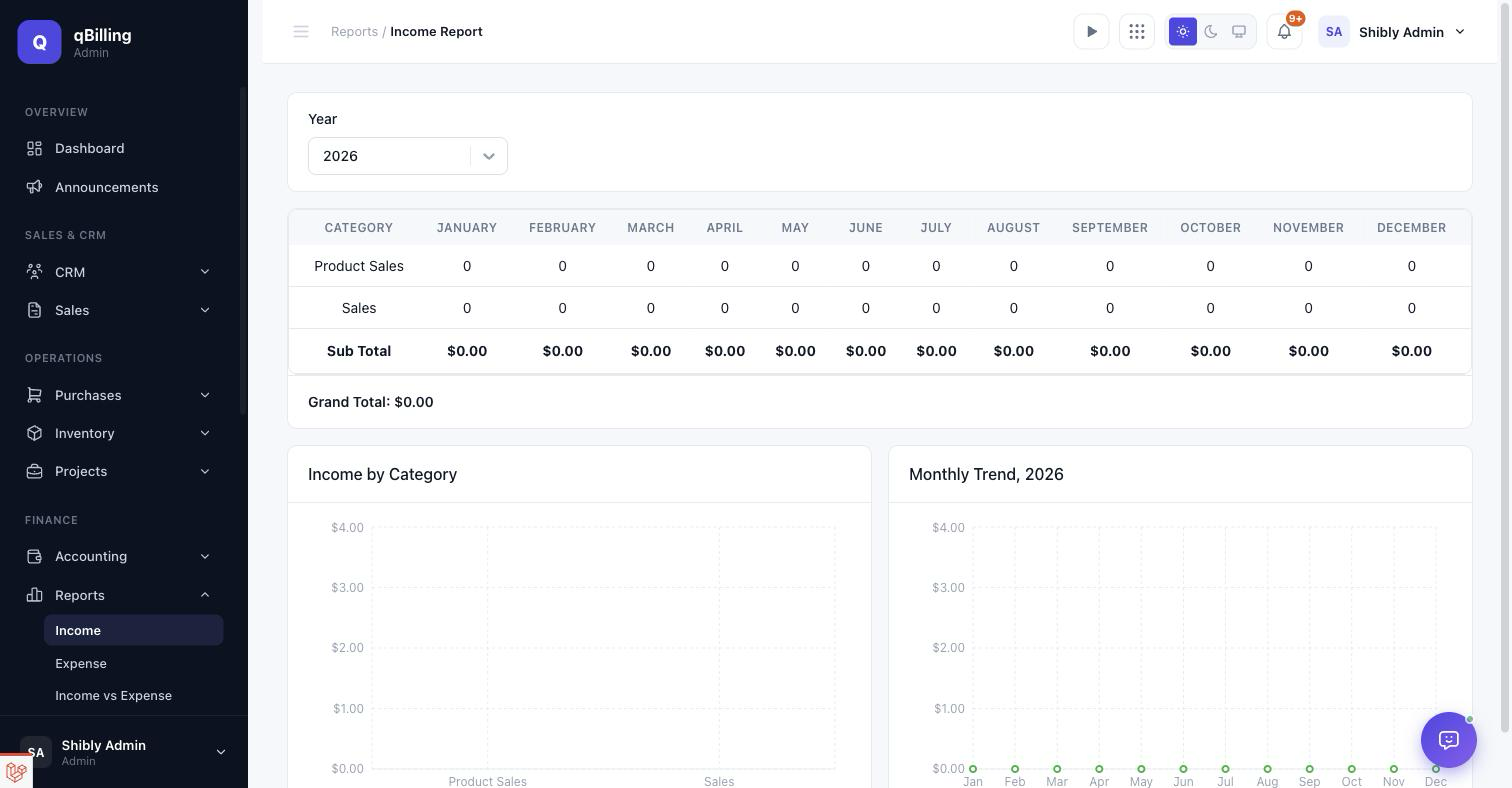
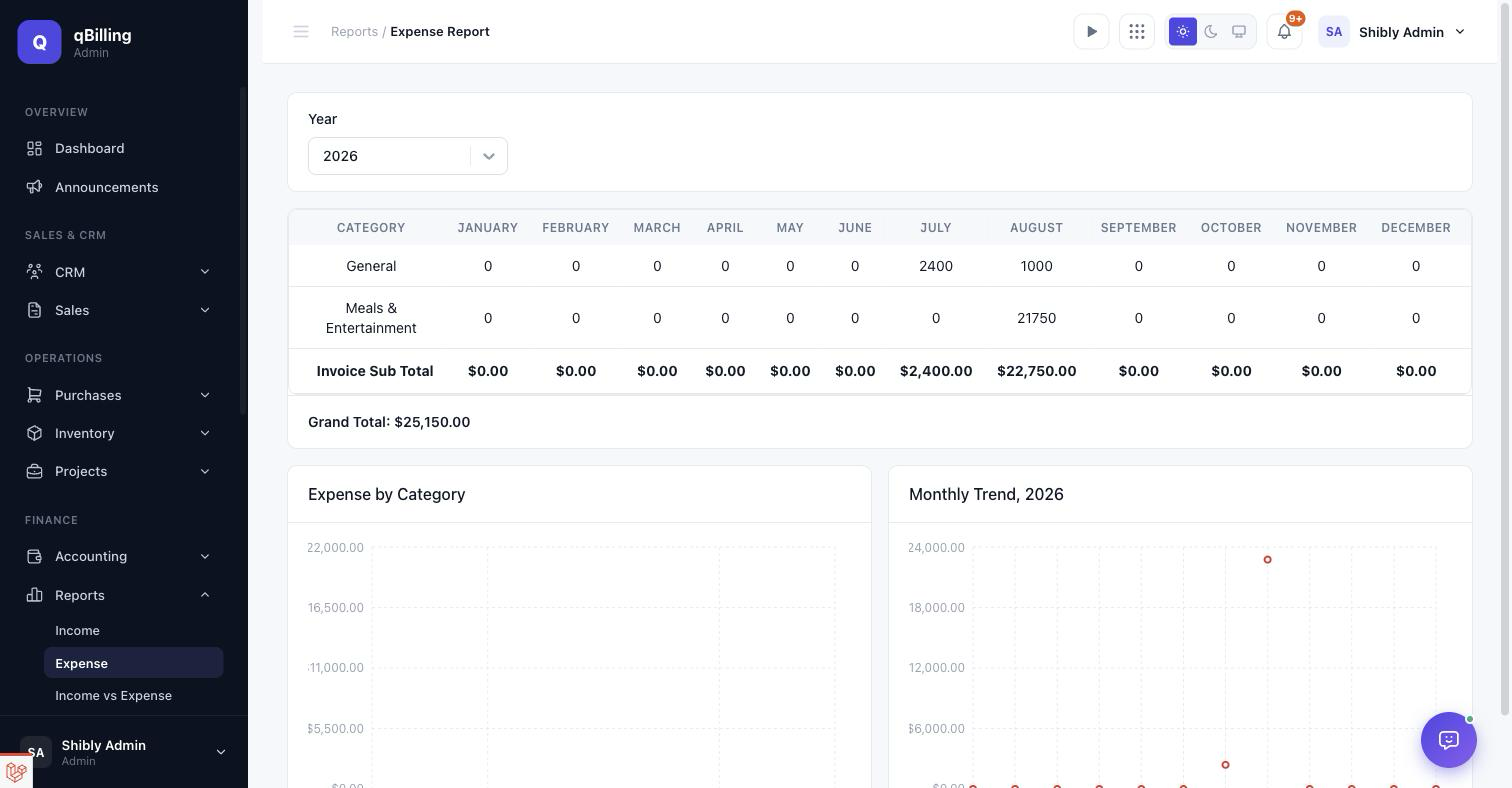
Every report ships with a real chart alongside its data table — SVG-based, retina sharp, and theme-aware (light/dark). Reports live under their own Reports menu in the sidebar.
INCOME REPORT
Category-by-month breakdown, a category bar chart, and a monthly trend line.
EXPENSE REPORT
Same shape as Income, for expense categories.
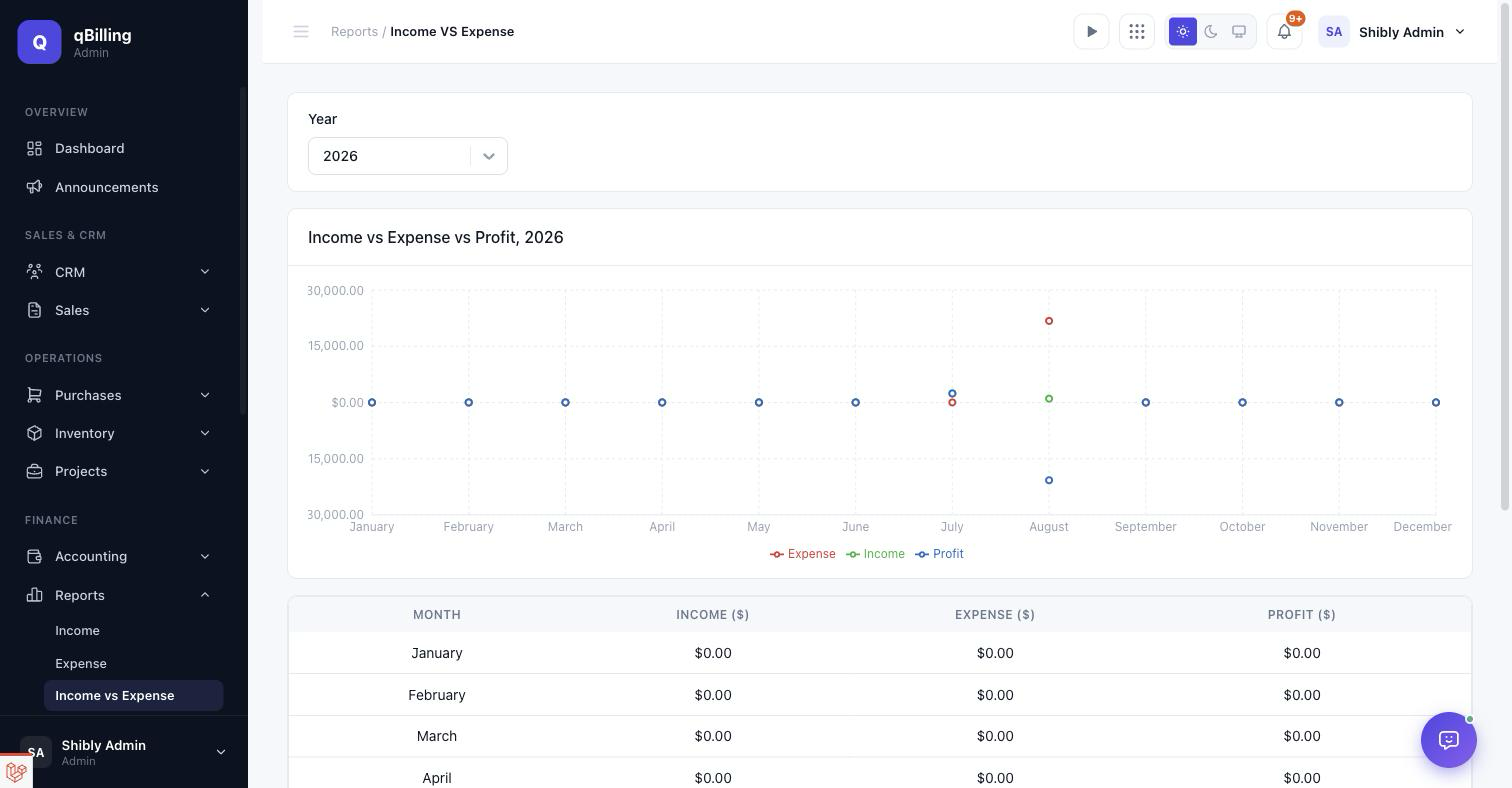
INCOME VS EXPENSE
Three-series trend line (income/expense/profit) plus the full monthly table.
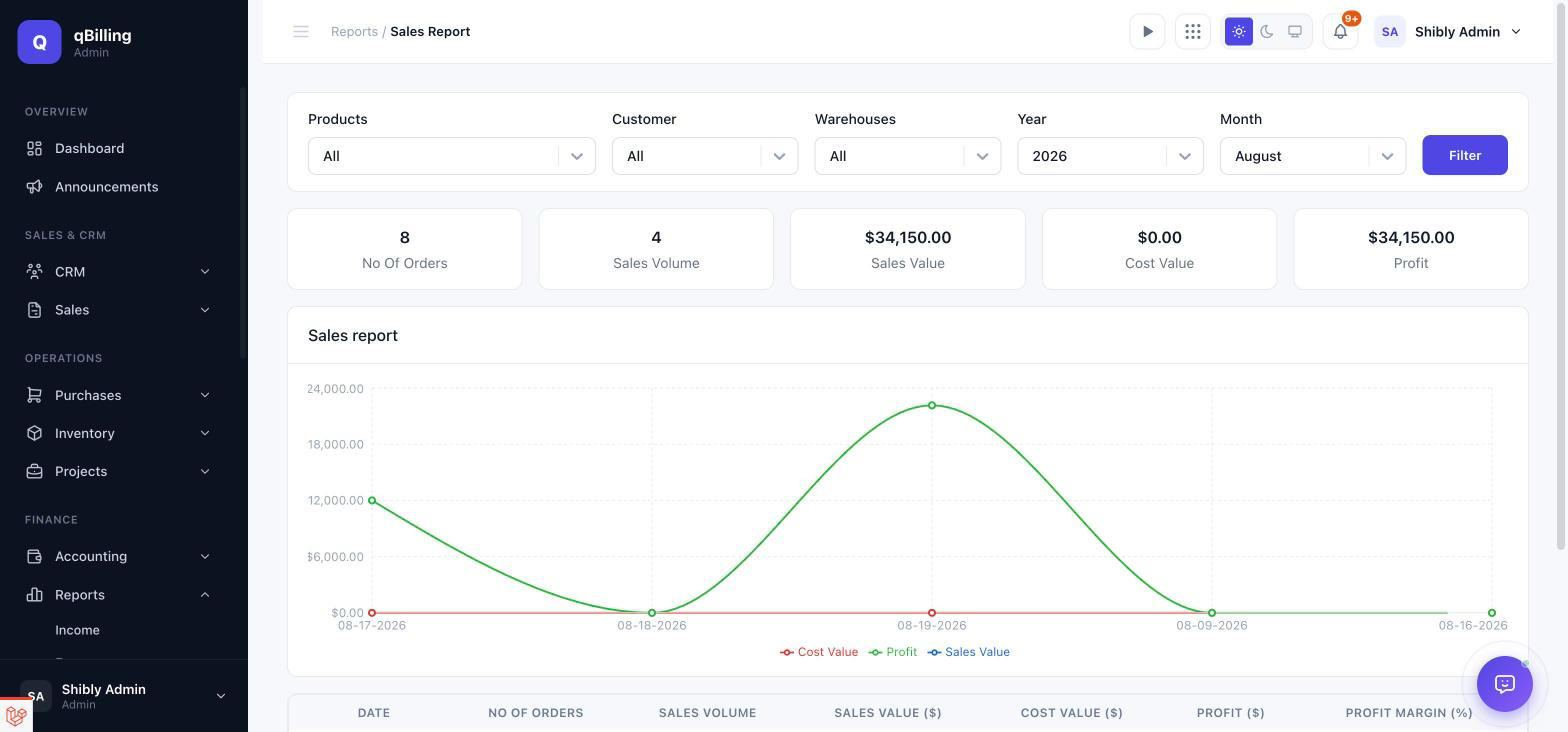
SALES REPORT
Filterable by product/customer/warehouse/year/month, with stat cards (orders, volume, value, cost, profit) and a 3-series daily trend chart. Each date drills down into that day's individual orders.
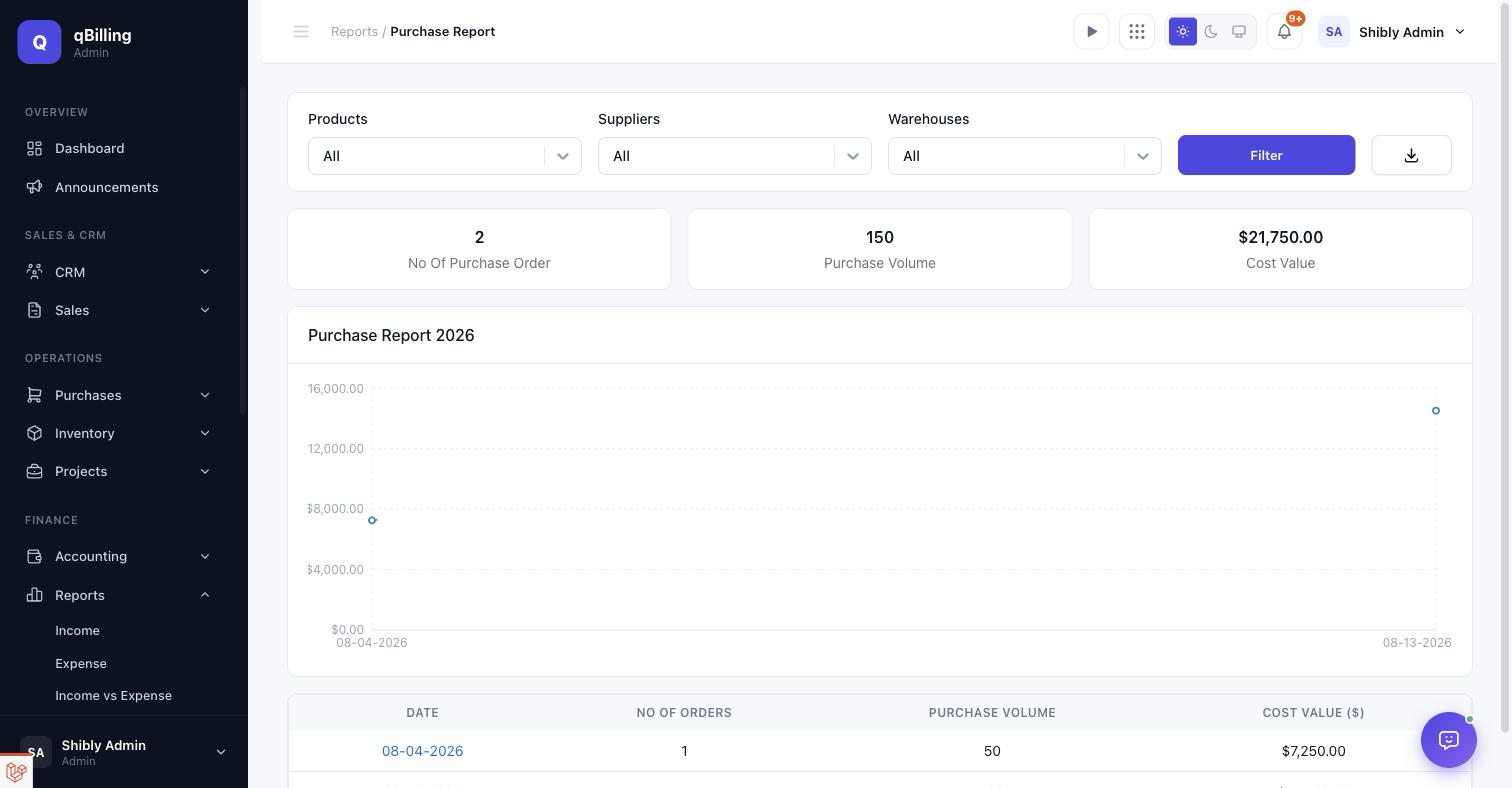
PURCHASE REPORT
Same filtering/drill-down shape as Sales, for purchase orders, plus a CSV export.
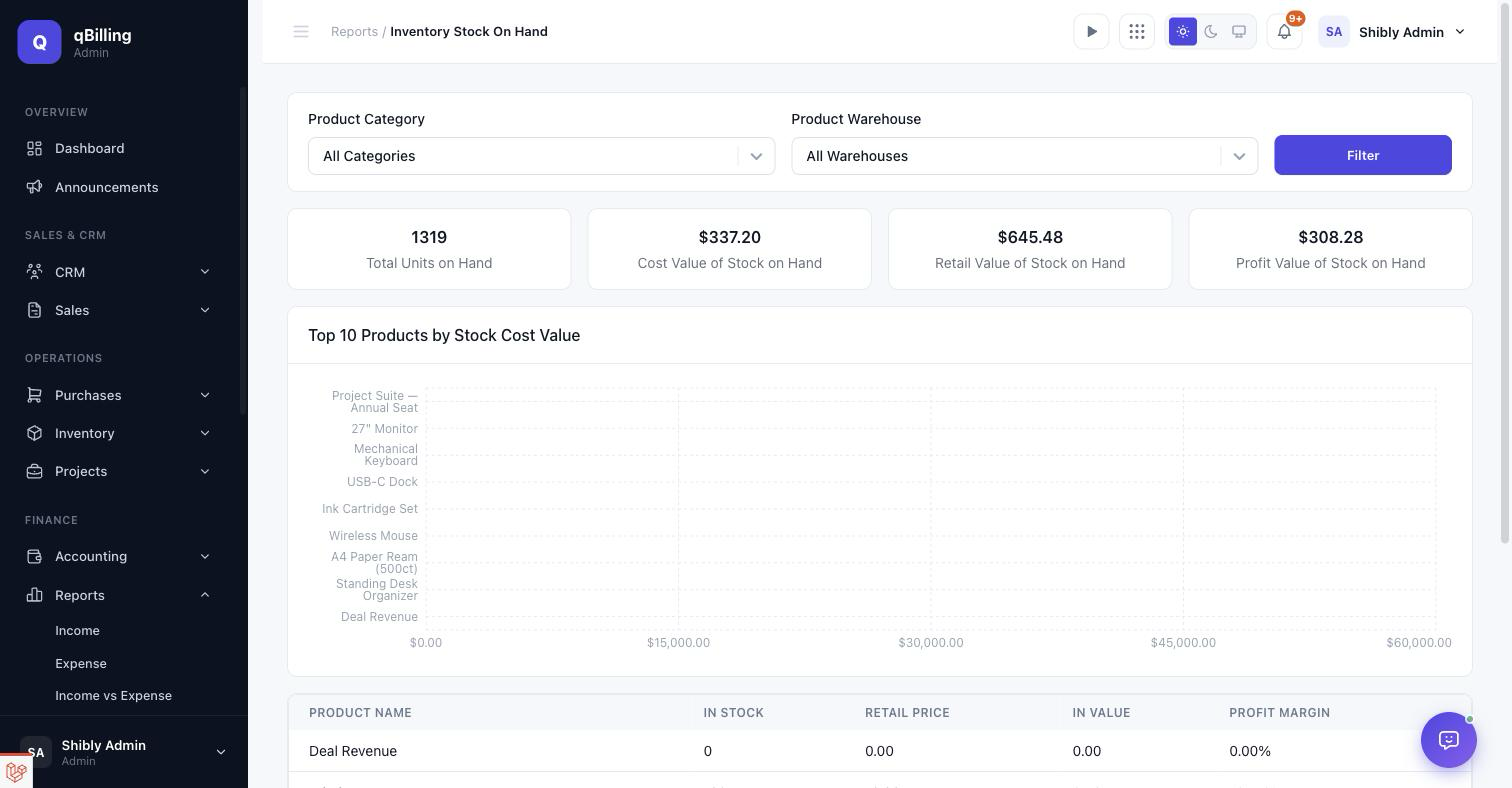
INVENTORY STOCK ON HAND
Total units/cost/retail/profit value of everything in stock, plus a horizontal bar chart of your top 10 products by stock cost value.
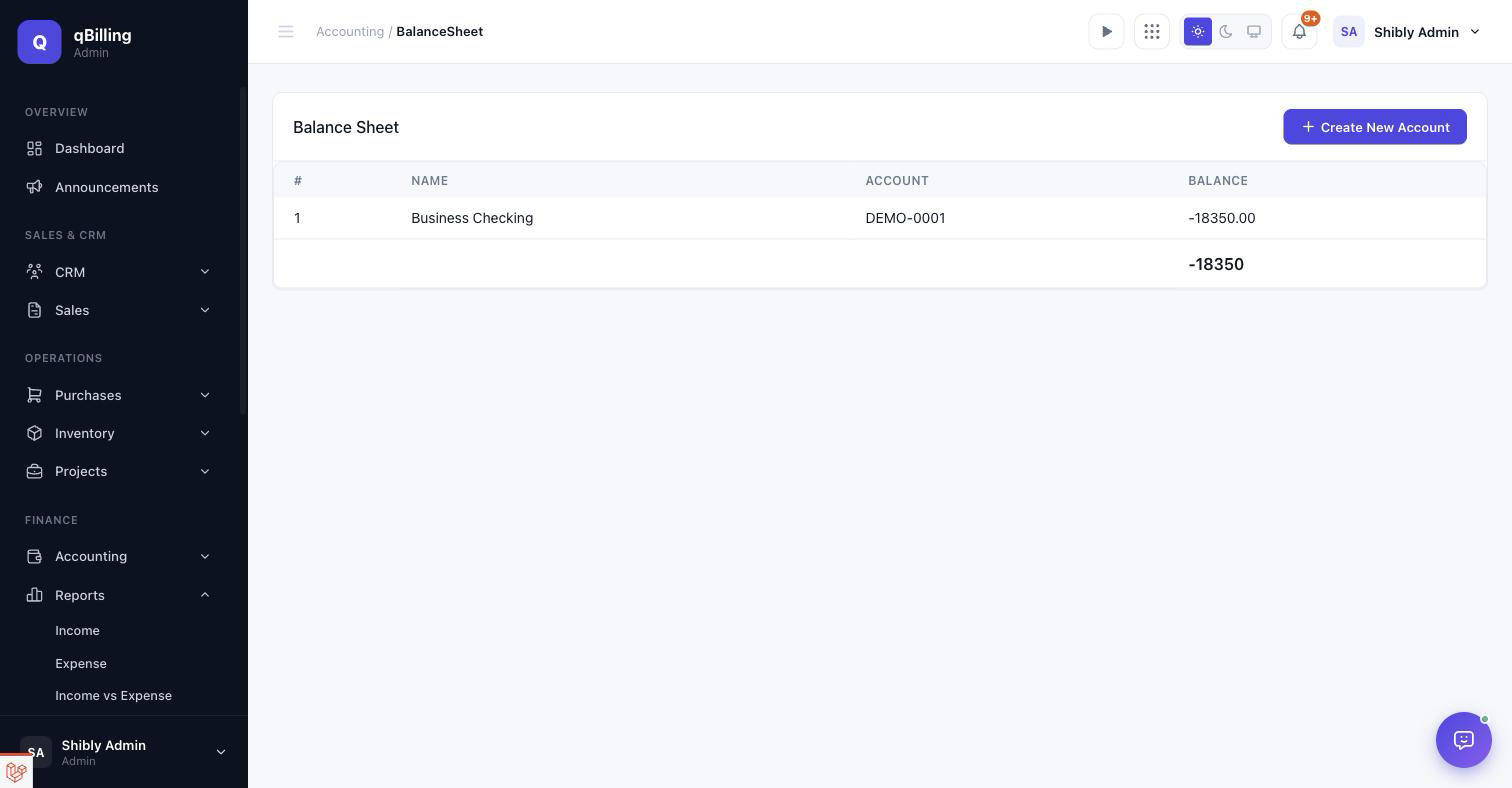
BALANCE SHEET
Every account's balance, with a donut chart of the positive balances (an account in the red has no meaningful "share" to plot, so it's table-only in that case).
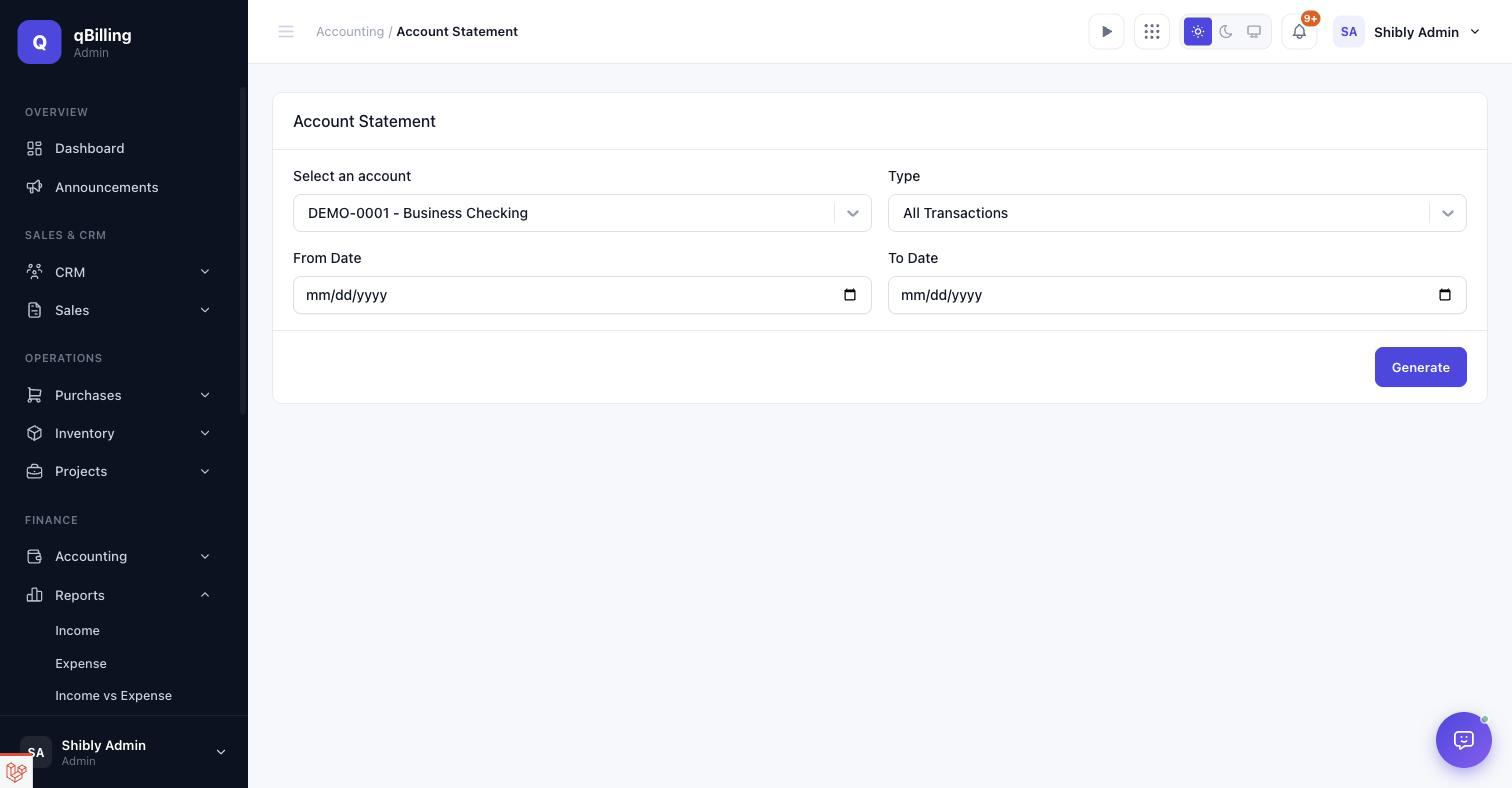
ACCOUNT STATEMENT
Pick an account, a transaction type, and a date range to generate a running-balance ledger with its own trend line on top of the table.
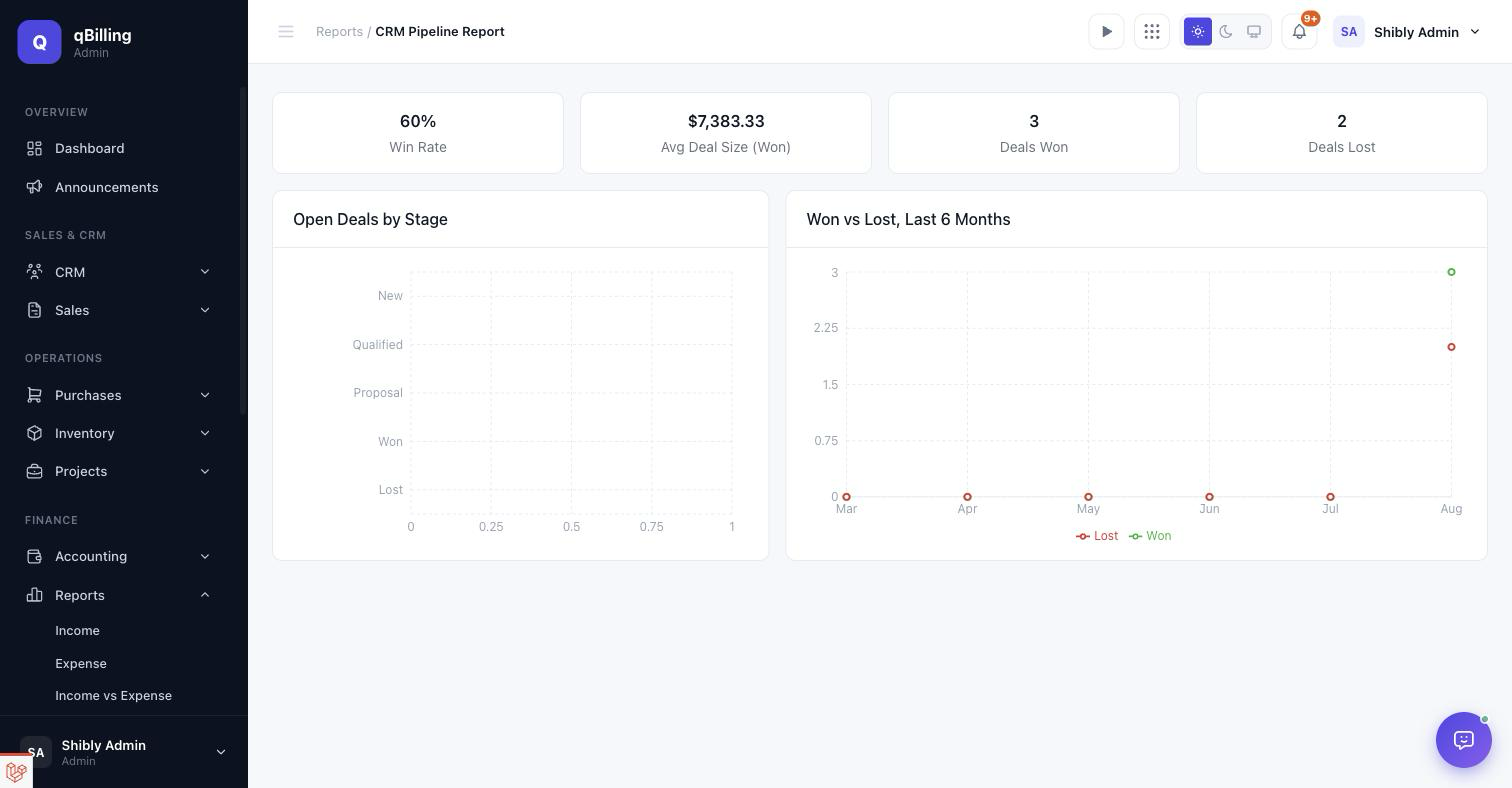
CRM PIPELINE REPORT
Win rate, average deal size, deals won/lost counts, an open-deals-by-stage bar chart, and a 6-month won-vs-lost trend.
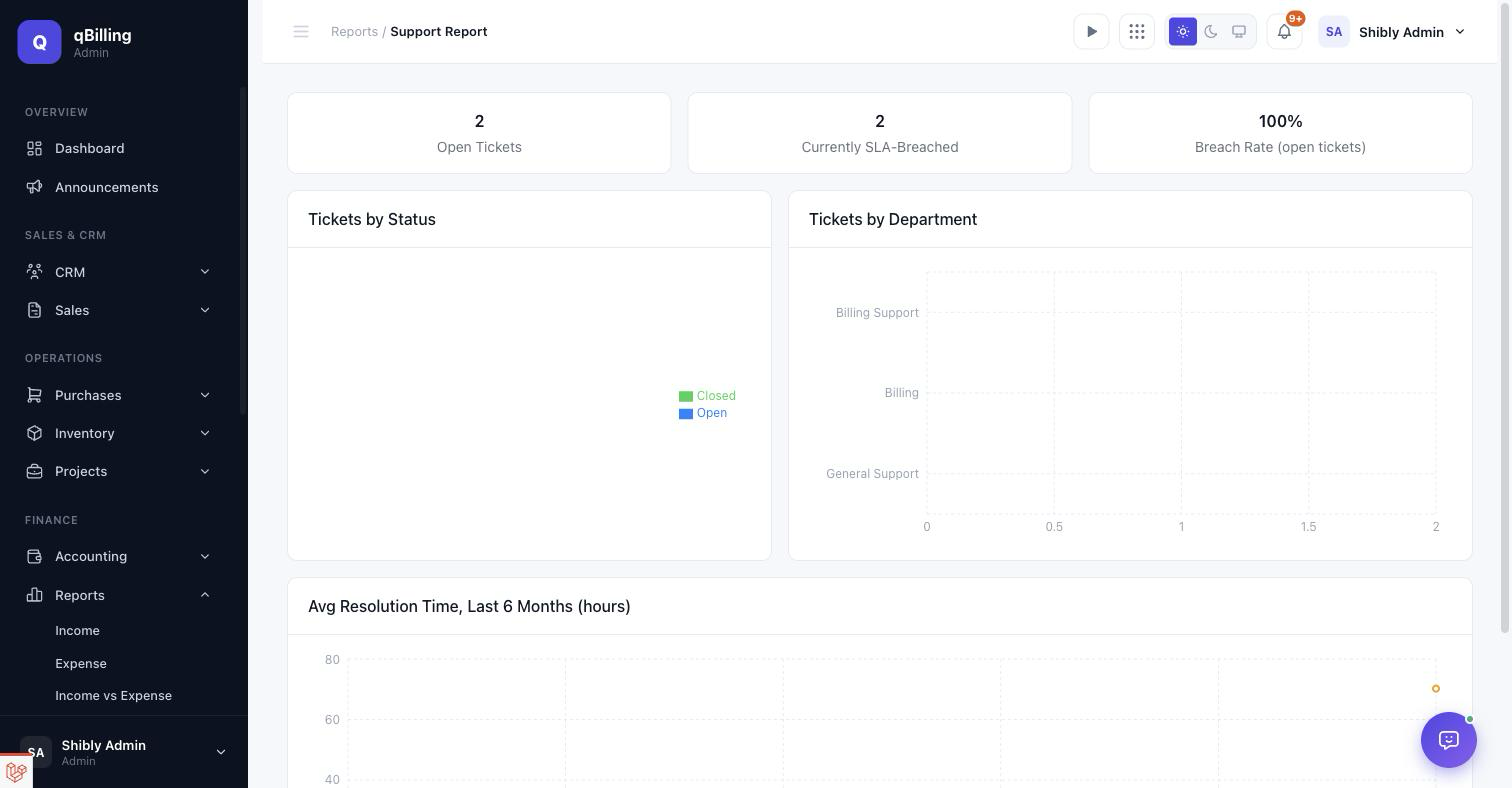
SUPPORT REPORT
Open ticket count, live SLA breach rate, tickets by status (donut) and by department (bar), plus a 6-month average-resolution-time trend.
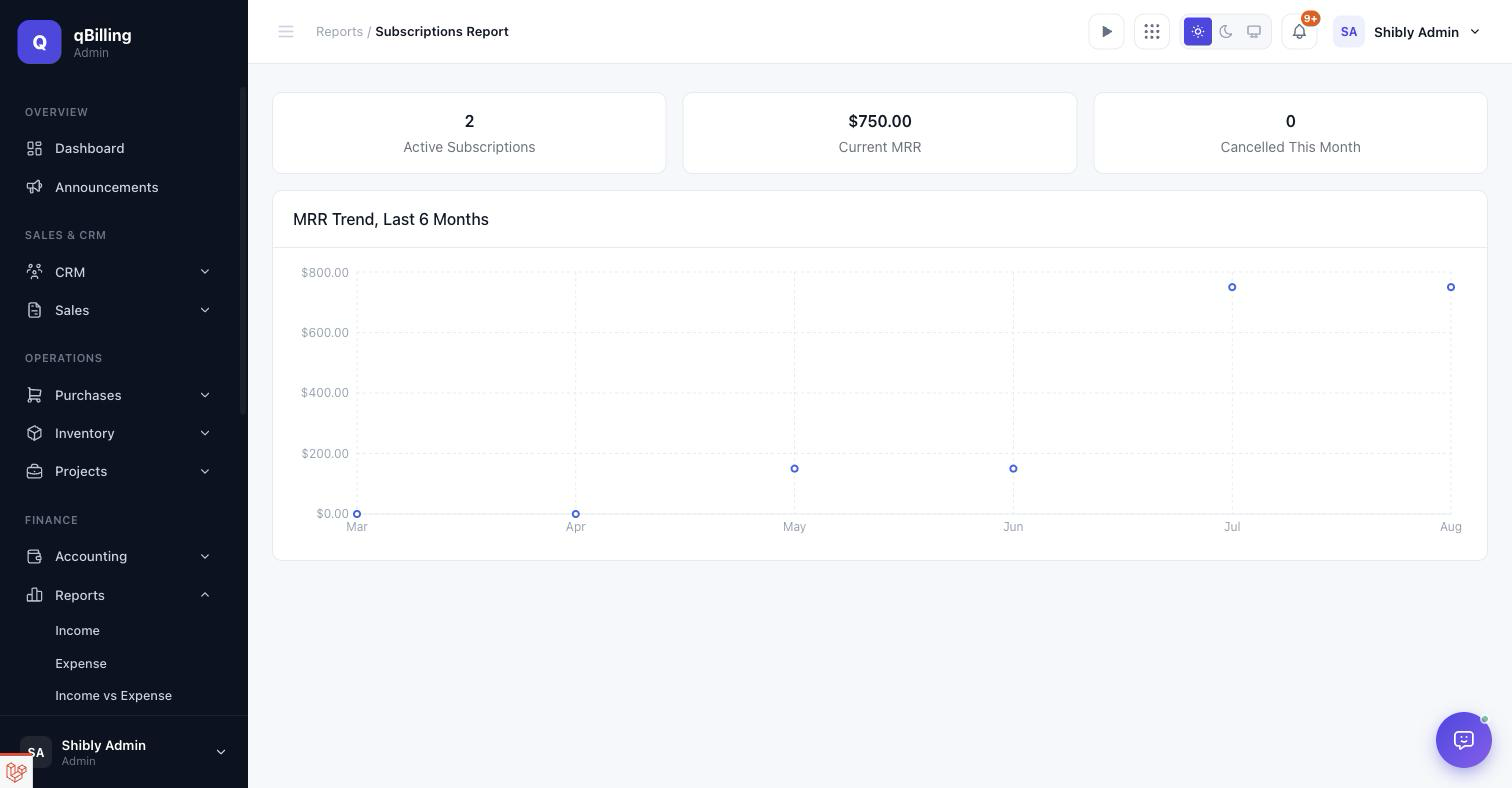
SUBSCRIPTIONS REPORT
Active subscription count, current MRR (normalized across monthly/quarterly/yearly billing intervals), cancellations this month, and a 6-month MRR trend line.
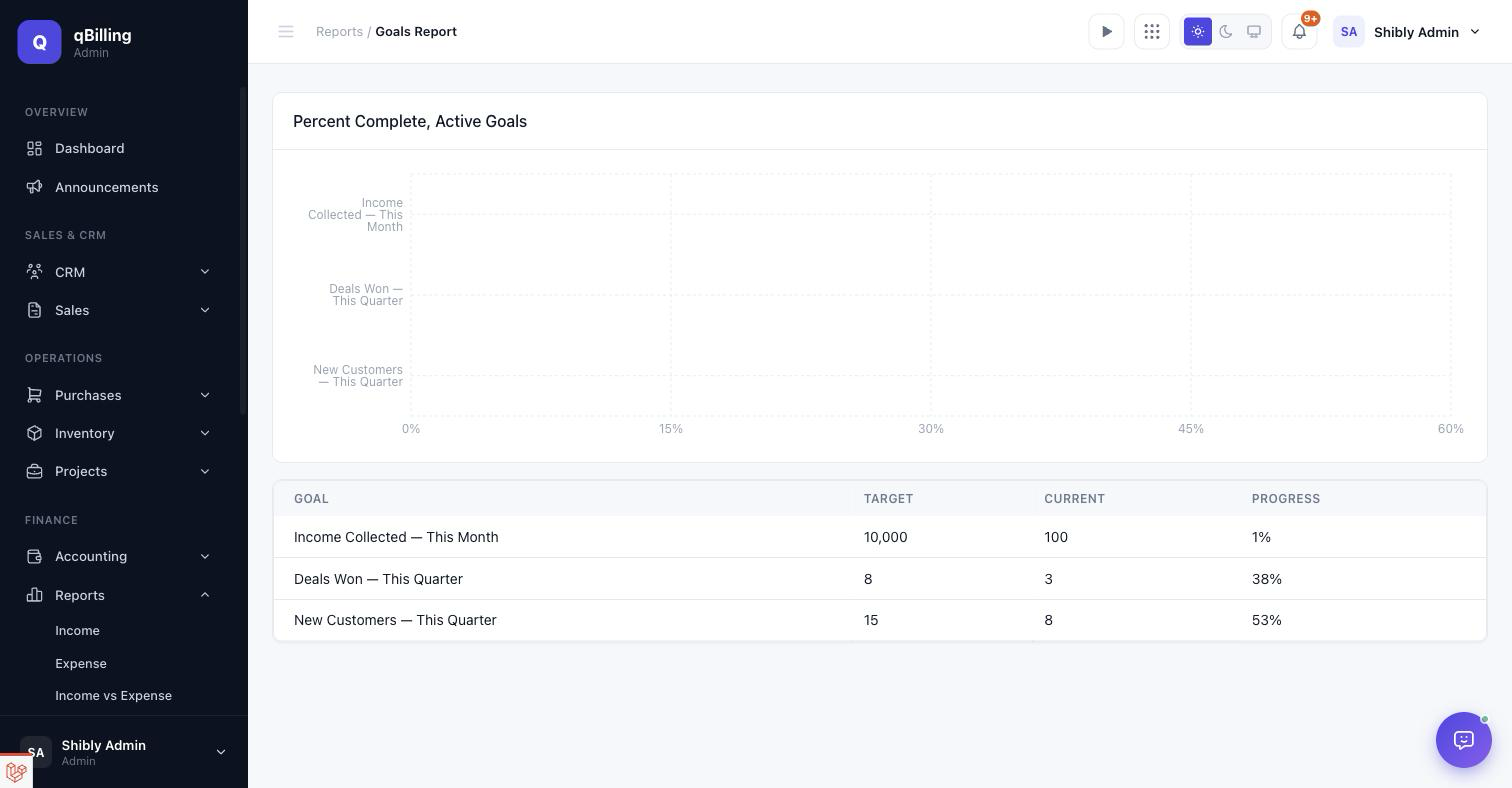
GOALS REPORT
Percent-complete for every currently-active goal, as a bar chart plus an exact target/current/progress table.
Tenant Admin People #back to top
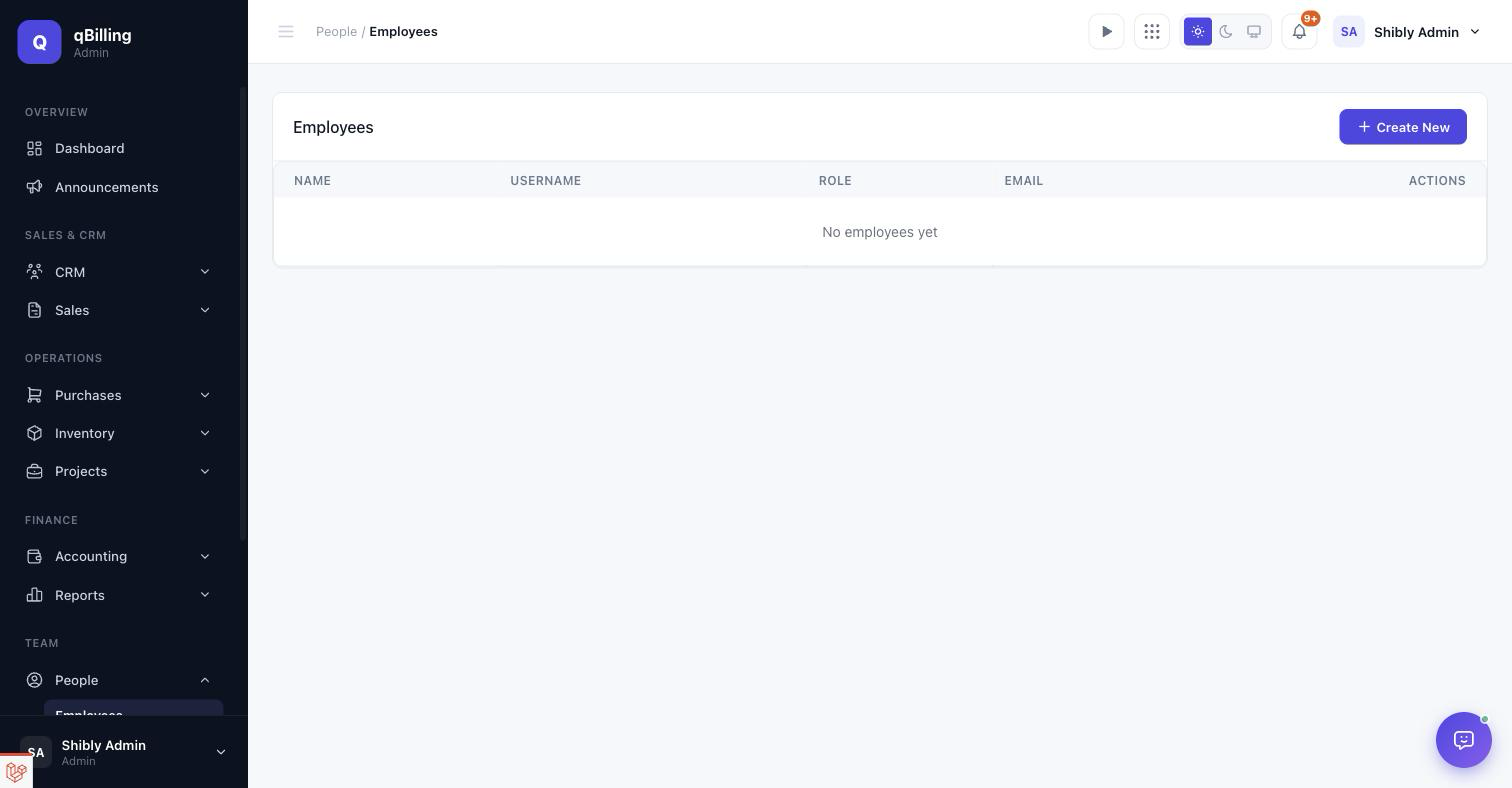
EMPLOYEES
Your internal team — name, username, role, email.
GROUPS
Team groupings used for project/task assignment — same table shape as Employees.
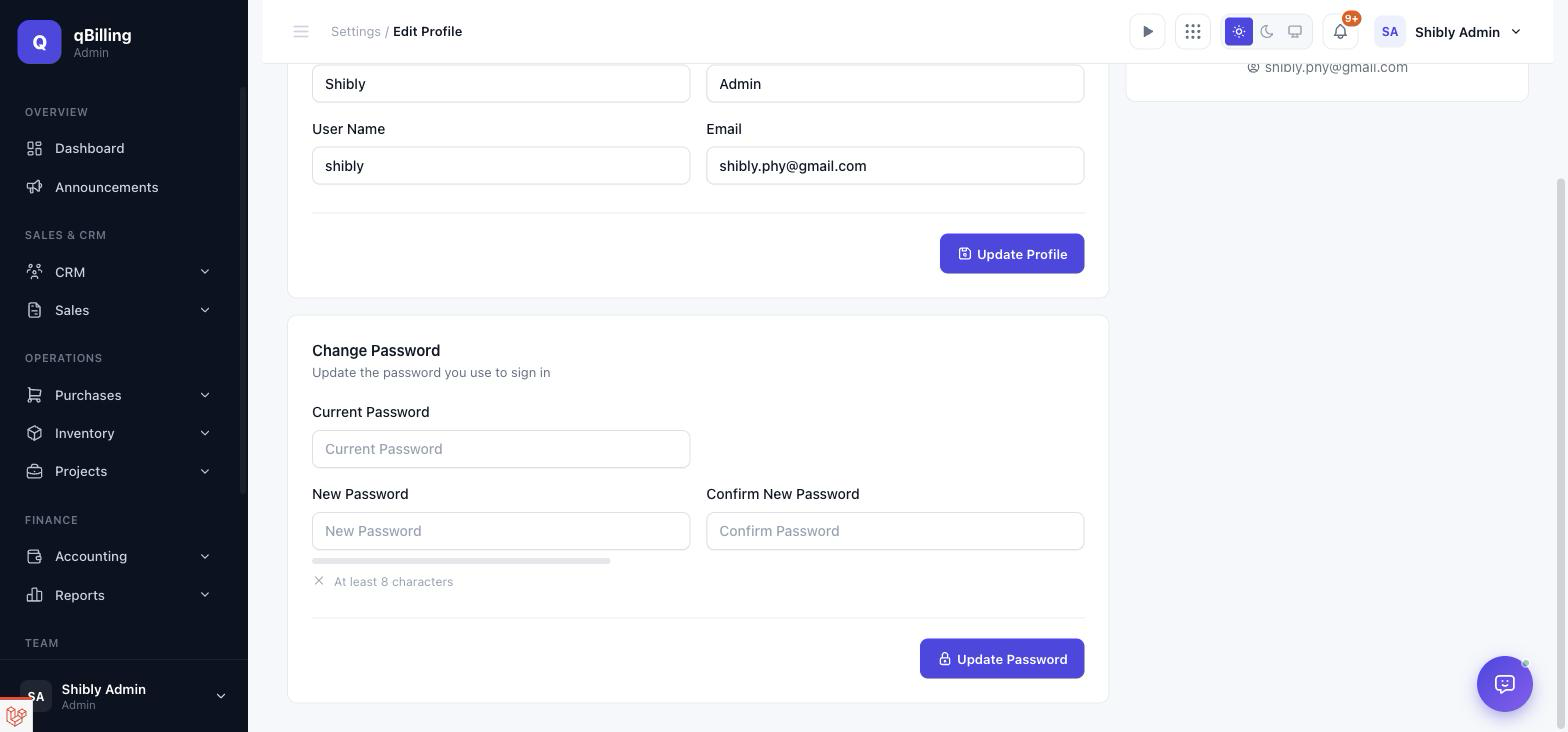
MY PROFILE New
Every user's own account settings — name, username, email, and avatar on the left, a summary card on the right. A separate Change Password card below it includes a live strength meter driven by the tenant's own configured password policy (minimum length, mixed case, numbers, symbols — whichever the tenant admin requires under Settings → Security), so the checklist a user sees always matches the rules actually being enforced.
Tenant Admin Payroll New #back to top
A full payroll module gated behind its own Payroll package entitlement (Professional and Enterprise tiers) — a tenant on the Free plan never sees any of this, entitlement checks aside from the permissions below. Every screen lives under the sidebar's Payroll menu and uses this app's existing plain Tabler design system throughout — no separate visual language to learn.
PAYROLL DASHBOARD
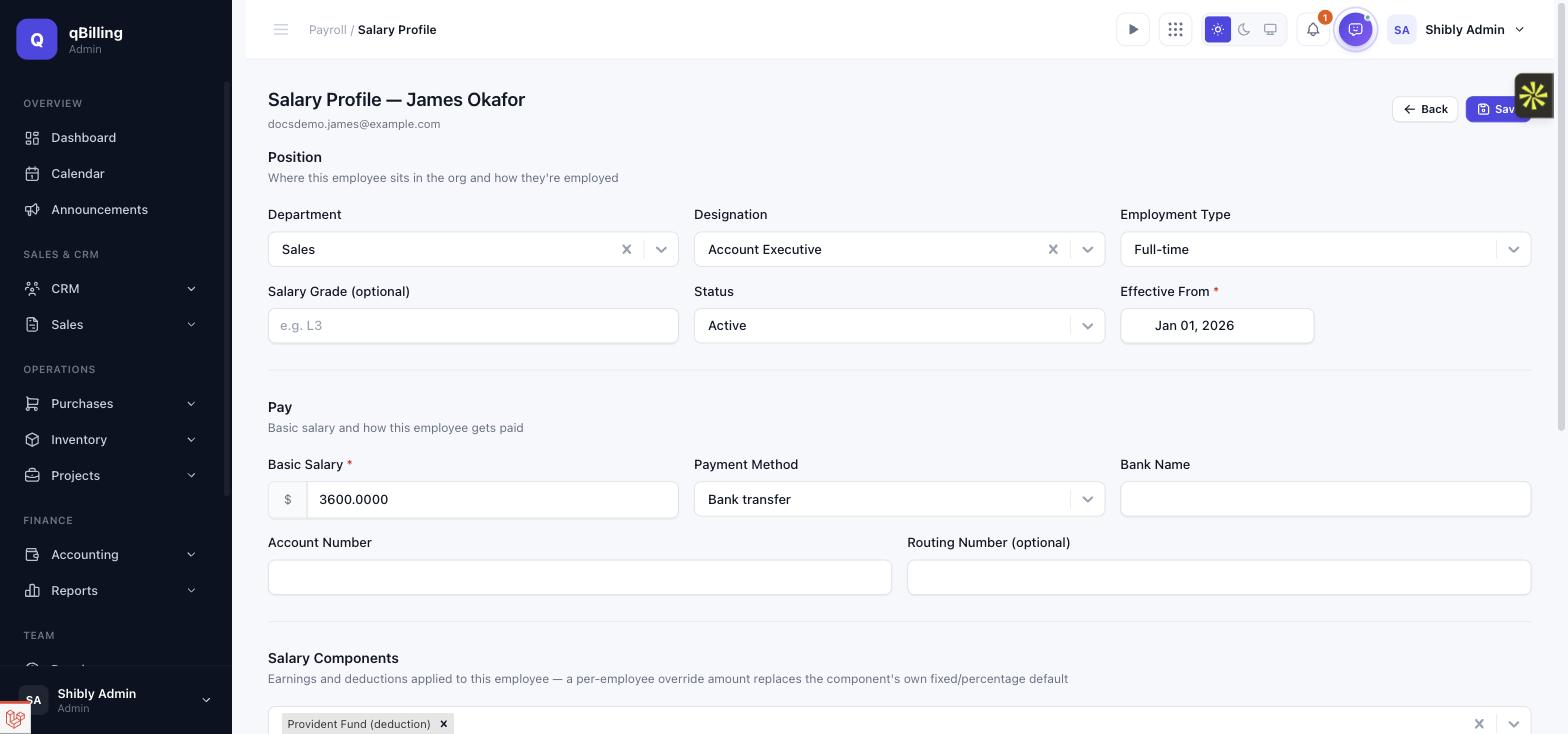
Six live stat cards — total employees, the current period's payroll amount, pending approvals, total deductions, total allowances (recurring salary-component stipends only, not overtime or bonuses — those get their own charts below), and the next upcoming pay date — followed by four charts: a 6-month paid-net-salary trend, department-wise cost distribution for the latest period, a 6-month overtime cost trend, and a bonus-by-type breakdown. Every chart reuses this app's existing recharts-based chart components, so it matches the main Dashboard's visual language exactly.
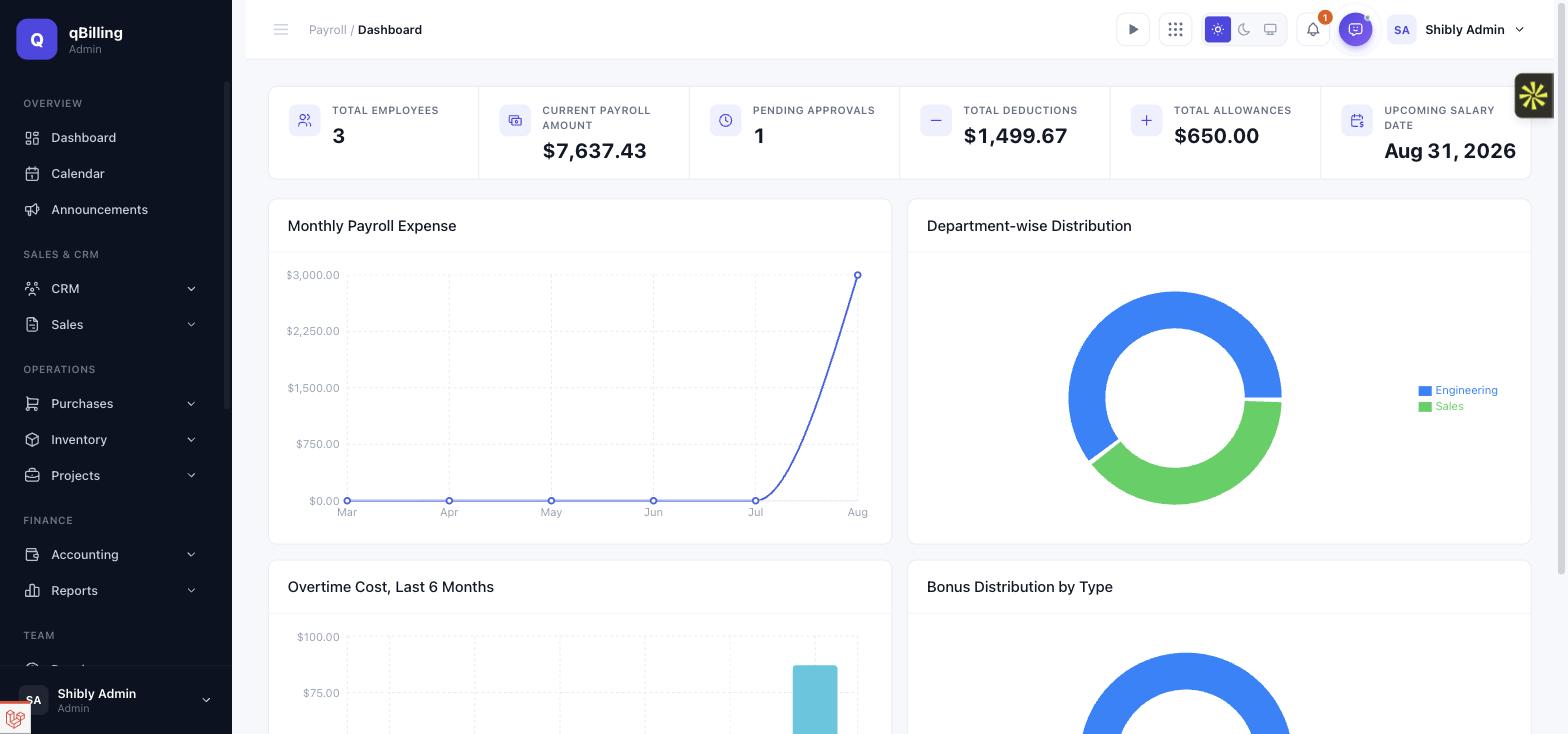
DEPARTMENTS & DESIGNATIONS
The org structure payroll (and reporting) hangs off — plain name/code departments, each with its own set of designations. Deleting a department that still has designations under it is blocked rather than silently orphaning them.
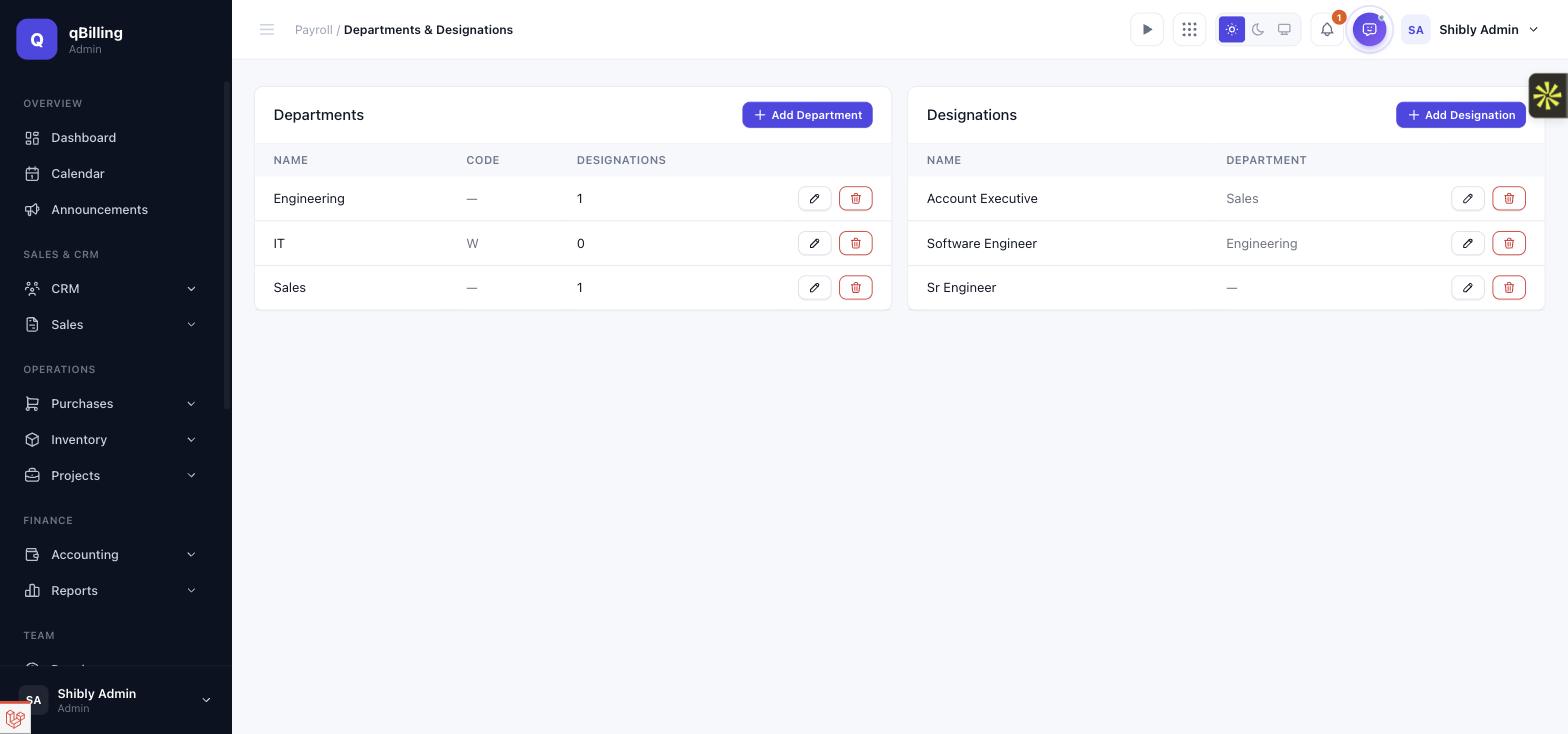
SALARY COMPONENTS
The earnings/deductions catalog every employee's salary is built from — fixed amount, percentage-of-basic, or a small formula DSL, each independently flagged taxable and/or prorated for mid-period joiners and leavers. Built once here, then attached per-employee on the Salary Profile screen below, with an optional per-employee override amount.
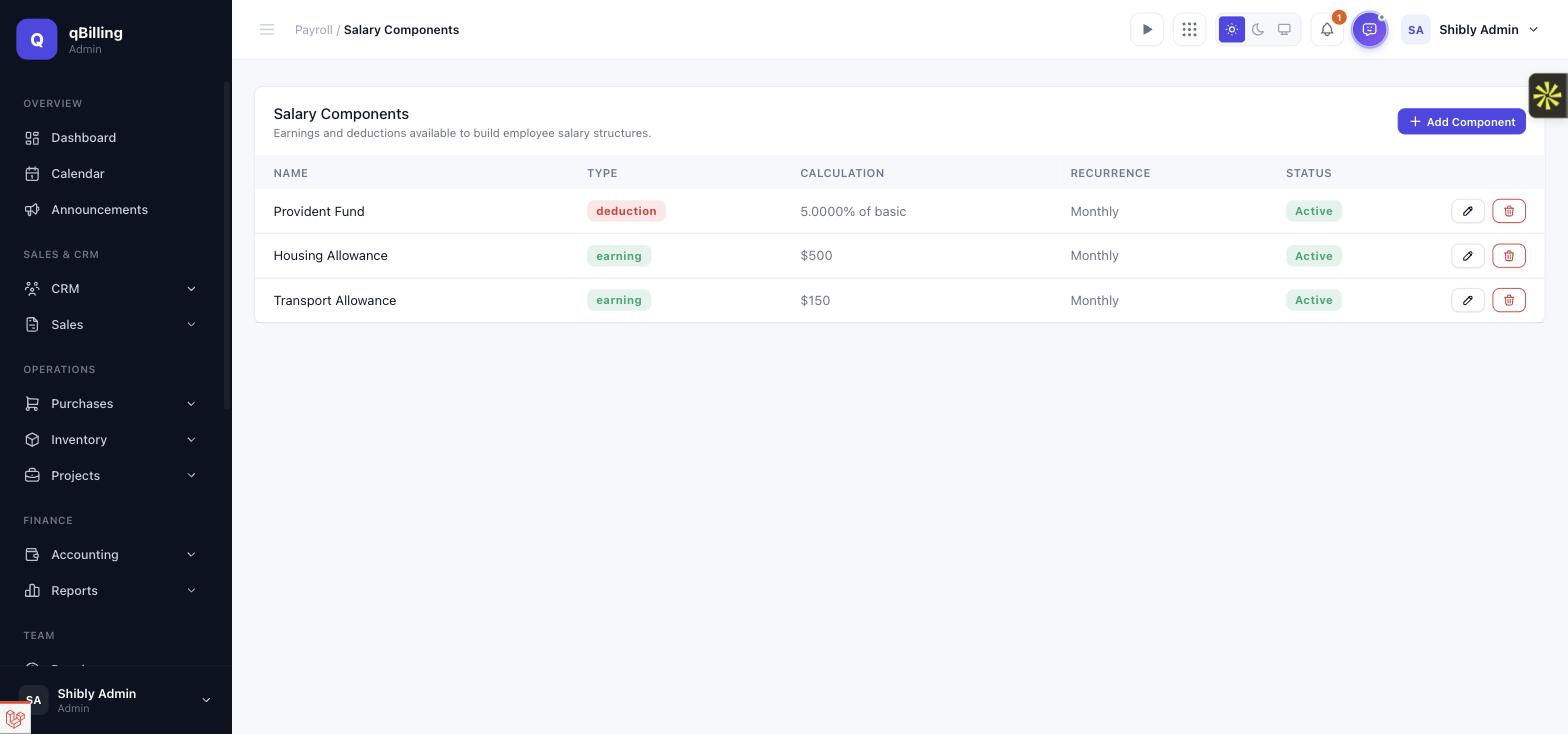
EMPLOYEE SALARY PROFILE
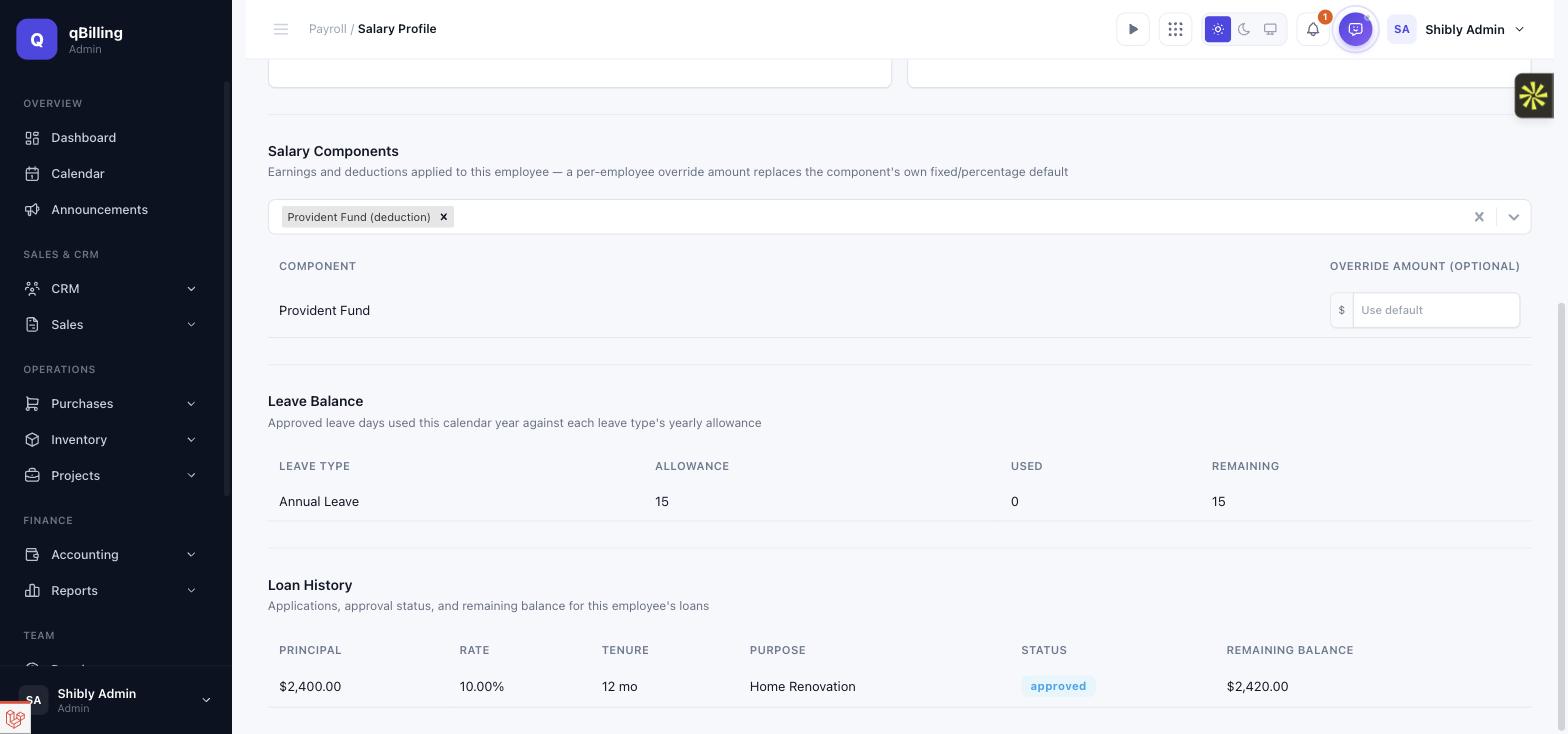
This is what actually puts an employee "in payroll" — basic salary, department, designation, employment type, payment method, an effective-from date (mid-period joiners get their first paycheck prorated automatically), and whichever salary components apply to them. An employee with no salary profile is simply skipped when a period's payroll is generated — never an error, since attendance/leave/overtime tracking is opt-in for every tenant.
Further down the same page: a read-only Leave Balance table (every configured leave type, this year's allowance/used/remaining) and Loan History (every loan this employee has taken, its status, and remaining balance) — both pulled live from the sections further down this page, so HR never has to jump between screens to see the full picture for one person.
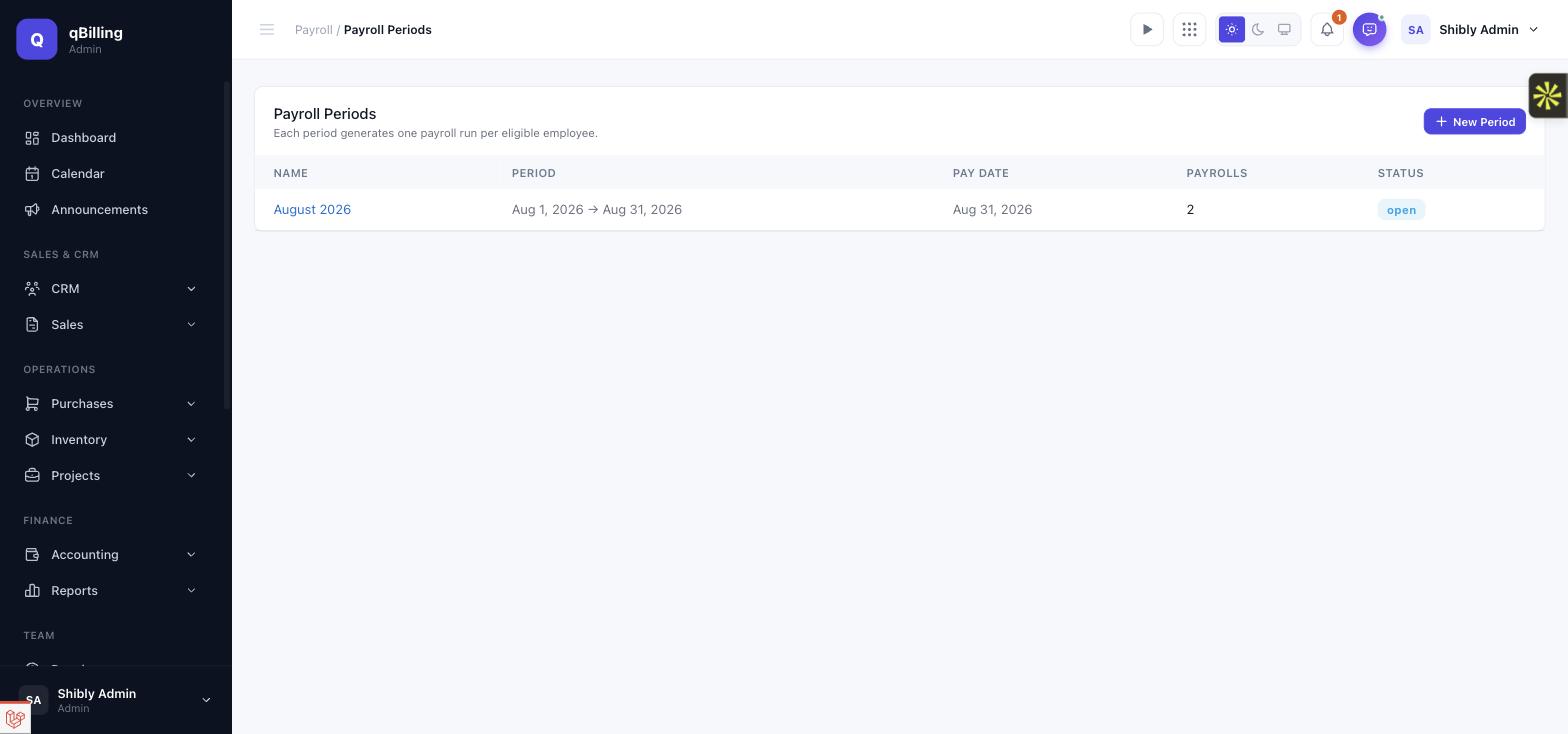
PAYROLL PERIODS
A period is just a name plus a start/end/pay date — create one, and every employee with an active salary profile in force by the period's end becomes eligible for generation.
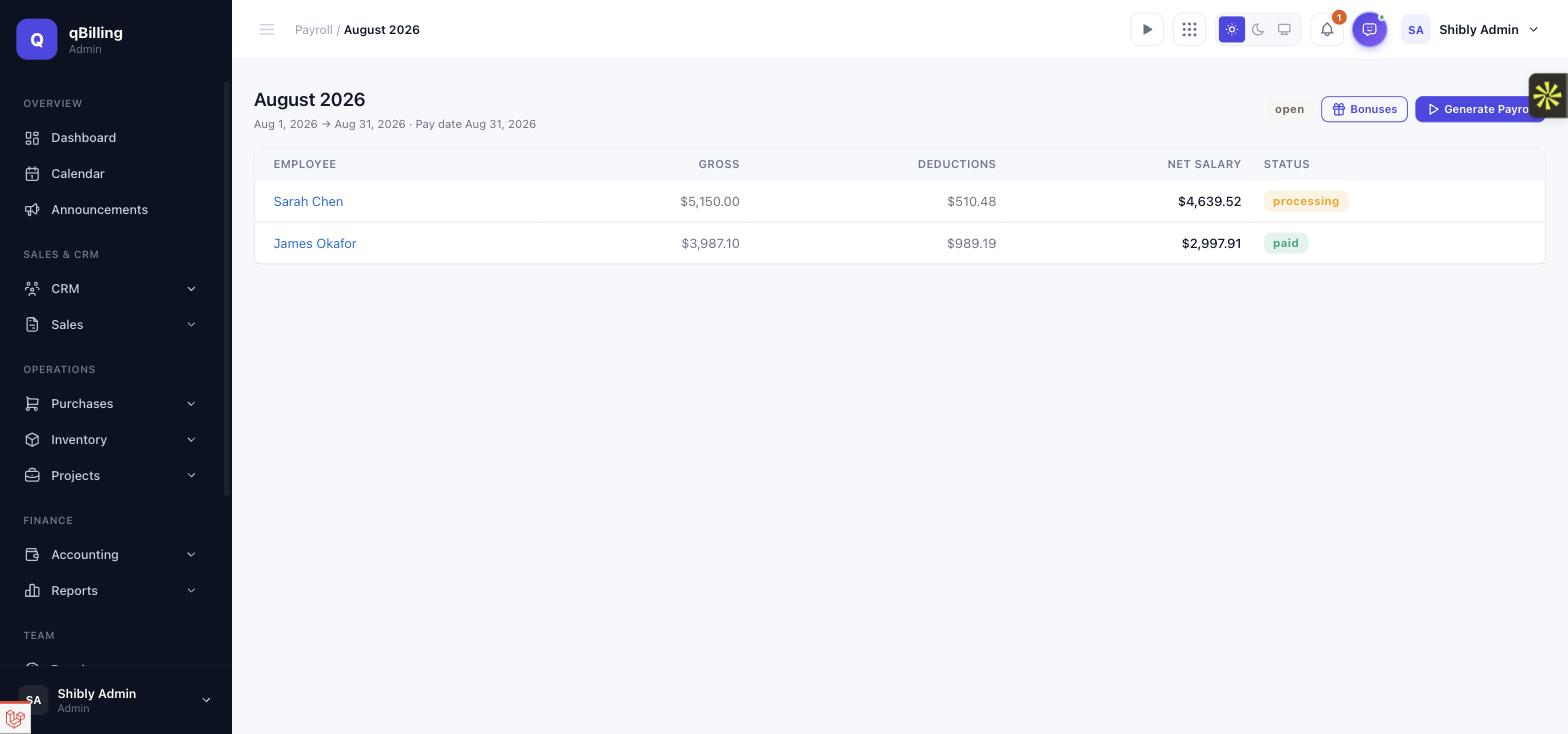
PERIOD DETAIL & GENERATION
Pick which eligible employees to generate for (or leave all of them selected), and each one is queued as its own background job — so a 1,000-employee tenant's whole month drains through the normal per-minute queue tick in under 40 seconds, not one long request. Each employee's payroll shows its own status as it moves through approval, and a Bonuses button opens this period's bonus list (see below).
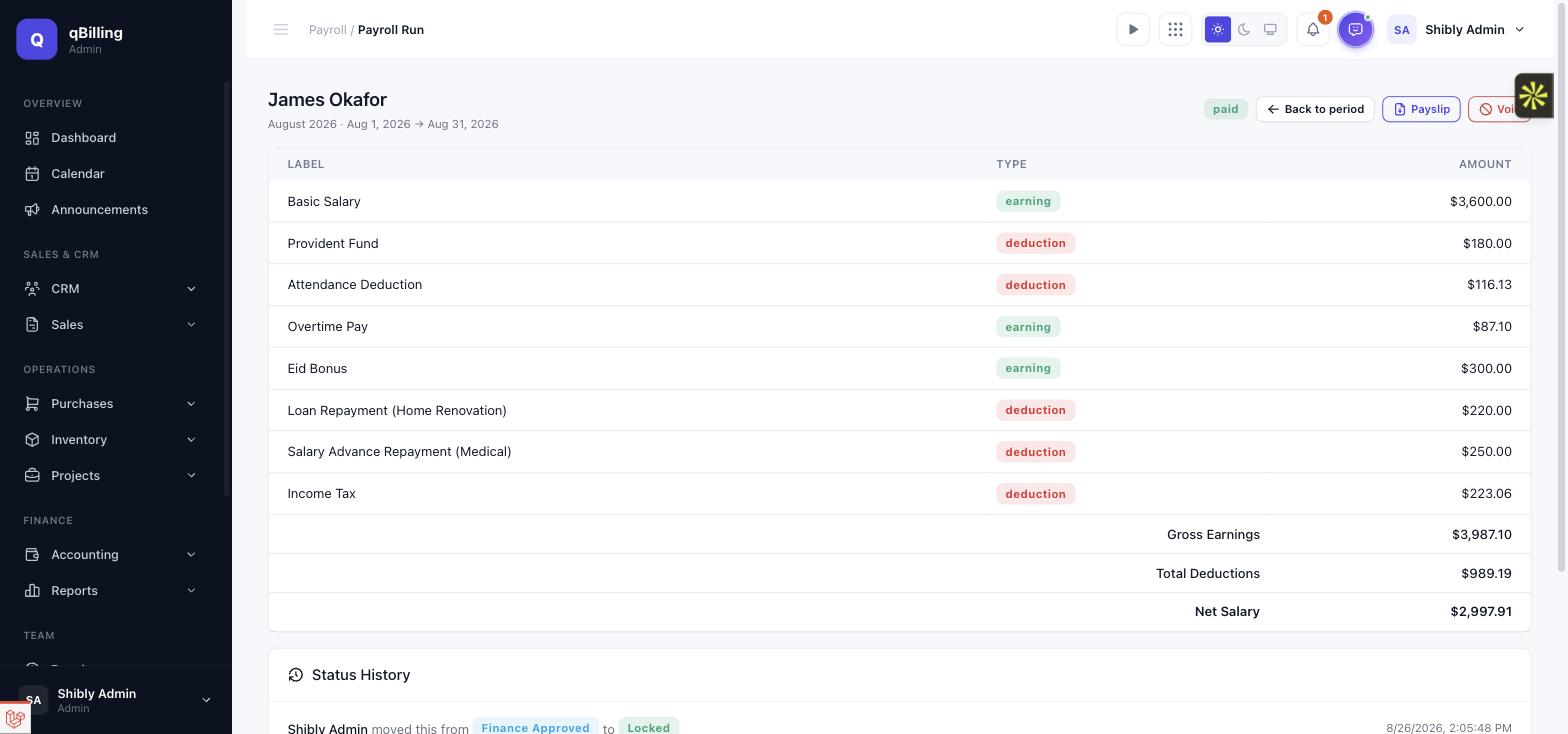
PAYROLL RUN & APPROVAL WORKFLOW
One employee's payroll for one period — every earning and deduction line item is computed and shown separately (basic salary, salary components, attendance/leave deductions, overtime pay, bonuses, loan and salary-advance repayments, income tax), never folded into an opaque total. A draft moves through draft → processing → manager approved → finance approved → locked, with separation of duties enforced by default (whoever submitted it can't also approve it, unless they hold the business-owner role) and a full audit trail of every transition underneath. A negative net salary is blocked from advancing at all, forcing a manual correction instead of silently paying someone a negative wage. Once locked, a Payslip button generates a branded PDF payslip (dompdf), and marking a period paid posts one batched transaction into the existing accounting ledger — voiding a paid payroll posts an exact reversing transaction rather than editing history.
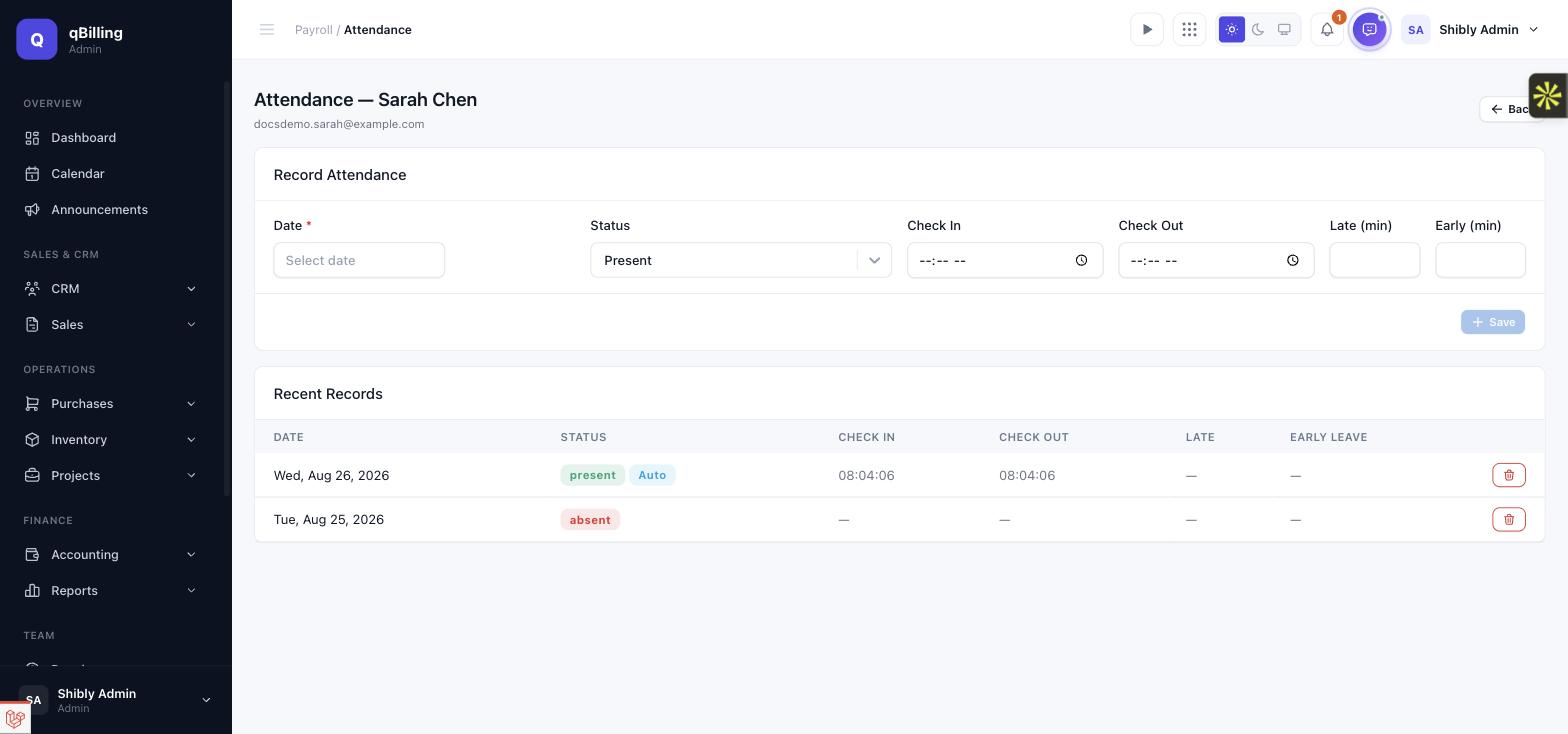
ATTENDANCE New
Daily present/absent/late/half-day/holiday/weekend entry per employee, with optional
check-in/out times. An absence deduction (daily_salary = basic_salary /
working_days, where working days is derived from the period's own calendar
minus weekends/holidays — never a hardcoded "22 working days") folds automatically
into that employee's next payroll — an employee with zero attendance records logged
is paid in full, exactly as before this feature existed. Newest addition: every
login now automatically stamps a check-in, and logout stamps a
check-out, on that day's row (the blue "Auto" badge below marks
which rows came from this, versus a manual HR entry). Auto-capture never overrides a
day HR has already touched by hand — a manual entry always wins, permanently, for
that day.
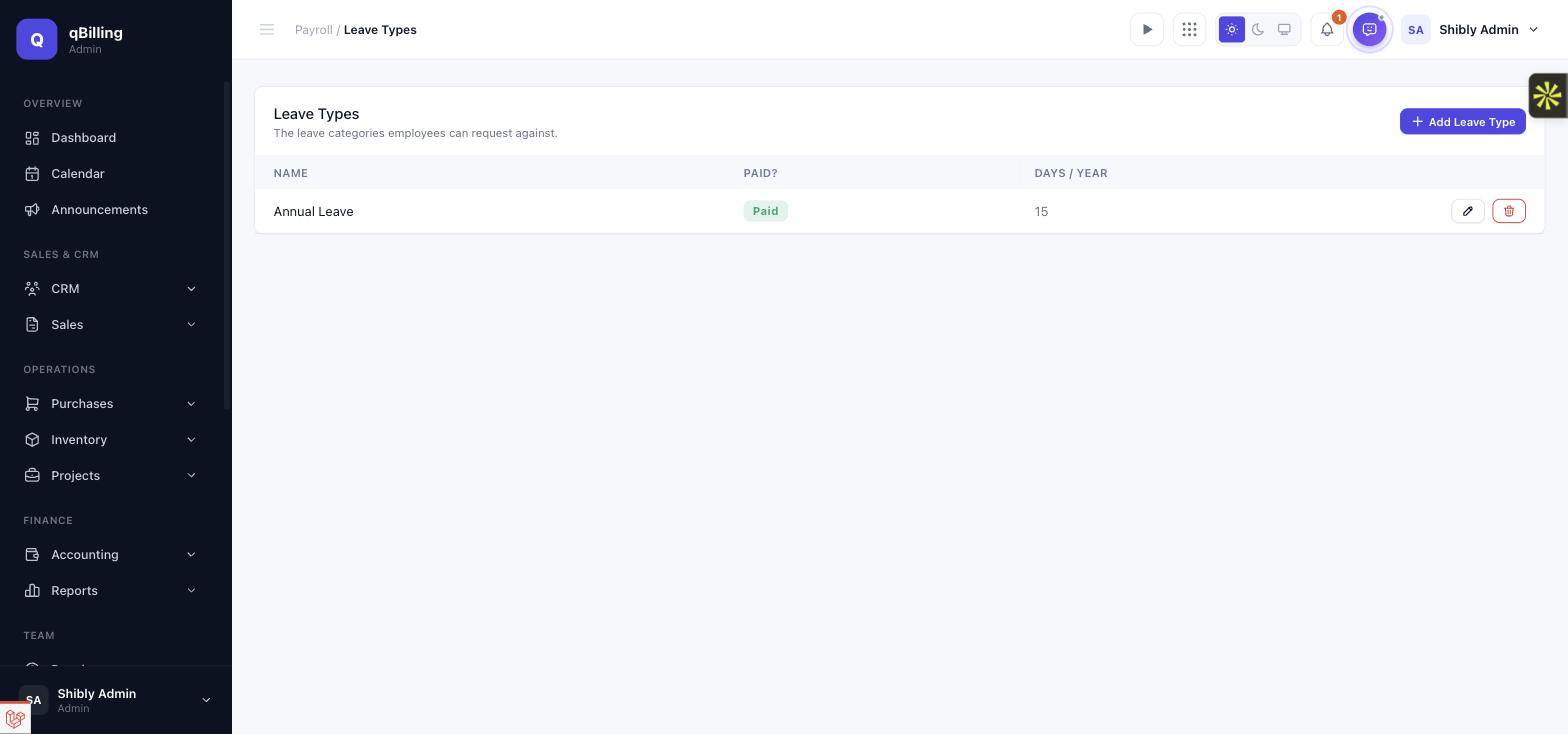
LEAVE TYPES
The tenant's own leave catalog — each type flagged paid or unpaid, with a yearly day allowance. Paid leave never deducts pay; unpaid leave deducts using the exact same formula as an absence above.
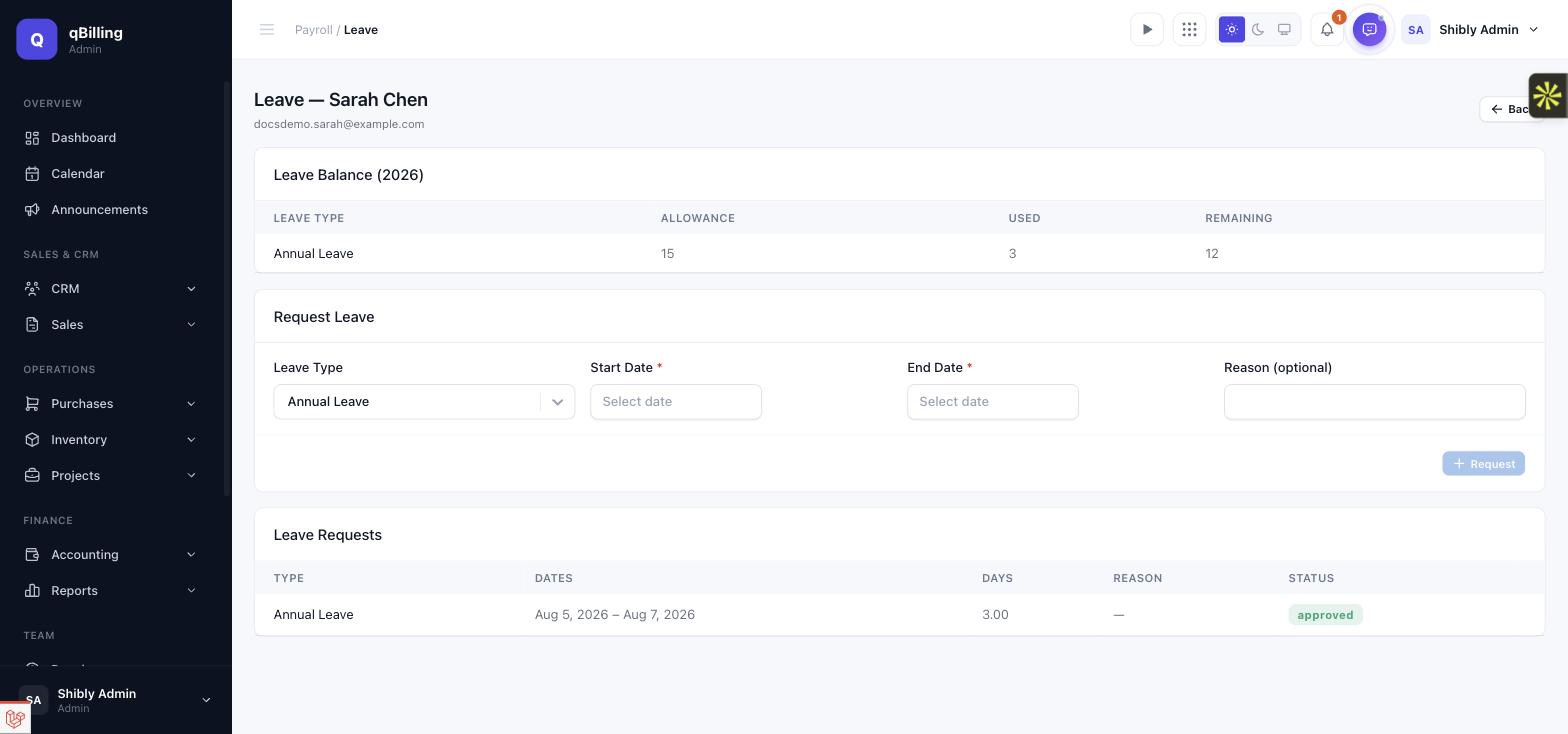
LEAVE
Per-employee leave balance (allowance used/remaining this calendar year), a request form, and a request list an approver can accept or reject. Only an approved request counts toward the balance or toward an unpaid-leave payroll deduction — a pending or rejected request never touches either.
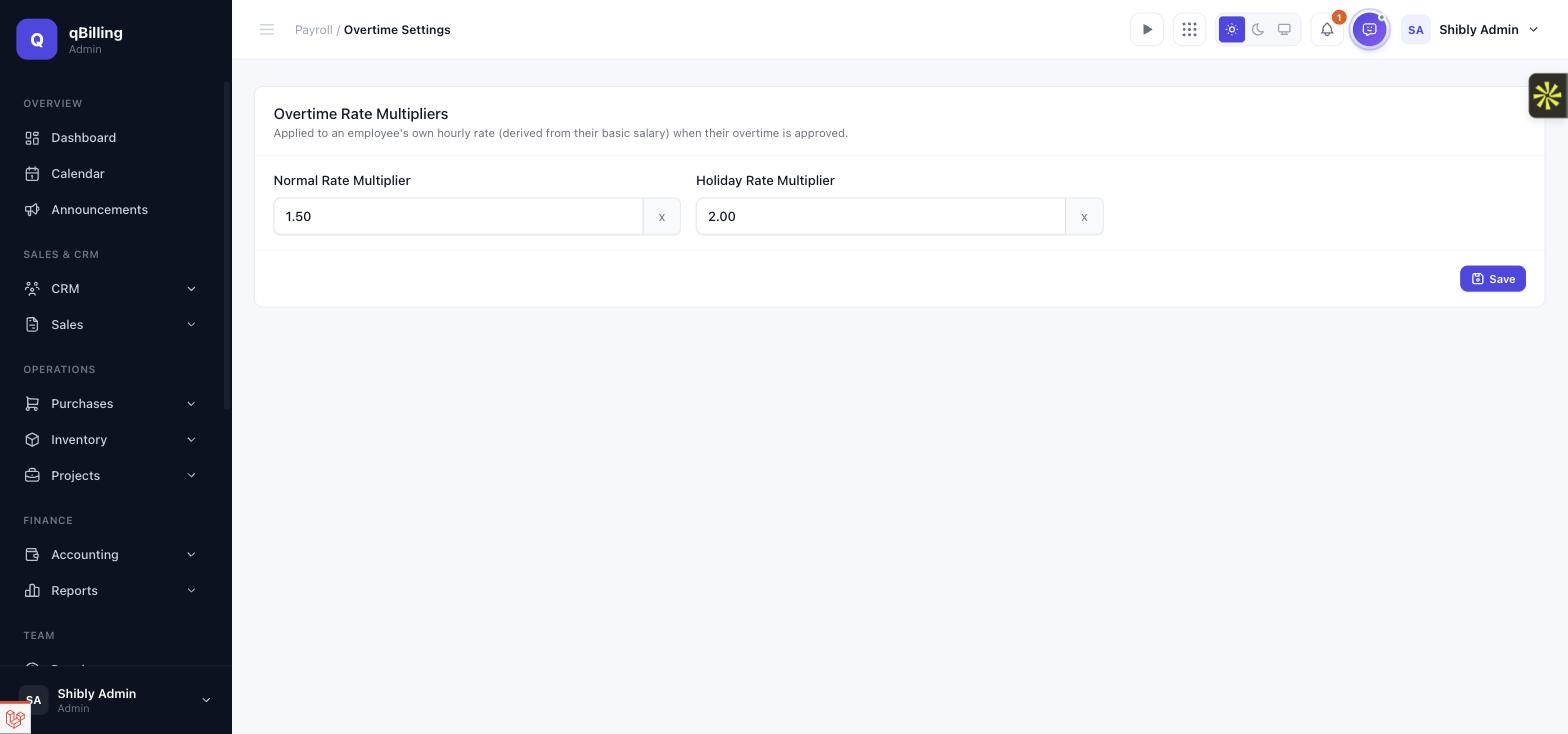
OVERTIME SETTINGS
Tenant-configurable normal/holiday rate multipliers, applied to an employee's own hourly rate — derived from their basic salary and the period's own working-day count, never a separate hourly-rate field.
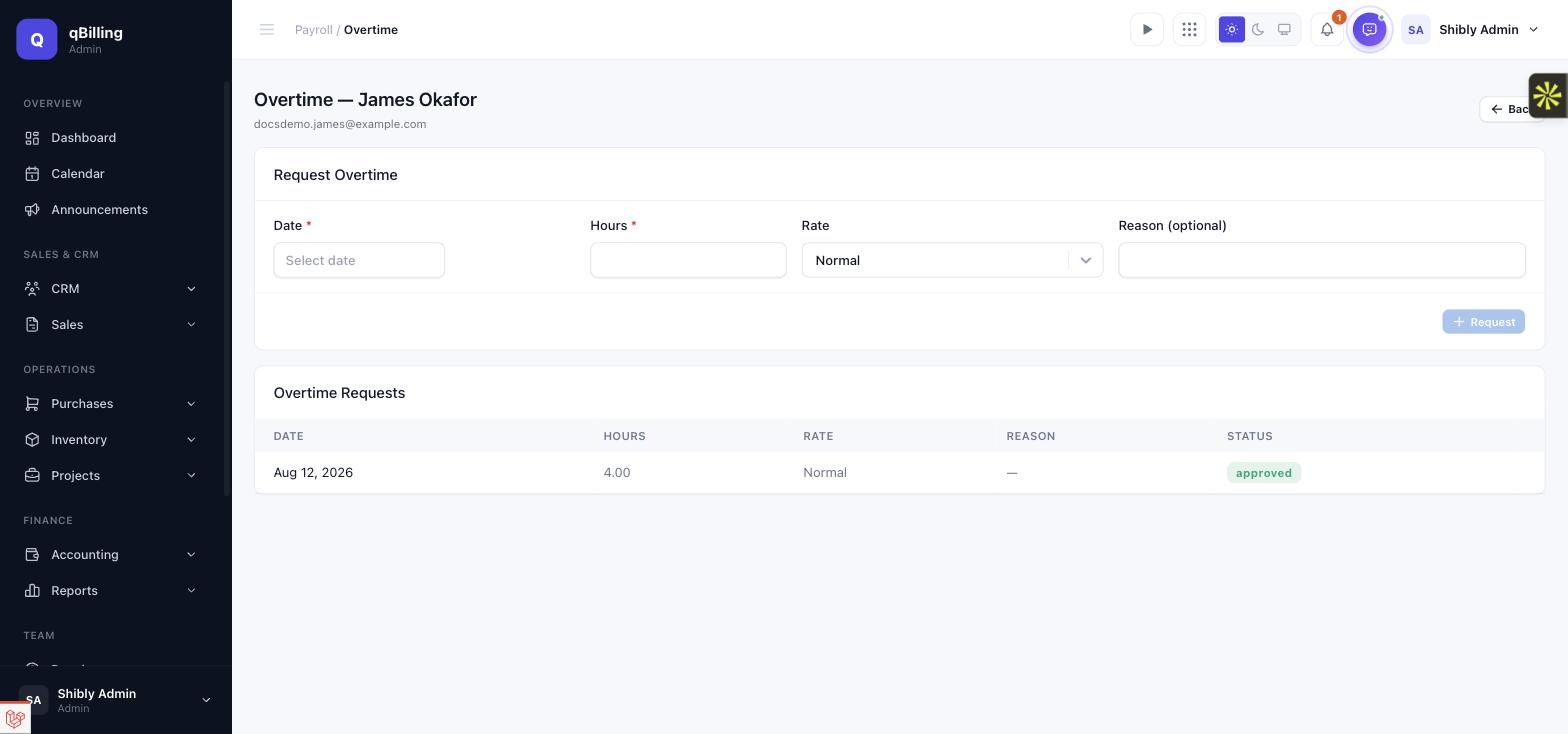
OVERTIME
Per-employee overtime requests (date, hours, normal/holiday rate) that an approver accepts or rejects — only approved hours ever become an Overtime Pay line on that employee's next payroll.
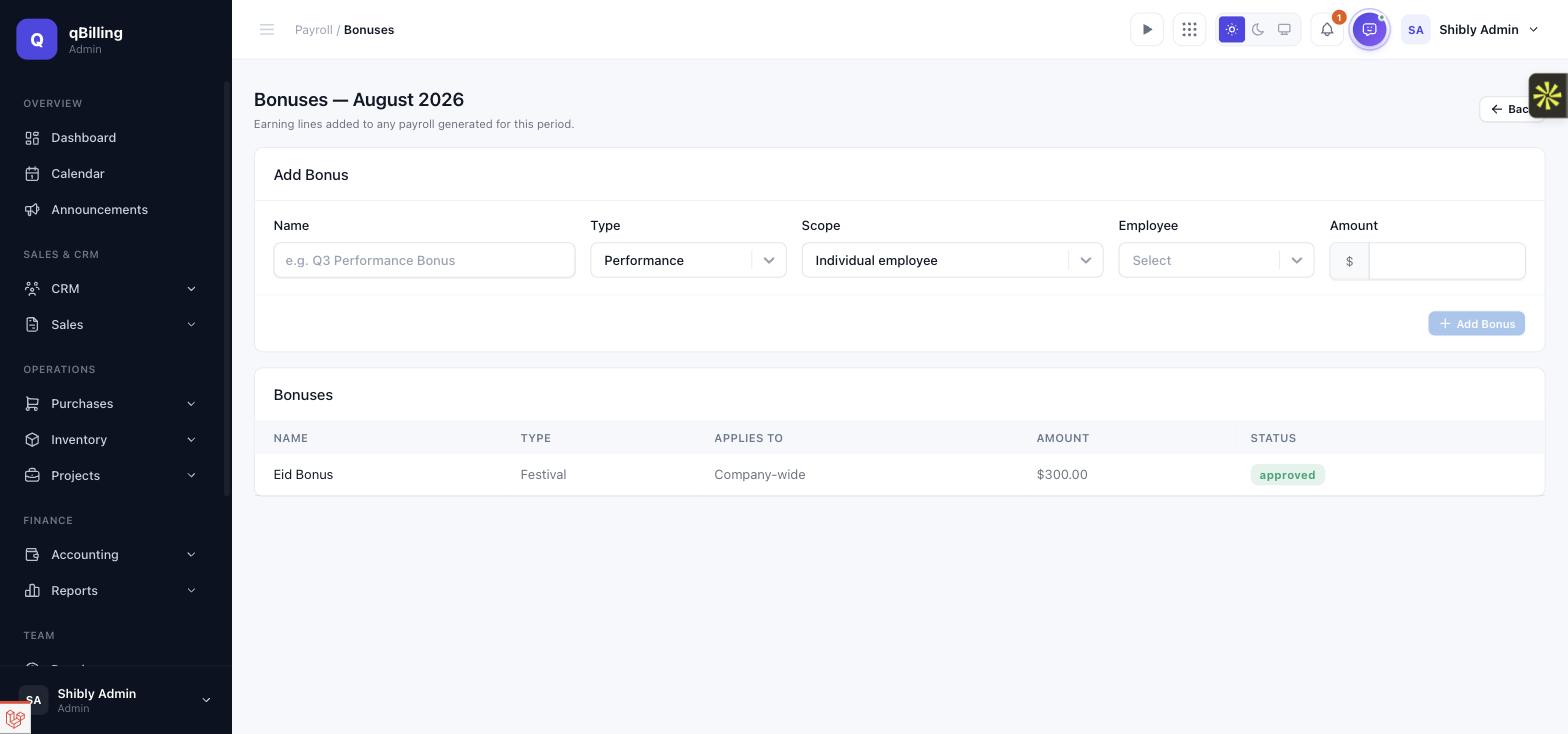
BONUSES & INCENTIVES
A bonus can target one named employee, an entire department, or the whole company, for a specific payroll period — once approved, it becomes its own named earning line (not a lump total) on every matching employee's payroll for that period.
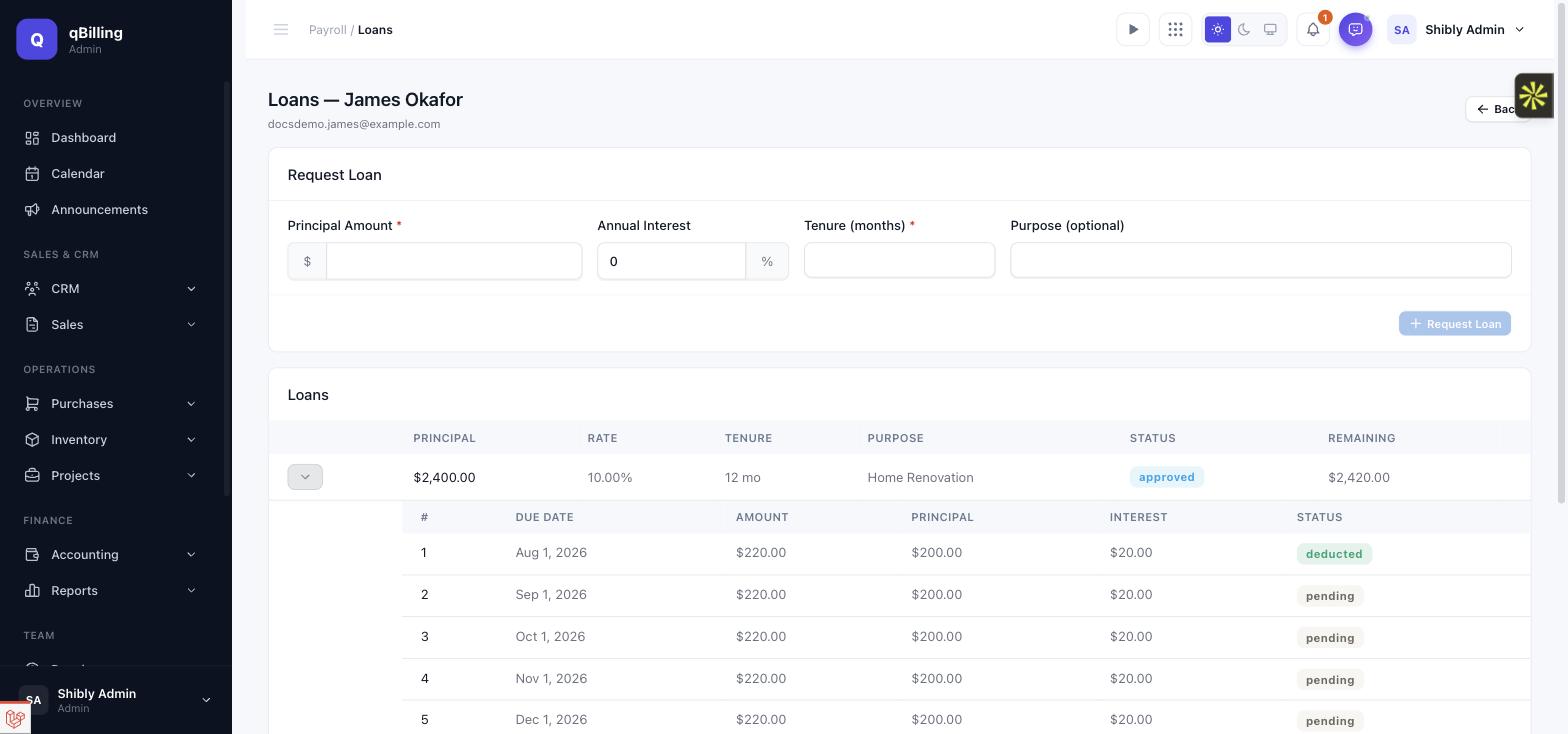
EMPLOYEE LOANS
Request → approval (which auto-generates a flat-interest repayment schedule) → automatic per-period deduction. An installment is only ever marked deducted the moment its payroll actually locks — never while it's still a draft being recalculated — and the loan closes itself automatically once every installment is repaid. The schedule expands inline per loan, as shown below.
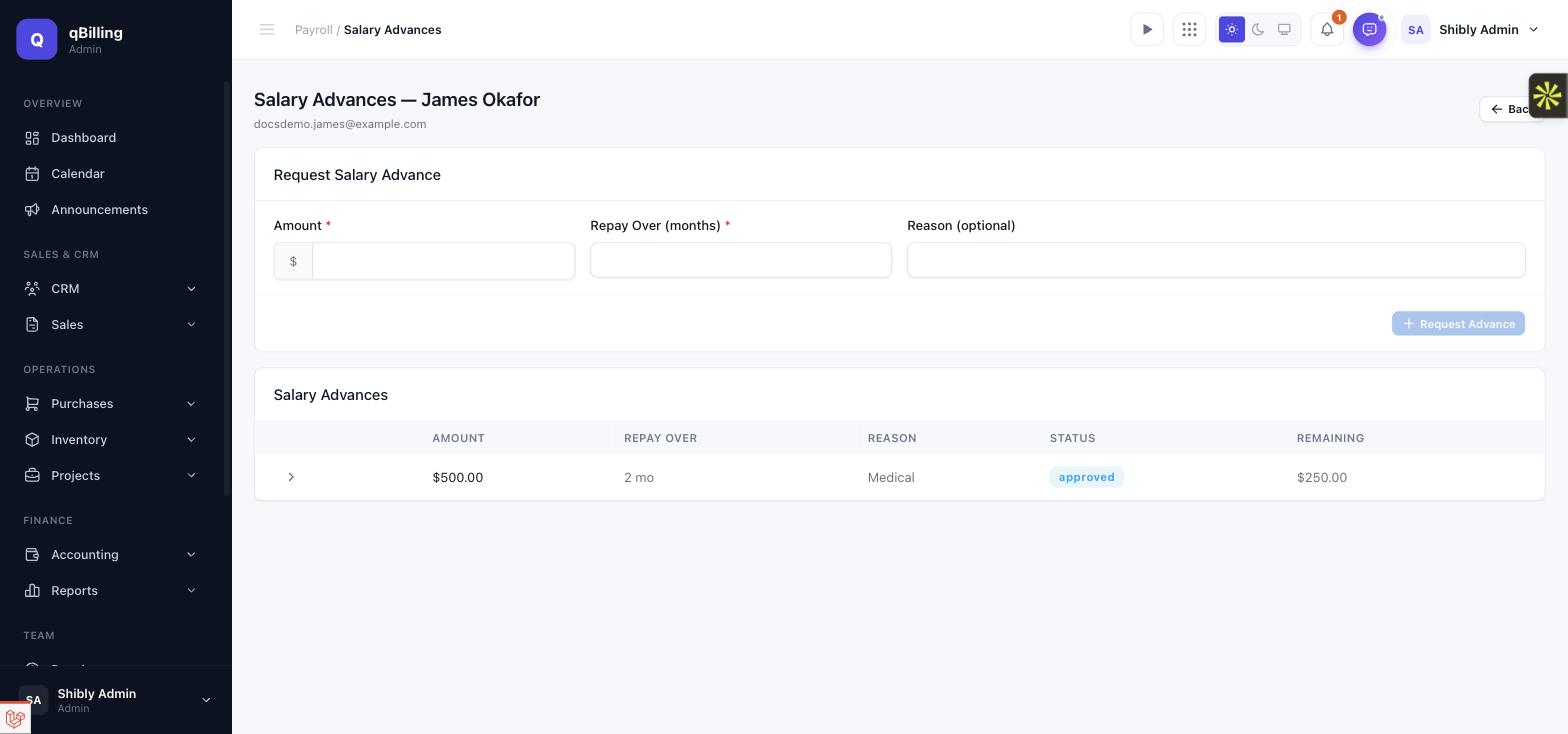
SALARY ADVANCES
The same request/approve/auto-deduct mechanism as Employee Loans above, minus interest — an advance is an employee's own future pay taken early, not a loan product.
TAX RULES
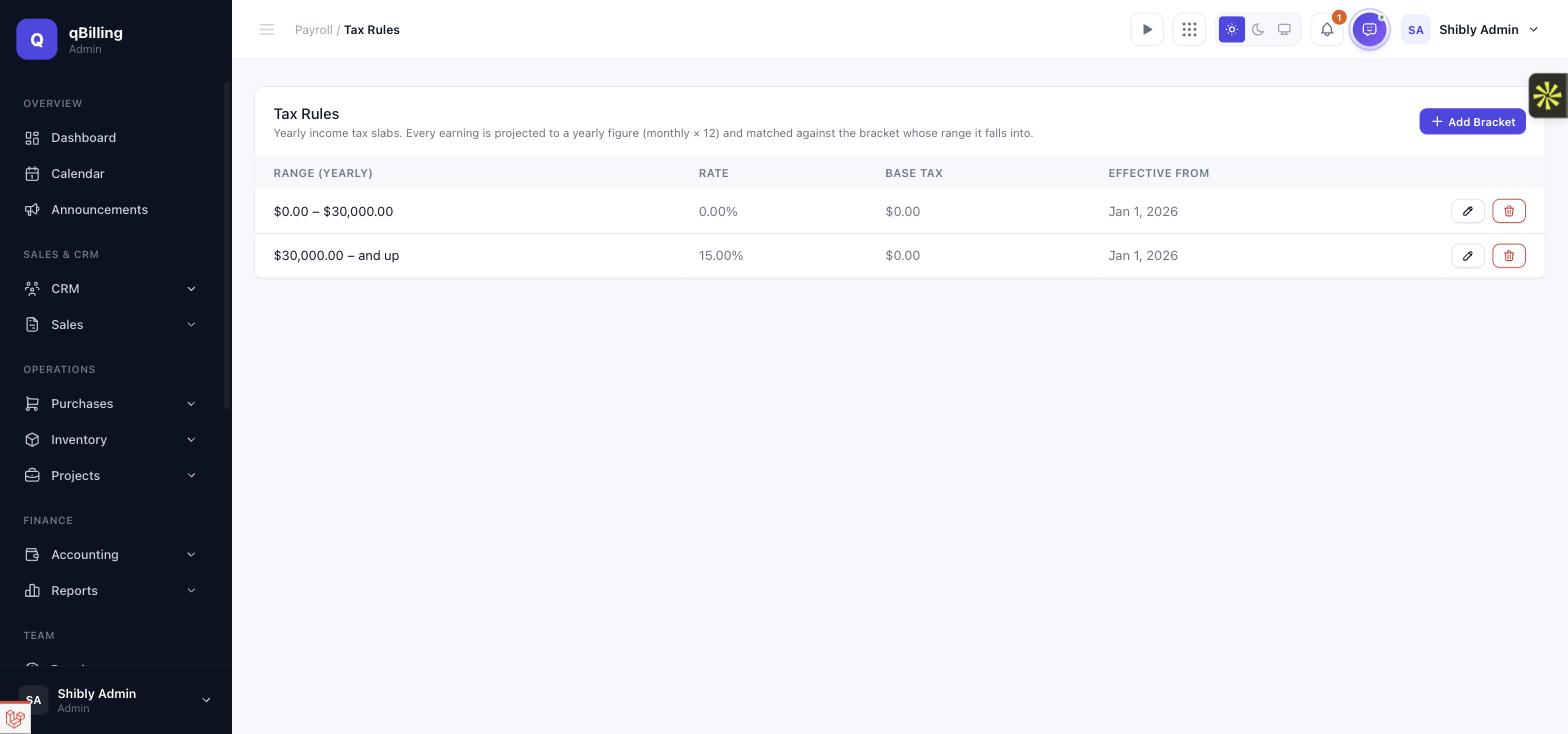
A generic, configurable yearly income-tax slab table — never one country's hardcoded statutory rules. Each bracket is self-contained (minimum, maximum, rate, and the tax already accumulated from every lower bracket), so resolving an employee's monthly tax deduction never requires summing multiple rows at generation time. A tenant can version their slab table over time via each bracket's own effective-from date.
PAYROLL REPORTS
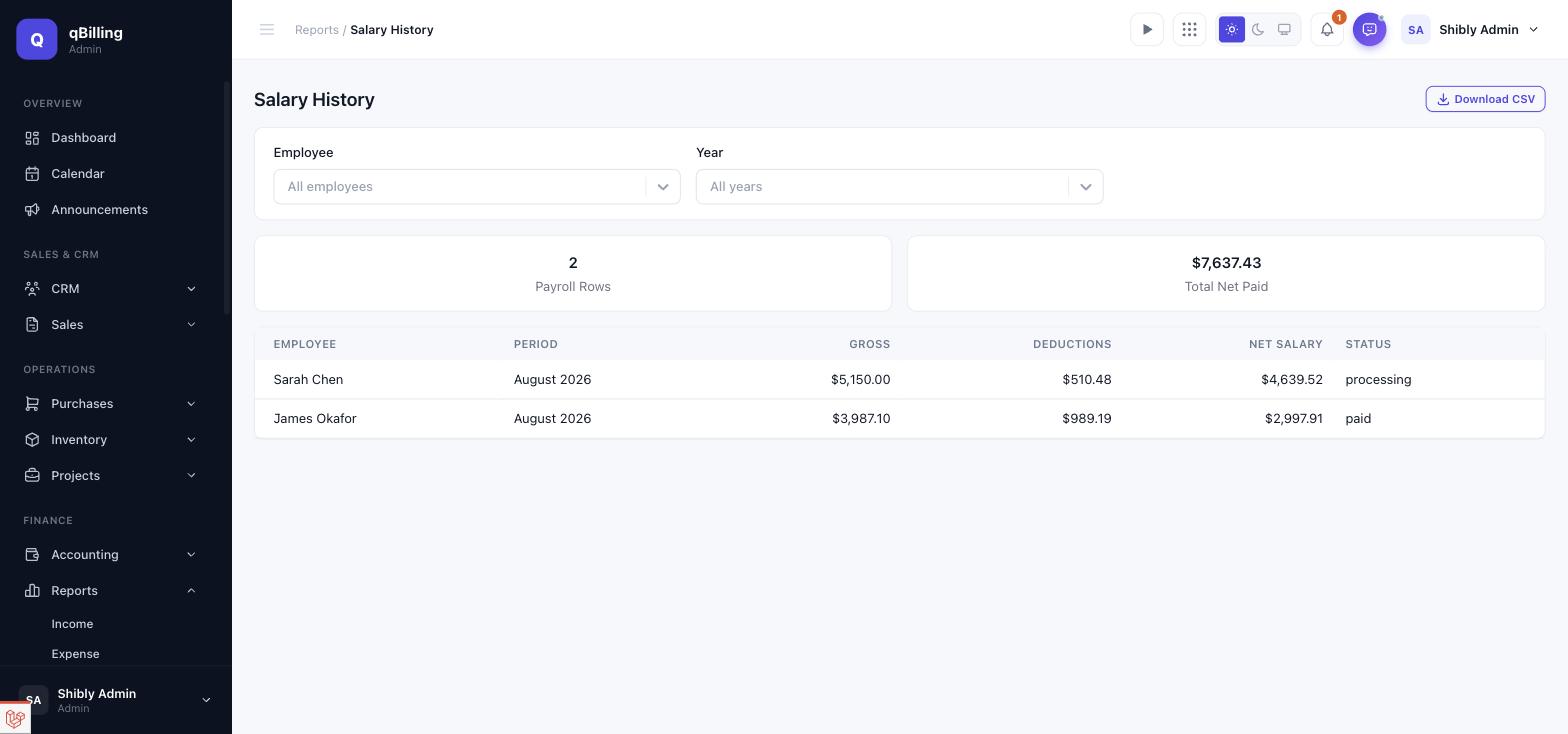
Eight reports — Salary History, Payslip History, Department Salary Cost, Total Payroll Expense, Tax Report, Overtime Report, Loan Deduction Report, and Attendance Impact Report — each with its own employee/period/year filter where relevant, a CSV export, and (where the data is a trend rather than a snapshot) a chart. All eight share one page layout, shown below with Salary History as the example.
MONTHLY AUTOMATION
A scheduled payroll:generate-monthly console command creates each new
calendar month's payroll period automatically and queues generation for every
still-eligible employee, for every tenant whose package actually grants the Payroll
entitlement — a tenant on a plan without it is never touched. Running it twice in
the same month is harmless: the period is only ever created once, and an employee
already generated for isn't generated again.
Tenant Admin Communication #back to top
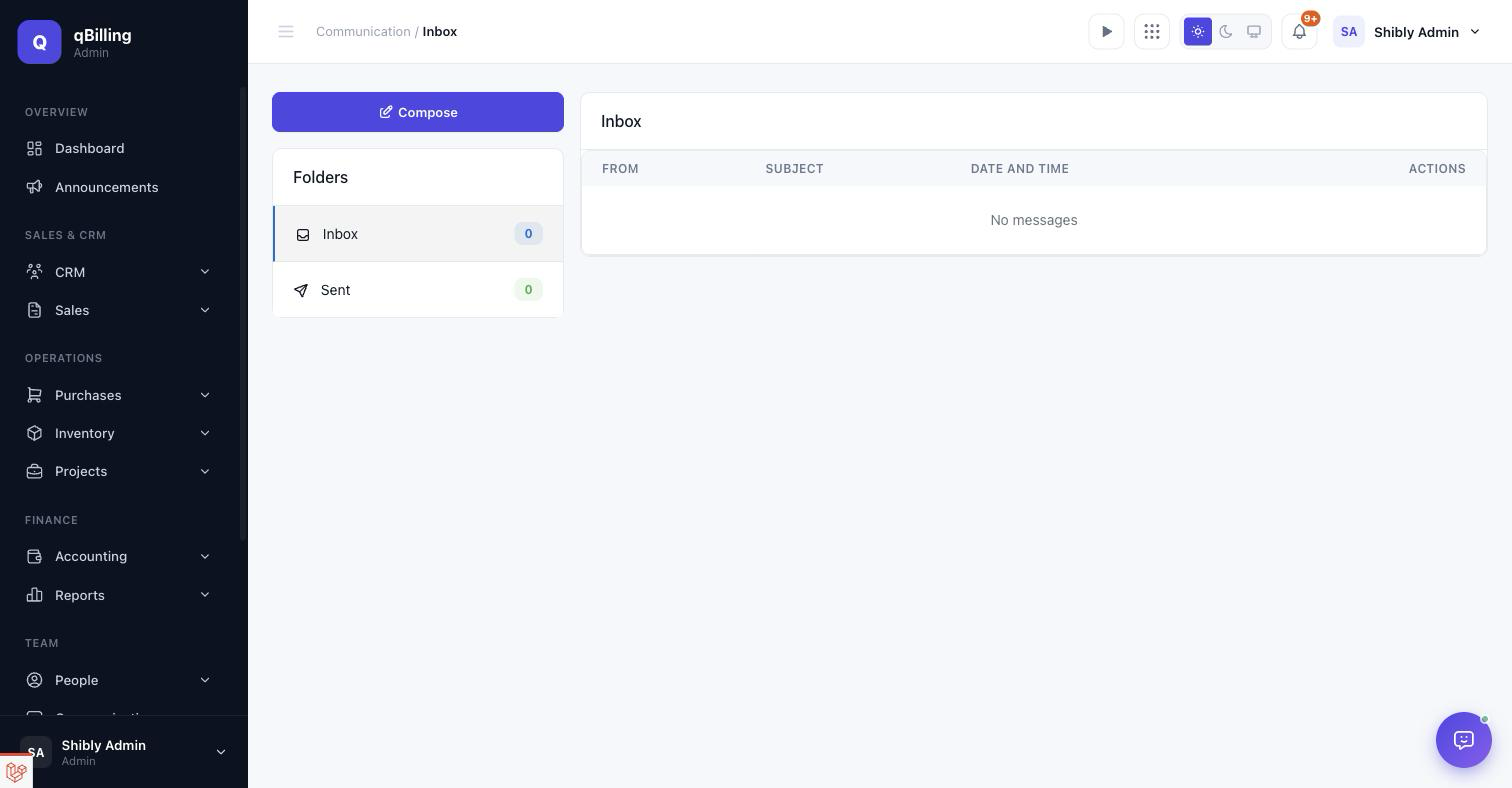
TEAM INBOX New
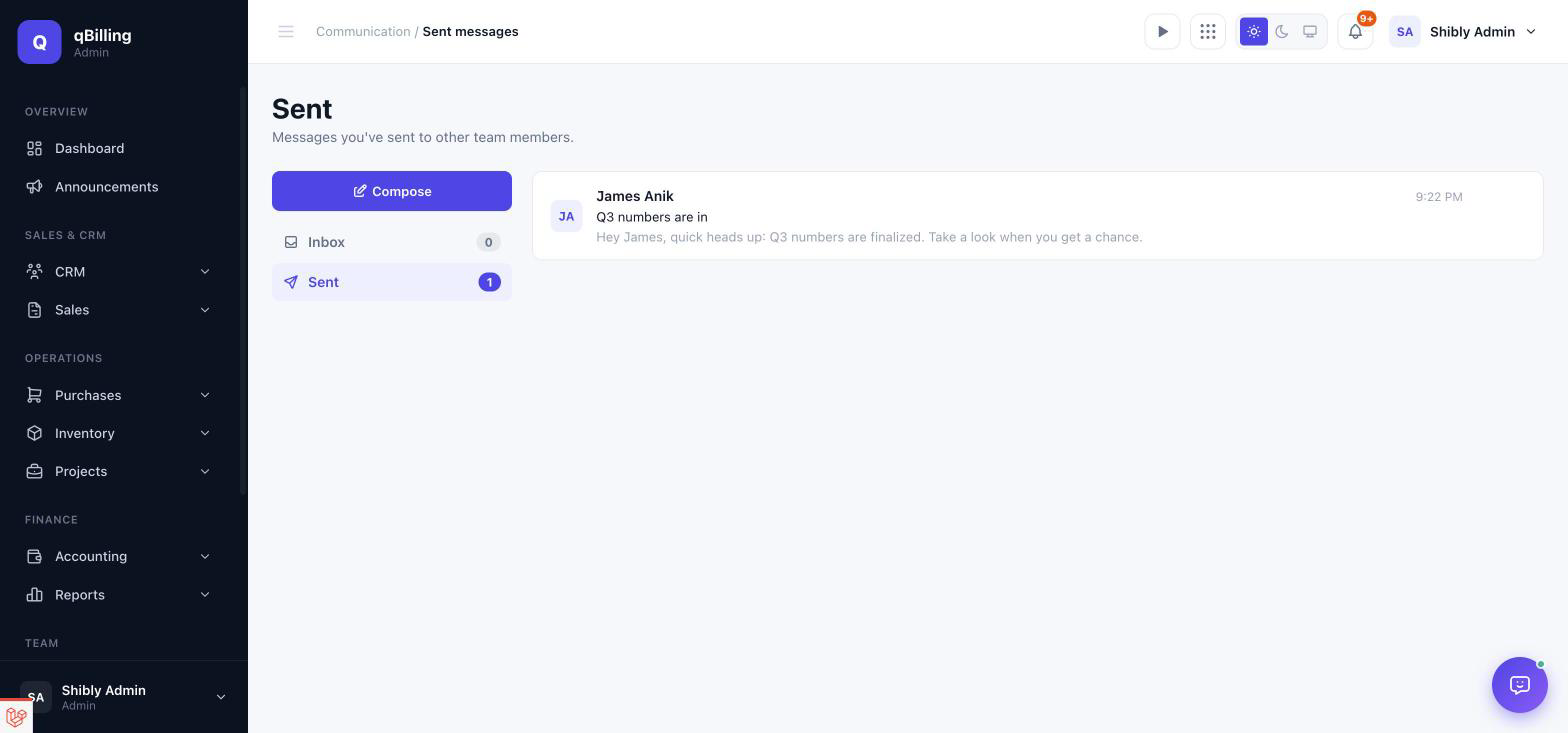
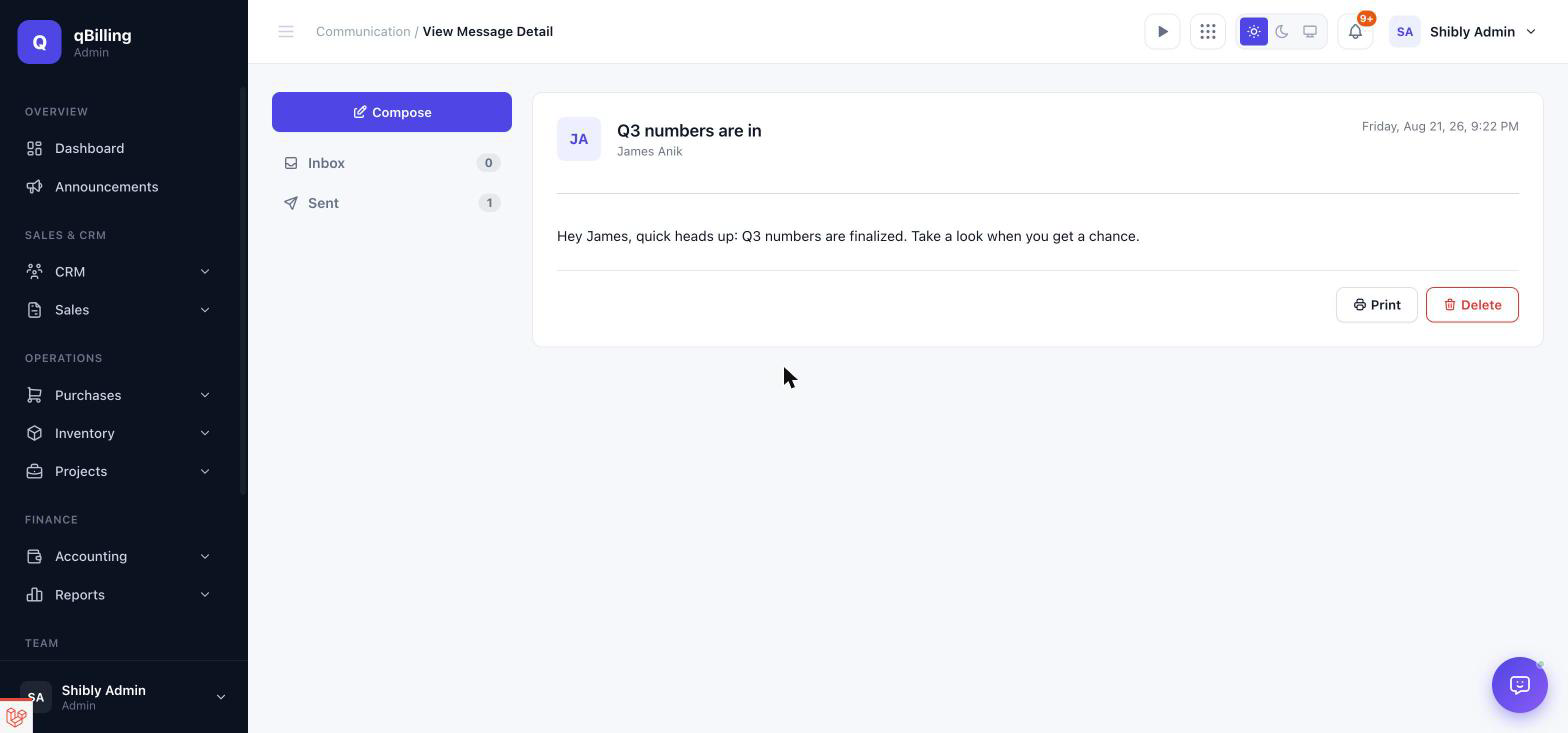
An internal message inbox between teammates — same sidebar + topbar shell as the rest of the tenant app, with unread state, avatars, and per-row delete. Sending a message also emails the recipient (via the matching Email Template, see the System Settings section below) so nothing gets missed just because someone isn't logged in.
COMMUNICATION HUB
An internal shared inbox for email-piped conversations, with reply/internal-note distinction, assign/close/reopen, and a "create Lead from this conversation" quick action.
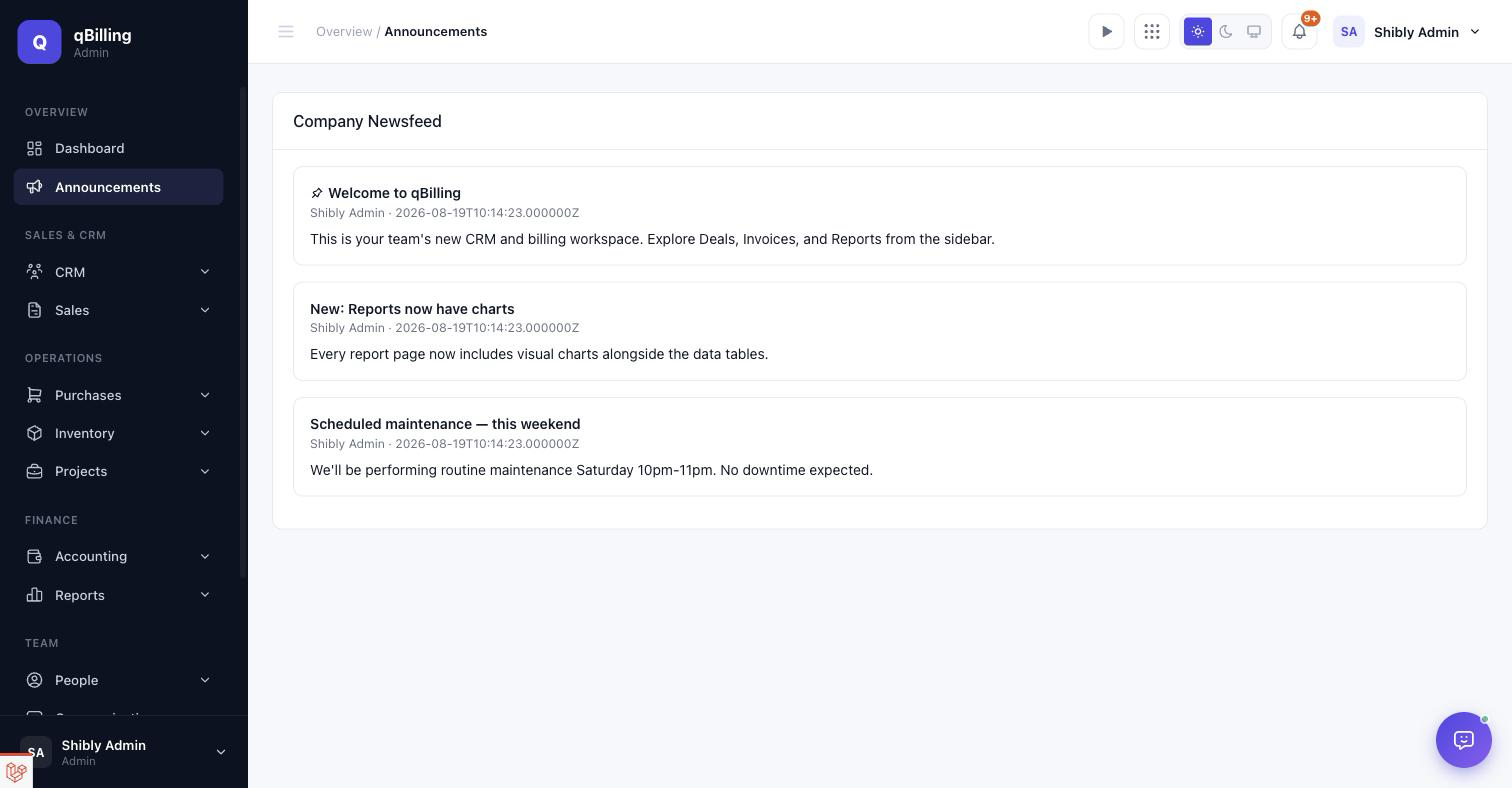
COMPANY NEWSFEED (ANNOUNCEMENTS)
Internal company-wide posts — pin one to have it show as a banner on every teammate's Dashboard, restrict visibility to a specific role, or leave it open to everyone.
Tenant Admin Knowledge Base #back to top
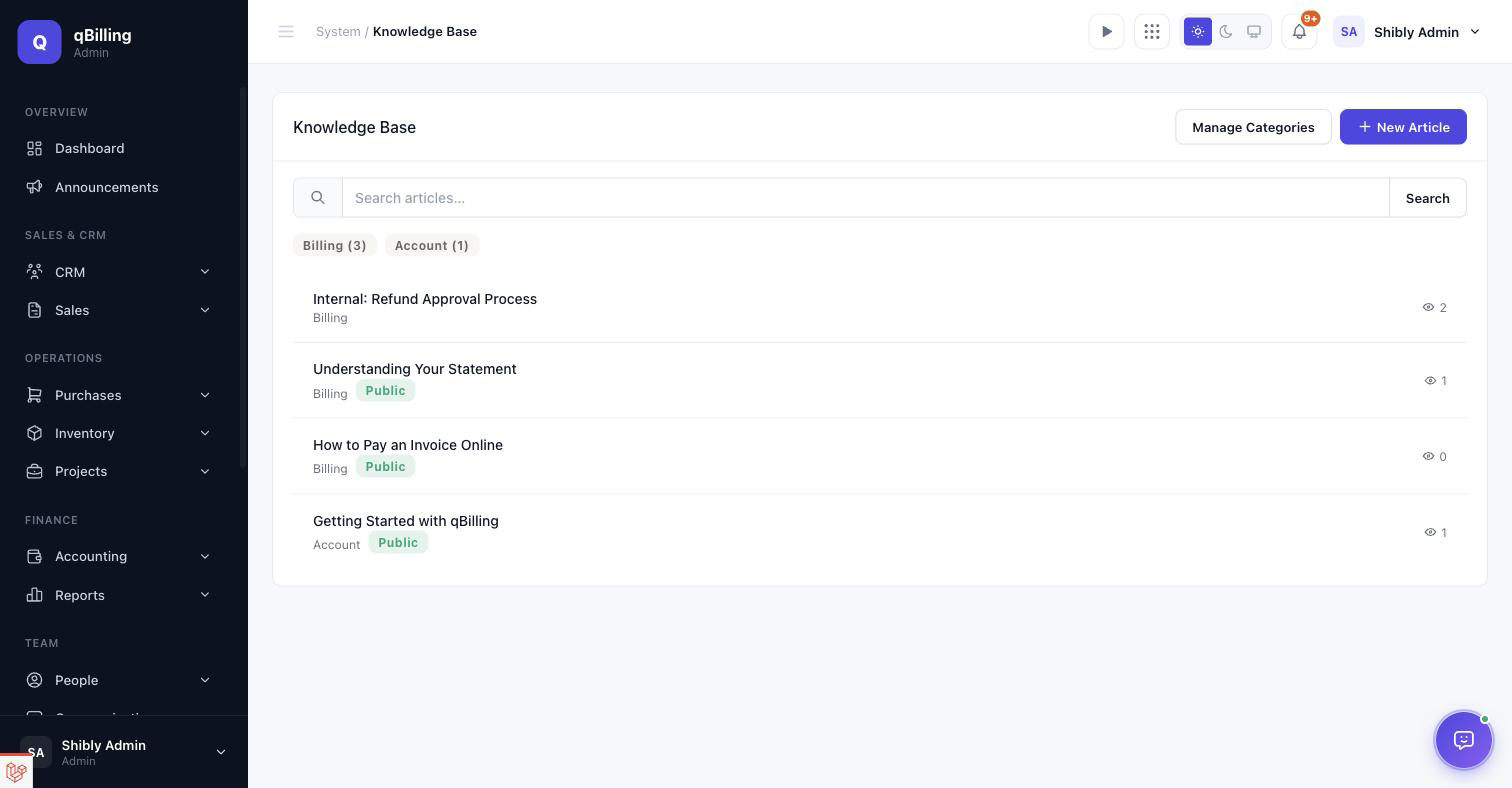
Staff-facing help articles, organized by category, with a view counter and internal/public visibility per article. "Public" articles are also what the Customer Portal's Help Center shows customers — see the Customer Portal section below.
Tenant Admin AI Assistant #back to top
A chat assistant and a passive daily digest that read your
live CRM/billing data and can draft records for you — gated behind two separate package
entitlements (ai_agent for chat, ai_insights for the digest),
so a package can grant either, both, or neither.
Per-role access. Having the plan entitlement isn't enough on its
own — a tenant admin also controls exactly who on their team can use the assistant
via a dedicated use_ai_assistant permission, assignable to any role
from Users, Roles & Activity Log → Custom Roles. A user without the
permission never sees the chat icon at all, regardless of the tenant's plan.
Bring your own key (BYOK). qBilling never holds a shared AI key and never meters tokens or bills for AI usage — connect your own OpenAI, Anthropic, Google Gemini, or any OpenAI-compatible provider account, and that provider bills you directly. Same pattern already used for the Stripe "Pay Now" links and WhatsApp/SMS: your own credentials, stored encrypted, used only for your own tenant.
CONNECT A PROVIDER
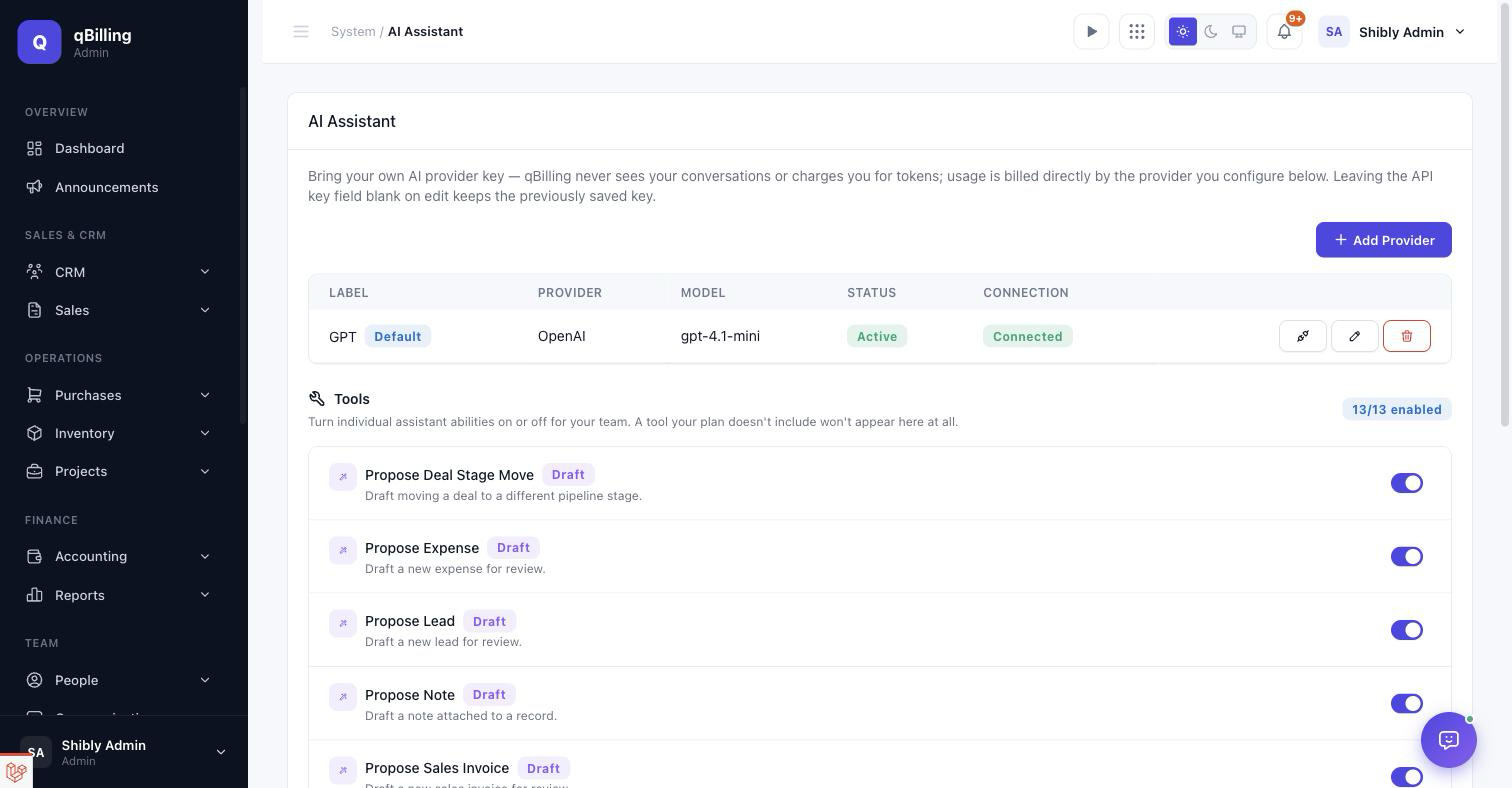
System → Settings → AI Assistant. Add a label, pick a provider, paste the API key, and optionally a default model — leave it blank to use the provider's default. Connect more than one and mark one as default; a "Custom (OpenAI-compatible)" option covers self-hosted or third-party OpenAI-compatible endpoints via a Base URL field. Test Connection makes one real, minimal call with the saved key and reports Connected or the exact error right in the row. Re-saving with the API Key field left blank keeps the previously saved key untouched, the same convention as every other credential field in Settings.
TOOLS
Below the provider table, a Tools list lets you turn individual assistant abilities on or off for your own team — separate from and in addition to whatever the platform itself allows. Each tool shows its name, a colored badge for what kind of thing it does (Lookup — read-only, never writes anything — or Draft — creates a pending draft, same rule as everywhere else), and a one-line description, with a switch to disable it for your team specifically. A tool your plan doesn't include, or the platform has disabled outright, simply won't appear here — there's nothing to toggle you couldn't use anyway.
CHAT
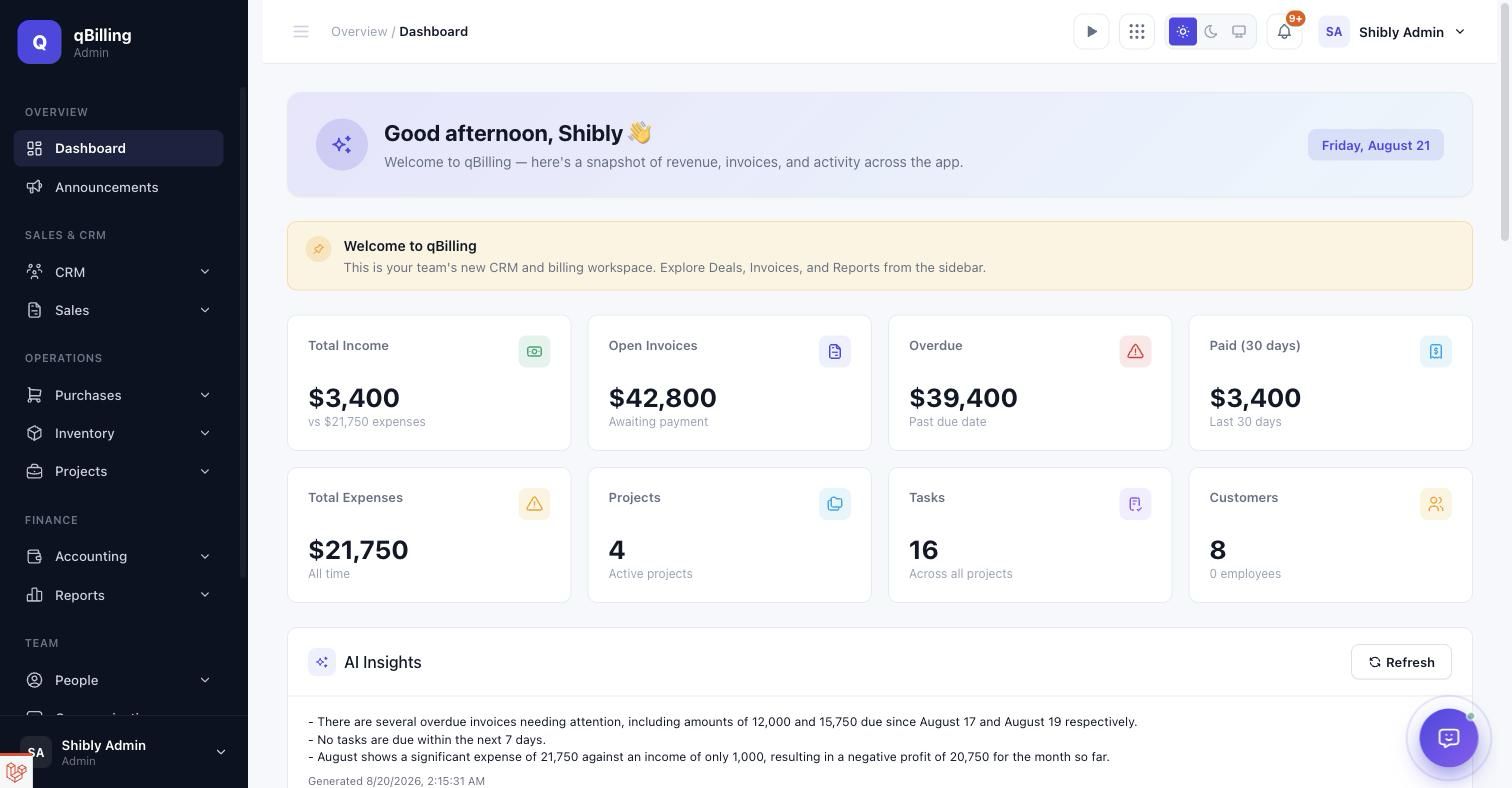
Once a provider is connected, an assistant icon appears in the topbar next to the notification bell — a soft pulsing ring and a green "online" dot mark it as an always-available AI entry point. Ask about your data in plain language — "which invoices are overdue," "what deals are in the Proposal stage," "summarize this month's income vs. expenses" — and the assistant answers using live tool calls against real records, in natural sentences with proper formatting rather than a raw data dump, streaming in with a brief typing animation.
Ask it to do something — add a task, log an expense, draft an invoice — and it never writes directly. Every such request produces a draft card inline in the chat with the exact fields it would create; review it and click Apply to actually create the record (through the same validation and plan-limit checks the manual forms use) or Dismiss to discard it. Nothing changes in your account without that explicit click.
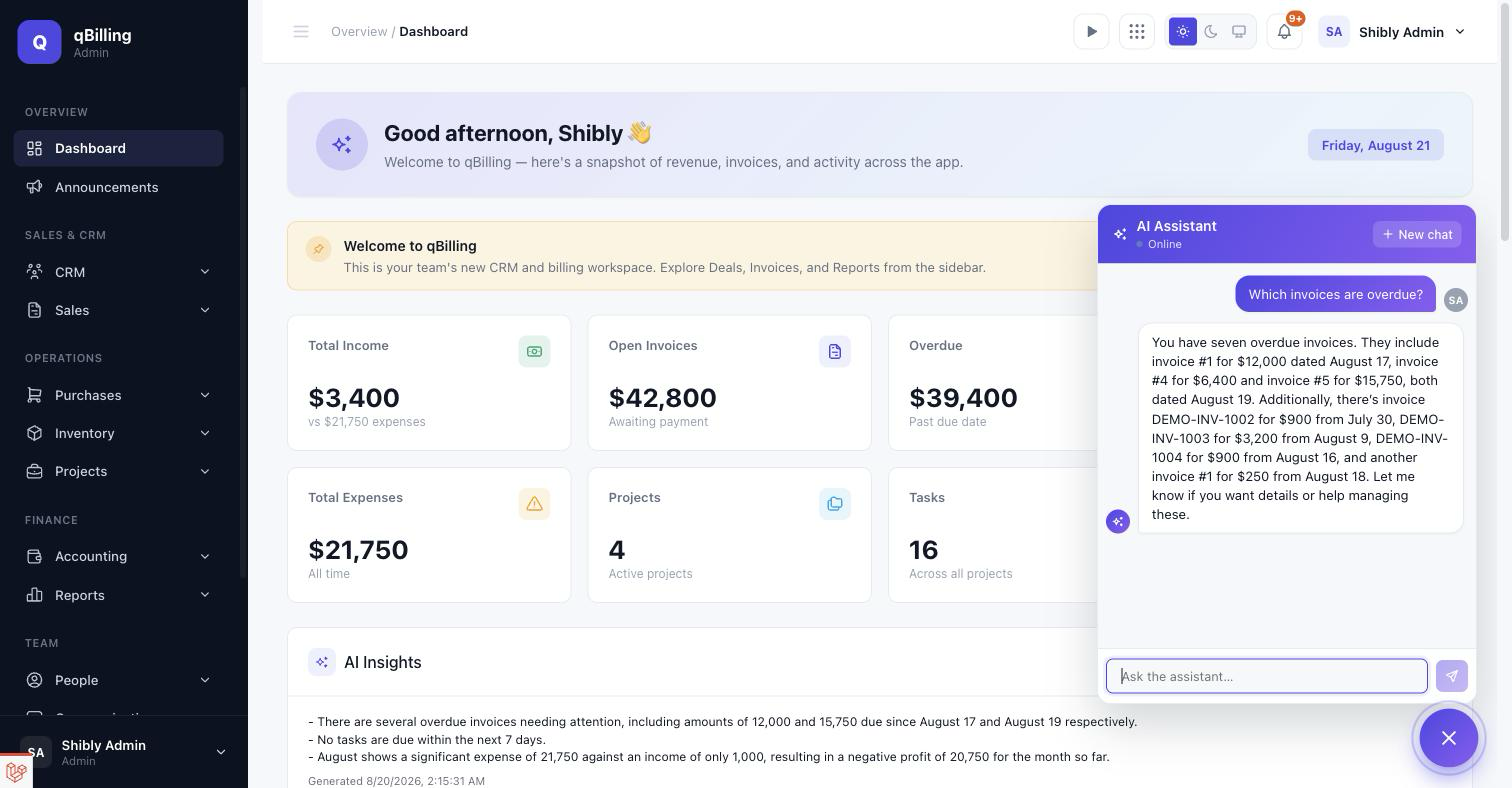
DASHBOARD INSIGHTS
A separate, passive feature (its own ai_insights entitlement — a
package can include this without including the chatbot) that posts a short "what
needs attention today" digest on your Dashboard: overdue invoices, upcoming tasks,
and income/expense trends, condensed into a few plain-language bullet points. It
refreshes automatically once a day for any tenant with a provider connected, or
click Refresh for an on-demand update any time.
WHAT IT CAN AND CAN'T DO
Read tools: invoices, overdue invoices, customers, deals by stage, upcoming tasks, open support tickets (with the Support Desk entitlement), and income/expense summaries. Draft tools: expenses, sales invoices, tasks, moving a deal to a different pipeline stage, leads, and notes — all draft-only, as above. Deliberately out of scope: it never sends money, never emails or texts a customer directly, and never deletes anything — and it refuses any attempt to get it to ignore its own instructions, even phrased as "pretend" or "developer mode."
Tenant Admin System Settings #back to top
Settings live under their own sidebar submenu — each of the 10 sections below is its own URL, not a client-side tab switch.
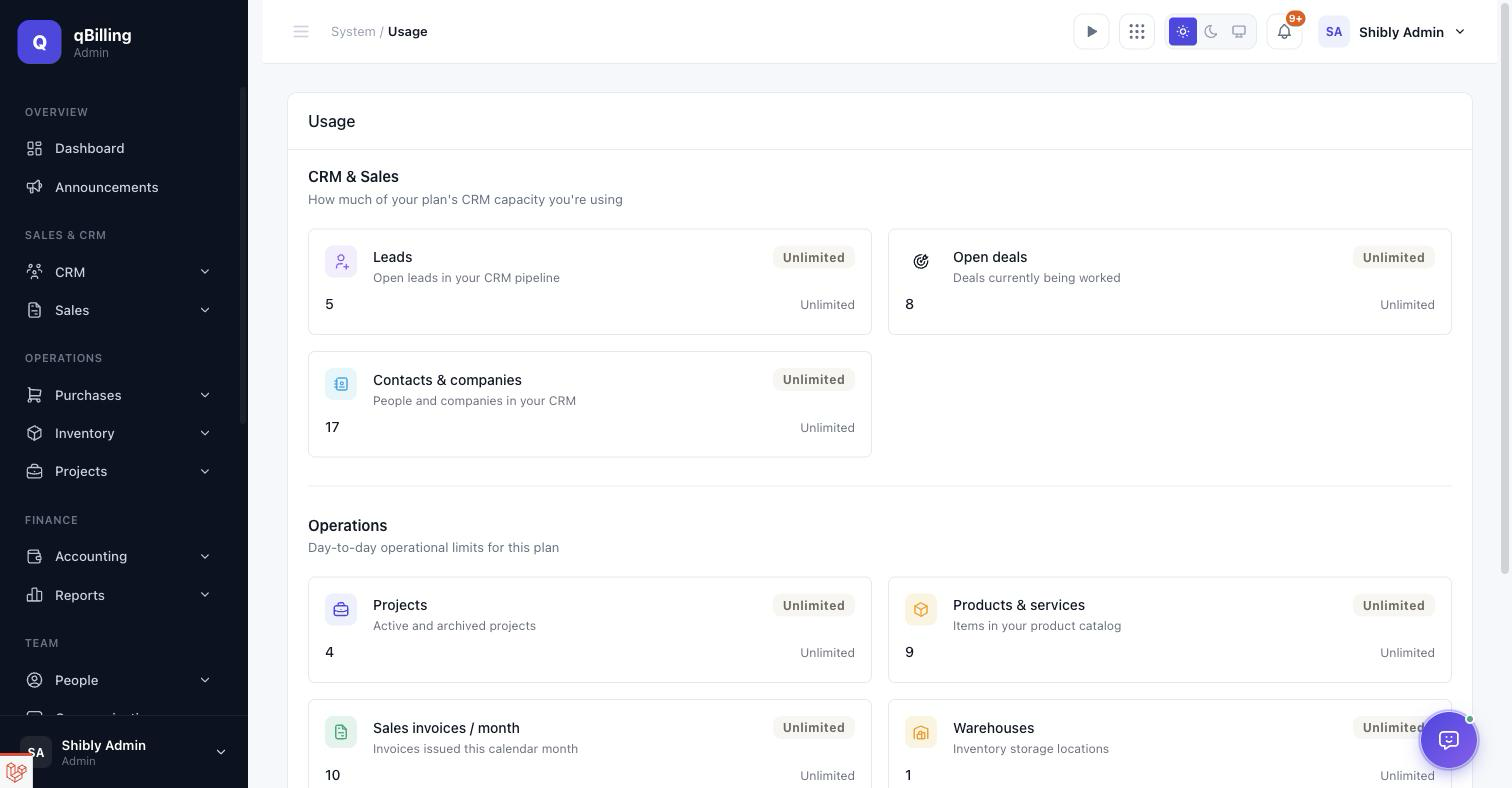
APPLICATION SETTINGS Redesigned
Company name, tax ID, address, and contact details, laid out as icon-badge sections with a live logo preview and a "profile complete" indicator instead of a plain stacked form. The Country field — never actually required for billing — has been removed to keep the form focused on what matters.
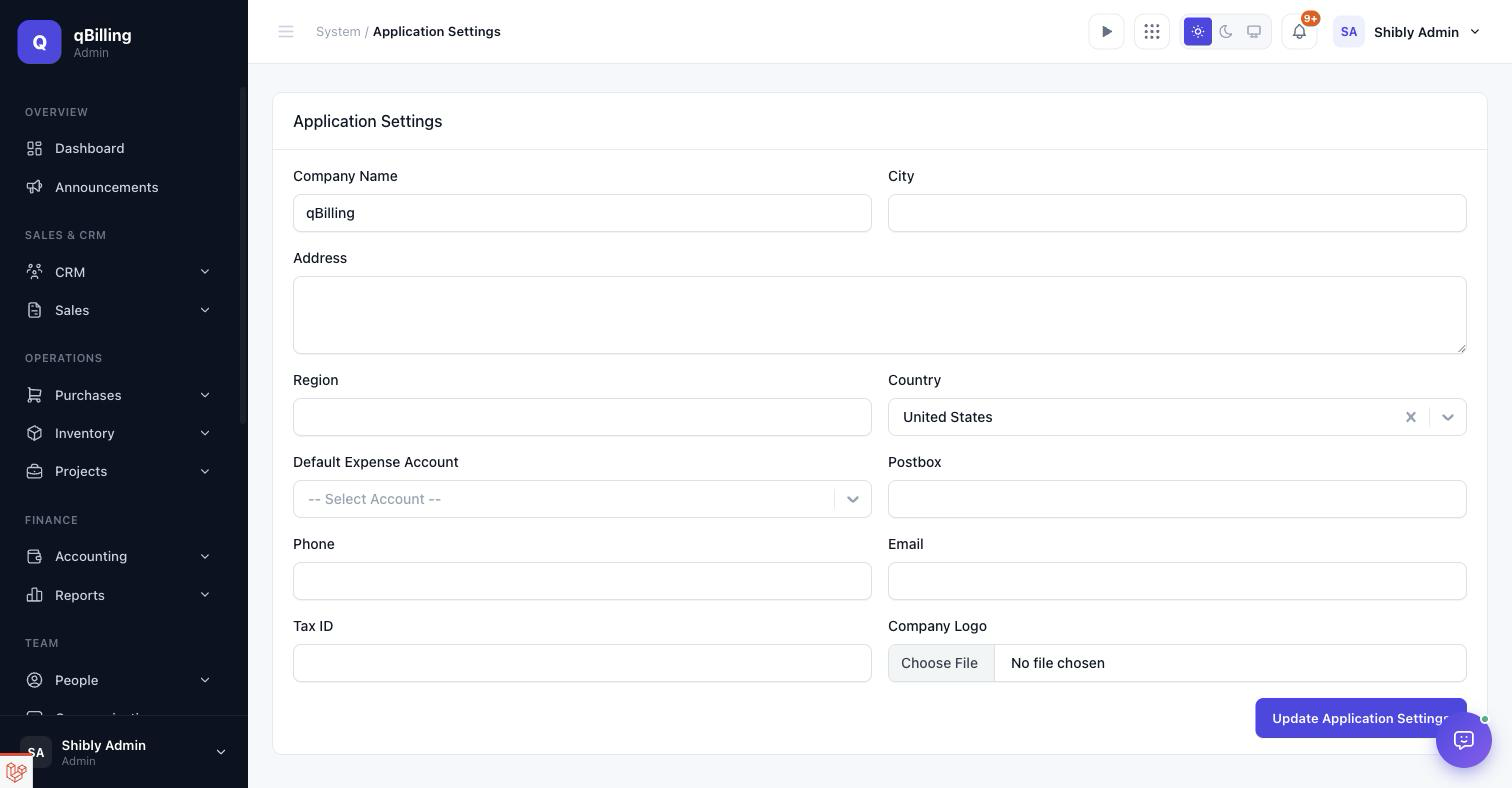
WHATSAPP/SMS
Twilio (SMS) and Meta WhatsApp Cloud API credentials for automated overdue-invoice
reminders — a real REST integration against both providers' live APIs, gated behind
the whatsapp_sms package entitlement.
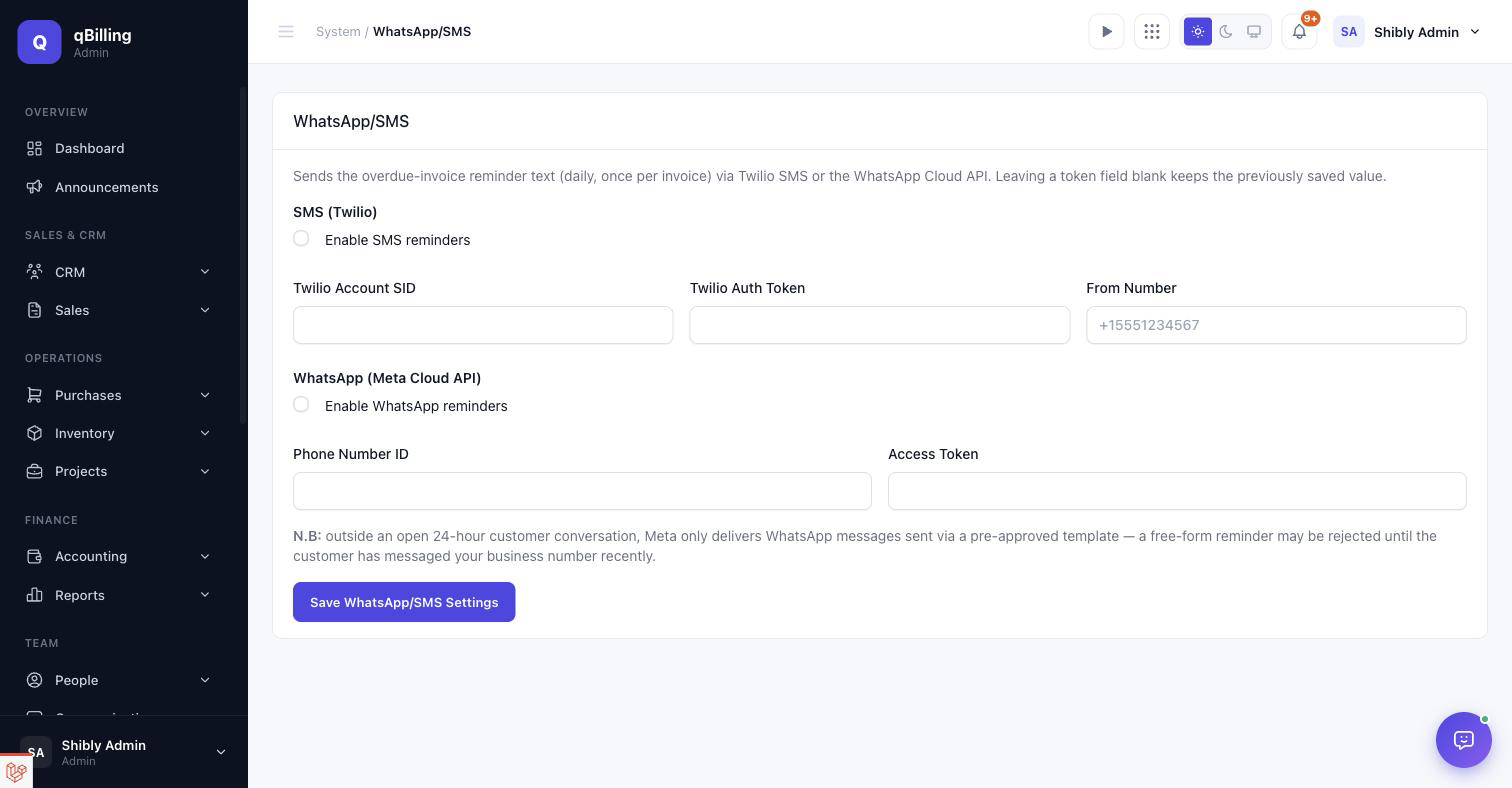
USAGE Redesigned
Live counts against your package's plan limits — leads, deals, contacts, projects, products, invoices/month, warehouses, team members, storage — now a compact list of rows instead of a grid of bordered boxes.
Other sections, not separately screenshotted: Email (outbound SMTP),
Preferences (misc. app-wide toggles), Security
(password policy + MFA requirement), Notifications (per-type channel
opt-out), Portal Branding (customer-portal logo, display name, and
accent color — gated behind the portal_white_label entitlement, and the
same branding also drives the tenant admin sidebar logo/name and every outgoing
email once connected), Payment Gateway (per-tenant Stripe keys that
power the public invoice "Pay Now" checkout link), and AI Assistant
(bring-your-own provider key — see the AI Assistant section
above for the full walkthrough).
Tenant Admin Email Templates New #back to top
Every email qBilling can send — invoice/quote delivery,
payment receipts, welcome emails, password resets, portal invitations, ticket
notifications, contract renewal reminders, SLA breach alerts, and internal team
messages — lives here as one editable catalog, gated behind its own
email_template_setting permission so it's assignable to any custom role
like every other permission.
THE CATALOG
Grouped by category (Sales, Account, Support, General) with an inline enable/disable switch per template — turn any single automated email off without touching the code that triggers it. A brand-new tenant gets the full catalog seeded automatically the moment their account is provisioned.
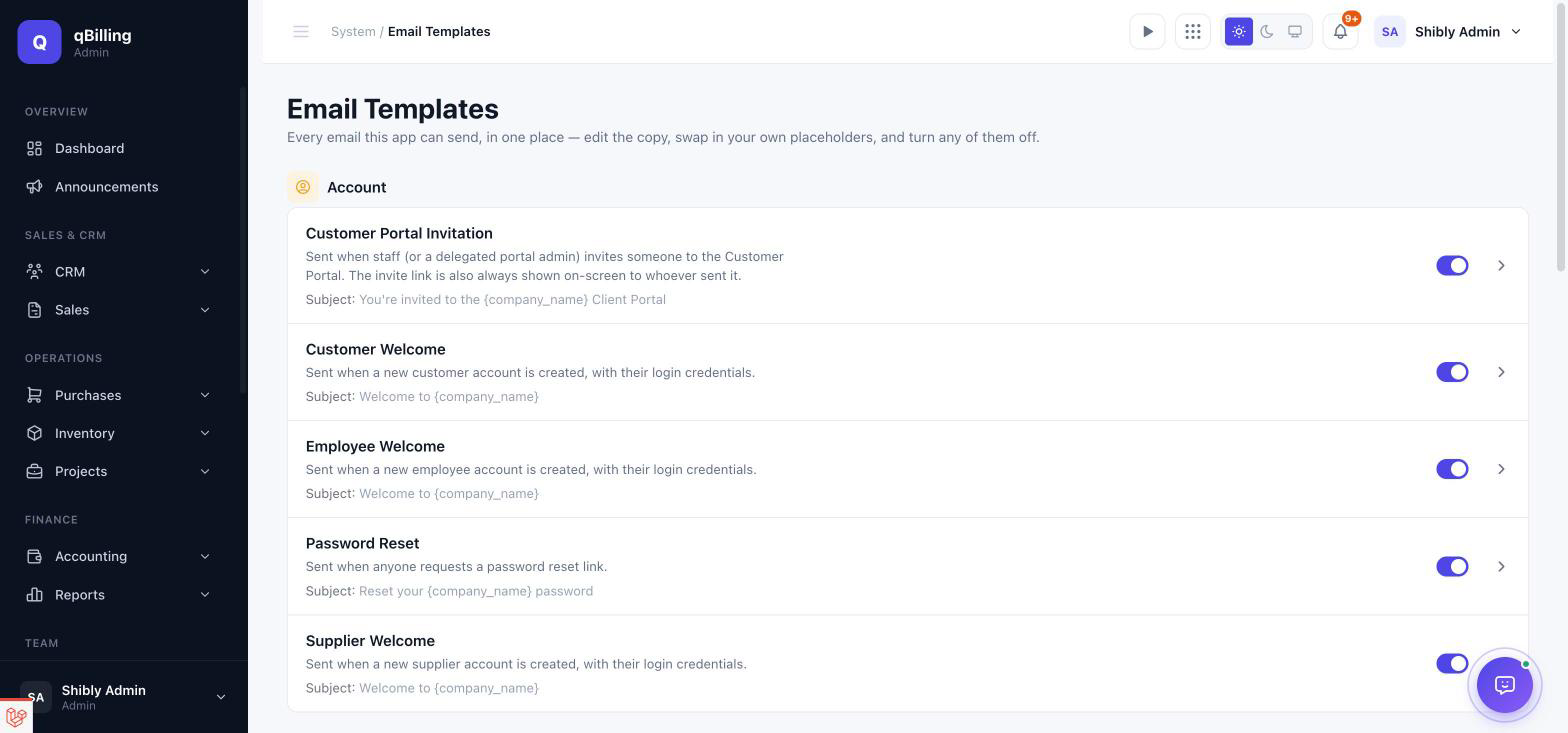
EDITING A TEMPLATE
A rich-text editor for the body, a click-to-copy placeholder panel on the right (every token the template supports, swapped for the real value right before sending), a live Preview toggle that renders the template with sample data, and a Send Test button that emails the current admin exactly what a real recipient would get.
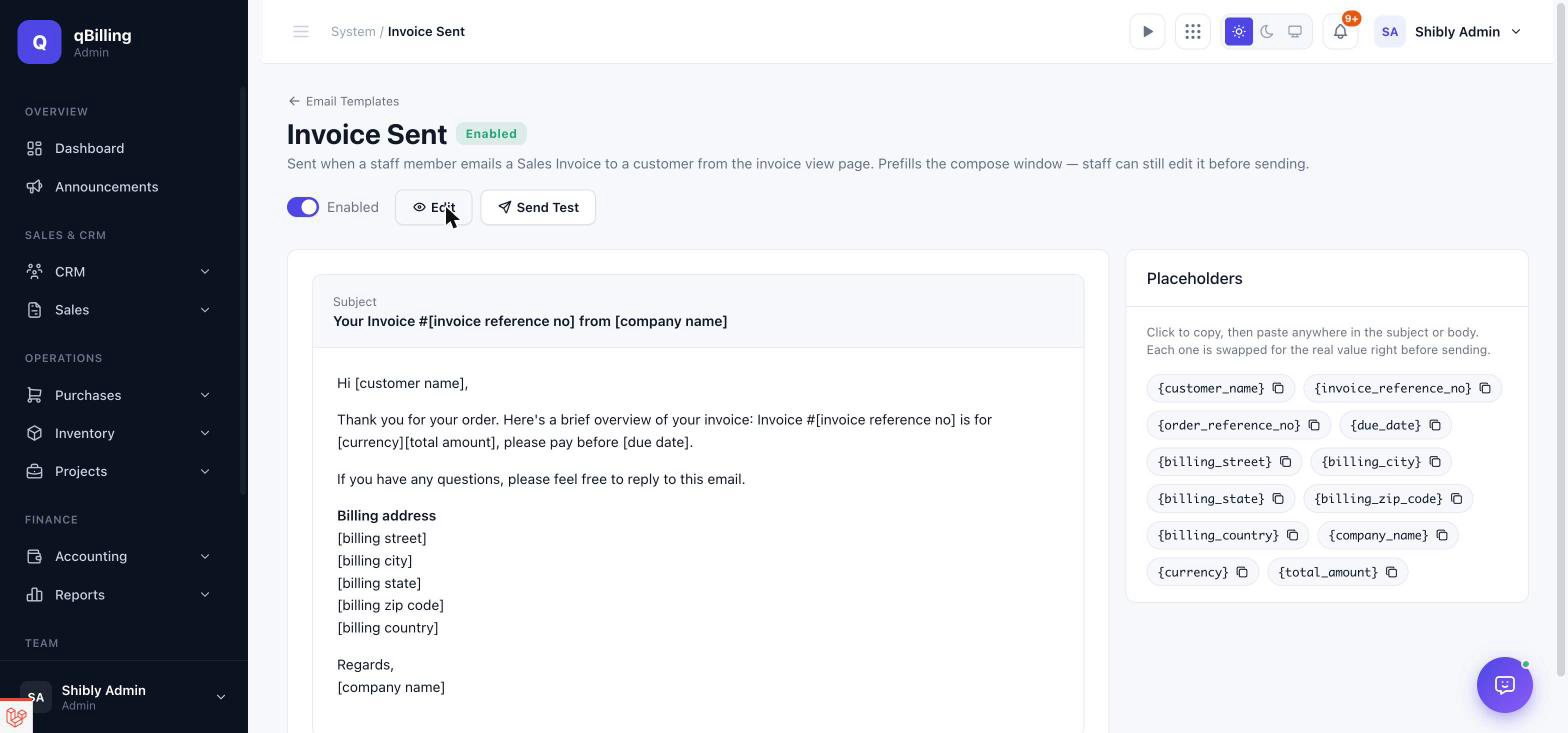
YOUR OWN BRANDING
Every email — templated or the invoice/quote "send with attachment" flow — renders inside the same branded layout: your logo (or company name if you haven't uploaded one), your portal accent color, and a consistent footer. Set your own outbound SMTP under Settings → Email so mail sends from your own domain instead of the platform's shared mailer.
Tenant Admin Custom Fields, API & Webhooks #back to top
CUSTOM FIELDS Redesigned
Add extra fields to Leads, Deals, Contacts, Sales Invoices, Projects, Companies, Products, or Customers without touching code — tabbed by which record type they attach to, each tab showing a live field count. Twelve field types are supported — Text, Text Area, Number, Currency, Date, Date & Time, Checkbox, Dropdown, Multi-Select, Email, URL, and Phone — each with its own type-appropriate validation (a real email/URL format check, numeric bounds for Currency/Number, and so on) instead of every field being a plain text box underneath.
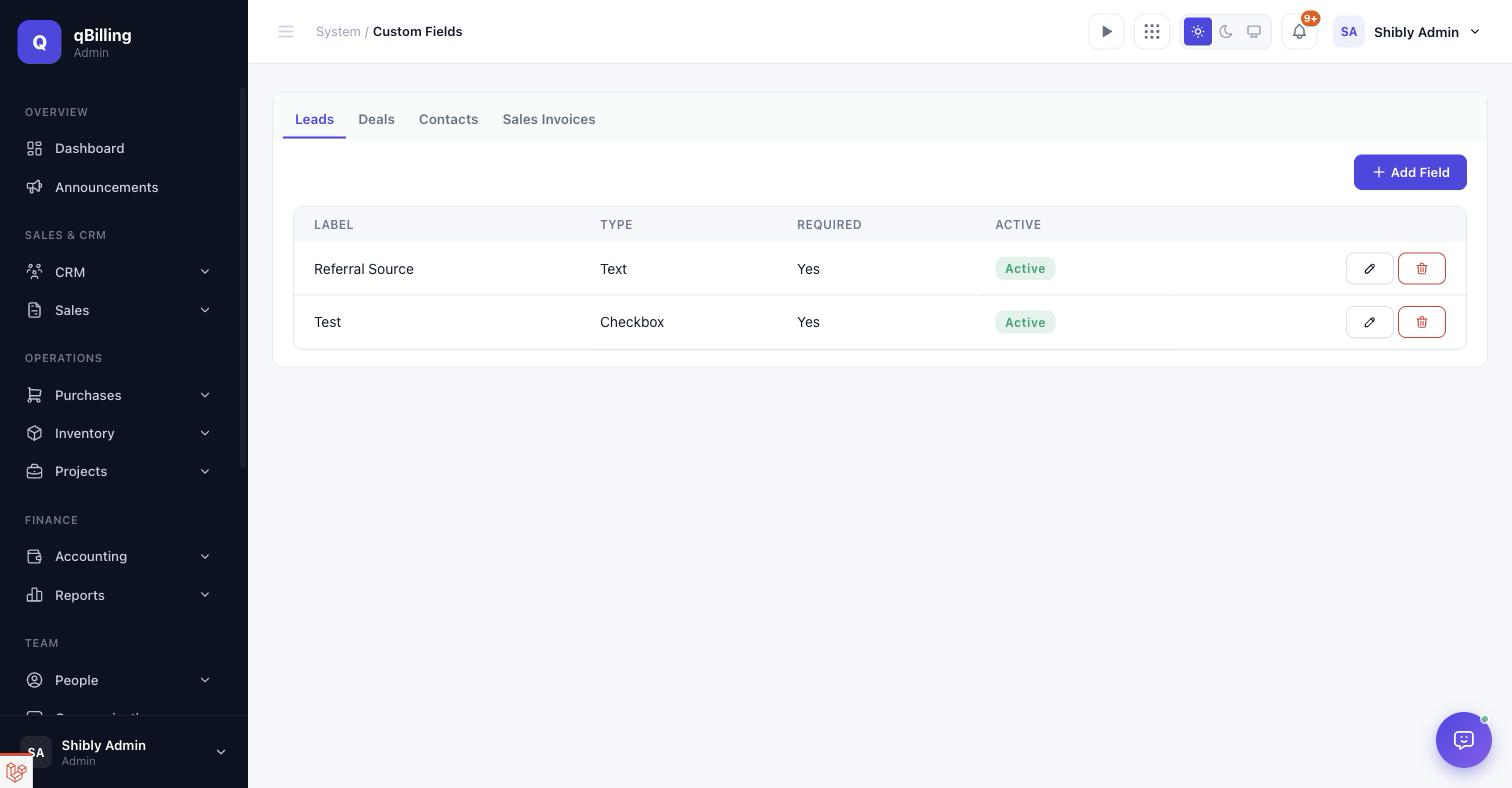
HELP DESK SETTINGS
Departments, Services, Canned Replies, SLA Policies, and Email Piping for the Tickets module, all under one tabbed screen.
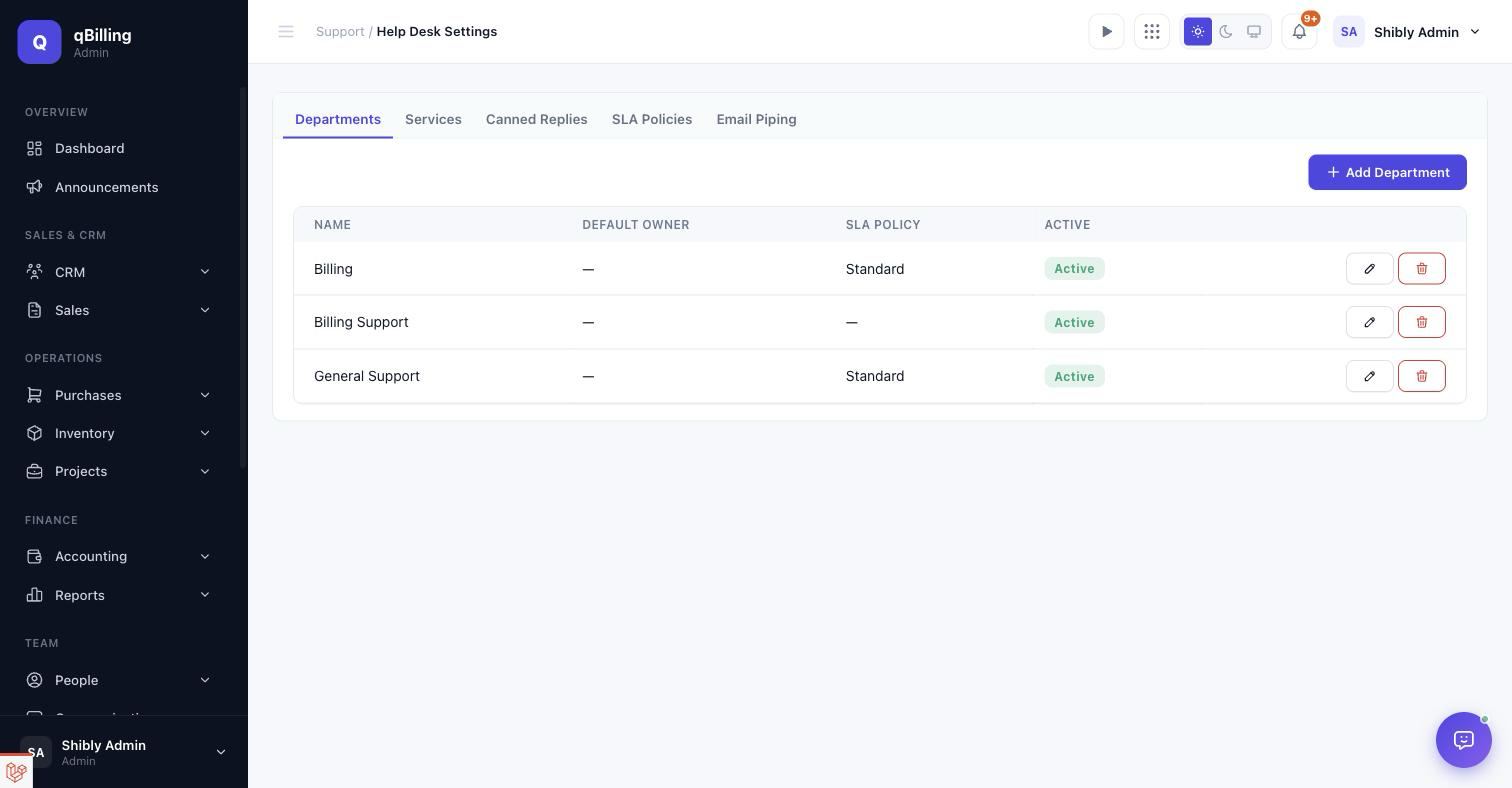
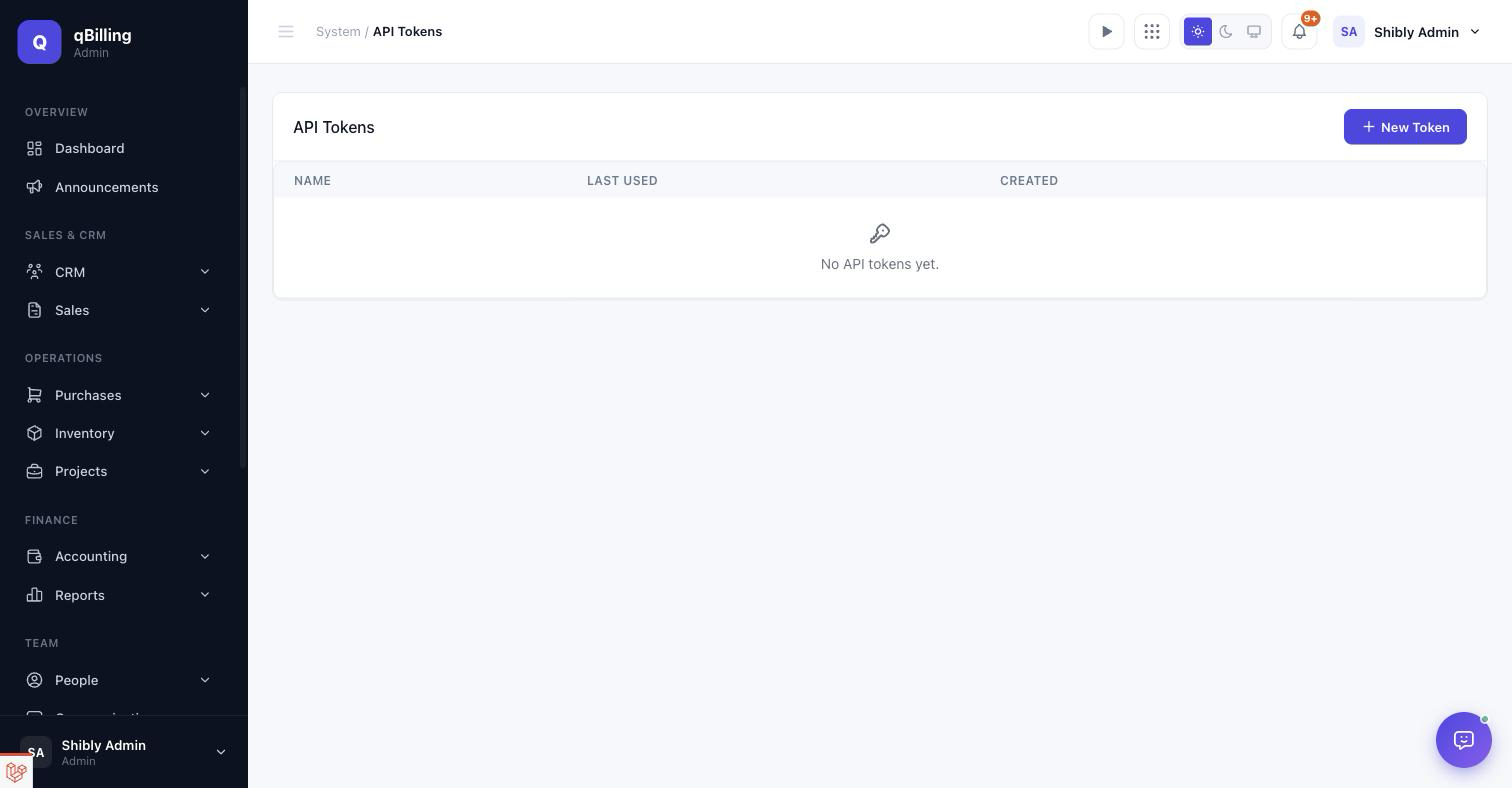
API TOKENS
Personal access tokens for the REST API (/api/v1 — Leads, Contacts,
Deals, Tickets, full CRUD), requires the api.access entitlement and is
rate-limited per package tier. Generated from Settings → API Tokens.
Full endpoint-by-endpoint reference, auth, pagination, and error format:
REST API Reference.
WEBHOOKS
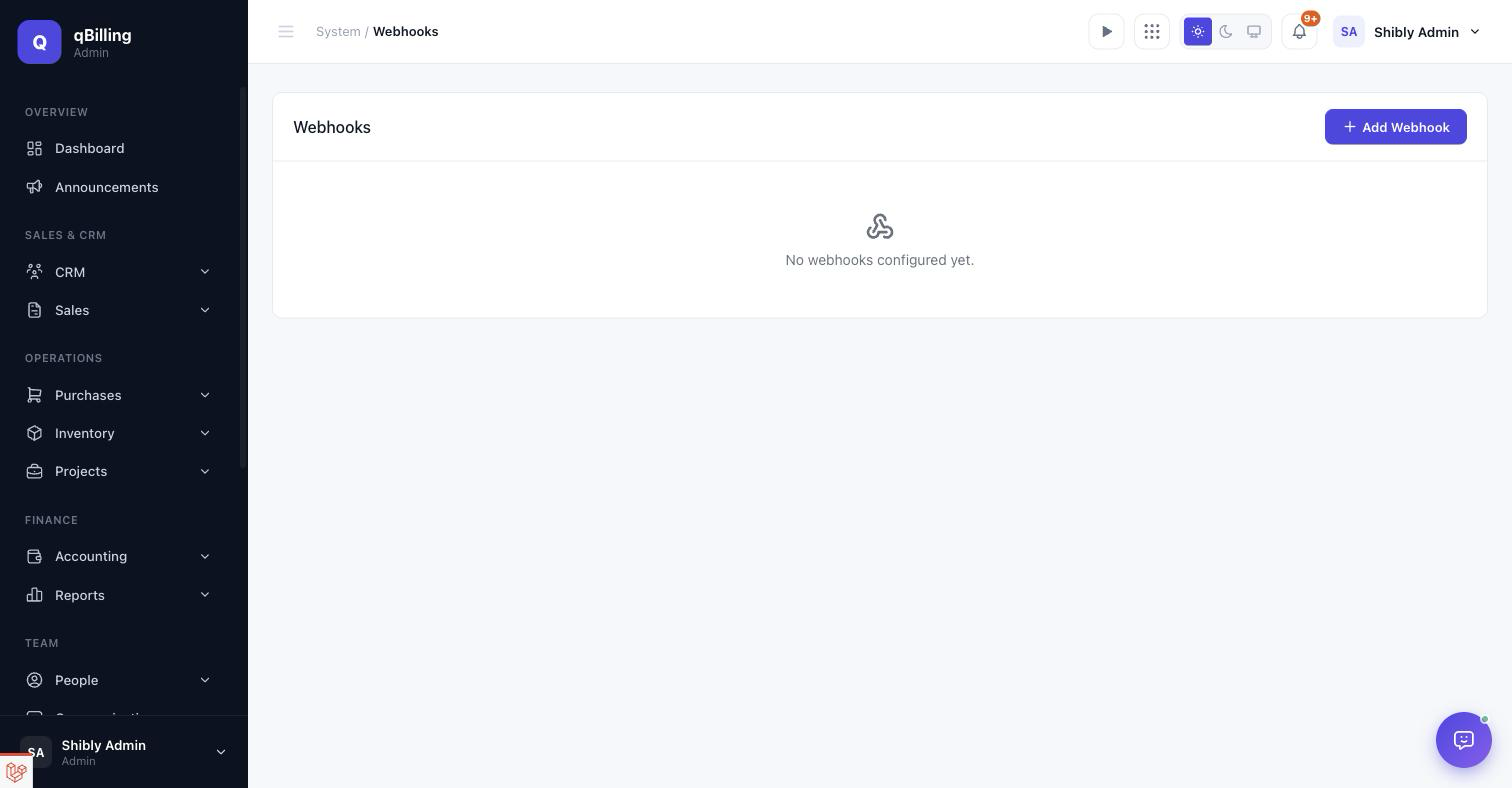
Tenant-configurable outbound webhooks for CRM events (deal stage changes, ticket created, SLA breached), HMAC-SHA256-signed and retried with backoff on failure. Full payload schemas and signature verification: Webhooks Reference.
Reference REST API Reference #back to top
qBilling ships a versioned, token-authenticated REST API covering the CRM core: Leads, Contacts, Deals, and Tickets. It is the same validation and authorization logic used by the tenant web app — nothing is a second implementation that can drift out of sync.
OVERVIEW
- Base URL:
https://<your-install-domain>/api/v1— e.g.https://qbilling.test/api/v1on this local Herd install. - Format: JSON in, JSON out. Send
Content-Type: application/jsonandAccept: application/jsonon every request. - Transport: HTTPS only in production. Every route in this
reference lives under
routes/api.php'sRoute::prefix('v1')group. - Single-domain multi-tenancy: there is no per-tenant subdomain — the token you authenticate with determines which tenant's data you see.
AUTHENTICATION
Authentication is via Laravel Sanctum personal access tokens, one per integration/purpose.
- Log in to the tenant app and go to Settings → API Tokens.
- Give the token a name (e.g. "Zapier integration") and click Create.
- Copy the plain-text token immediately — it is shown once, and
only the hashed form is stored afterward (
ApiTokenController::store()). - Send it on every request as a bearer token:
curl https://qbilling.test/api/v1/leads \
  -H "Authorization: Bearer 1|kf83j...yourfulltoken" \
  -H "Accept: application/json"
Tokens are created with the ['*'] ability (full access) — v1 has no
scoped/limited-ability tokens. Revoke a token any time from the same screen; a
revoked token fails auth immediately on its next request.
TENANT SCOPING
You never pass a tenant ID. A Sanctum token belongs to a user, and that user
belongs to exactly one tenant — TenantContext::id() resolves the
active tenant straight from the authenticated Sanctum guard on every request, and
every model query is automatically scoped to it via the same
BelongsToTenant global scope the web app uses. Passing another
tenant's record ID simply 404s; there is no cross-tenant read/write path.
PERMISSIONS
Authentication proves who you are; it does not by itself grant access to an
endpoint. The token owner's user account must still hold the matching permission
(Spatie laravel-permission) for the action being performed, exactly as
in the web UI:
| Resource | View (index/show) | Create | Edit | Delete |
|---|---|---|---|---|
| Leads | view_lead | create_lead | edit_lead | delete_lead |
| Contacts | view_contact | create_contact | edit_contact | delete_contact |
| Deals | view_deal | create_deal | edit_deal | delete_deal |
| Tickets | view_ticket | create_ticket | edit_ticket | delete_ticket |
Missing the permission returns 403 with no body
(abort_unless(..., 403) in each controller action).
PLAN REQUIREMENT (ENTITLEMENT)
The entire /v1 group is gated behind the api.access
entitlement (Route::middleware([..., 'entitlement:api.access'])). If
the tenant's current package doesn't include it, every call fails before it reaches
a controller:
HTTP/1.1 403 Forbidden
{
  "message": "Your current plan does not include this feature. Upgrade to unlock it."
}
A Platform Admin attaches/detaches api.access per package from
Platform Admin → Packages (see Multi-Tenancy
& Packages).
RATE LIMITING
All /v1 routes carry throttle:api, a named rate limiter
defined once in AppServiceProvider::boot() and shared with every other
usage-limited feature in the app — not a bespoke API-only config value:
- Default: 300 requests/minute per tenant.
- Configurable: a package's
api_rate_limit_per_minutelimit (set from Platform Admin → Packages → Limits) overrides the default for every tenant on that package. - Keyed by: the authenticated user's ID (falls back to request IP if somehow unauthenticated).
Exceeding the limit returns a standard Laravel 429 Too Many Requests
with a Retry-After header.
PAGINATION
Every index endpoint returns Laravel's default length-aware paginator shape. Control
page size with ?per_page= (default 25):
curl "https://qbilling.test/api/v1/leads?per_page=50&page=2" \
  -H "Authorization: Bearer 1|kf83j...yourfulltoken"
{
  "data": [ { "id": 51, "first_name": "Amy", "...": "..." } ],
  "links": { "first": ".../leads?page=1", "last": ".../leads?page=6", "prev": ".../leads?page=1", "next": ".../leads?page=3" },
  "meta": { "current_page": 2, "from": 51, "last_page": 6, "path": ".../leads", "per_page": 50, "to": 100, "total": 274 }
}
ERROR & RESPONSE FORMAT
| Status | When | Body |
|---|---|---|
200 | Successful GET/PUT/PATCH | Resource JSON (list requests wrap it in data/links/meta) |
201 | Successful POST | The created resource, unwrapped at the top level |
204 | Successful DELETE | No body |
403 | Permission missing, or plan lacks api.access | No body, or {"message": "..."} for the plan case |
404 | Record doesn't exist, or belongs to another tenant | {"message": "No query results for model [...] {id}"} |
422 | Validation failed | {"message": "The given data was invalid.", "errors": {"field": ["reason"]}} |
429 | Rate limit exceeded | Retry-After header, empty body |
ENDPOINTS AT A GLANCE
| Resource | List | Get one | Create | Update | Delete |
|---|---|---|---|---|---|
| Leads | GET /leads | GET /leads/{id} | POST /leads | PUT/PATCH /leads/{id} | DELETE /leads/{id} |
| Contacts | GET /contacts | GET /contacts/{id} | POST /contacts | PUT/PATCH /contacts/{id} | DELETE /contacts/{id} |
| Deals | GET /deals | GET /deals/{id} | POST /deals | PUT/PATCH /deals/{id} | DELETE /deals/{id} |
| Tickets | GET /tickets | GET /tickets/{id} | POST /tickets | PUT/PATCH /tickets/{id} | DELETE /tickets/{id} |
All paths are relative to /api/v1, e.g. GET
/api/v1/leads/42.
Every endpoint below has a full worked example — request and response — with
cURL and PHP (Illuminate\Support\Facades\Http)
tabs, the same way the in-app API Reference under Settings → API Tokens
presents them. Click a tab to switch language; Copy copies exactly
what's showing.
LEADS
Backed by App\Models\Lead / LeadController /
LeadRequest / LeadResource.
| Field | Type | Rules |
|---|---|---|
first_name | string | required, max:191 |
last_name | string | nullable, max:191 |
email | string | nullable, valid email, max:191 |
phone | string | nullable, max:50 |
company_name | string | nullable, max:191 |
value | number | nullable, numeric, min:0 |
source_id | integer | nullable, must exist in lead_sources |
status | string | nullable, one of new, contacted, qualified, unqualified, converted, lost — defaults to new if omitted on create |
owner_id | integer | nullable, must exist in users |
lost_reason | string | nullable, max:191 |
tags | string | nullable, max:250 — free text, not an array |
Response also includes a read-only score (lead-scoring output —
cannot be set through this API) plus id, created_at,
updated_at.
GET /api/v1/leads
curl "https://qbilling.test/api/v1/leads?per_page=25" \
  -H "Authorization: Bearer 1|kf83j...yourfulltoken" \
  -H "Accept: application/json"
<?php

use Illuminate\Support\Facades\Http;

$response = Http::withToken('1|kf83j...yourfulltoken')
    ->get('https://qbilling.test/api/v1/leads', ['per_page' => 25]);

$leads = $response->json('data');
$total = $response->json('meta.total');
Response — 200 OK
{
  "data": [
    { "id": 275, "first_name": "Amy", "last_name": "Chen", "email": "amy@example.com", "phone": null, "company_name": null, "value": "4200.00", "status": "new", "score": 0, "source_id": 2, "owner_id": null, "tags": null, "created_at": "2026-08-29T10:15:03.000000Z", "updated_at": "2026-08-29T10:15:03.000000Z" }
  ],
  "links": { "first": ".../leads?page=1", "last": ".../leads?page=6", "prev": null, "next": ".../leads?page=2" },
  "meta": { "current_page": 1, "from": 1, "last_page": 6, "path": ".../leads", "per_page": 25, "to": 25, "total": 137 }
}
GET /api/v1/leads/{id}
curl https://qbilling.test/api/v1/leads/275 \
  -H "Authorization: Bearer 1|kf83j...yourfulltoken" \
  -H "Accept: application/json"
<?php

use Illuminate\Support\Facades\Http;

$response = Http::withToken('1|kf83j...yourfulltoken')
    ->get('https://qbilling.test/api/v1/leads/275');

$lead = $response->json();
Response — 200 OK
{
  "id": 275, "first_name": "Amy", "last_name": "Chen", "email": "amy@example.com",
  "phone": null, "company_name": null, "value": "4200.00", "status": "new",
  "score": 0, "source_id": 2, "owner_id": null, "tags": null,
  "created_at": "2026-08-29T10:15:03.000000Z", "updated_at": "2026-08-29T10:15:03.000000Z"
}
POST /api/v1/leads
curl -X POST https://qbilling.test/api/v1/leads \
  -H "Authorization: Bearer 1|kf83j...yourfulltoken" \
  -H "Content-Type: application/json" \
  -d '{"first_name": "Amy", "last_name": "Chen", "email": "amy@example.com", "value": 4200, "source_id": 2}'
<?php

use Illuminate\Support\Facades\Http;

$response = Http::withToken('1|kf83j...yourfulltoken')
    ->post('https://qbilling.test/api/v1/leads', [
        'first_name' => 'Amy',
        'last_name' => 'Chen',
        'email' => 'amy@example.com',
        'value' => 4200,
        'source_id' => 2,
    ]);

$lead = $response->json();
Response — 201 Created
{
  "id": 275, "first_name": "Amy", "last_name": "Chen", "email": "amy@example.com",
  "phone": null, "company_name": null, "value": "4200.00", "status": "new",
  "score": 0, "source_id": 2, "owner_id": null, "tags": null,
  "created_at": "2026-08-29T10:15:03.000000Z", "updated_at": "2026-08-29T10:15:03.000000Z"
}
PUT /api/v1/leads/{id}
curl -X PUT https://qbilling.test/api/v1/leads/275 \
  -H "Authorization: Bearer 1|kf83j...yourfulltoken" \
  -H "Content-Type: application/json" \
  -d '{"first_name": "Amy", "status": "qualified", "owner_id": 4}'
<?php

use Illuminate\Support\Facades\Http;

$response = Http::withToken('1|kf83j...yourfulltoken')
    ->put('https://qbilling.test/api/v1/leads/275', [
        'first_name' => 'Amy',
        'status' => 'qualified',
        'owner_id' => 4,
    ]);

$lead = $response->json();
Response — 200 OK
{
  "id": 275, "first_name": "Amy", "last_name": "Chen", "email": "amy@example.com",
  "phone": null, "company_name": null, "value": "4200.00", "status": "qualified",
  "score": 0, "source_id": 2, "owner_id": 4, "tags": null,
  "created_at": "2026-08-29T10:15:03.000000Z", "updated_at": "2026-08-29T11:02:47.000000Z"
}
DELETE /api/v1/leads/{id}
curl -X DELETE https://qbilling.test/api/v1/leads/275 \
  -H "Authorization: Bearer 1|kf83j...yourfulltoken"
<?php

use Illuminate\Support\Facades\Http;

Http::withToken('1|kf83j...yourfulltoken')
    ->delete('https://qbilling.test/api/v1/leads/275');
Response — 204 No Content (empty body)
CONTACTS
Backed by App\Models\Contact / ContactController /
ContactRequest / ContactResource.
| Field | Type | Rules |
|---|---|---|
first_name | string | required, max:191 |
last_name | string | nullable, max:191 |
email | string | nullable, valid email, max:191 |
phone | string | nullable, max:50 |
owner_id | integer | nullable, must exist in users |
lifecycle_stage | string | nullable, one of subscriber, lead, mql, sql, opportunity, customer, evangelist |
company_id | integer | nullable, must exist in companies |
company_title | string | nullable, max:191 |
company_id and company_title are accepted on write, but
ContactResource currently doesn't echo them back in the response body —
read them via the web app or a direct query until the resource is extended.GET /api/v1/contacts
curl "https://qbilling.test/api/v1/contacts?per_page=25" \
  -H "Authorization: Bearer 1|kf83j...yourfulltoken" \
  -H "Accept: application/json"
<?php

use Illuminate\Support\Facades\Http;

$response = Http::withToken('1|kf83j...yourfulltoken')
    ->get('https://qbilling.test/api/v1/contacts', ['per_page' => 25]);

$contacts = $response->json('data');
Response — 200 OK
{
  "data": [
    { "id": 88, "first_name": "Noah", "last_name": "Williams", "email": "noah@brightgoods.com", "phone": "+1 555 0134", "owner_id": 4, "lifecycle_stage": "customer", "created_at": "2026-07-11T09:20:00.000000Z", "updated_at": "2026-08-01T14:05:00.000000Z" }
  ],
  "links": { "first": ".../contacts?page=1", "last": ".../contacts?page=9", "prev": null, "next": ".../contacts?page=2" },
  "meta": { "current_page": 1, "from": 1, "last_page": 9, "path": ".../contacts", "per_page": 25, "to": 25, "total": 214 }
}
GET /api/v1/contacts/{id}
curl https://qbilling.test/api/v1/contacts/88 \
  -H "Authorization: Bearer 1|kf83j...yourfulltoken" \
  -H "Accept: application/json"
<?php

use Illuminate\Support\Facades\Http;

$response = Http::withToken('1|kf83j...yourfulltoken')
    ->get('https://qbilling.test/api/v1/contacts/88');

$contact = $response->json();
Response — 200 OK
{
  "id": 88, "first_name": "Noah", "last_name": "Williams", "email": "noah@brightgoods.com",
  "phone": "+1 555 0134", "owner_id": 4, "lifecycle_stage": "customer",
  "created_at": "2026-07-11T09:20:00.000000Z", "updated_at": "2026-08-01T14:05:00.000000Z"
}
POST /api/v1/contacts
curl -X POST https://qbilling.test/api/v1/contacts \
  -H "Authorization: Bearer 1|kf83j...yourfulltoken" \
  -H "Content-Type: application/json" \
  -d '{"first_name": "Noah", "last_name": "Williams", "email": "noah@brightgoods.com", "lifecycle_stage": "lead"}'
<?php

use Illuminate\Support\Facades\Http;

$response = Http::withToken('1|kf83j...yourfulltoken')
    ->post('https://qbilling.test/api/v1/contacts', [
        'first_name' => 'Noah',
        'last_name' => 'Williams',
        'email' => 'noah@brightgoods.com',
        'lifecycle_stage' => 'lead',
    ]);

$contact = $response->json();
Response — 201 Created
{
  "id": 88, "first_name": "Noah", "last_name": "Williams", "email": "noah@brightgoods.com",
  "phone": null, "owner_id": null, "lifecycle_stage": "lead",
  "created_at": "2026-07-11T09:20:00.000000Z", "updated_at": "2026-07-11T09:20:00.000000Z"
}
PUT /api/v1/contacts/{id}
curl -X PUT https://qbilling.test/api/v1/contacts/88 \
  -H "Authorization: Bearer 1|kf83j...yourfulltoken" \
  -H "Content-Type: application/json" \
  -d '{"lifecycle_stage": "customer", "phone": "+1 555 0134"}'
<?php

use Illuminate\Support\Facades\Http;

$response = Http::withToken('1|kf83j...yourfulltoken')
    ->put('https://qbilling.test/api/v1/contacts/88', [
        'lifecycle_stage' => 'customer',
        'phone' => '+1 555 0134',
    ]);

$contact = $response->json();
Response — 200 OK
{
  "id": 88, "first_name": "Noah", "last_name": "Williams", "email": "noah@brightgoods.com",
  "phone": "+1 555 0134", "owner_id": null, "lifecycle_stage": "customer",
  "created_at": "2026-07-11T09:20:00.000000Z", "updated_at": "2026-08-01T14:05:00.000000Z"
}
DELETE /api/v1/contacts/{id}
curl -X DELETE https://qbilling.test/api/v1/contacts/88 \
  -H "Authorization: Bearer 1|kf83j...yourfulltoken"
<?php

use Illuminate\Support\Facades\Http;

Http::withToken('1|kf83j...yourfulltoken')
    ->delete('https://qbilling.test/api/v1/contacts/88');
Response — 204 No Content (empty body)
DEALS
Backed by App\Models\Deal / DealController /
DealRequest / DealResource.
| Field | Type | Rules |
|---|---|---|
pipeline_id | integer | required, must exist in pipelines |
stage_id | integer | required, must exist in pipeline_stages |
contact_id | integer | nullable, must exist in contacts |
company_id | integer | nullable, must exist in companies |
name | string | required, max:191 |
value | number | nullable, numeric, min:0 |
currency | string | nullable, max:3 (ISO code) |
expected_close_date | date | nullable |
owner_id | integer | nullable, must exist in users |
status is not writable through this API — every deal is created as
open and stays that way regardless of what you send. Moving a deal to
Won/Lost, or between pipeline stages via the Kanban board's own move action, is the
only path that fires the deal.stage_changed webhook event — changing
stage_id through PUT /api/v1/deals/{id} updates the record
but does not emit that webhook.GET /api/v1/deals
curl "https://qbilling.test/api/v1/deals?per_page=25" \
  -H "Authorization: Bearer 1|kf83j...yourfulltoken" \
  -H "Accept: application/json"
<?php

use Illuminate\Support\Facades\Http;

$response = Http::withToken('1|kf83j...yourfulltoken')
    ->get('https://qbilling.test/api/v1/deals', ['per_page' => 25]);

$deals = $response->json('data');
Response — 200 OK
{
  "data": [
    { "id": 501, "name": "Website Redesign", "pipeline_id": 1, "stage_id": 2, "contact_id": 88, "company_id": 14, "value": "12000.00", "currency": "USD", "probability": 40, "expected_close_date": "2026-09-30", "owner_id": 7, "status": "open", "created_at": "2026-08-10T08:00:00.000000Z", "updated_at": "2026-08-10T08:00:00.000000Z" }
  ],
  "links": { "first": ".../deals?page=1", "last": ".../deals?page=3", "prev": null, "next": ".../deals?page=2" },
  "meta": { "current_page": 1, "from": 1, "last_page": 3, "path": ".../deals", "per_page": 25, "to": 25, "total": 61 }
}
GET /api/v1/deals/{id}
curl https://qbilling.test/api/v1/deals/501 \
  -H "Authorization: Bearer 1|kf83j...yourfulltoken" \
  -H "Accept: application/json"
<?php

use Illuminate\Support\Facades\Http;

$response = Http::withToken('1|kf83j...yourfulltoken')
    ->get('https://qbilling.test/api/v1/deals/501');

$deal = $response->json();
Response — 200 OK
{
  "id": 501, "name": "Website Redesign", "pipeline_id": 1, "stage_id": 2, "contact_id": 88,
  "company_id": 14, "value": "12000.00", "currency": "USD", "probability": 40,
  "expected_close_date": "2026-09-30", "owner_id": 7, "status": "open",
  "created_at": "2026-08-10T08:00:00.000000Z", "updated_at": "2026-08-10T08:00:00.000000Z"
}
POST /api/v1/deals
curl -X POST https://qbilling.test/api/v1/deals \
  -H "Authorization: Bearer 1|kf83j...yourfulltoken" \
  -H "Content-Type: application/json" \
  -d '{"pipeline_id": 1, "stage_id": 1, "name": "Website Redesign", "contact_id": 88, "value": 12000, "currency": "USD"}'
<?php

use Illuminate\Support\Facades\Http;

$response = Http::withToken('1|kf83j...yourfulltoken')
    ->post('https://qbilling.test/api/v1/deals', [
        'pipeline_id' => 1,
        'stage_id' => 1,
        'name' => 'Website Redesign',
        'contact_id' => 88,
        'value' => 12000,
        'currency' => 'USD',
    ]);

$deal = $response->json();
Response — 201 Created
{
  "id": 501, "name": "Website Redesign", "pipeline_id": 1, "stage_id": 1, "contact_id": 88,
  "company_id": null, "value": "12000.00", "currency": "USD", "probability": 10,
  "expected_close_date": null, "owner_id": null, "status": "open",
  "created_at": "2026-08-10T08:00:00.000000Z", "updated_at": "2026-08-10T08:00:00.000000Z"
}
PUT /api/v1/deals/{id}
curl -X PUT https://qbilling.test/api/v1/deals/501 \
  -H "Authorization: Bearer 1|kf83j...yourfulltoken" \
  -H "Content-Type: application/json" \
  -d '{"stage_id": 2, "value": 15000}'
<?php

use Illuminate\Support\Facades\Http;

$response = Http::withToken('1|kf83j...yourfulltoken')
    ->put('https://qbilling.test/api/v1/deals/501', [
        'stage_id' => 2,
        'value' => 15000,
    ]);

$deal = $response->json();
Response — 200 OK
{
  "id": 501, "name": "Website Redesign", "pipeline_id": 1, "stage_id": 2, "contact_id": 88,
  "company_id": null, "value": "15000.00", "currency": "USD", "probability": 40,
  "expected_close_date": null, "owner_id": null, "status": "open",
  "created_at": "2026-08-10T08:00:00.000000Z", "updated_at": "2026-08-10T09:30:00.000000Z"
}
DELETE /api/v1/deals/{id}
curl -X DELETE https://qbilling.test/api/v1/deals/501 \
  -H "Authorization: Bearer 1|kf83j...yourfulltoken"
<?php

use Illuminate\Support\Facades\Http;

Http::withToken('1|kf83j...yourfulltoken')
    ->delete('https://qbilling.test/api/v1/deals/501');
Response — 204 No Content (empty body)
TICKETS
Backed by App\Models\Tickets / TicketController /
TicketRequest / TicketResource. Ticket validation rules
differ between create and update.
| Field | On create (POST) | On update (PUT/PATCH) |
|---|---|---|
customer_id | required | ignored — fixed at creation, cannot be reassigned |
project_id | nullable, must exist in projects | ignored — fixed at creation |
department_id | nullable, must exist in ticket_departments | nullable, same rule |
service_id | nullable, must exist in ticket_services | nullable, same rule |
subject | required | required |
priority | required | required |
status | required | required |
Response also includes id, description,
answer_status, created_at, updated_at.
Creating a ticket dispatches the ticket.created domain event (and thus
the matching webhook, if one is subscribed) whenever the token's user has a
tenant_id.
GET /api/v1/tickets
curl "https://qbilling.test/api/v1/tickets?per_page=25" \
  -H "Authorization: Bearer 1|kf83j...yourfulltoken" \
  -H "Accept: application/json"
<?php

use Illuminate\Support\Facades\Http;

$response = Http::withToken('1|kf83j...yourfulltoken')
    ->get('https://qbilling.test/api/v1/tickets', ['per_page' => 25]);

$tickets = $response->json('data');
Response — 200 OK
{
  "data": [
    { "id": 932, "subject": "Invoice #INV-0092 shows wrong tax", "description": null, "customer_id": 14, "project_id": null, "department_id": 2, "service_id": null, "priority": "high", "status": "open", "answer_status": "unanswered", "created_at": "2026-08-28T16:40:00.000000Z", "updated_at": "2026-08-28T16:40:00.000000Z" }
  ],
  "links": { "first": ".../tickets?page=1", "last": ".../tickets?page=4", "prev": null, "next": ".../tickets?page=2" },
  "meta": { "current_page": 1, "from": 1, "last_page": 4, "path": ".../tickets", "per_page": 25, "to": 25, "total": 88 }
}
GET /api/v1/tickets/{id}
curl https://qbilling.test/api/v1/tickets/932 \
  -H "Authorization: Bearer 1|kf83j...yourfulltoken" \
  -H "Accept: application/json"
<?php

use Illuminate\Support\Facades\Http;

$response = Http::withToken('1|kf83j...yourfulltoken')
    ->get('https://qbilling.test/api/v1/tickets/932');

$ticket = $response->json();
Response — 200 OK
{
  "id": 932, "subject": "Invoice #INV-0092 shows wrong tax", "description": null,
  "customer_id": 14, "project_id": null, "department_id": 2, "service_id": null,
  "priority": "high", "status": "open", "answer_status": "unanswered",
  "created_at": "2026-08-28T16:40:00.000000Z", "updated_at": "2026-08-28T16:40:00.000000Z"
}
POST /api/v1/tickets
curl -X POST https://qbilling.test/api/v1/tickets \
  -H "Authorization: Bearer 1|kf83j...yourfulltoken" \
  -H "Content-Type: application/json" \
  -d '{"customer_id": 14, "subject": "Invoice #INV-0092 shows wrong tax", "priority": "high", "status": "open"}'
<?php

use Illuminate\Support\Facades\Http;

$response = Http::withToken('1|kf83j...yourfulltoken')
    ->post('https://qbilling.test/api/v1/tickets', [
        'customer_id' => 14,
        'subject' => 'Invoice #INV-0092 shows wrong tax',
        'priority' => 'high',
        'status' => 'open',
    ]);

$ticket = $response->json();
Response — 201 Created
{
  "id": 932, "subject": "Invoice #INV-0092 shows wrong tax", "description": null,
  "customer_id": 14, "project_id": null, "department_id": null, "service_id": null,
  "priority": "high", "status": "open", "answer_status": "unanswered",
  "created_at": "2026-08-28T16:40:00.000000Z", "updated_at": "2026-08-28T16:40:00.000000Z"
}
PUT /api/v1/tickets/{id}
curl -X PUT https://qbilling.test/api/v1/tickets/932 \
  -H "Authorization: Bearer 1|kf83j...yourfulltoken" \
  -H "Content-Type: application/json" \
  -d '{"subject": "Invoice #INV-0092 shows wrong tax", "priority": "high", "status": "resolved"}'
<?php

use Illuminate\Support\Facades\Http;

$response = Http::withToken('1|kf83j...yourfulltoken')
    ->put('https://qbilling.test/api/v1/tickets/932', [
        'subject' => 'Invoice #INV-0092 shows wrong tax',
        'priority' => 'high',
        'status' => 'resolved',
    ]);

$ticket = $response->json();
Response — 200 OK
{
  "id": 932, "subject": "Invoice #INV-0092 shows wrong tax", "description": null,
  "customer_id": 14, "project_id": null, "department_id": null, "service_id": null,
  "priority": "high", "status": "resolved", "answer_status": "unanswered",
  "created_at": "2026-08-28T16:40:00.000000Z", "updated_at": "2026-08-29T10:00:00.000000Z"
}
DELETE /api/v1/tickets/{id}
curl -X DELETE https://qbilling.test/api/v1/tickets/932 \
  -H "Authorization: Bearer 1|kf83j...yourfulltoken"
<?php

use Illuminate\Support\Facades\Http;

Http::withToken('1|kf83j...yourfulltoken')
    ->delete('https://qbilling.test/api/v1/tickets/932');
Response — 204 No Content (empty body)
JAVASCRIPT / FETCH EXAMPLE
const res = await fetch('https://qbilling.test/api/v1/deals?per_page=25', {
  headers: {
    'Authorization': 'Bearer 1|kf83j...yourfulltoken',
    'Accept': 'application/json',
  },
});
const { data, meta } = await res.json();
console.log(`${meta.total} deals, page ${meta.current_page}/${meta.last_page}`);
Reference Webhooks Reference #back to top
Webhooks push CRM events to a URL you control, in real time, instead of you polling
the REST API. They require the webhooks entitlement on the tenant's
package and are managed from Settings → Webhooks.
CREATING A SUBSCRIPTION
Requires the manage_automation permission (shared with Automation
Rules, since both are "misconfiguration has real external side effects" screens).
Fill in a target URL and tick which event types to receive:
| Field | Notes |
|---|---|
url | required, valid URL, max 2048 chars — must be publicly reachable over HTTP(S) |
event_types | required array, at least one of the event keys below |
secret | auto-generated (40 random chars) on creation — not user-settable, never shown again after creation, used to sign every delivery |
is_active | toggle to pause/resume a subscription without deleting it |
SUPPORTED EVENTS & PAYLOADS
Every delivery body is {"event": "<event_type>", "data": { ... }}.
The three currently supported events and their exact data shape:
| Event | Fires when | data fields |
|---|---|---|
deal.stage_changed | A deal moves to a different pipeline stage (Kanban board move, not a plain API update — see the API reference caveat) | deal_id, from_stage_id, to_stage_id, amount, owner_id, pipeline_id |
ticket.created | A new ticket is created — from the web app, the Customer Portal, inbound email piping, or the REST API | ticket_id, subject, priority, department_id, customer_id |
ticket.sla_breached | A ticket misses its first-response or resolution SLA (checked by the scheduled CheckTicketSla command) | ticket_id, subject, priority, department_id, breach_type (breach_type is first_response or resolution) |
{
  "event": "deal.stage_changed",
  "data": {
    "deal_id": 88,
    "from_stage_id": 3,
    "to_stage_id": 4,
    "amount": 12000,
    "owner_id": 7,
    "pipeline_id": 1
  }
}
VERIFYING THE SIGNATURE
Every delivery carries an X-QBilling-Signature header — the hex-encoded
HMAC-SHA256 of the exact raw JSON request body, keyed with the subscription's
secret. Recompute it and compare with a constant-time check before
trusting the payload:
$signature = hash_hmac('sha256', $rawRequestBody, $webhookSecret);

if (! hash_equals($signature, $request->header('X-QBilling-Signature'))) {
    abort(401, 'Invalid signature');
}
const crypto = require('crypto');

function isValid(rawBody, signatureHeader, secret) {
  const expected = crypto.createHmac('sha256', secret).update(rawBody).digest('hex');
  return crypto.timingSafeEqual(Buffer.from(expected), Buffer.from(signatureHeader));
}
DELIVERY, RETRIES & FAILURE
- Delivered via a queued job (
DeliverWebhook) with a 10-second HTTP timeout — your endpoint should acknowledge with any2xxquickly and do slow work asynchronously afterward. - Any non-2xx response, timeout, or connection error is retried up to 5 attempts total, with backoff of 1, 5, 15, then 60 minutes between attempts.
- After the 5th failed attempt the delivery is marked
failedand not retried again automatically. - Every occurrence is de-duplicated server-side before it's even queued (an idempotency guard keyed on the subscription + the triggering domain event) — a single occurrence of an event never enqueues two deliveries to the same subscription.
event and
data. If your endpoint needs to dedupe on retry (e.g. it already
processed an earlier attempt of the same delivery), key on the payload's own
identifying field (deal_id+to_stage_id,
ticket_id+breach_type, etc.) rather than expecting a
unique envelope ID.DELIVERY LOG & MANUAL REPLAY
Each subscription's settings row shows its most recent 10 deliveries — status, HTTP response code, and error message when failed. Click Replay on any delivery to re-send it immediately as a brand-new delivery (its own synthetic event ID, so it never collides with the idempotency guard on the original).
LOCAL TESTING
To receive webhooks from this Herd install on your machine, point the subscription
URL at a tunnel (e.g. ngrok http qbilling.test:443) or a request
inspector (webhook.site, Beeceptor) while building your integration, then switch to
your real endpoint once the signature check passes.
Reference Editing the Codebase #back to top
A practical map of the codebase for anyone modifying qBilling directly, not just consuming its API.
STACK
- Laravel 13 on PHP 8.4
- Inertia.js v3 + React 19 for every authenticated screen (no separate SPA build, no client-side router — Laravel controllers render Inertia pages directly)
- MySQL, Spatie
laravel-permissionfor roles/permissions, Spatielaravel-activitylogfor the audit trail, Laravel Sanctum for API tokens - Vite for asset bundling, Tabler as the base admin UI kit
LOCAL ENVIRONMENT
This project runs on Laravel Herd — the site is served
automatically at its .test domain; you never run
artisan serve or a Node dev server manually to view it. You do still
need one of the following running for your JS/CSS edits to appear:
# one-off production build
npm run build

# OR: live-reloading dev server while you work on resources/js or resources/css
npm run dev
npm run dev or npm run build before assuming
the code change is wrong.DIRECTORY MAP
| Path | What lives there |
|---|---|
routes/web.php | Every authenticated tenant/portal/platform HTML (Inertia) route |
routes/api.php | The public REST API (/api/v1/...) and the internal AJAX endpoints the web UI itself calls |
app/Http/Controllers | Web controllers; API-specific ones live under app/Http/Controllers/Api, platform-admin ones under .../Platform, portal ones under .../Portal |
app/Http/Requests | Form Request validation classes, shared between web and API controllers wherever the same resource is edited from both surfaces |
app/Http/Resources | API Resource response transformers (JSON shape for the REST API) |
app/Models | Eloquent models — tenant-scoped ones use the BelongsToTenant trait |
app/Services | Business logic that's more than a single controller action (e.g. DealService, TicketService, WebhookDispatchService) |
app/Support | Cross-cutting infrastructure — TenantContext, limit/entitlement registries, etc. |
app/Events / app/Listeners | Domain events and what reacts to them (automation rules, webhooks, notifications) |
resources/js/Pages | Inertia React page components, one per Inertia::render('Path/To/Page') call |
database/migrations | Schema changes — see the convention note below before adding a permission or entitlement here |
database/seeds | RolesPermissionsTableSeeder, DemoSeeder — fresh-install-only seed data |
tests | PHPUnit tests — see Test Enforcement below |
MULTI-TENANCY IN PRACTICE
Add use BelongsToTenant; to any new model that belongs to a tenant and
every query against it is automatically scoped — you don't hand-write
->where('tenant_id', ...) anywhere in application code.
TenantContext::id() resolves the current tenant from whichever guard
is active for the request (web, portal,
sanctum, or an explicit override for console/queue contexts) — see
app/Support/TenantContext.php before writing anything that runs outside
an HTTP request (a queued job, a scheduled command, a seeder) since there's no
logged-in guard there and you must set the tenant explicitly.
PERMISSIONS & ENTITLEMENTS — WHAT'S THE DIFFERENCE
- Permission (Spatie): "can this user do this action" —
checked with
Auth::user()->can('view_lead'), granted per role. - Entitlement: "does this tenant's plan include this
feature at all" — checked with
$tenant->hasFeature('webhooks')or theentitlement:keyroute middleware, independent of who's logged in.
A user can have the permission and still get a 403 if the tenant's plan lacks the entitlement, and vice versa.
RUNNING TESTS
# the whole suite
php artisan test --compact

# just what you touched
php artisan test --compact --filter=LeadApiTest
Every change ships with a passing test that covers it — this is enforced by project
convention (CLAUDE.md), not just a suggestion.
Reference Custom Development Guide #back to top
Step-by-step recipes for the most common customizations, each mirroring an existing, working example already in the codebase — copy the pattern rather than inventing a new one.
ADDING A NEW REST API RESOURCE
Walkthrough using the existing Lead/Contact/Deal/Ticket endpoints as the template —
say you're adding /api/v1/companies:
- Confirm the model (
App\Models\Company) already usesBelongsToTenant— tenant scoping is then automatic. - Reuse an existing
App\Http\Requests\CompanyRequestif the web UI already validates this resource, so the two surfaces never drift apart. Only write a new Form Request if none exists yet. - Add
app/Http/Resources/CompanyResource.phpdefining the exact JSON shape you want to expose (never return a raw model — hide internal-only columns explicitly by only listing what belongs in the response). - Add
app/Http/Controllers/Api/CompanyController.phpwithindex/show/store/update/destroy, each starting withabort_unless(Auth::user()->can('<action>_company'), 403);— copyLeadControlleralmost verbatim. - Register it inside the existing gated group in
routes/api.php— do not create a new ungated group:
Route::prefix('v1')->middleware(['auth:sanctum', 'throttle:api', 'entitlement:api.access'])->group(function () {
    Route::apiResource('leads', \App\Http\Controllers\Api\LeadController::class);
    // ...
    Route::apiResource('companies', \App\Http\Controllers\Api\CompanyController::class);
});
- If
view_company/create_company/etc. permissions don't already exist, add them via a backfill migration — see the permissions section below, not by editing the old seeder file. - Write a feature test hitting the new endpoints with a Sanctum-authed user
(
Sanctum::actingAs($user, ['*'])) covering the happy path, a 403 for a user missing the permission, and a 422 for bad input.
ADDING A NEW WEBHOOK EVENT
Pattern used by all three existing events (deal.stage_changed,
ticket.created, ticket.sla_breached):
- Create a domain event class in
app/Eventswith a unique, deterministiceventId(so a genuine retry of the same occurrence doesn't fan out twice) and acontext(): arraymethod returning exactly the fields you want in the webhook'sdatapayload. - Add the new key to
WebhookSubscription::EVENT_TYPESinapp/Models/WebhookSubscription.phpso it appears as a selectable checkbox on the Webhooks settings screen. - Create a listener in
app/Listenersthat callsWebhookDispatchService::dispatch($tenantId, '<event.key>', $event->eventId, $event->context())— copyDispatchDealStageWebhooks. - Register the event → listener mapping in
app/Providers/EventServiceProvider.php's$listenarray. - Fire the event where the business action actually happens, after the DB write
commits:
event(new \App\Events\YourEvent(...));
ADDING A NEW PERMISSION (BACKFILL MIGRATION PATTERN)
Do not just add a new permission name to
RolesPermissionsTableSeeder.php and stop there — that seeder (and
PackagesEntitlementsSeeder) only runs once, on a brand-new install
(InstallerService::runMigrationsAndSeedBase()). Every tenant that
already exists never re-runs it, so a permission added only there is invisible to
every existing install until a matching migration backfills it. The real convention,
used repeatedly in this codebase, is a small dedicated migration:
use Illuminate\Database\Migrations\Migration;
use Spatie\Permission\Models\Permission;
use Spatie\Permission\Models\Role;

return new class extends Migration
{
    public function up(): void
    {
        $permission = Permission::firstOrCreate(['name' => 'view_company', 'guard_name' => 'web']);

        $owner = Role::where('name', 'business_owner')->first();
        if ($owner) {
            $owner->givePermissionTo($permission);
        }
    }

    public function down(): void
    {
        Permission::where('name', 'view_company')->delete();
    }
};
Generate it with php artisan make:migration seed_view_company_permission
--no-interaction, then also add the same permission name to
RolesPermissionsTableSeeder.php so future fresh installs get it from
day one too — the migration and the seeder are both required, not either/or.
ADDING A NEW ENTITLEMENT (PLAN-GATED FEATURE)
Same backfill reasoning as permissions — an Entitlement row and its
attachment to packages both belong in a migration, not just the base seeder:
use App\Models\Entitlement;
use App\Models\Package;
use Illuminate\Database\Migrations\Migration;

return new class extends Migration
{
    public function up(): void
    {
        $entitlement = Entitlement::firstOrCreate(
            ['key' => 'your.feature'],
            ['label' => 'Your Feature', 'description' => 'One line explaining what it unlocks.']
        );

        Package::whereIn('slug', ['professional', 'enterprise'])->get()->each(
            fn (Package $package) => $package->entitlements()->syncWithoutDetaching([$entitlement->id])
        );
    }

    public function down(): void
    {
        Entitlement::where('key', 'your.feature')->delete();
    }
};
Then gate the feature either at the route level
(Route::middleware('entitlement:your.feature')) or inline
(if (! $tenant->hasFeature('your.feature')) { ... }). A Platform Admin
can also fine-tune which packages carry it afterward from
Platform Admin → Packages without another deploy.
ADDING A CUSTOM-FIELD-BACKED ENTITY
Custom Fields (Settings → Custom Fields) already let tenants attach ad-hoc fields to
Leads, Deals, Contacts, and Sales Invoices without any code change
on your part — text, textarea, number,
date, checkbox, or dropdown field types. To
make a new entity type support them, add its key to
CustomFieldDefinition::ENTITY_TYPES in
app/Models/CustomFieldDefinition.php and wire the entity's
create/edit screen through the existing CustomFieldService the same way
Leads/Deals/Contacts already do — don't build a second custom-field mechanism.
GENERAL RULES FOR CONTRIBUTING CODE
- Follow the conventions of the file you're editing, not a generic Laravel tutorial — check a sibling controller/model/page before inventing a new pattern.
- Reuse an existing Form Request / Resource / permission name instead of adding a parallel one, so web and API never validate the same field two different ways.
- Every schema or permission/entitlement change for an already-shipped feature needs a migration that also fixes existing installs — the base seeders are fresh-install-only.
- Write or update a test alongside the change and run it before considering the
work done (
php artisan test --compact --filter=...). - Don't touch dependencies (
composer.json/package.json) or the top-level directory structure without checking first — see this project'sCLAUDE.md.
Tenant Admin Users, Roles & Activity Log #back to top
USERS & ROLES
Every role on the tenant, with its type (template or custom), permission count, and member count in one table.
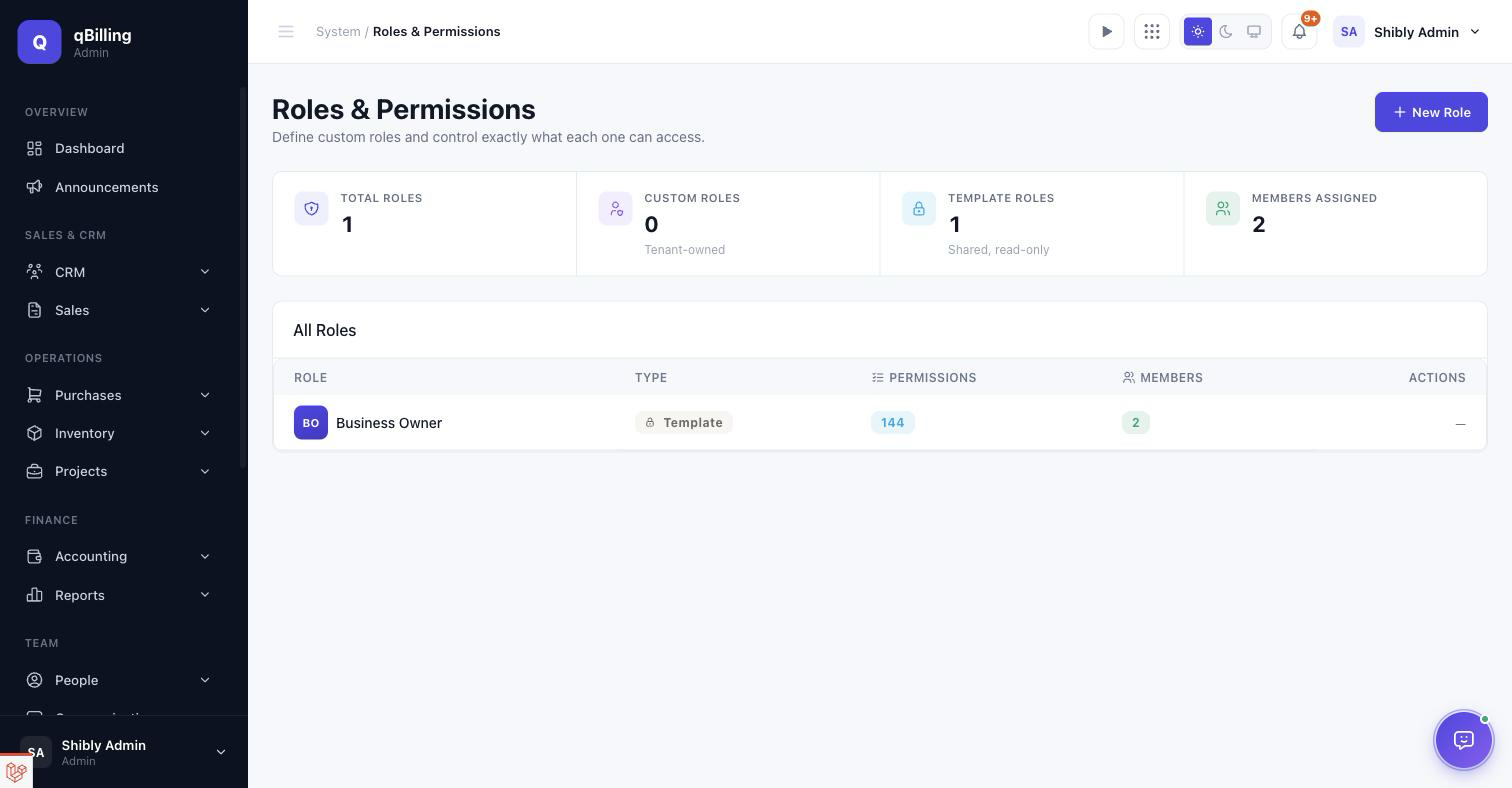
CUSTOM ROLES
Creating a role opens a permission matrix grouped by module — every checkbox is a distinct permission, so access can be scoped as tightly or as broadly as needed. Every permission the app defines, including "Use AI Assistant" (see the AI Assistant section), shows up here automatically the moment it exists — nothing to register by hand when a new module ships.
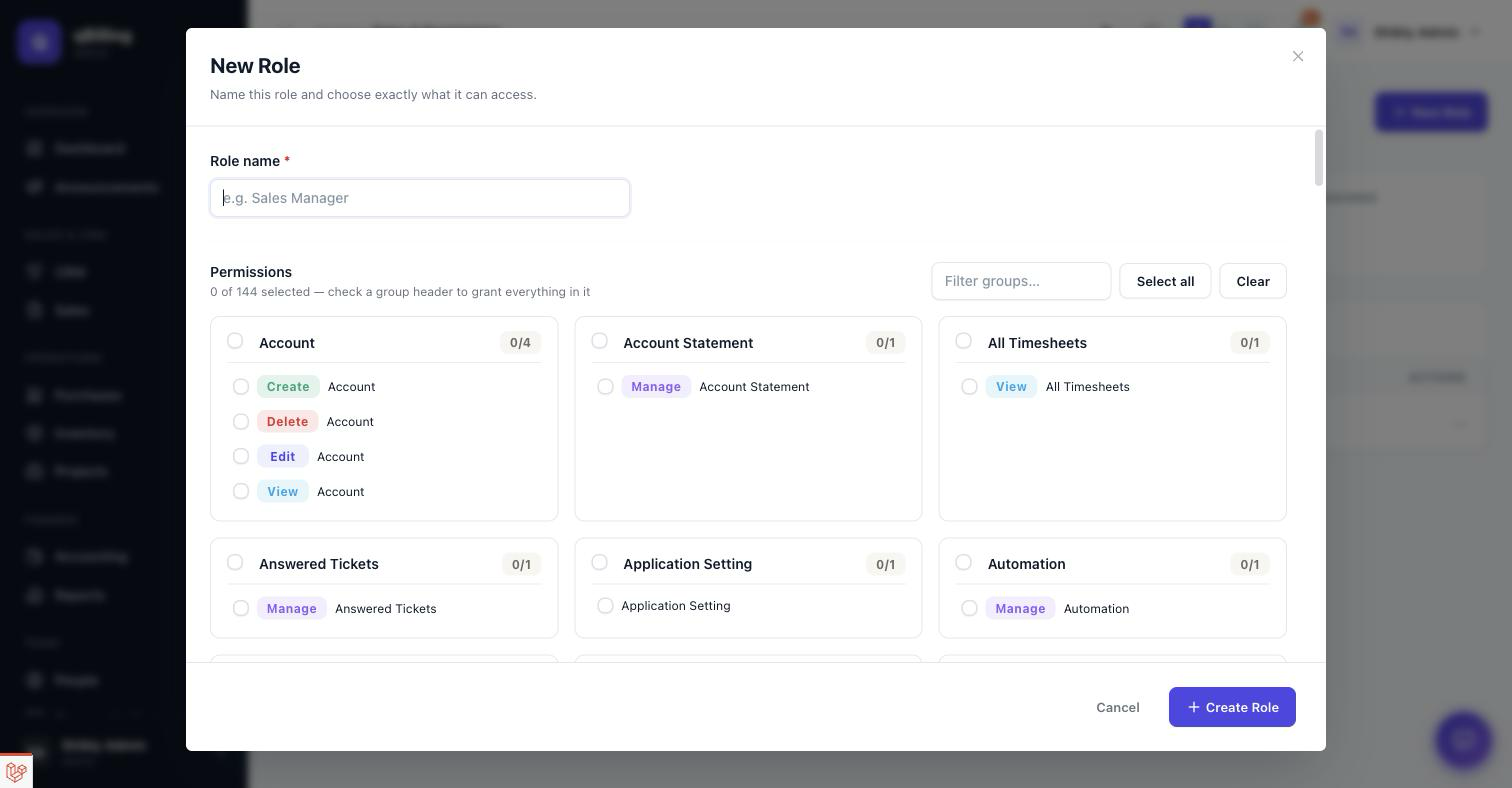
ACTIVITY LOG
A full audit trail — every create/update/delete action across the app, attributed to the user who did it.
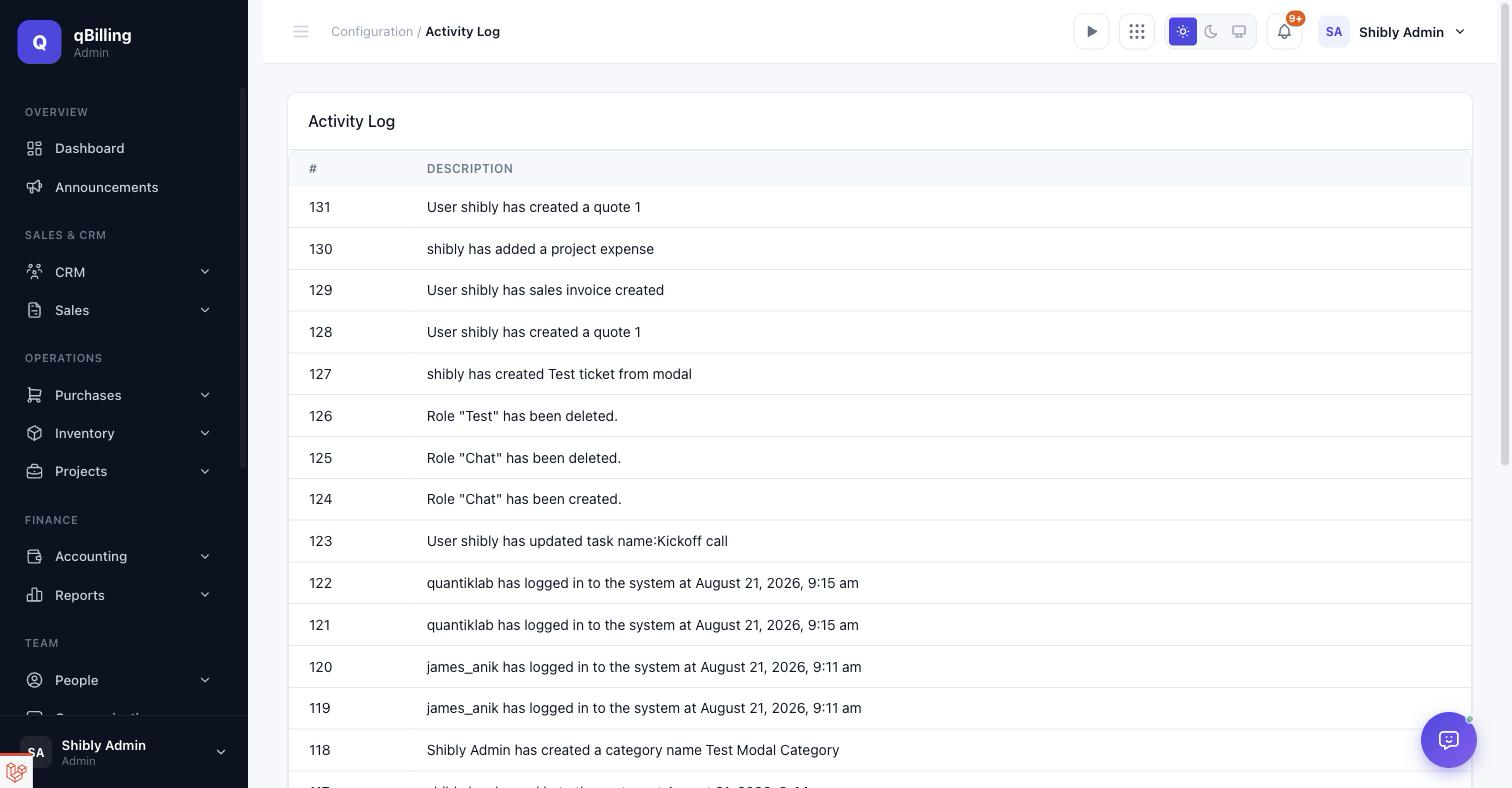
Customer Portal Customer Portal #back to top
A separate, branded login (/portal/login) for your customers — a
different authentication realm entirely from the staff app above, with no route by
which a staff session could reach it, or vice versa. Same sidebar + topbar + content
shell as the tenant admin app for a consistent product feel, fully responsive down to
mobile with the same off-canvas sidebar toggle.
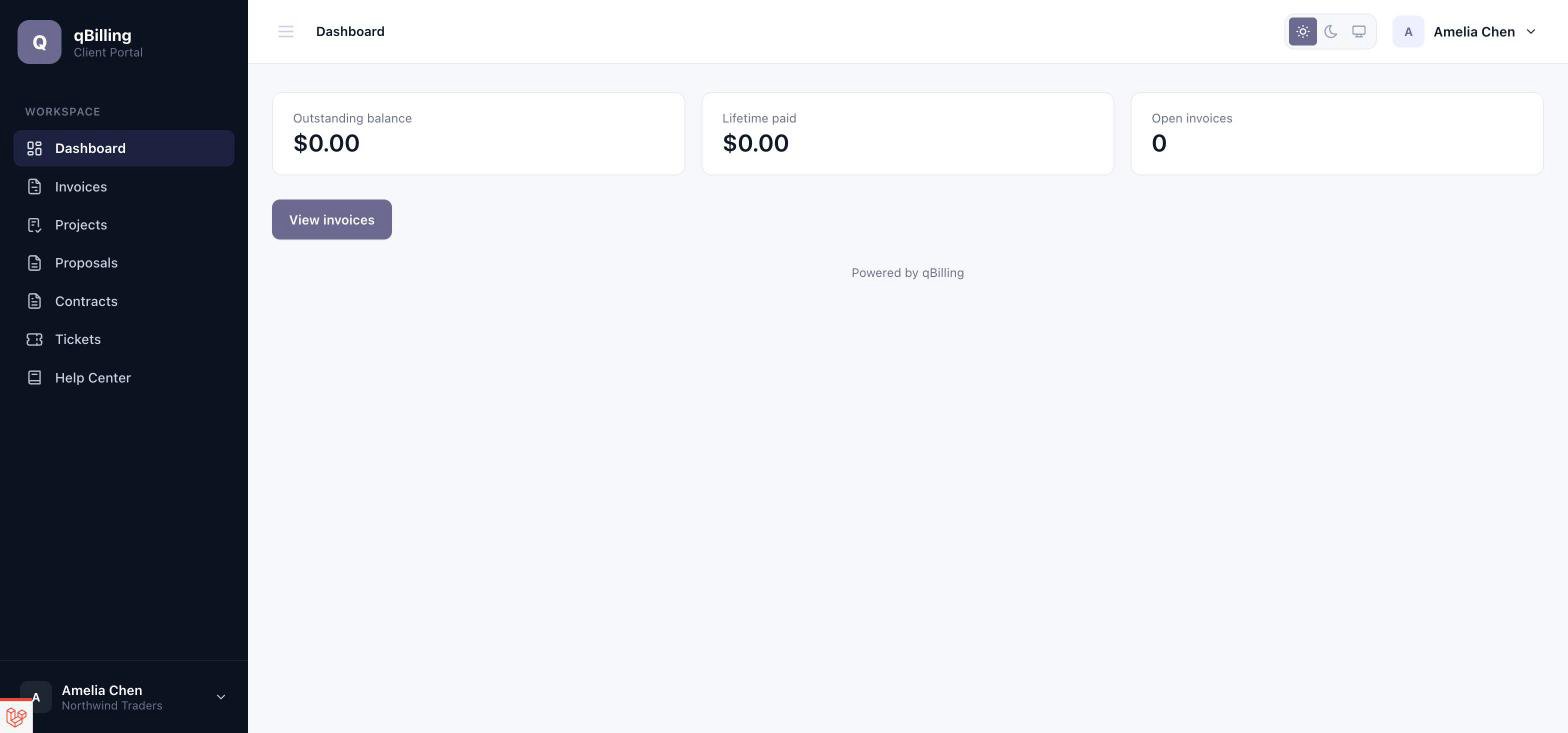
- Dashboard — outstanding balance, lifetime paid, open invoice count.
- Invoices / Projects / Proposals / Contracts — read-only views scoped to the logged-in customer's own company.
- Tickets — customers can raise and track their own support
tickets, gated behind the tenant's
support_deskentitlement:
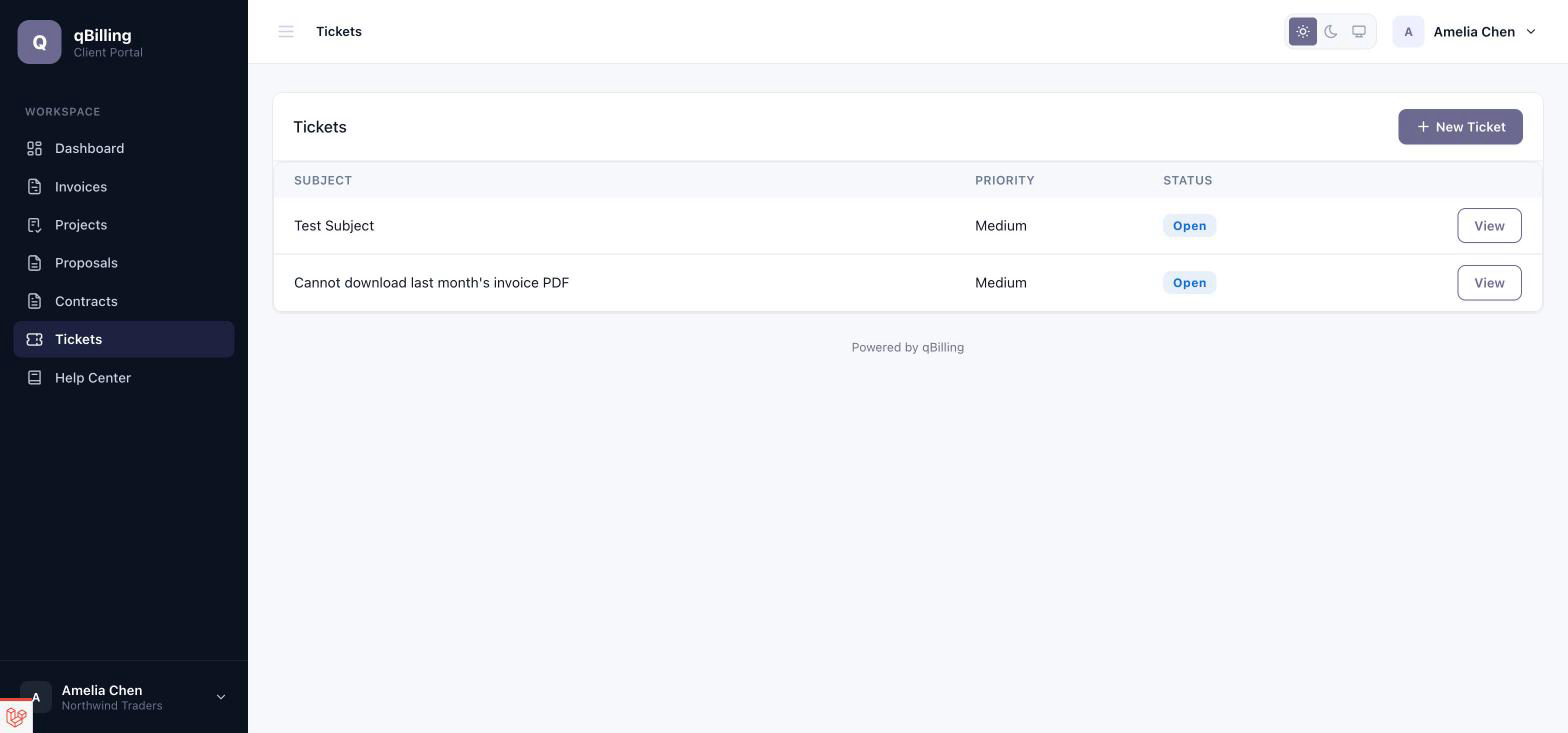
Raising a new one is a real form — department, priority, subject, and a full rich-text description — not a stripped-down contact box:
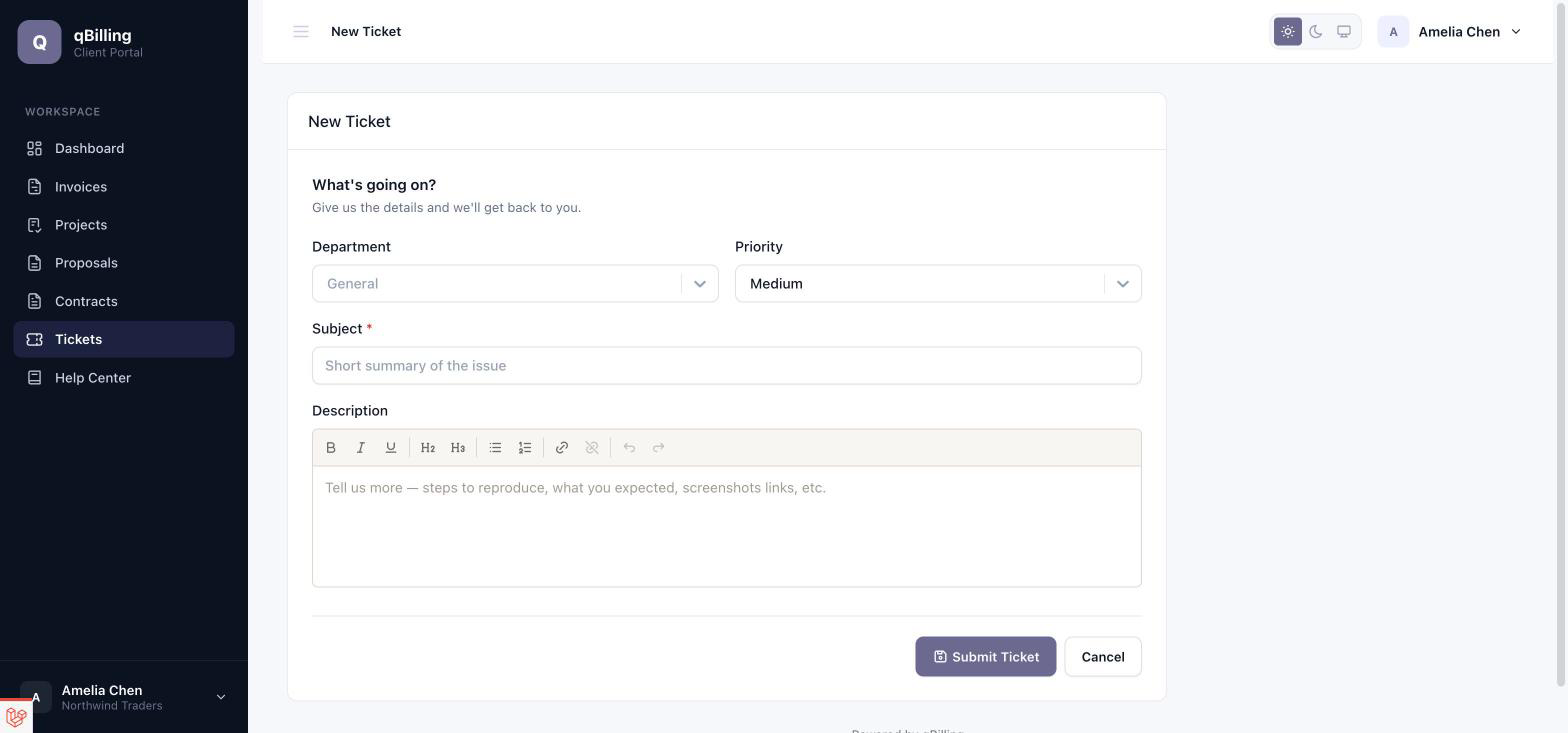
Help Center — only public-visibility Knowledge Base
articles ever appear here; an internal article's ID returns a plain 404
if a customer tries to guess it, so its existence isn't leaked:
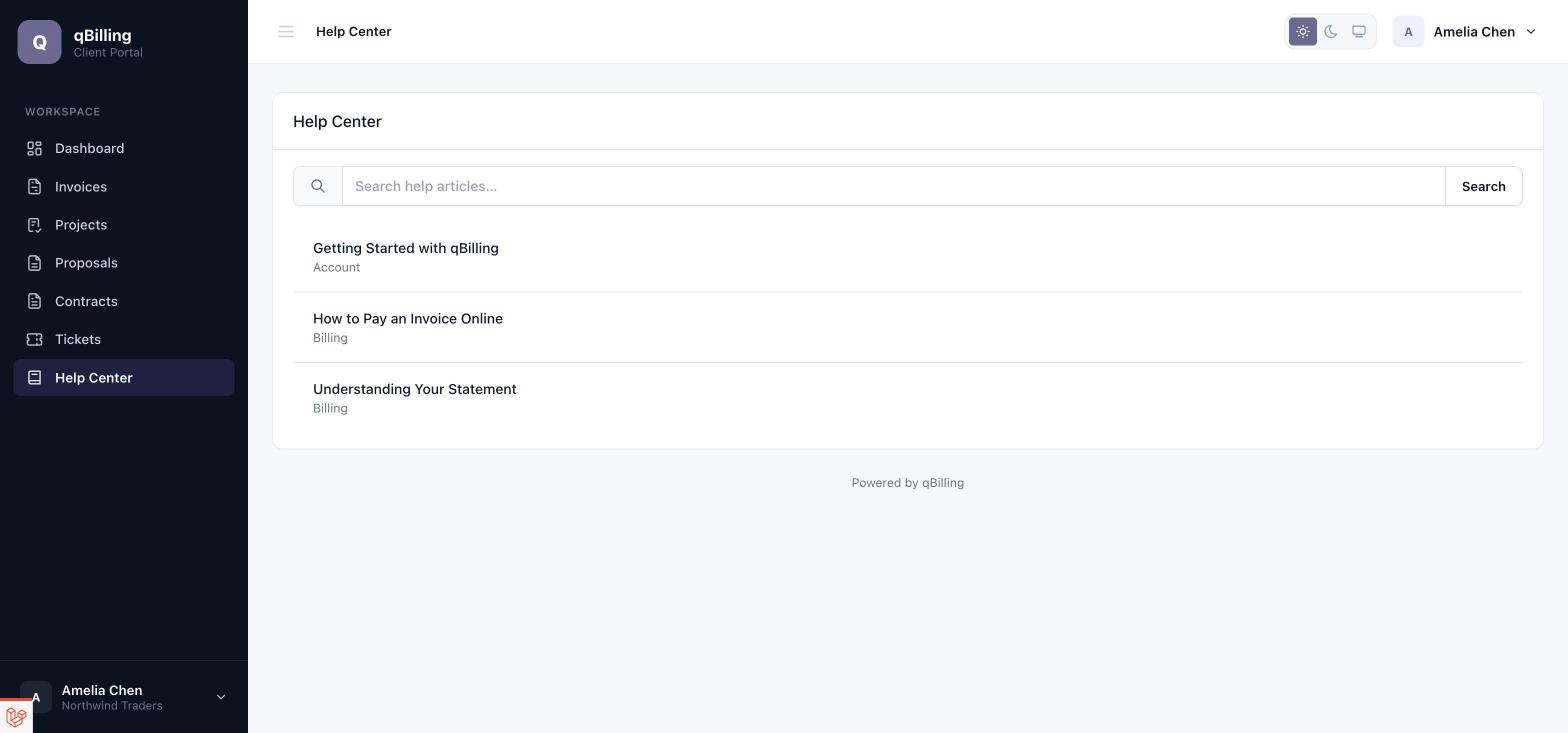
My Profile — name, email, and avatar, plus a Change Password card with the same live strength meter as the tenant admin app, driven by the tenant's own configured password policy:
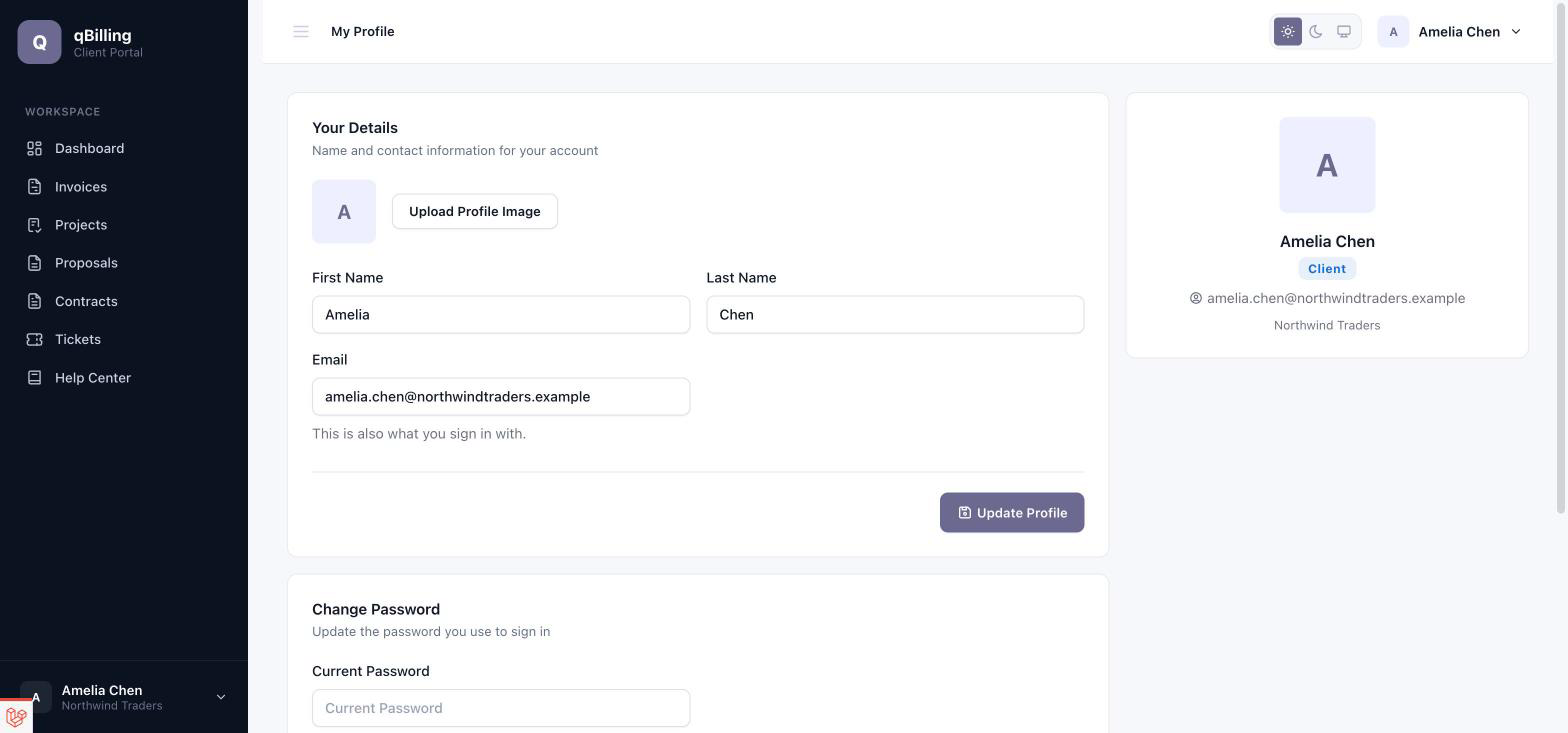
Team — a customer isn't limited to one login per company. Any portal identity with the admin role for a company can invite colleagues by email, assign them the Admin or Member role, and activate/deactivate access — all scoped to the companies they administer, never platform-wide. An invite emails a signed, expiring link; accepting it sets the new teammate's own password and activates their membership.
Platform Admin Multi-Tenancy & Packages #back to top
Every business that signs up gets its own tenant: fully isolated data, users, and roles, enforced at two layers (a global Eloquent scope on every tenant-owned model, plus repository-level scoping) so one tenant can never see another's records.
Each tenant is on a package (pricing tier) that grants a flat set of
entitlements — feature flags like api.access,
webhooks, support_desk, customer_subscriptions,
or whatsapp_sms. A route or button gated behind an entitlement the
tenant's plan doesn't include shows a clear "upgrade to unlock this" message rather
than a bare permission error. Packages, their prices, and their entitlements are all
edited by the platform admin — see the next section — without a code deploy.
Numeric plan limits (max leads, max deals, max sales invoices/month, storage, and so on) are enforced the same way and surfaced to the tenant on the Usage settings screen shown earlier in this document.
Platform Admin Platform Admin #back to top
The super-admin panel (/platform) — a third, completely separate
authentication realm again, for whoever runs qBilling itself as a SaaS business (not
a tenant, not a customer).
DASHBOARD
Cross-tenant tenant-status counts (active/trial/suspended/archived), MRR/ARR, failed payments, and churn rate.
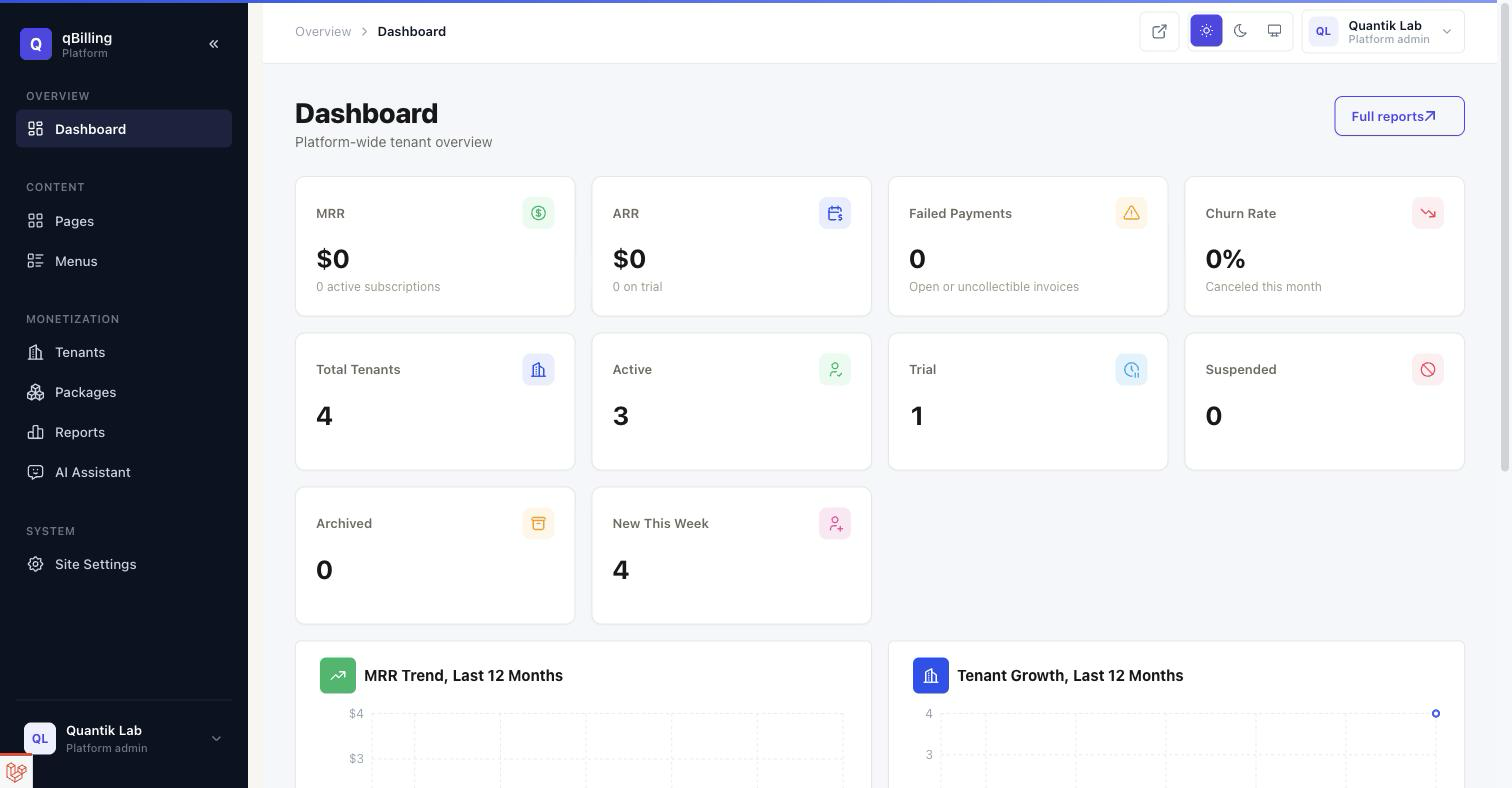
TENANTS
Every tenant on the platform, with status, package, user count, and a "New Tenant" flow for manually provisioning one. Suspend, archive, change package, or impersonate any tenant's user directly from here.
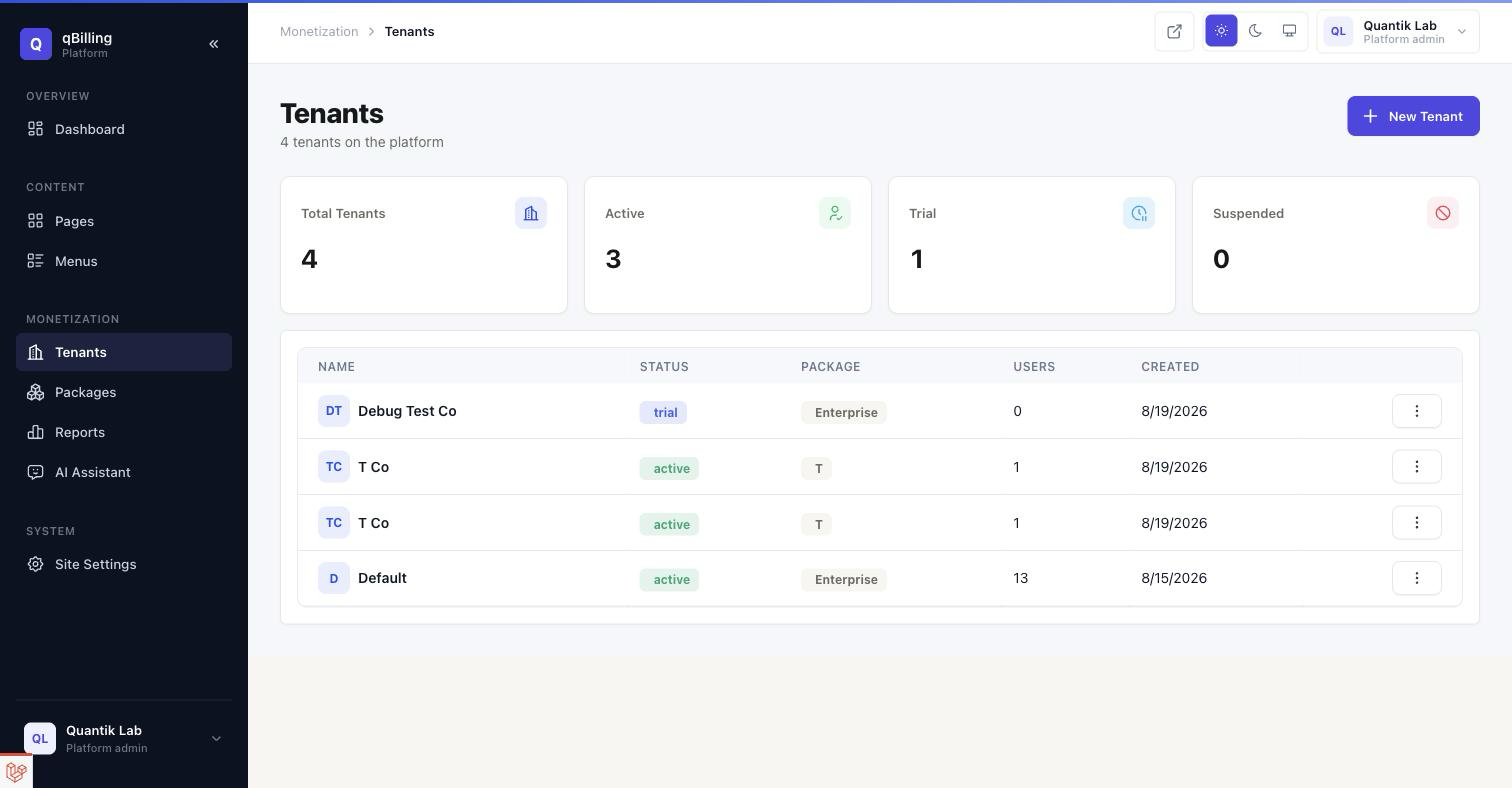
PACKAGES
The pricing tiers themselves — monthly/yearly price, trial length, and which entitlements each grants, editable without a deploy.
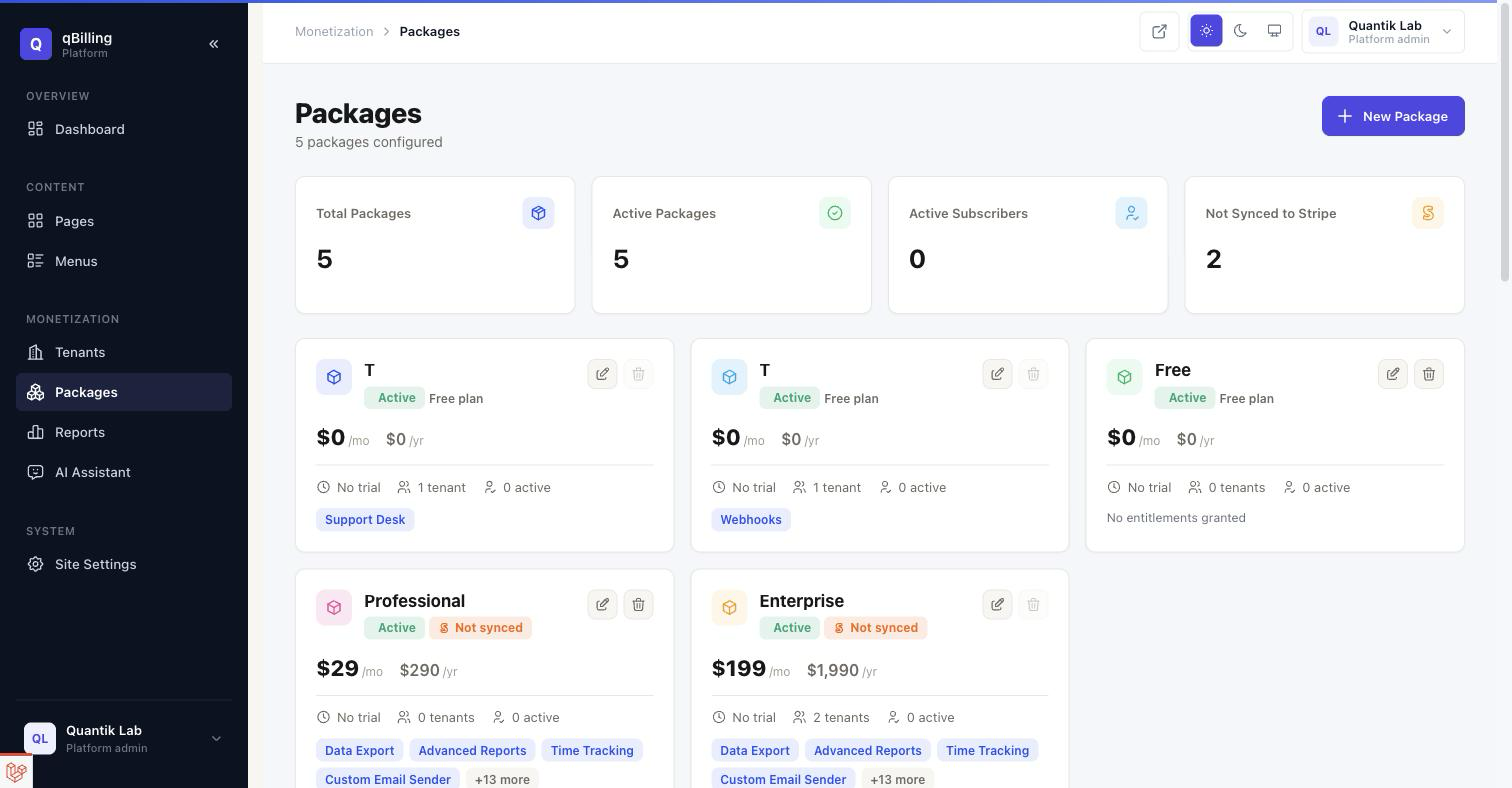
REPORTS
MRR trend, tenant growth, churn trend, and package distribution over the last 12 months — cross-tenant reporting that didn't exist before this version; Platform Admin previously had only point-in-time dashboard tiles.
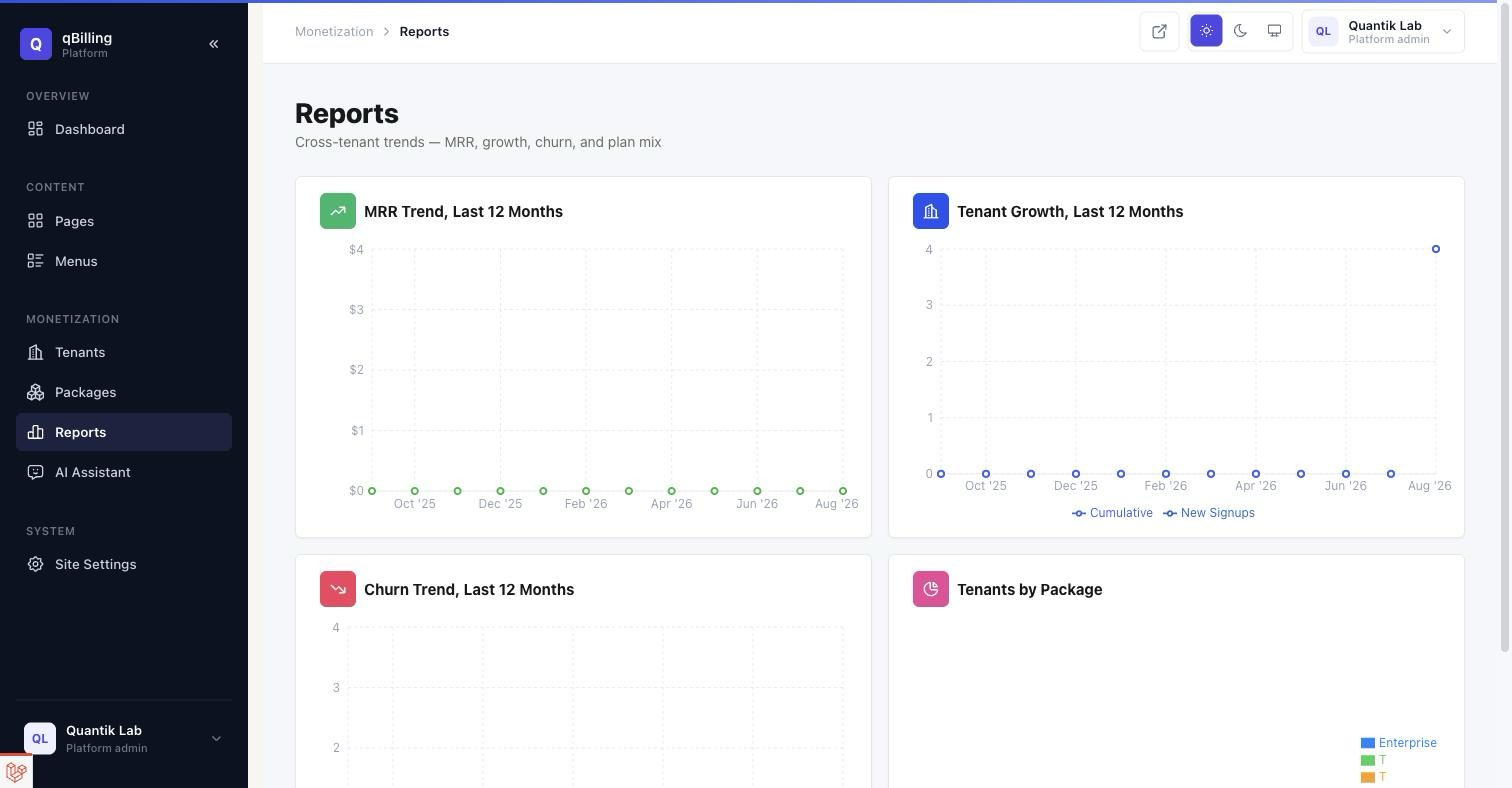
AI ASSISTANT
Platform-wide governance for the AI Assistant feature — every tenant brings its own key, so there's no usage or spend to see here, only availability controls. Four summary tiles up top (Action Types, Tools, Tenants on AI, Providers Configured) give an at-a-glance read before drilling into any of the three sections below.
Action Types (Chat, Dashboard Insights) are the top-level kill switches — a toggle switch next to each one, and every tool that action type can call listed right underneath as small colored chips (hover one for what it does), dimmed and struck through if the platform has separately disabled that specific tool. Tools below that lists all of them individually, grouped into Read/Lookup and Draft/Propose cards with a description and its own toggle per tool. Disabling anything here removes it for every tenant instantly, regardless of what any tenant has configured for themselves in their own Settings. Tenant Adoption lists every tenant whose package grants the feature, which package, whether they've actually connected a provider, and when they last used it.
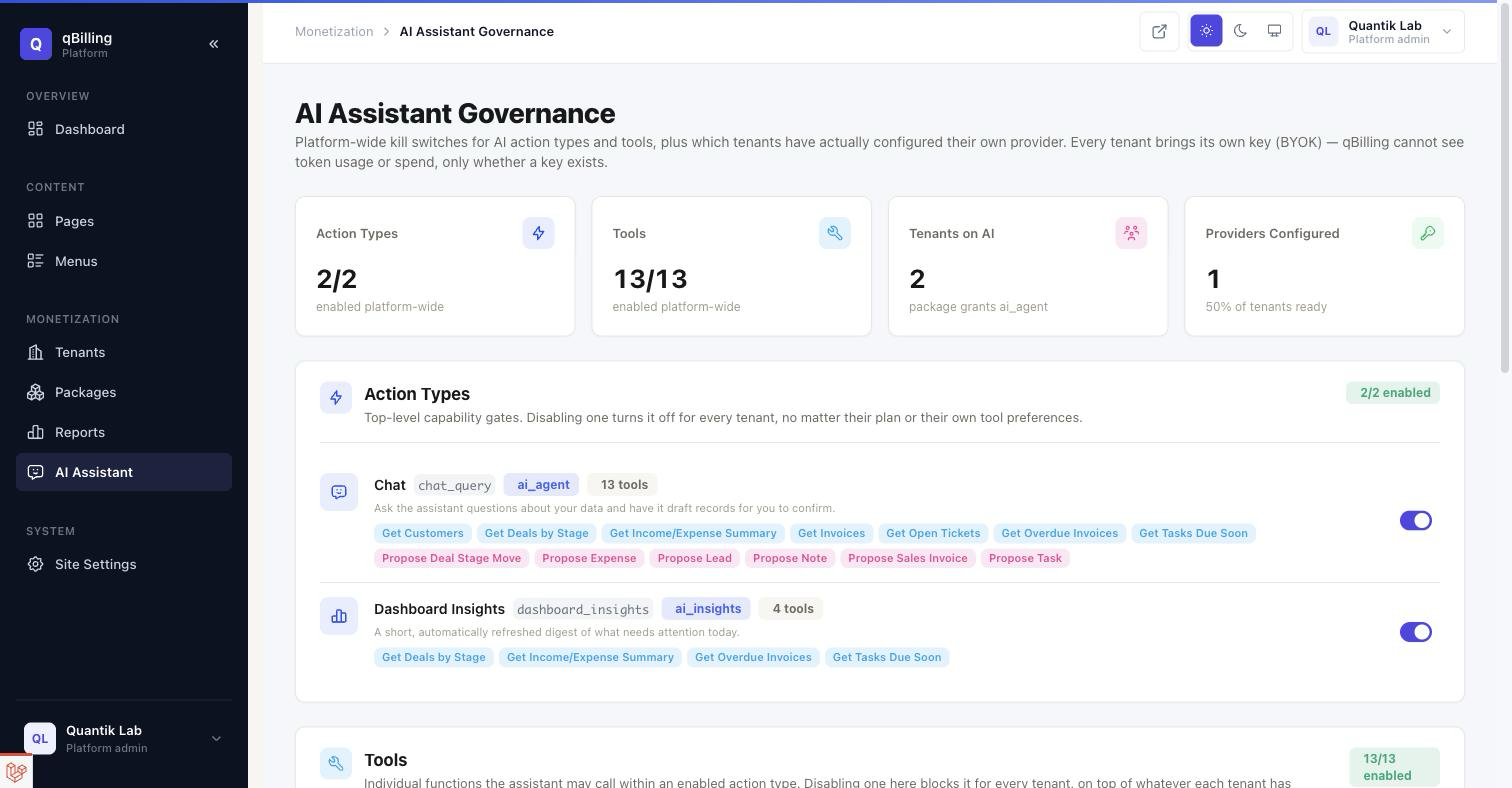
Also available (not separately screenshotted): Site Settings / SMTP / Stripe — the public marketing site's content and the platform's own billing-gateway credentials — and Pages / Menus, a page builder for the public marketing site.
Reference Backup & Data Export #back to top
Whole-database backup is a central-admin-only tool — since every tenant shares one
database, a full backup would expose every other tenant's data, so it is
deliberately unreachable from any tenant-scoped session. Per-record CSV export (e.g.
Products, Transactions) is available to tenants that have the
data.export entitlement, directly from each list screen's own "Download
CSV" action shown earlier in this document (Products, Purchase Report).
Reference Credits #back to top
This application was made possible by these awesome resources:
| Laravel |
| Inertia.js |
| React |
| Tabler |
| Recharts |
| Spatie Laravel-Permission |
| Spatie Activity Log |
| Stripe |
| Twilio |
| Tabler Icons |
| Font Awesome |
and many more...
Reference Version History (Changelog) #back to top
The full technical changelog lives in CHANGELOG.md in the application
root. This is the buyer-facing summary of what's shipped since the original
single-tenant script.
v5.8 — Modal Workflows, Custom Fields Overhaul & Contact Import
- Product, Category, and Warehouse editing (and Product creation) now open as polished in-place modals instead of navigating to a separate page — the standalone pages still exist for anyone who prefers them, but the list screens link straight to the modal now.
- Task creation and editing likewise moved to in-place modals from the Tasks list.
- Custom Fields expanded from 4 record types and 5 field types to 8 record types (adding Projects, Companies, Products, and Customers) and 12 field types (adding Currency, Date & Time, Multi-Select, Email, URL, and Phone), each validated for its own type instead of stored as plain text.
- Contact Import — bulk-load Contacts from a CSV or XLSX file, with a downloadable, pre-filled template and duplicate-email detection.
- Calendar's Add/Edit Event redesigned — a proper date-time picker (the previous one broke visually inside a scrolling modal), a rich-text description editor, and a wider two-column layout that fits everything without scrolling.
- Settings → Application redesigned (icon-badge sections, live logo preview, profile-complete indicator, Country field removed) and Settings → Usage redesigned to a compact list layout; the unused Settings → About page was removed.
- Customer Portal gains Team — any portal admin can invite and manage teammates for the companies they administer, without staff involvement.
- Fixed a paywall-bypass bug: Portal Branding (logo, name, accent color) was leaking into system emails and invoice PDFs for every tenant regardless of whether their plan actually included the white-label entitlement. Correctly gated now, and the same branding also drives the tenant admin sidebar's logo and name once connected.
- Fixed editing a Product without uploading a new image silently wiping the existing one.
v5.7 — Real-Time Installer & Reliable File Links
- The installer is now fully AJAX-powered with a live, real-time progress checklist — each step runs as its own small request and turns green as it finishes, instead of one long request that could time out on slower hosting.
- A new Options step lets you choose Fresh Installation or Install With Dummy Data up front, and creates both the Platform Admin account and your Business Owner account in the same step — no separate command-line step required.
- Every uploaded file (logos, avatars, attachments) now always links back through the Application URL you enter in Step 3, including in emails and PDFs, so links keep working outside your own browser instead of silently pointing at whatever host happened to serve the install request.
v5.6 — Full Payroll Module
- A complete Payroll module, gated behind its own
payrollpackage entitlement — org structure (Departments & Designations), a configurable Salary Components catalog (fixed, percentage, or formula-based), and a per-employee Salary Profile with proration for mid-period joiners. - Payroll Periods with queued, per-employee background generation; a full draft → processing → manager approved → finance approved → locked approval workflow with separation-of-duties enforcement (business-owner escape hatch) and a negative-net-salary safety block.
- Branded PDF payslips, and GL-integrated payment posting — marking a period paid posts a real accounting transaction, and voiding one posts an exact reversal rather than editing history.
- Attendance, Leave (with types and balances), Overtime (with configurable rate multipliers), Bonuses (individual/department/company scope), Loans and Salary Advances (both with automatic amortized per-period deductions), and a configurable, bracket-based income Tax Rule table.
- Automatic login/logout attendance capture — every sign-in stamps a check-in and every sign-out a check-out, with any manual HR entry for that day always taking precedence, permanently.
- A Payroll Dashboard (cost trends, department distribution, overtime and bonus charts) and eight dedicated reports — Salary History, Payslip History, Department Salary Cost, Total Payroll Expense, Tax Report, Overtime Report, Loan Deduction Report, and Attendance Impact Report.
- A scheduled
payroll:generate-monthlycommand automatically opens each new month's period and queues generation for every eligible employee, across every subscribed tenant.
v5.5 — Project Room Redesign, Time Tracking & Calendar
- Time Tracking & Billing — per-employee and per-project hourly rates, with a clear resolution order (entry override → project rate → employee default rate, skipped entirely for Fixed Rate projects) and a visible "rate missing" flag instead of silently billing $0. Timesheet entries can now be logged by duration alone, not just a start/end range, and the date-time picker was restyled to match the rest of the app.
- Project Create & Edit rebuilt pixel-for-pixel to a new design (see Projects & Support below), including a real, on-demand AI Suggestions panel grounded in this tenant's own project history.
- Project Room's Overview tab rebuilt as a full dashboard — hero card, four KPI cards, a deterministic AI Project Health score, and a unified Command Center for updates/comments/files/client messages; team members can now be added via a searchable multi-select modal without leaving the page.
- New Calendar page (Overview → Calendar) — task due dates, deal close dates, contract end dates, and opted-in project deadlines now aggregate onto one real month-grid calendar automatically.
- Fixed a data-isolation bug that silently prevented project team and task assignee changes from ever being saved (a required tenant column on the underlying assignment tables was never populated) — assigning people to a project or task now actually persists.
- Dashboard's "Tasks Due Soon" widget now only shows tasks from the viewer's own assigned projects, not every project in the tenant.
- Fixed an invoice-generation crash when billing logged time whose product name exceeded the database column length, and when a rate-missing time entry had no unit price to bill.
v5.4 — Installer Overhaul & Fresh-Install Fix
- Complete visual redesign of the installer wizard (all 5 steps) — a real branded stepper, icon headers, pass/fail summary banners, and a polished card layout in place of the previous bare Bootstrap defaults.
- Fixed a critical fresh-install bug: the Database step wrote the new connection to
.envand immediately ran migrations/seeders in the same request — but that request had already booted with the old database config in memory, so migrations silently ran against the wrong (or no) database, or the seeder run collided with permissions migrations had already created. Every genuinely fresh install (a real empty database, not one this app had touched before) hit this. Migrations and seeding now run as realphp artisansubprocesses with explicit database credentials, guaranteeing a clean boot against the right database every time — verified with a full, real install end-to-end.
v5.3 — Email Templates & Team Inbox
- New Email Templates system — every automated email the app can send (invoice/ quote delivery, payment receipts, welcome emails, password resets, portal invitations, ticket notifications, contract renewal reminders, SLA breach alerts, internal message notices) is now one editable, per-tenant catalog with a rich-text editor, click-to-copy placeholders, live preview, and send-test — gated behind its own assignable permission.
- Every outgoing email, including the invoice/quote "email with attachment" flow, now renders inside a single branded layout — your logo, your accent color, a consistent professional footer — instead of unstyled HTML.
- New internal Team Inbox — message a teammate from Communication → Compose and they also get an email notification. Redesigned Inbox/Sent/Compose/message detail pages to match the tenant app's shell, with unread state and per-row delete.
- Fixed a data-isolation bug in Application Settings (company name/logo/address) that silently failed to save for any tenant other than the very first one on the install.
v5.2 — Customer Portal Overhaul
- Customer Portal rebuilt on the same sidebar + topbar shell as the tenant admin app instead of a standalone top-nav — consistent product feel, fully responsive.
- Customers can now raise their own support tickets from the portal (department, priority, subject, rich-text description) instead of view-only.
- Customer Portal "My Profile" — name, email, avatar upload, and a Change Password card with a live tenant-policy-driven strength meter.
- Fixed raw ISO timestamps displaying instead of formatted dates across the portal (Contracts, Invoices, Projects, Proposals, Tickets), and ticket descriptions/ comments now render as formatted rich text instead of raw HTML tags.
v5.1 — Project Room, AI Access Control & UI Polish
- Project Room — task editing, new tickets, estimates, sales invoices, and project expenses all open as in-place modals instead of navigating to a separate page; milestone dates use the standard date-picker.
- Quick Access — a permission-aware shortcut menu in the header for the most-used destinations in the app.
- Per-role AI Assistant access (
use_ai_assistantpermission), independent of the tenant's plan entitlement. - My Profile — Change Password with a live strength meter driven by the tenant's own password policy.
- Redesigned sidebar navigation (grouped sections), Quote detail view, Company 360 Activity tab, Platform Admin dashboard/reports charts, and dashboard/report color palette overhaul across the app.
- Sidebar menu items now hide automatically for any permission a role doesn't have, instead of showing and then denying access on click.
v5.0 — SaaS Platform Completion
- Customer Self-Service Portal (a third, fully separate auth realm) with invoices, projects, proposals, contracts, tickets, and a public Help Center.
- Automation Engine — trigger/condition/action rules on real domain events (deal won, ticket created, ticket SLA breached).
- Customer Subscriptions (recurring billing), Custom Fields, Support Desk with Departments/Services/SLA Policies/email piping, Goals & KPI tracking.
- Documents module, Communication Hub (shared inbox), Company Newsfeed, Knowledge Base (staff + public).
- REST API (
/api/v1) with Sanctum personal access tokens and per-package rate limiting, plus HMAC-signed outbound Webhooks. - WhatsApp/SMS overdue-invoice reminders via direct Twilio and Meta WhatsApp Cloud API integration.
- Multi-currency polish, Calendar deadline aggregation across Tasks/Deals/ Contracts.
- Every report page rebuilt with real SVG charts (Recharts) — Income, Expense, Income vs Expense, Sales, Purchase, Inventory, Balance Sheet, Account Statement, plus 4 brand-new reports: CRM Pipeline, Support, Subscriptions, Goals.
- Platform Admin gains its own Reports page (MRR/growth/churn trends, package distribution) — previously dashboard tiles only.
- Settings and Reports converted from in-page tab strips to real sidebar submenus.
v4.0 — Multi-Tenant SaaS Transformation
- Full multi-tenancy: every business gets an isolated tenant, enforced at both the global-scope and repository layers.
- Platform Admin — a separate super-admin panel for managing every tenant, package, and platform-wide subscription billing (Stripe).
- Packages & Entitlements — plan-based feature flags and numeric usage limits, editable without a deploy.
- Usage metering surfaced to tenants on their own Settings screen.
v3.0 — CRM & Delivery Integration
- CRM Core: Contacts, Companies, Lead capture/conversion, Pipeline/Deal Kanban board, shared Activity timeline.
- Deal → Project → Invoice automation on Won.
- Timesheets, Proposals (with public view-tracking), Contracts.
- Customer 360 — merged reverse-chronological timeline per Contact/Company.
- In-app notifications with real triggers (deal won, contract expiring, lead assigned, proposal accepted).
- Guided web-based installer wizard (requirements check, Envato purchase-code verification, database setup, admin account creation, optional demo data).
v2.0 — Laravel 13 Modernization
- Upgraded from Laravel 5.7 to Laravel 13.
- Converted the entire admin UI from server-rendered Blade to Inertia.js v3 + React 19.
- Rebuilt the visual design system on Tabler.
- Restored the standard Laravel document-root structure; fixed shared-hosting
.htaccessredirects.
v1.0 — Initial Release
- Single-tenant accounting, inventory, invoicing, and CRM script.
Thank you again for purchasing qBilling. If you have any questions relating to this application, reach out to quantiklab@gmail.com — I'll do my best to assist within the scope of your support license.